
Introducció
This manual provides essential information for the safe and efficient operation of your MEDION P64145 All-in-One Audio System. Please read it thoroughly before using the device and keep it for future reference.
Informació important de seguretat
Seguiu sempre les precaucions de seguretat bàsiques quan utilitzeu aquest producte per reduir el risc d'incendi, descàrrega elèctrica i lesions personals. Conserveu aquest manual a mà per a futures consultes.
- No exposeu el dispositiu a la pluja o la humitat.
- No obstruïu cap obertura de ventilació.
- Utilitzeu només accessoris/accessoris especificats pel fabricant.
- Demaneu tot el servei a personal de servei qualificat.
Contingut del paquet
Assegureu-vos que tots els articles estiguin presents i en bon estat en desempaquetar-los:
- MEDION Life MD44125 P64145 AiO Audio System
- Comandament a distància (inclou bateria)
- Cable d'alimentació
- Manual d'usuari
Configuració
1. Desembalatge i col·locació
Carefully remove the audio system from its packaging. Place the unit on a stable, flat surface away from direct sunlight, heat sources, and excessive dust or moisture. Ensure adequate ventilation around the unit.
2. Connecting the Power and Antenna
Connect the provided power cord to the AC IN socket on the rear of the audio system, then plug the other end into a wall outlet. Extend the telescopic antenna on the rear of the unit for optimal FM and DAB+ radio reception. Adjust its position for the best signal quality.
Imatge: posterior view of the MEDION P64145 audio system with the power cord connected and the telescopic antenna extended. This image demonstrates how to properly connect power and set up the antenna for improved radio signal reception.
3. Instal·lació de la bateria del control remot
Open the battery compartment on the remote control and insert the provided battery, observing the correct polarity.
Instruccions de funcionament
1. Encendre/apagar
Premeu el botó PODER button on the unit or remote control to turn the system on or off.
2. Selecció de la font
Premeu el botó FONT button repeatedly to cycle through available input sources: DAB+, FM, CD, USB, Bluetooth, AUX-in.
3. Funcionament de la ràdio DAB+
- Seleccioneu el mode DAB+.
- The system will automatically scan for available DAB+ stations.
- Utilitza el TUNE +/- buttons or rotary knob to navigate through stations.
- Premeu OK per seleccionar una estació.
- To save a station, press and hold a preset number button (1-30).
Vídeo: This video demonstrates selecting DAB+ radio, adjusting volume, and other functions on a similar MEDION micro audio system. It illustrates the user interface and controls for various audio modes.
4. Funcionament de la ràdio FM
- Seleccioneu el mode FM.
- Utilitza el TUNE +/- botons per sintonitzar manualment o manteniu premuts per cercar automàticament la següent emissora disponible.
- To save a station, press and hold a preset number button (1-30).
5. Reproducció de CD
- Seleccioneu el mode CD.
- Insert a CD (audio CD or MP3 CD) into the CD slot.
- The system will automatically begin playback.
- Ús REPRODUCCIÓ/PAUSA, STOP, SALTA +/- botons per al control.

Imatge: Davant view of the audio system highlighting the integrated CD player. This image shows where to insert CDs for playback.
6. Reproducció USB
- Inseriu una unitat flash USB que contingui MP3 files al port USB.
- Seleccioneu el mode USB.
- Use the navigation buttons to browse and select tracks.
7. Transmissió Bluetooth
- Select Bluetooth mode. The display will show "Pairing".
- On your smartphone or tablet, enable Bluetooth and search for "MEDION P64145".
- Selecciona el dispositiu que vols emparellar. Un cop connectat, pots reproduir àudio en streaming sense fil.

Imatge: A smartphone displaying a music app connected via Bluetooth to the MEDION audio system. This image demonstrates wireless music streaming capability.
8. Connexió d'entrada AUX
Connect an external audio device (e.g., MP3 player) to the AUX-in port using a 3.5mm audio cable. Select AUX-in mode to play audio from the connected device.
9. Alarm and Sleep Timer
The system features an alarm function (wake via radio, alarm sound, CD, or USB) and a sleep timer. Refer to the detailed instructions in the full user manual for setting these features.
10. Configuració de so
Ajusta el professional del sofile using the equalizer settings. The system offers five selectable sound settings (Pop, Rock, Jazz, Classic, Flat) to optimize your listening experience.

Imatge: Icons representing different sound equalizer presets (Pop, Rock, Jazz, Classic, Flat) available on the audio system. This image highlights the customizable sound options.
Manteniment
- Neteja: Use a soft, dry cloth to clean the unit. Do not use liquid cleaners or aerosol sprays.
- Cura de CD: Handle CDs by their edges. Keep them clean and free of scratches.
- Emmagatzematge: Si no l'utilitzeu durant un període prolongat, desendolleu l'aparell i guardeu-lo en un lloc fresc i sec.
Resolució de problemes
| Problema | Causa possible | Solució |
|---|---|---|
| Sense poder | Power cord not connected properly; Power outlet not working. | Comproveu la connexió del cable d'alimentació; proveu una altra presa de corrent. |
| Sense so | Volum massa baix; Funció de silenci activa; Font incorrecta seleccionada. | Increase volume; Deactivate mute; Select correct source. |
| Mala recepció de ràdio | Antenna not extended or positioned correctly; Interference. | Extend and adjust antenna; Move unit away from other electronic devices. |
| Problemes de vinculació de Bluetooth | El dispositiu no està en mode d'emparellament; el Bluetooth està desactivat al dispositiu extern. | Ensure system is in Bluetooth pairing mode; Enable Bluetooth on external device and retry pairing. |
Especificacions
- Model: MEDION P64145 (MD44125)
- Potència de sortida d'àudio: 15 watts
- Sintonitzador de ràdio: DAB+, PLL-FM Stereo (30 presets each)
- Reproductor de CD: Supports Audio CD, MP3-CD
- Connectivitat: Bluetooth, USB, AUX-in
- Característiques especials: Alarm function, Sleep timer, Color display
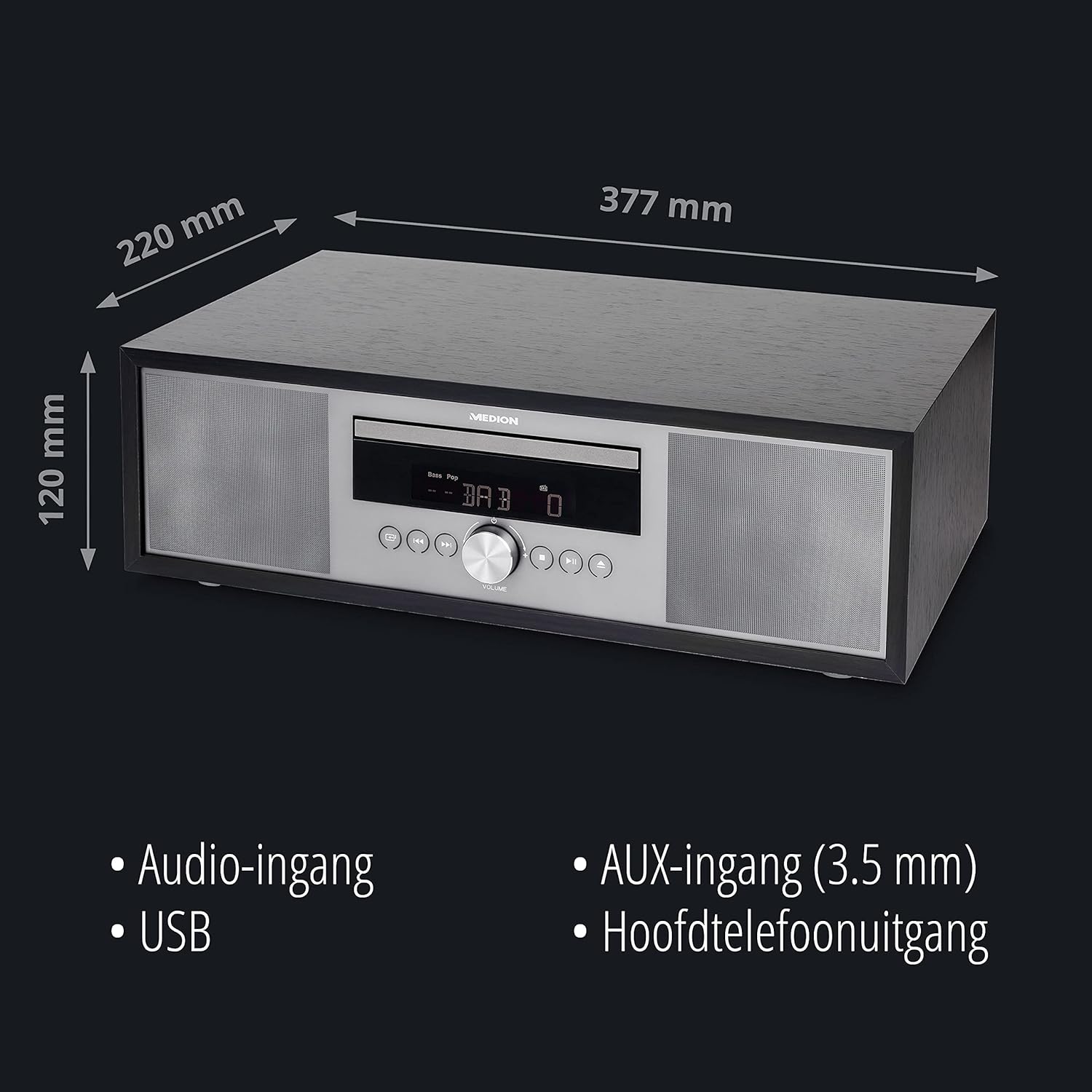
- Dimensions (aprox.): 41.8 x 27.3 x 15.5 cm
- Pes (aprox.): 3.95 kg

Imatge: The MEDION P64145 audio system with its dimensions indicated. This image provides a visual representation of the product's size.
Garantia i Suport
For warranty information, technical support, or service inquiries, please refer to the warranty card included in your package or visit the official MEDION weblloc web. Conserveu el comprovant de compra per a reclamacions de garantia.