1. Introducció
This instruction manual provides essential information for the safe and effective use of your GUY-TECH AC Adapter, designed as a compatible replacement power supply for the Magnavox MPD835 Portable DVD Player. Please read this manual thoroughly before use and retain it for future reference.
2. Producte acabatview
The GUY-TECH AC Adapter is a high-quality power supply unit engineered to provide reliable power to your Magnavox MPD835 Portable DVD Player. It features a durable design, a 5-foot cable for convenient reach, and an LED indicator to confirm power status.
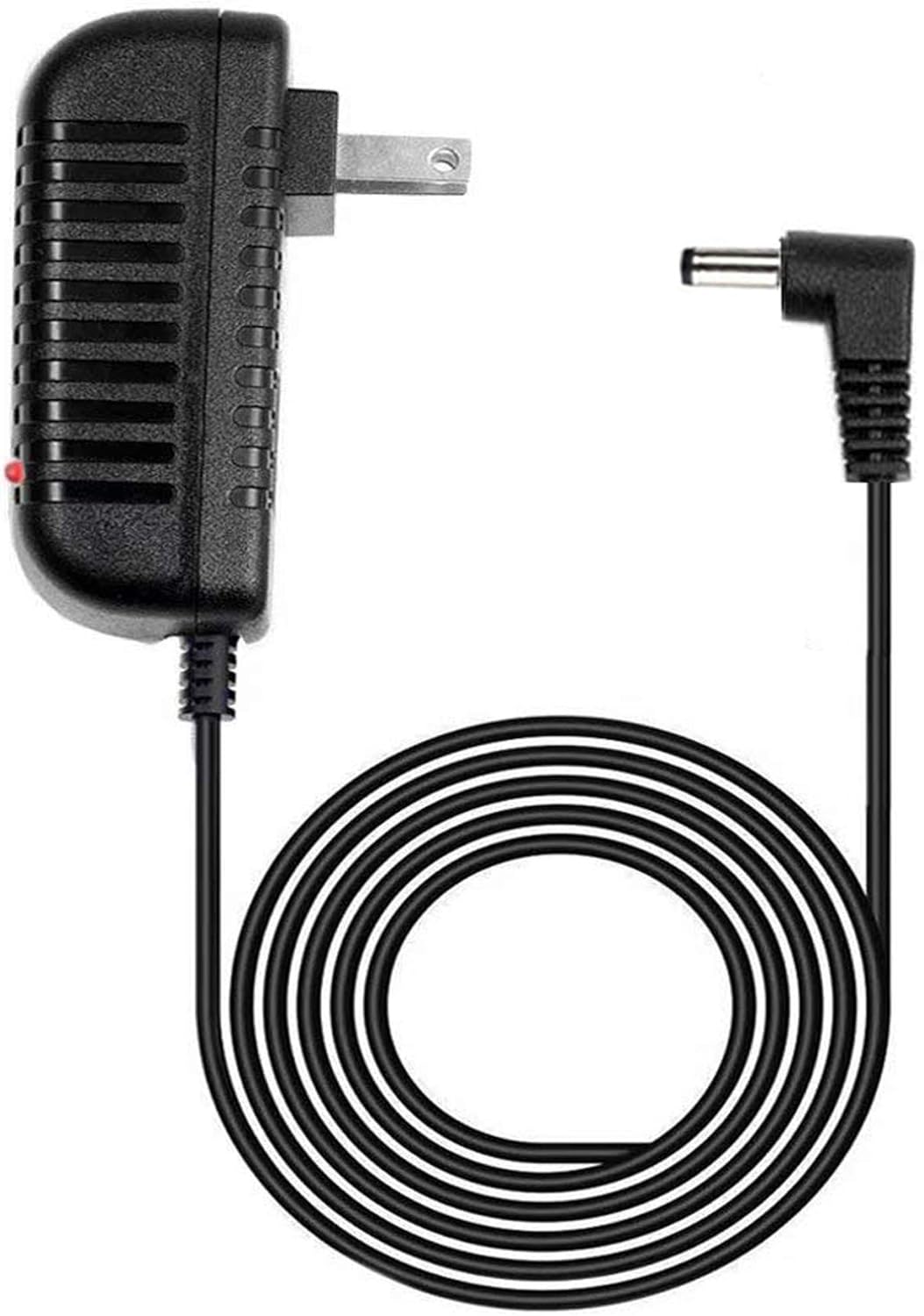
Image 1: GUY-TECH AC Adapter. This image displays the main power adapter unit, featuring a standard US two-prong plug, a black power brick with ventilation slots, a coiled black cable approximately 5 feet long, and a right-angle barrel connector at the end. A small red LED indicator is visible on the power brick.

Image 2: Key Features. This image highlights two key features of the adapter: "5 FEET" indicating the cable length, and "LED light" referring to the power indicator, both enclosed in orange circular outlines.
Característiques principals:
- Entrada Voltage: 100V - 240V (worldwide compatibility)
- Longitud del cable: Aproximadament 5 peus
- Indicador LED: Confirms power status
- Característiques de seguretat: Més del voltage Output Protection, Over Current Output Protection, Short Circuit Output Protection
- Tipus de connector: Connector de canó
3. Compatibilitat
This AC adapter is specifically designed as a compatible replacement for the Magnavox MPD835 Portable DVD Player. Ensure your device model matches this specification for proper functionality.
Important: If your model is not listed, please verify compatibility before use.
4. Instruccions de configuració
- Comproveu els requisits d'alimentació: Confirm that your Magnavox MPD835 Portable DVD Player requires a DC power supply within the adapter's specifications.
- Connecta't al dispositiu: Insert the barrel connector end of the GUY-TECH AC Adapter firmly into the DC input port of your Magnavox MPD835 Portable DVD Player.
- Connecteu-vos a la presa de corrent: Plug the AC adapter's two-prong plug into a standard 100V-240V AC wall outlet.
- Power Confirmation: Observe the LED indicator on the adapter. A lit LED indicates that the adapter is receiving power and is ready to supply power to your device.
5. Instruccions de funcionament
Once connected as described in the Setup section, the GUY-TECH AC Adapter will continuously supply power to your Magnavox MPD835 Portable DVD Player. The LED indicator on the adapter will remain lit when power is being supplied.
To power off your device, either disconnect the adapter from the wall outlet or turn off the DVD player using its own power controls.
6. Manteniment i cura
- Keep the adapter in a dry environment, away from moisture and extreme temperatures.
- Avoid bending or kinking the cable excessively to prevent internal damage.
- Do not attempt to open or repair the adapter yourself. Refer to qualified personnel for service.
- Clean the adapter's exterior with a soft, dry cloth. Do not use liquid cleaners.
- Unplug the adapter from the wall outlet when not in use for extended periods.
7. Solució De Problemes
| Problema | Causa possible | Solució |
|---|---|---|
| Adapter LED is off, device not powering on. | No power from outlet; loose connection; faulty adapter. | Check wall outlet with another device; ensure all connections are secure; try a different outlet. If problem persists, the adapter may be faulty. |
| Device powers on but shuts off intermittently. | Loose connection; power fluctuation; adapter overheating. | Ensure connections are tight. Use in a well-ventilated area. If overheating, disconnect and allow to cool. |
| L'adaptador s'escalfa massa. | Sobrecàrrega; mala ventilació; falla interna. | Ensure the adapter is not covered. Disconnect immediately if excessively hot. Do not use if it continues to overheat. |
8. Especificacions
- Marca: GUY-TECH
- Compatibilitat de models: Magnavox MPD835 Portable DVD Player
- Entrada Voltage: 100V - 240V CA
- Sortida: Compatible Output
- Longitud del cable: 5 peus
- Tipus de connector: Connector de barril
- Característiques especials: Indicador LED, sobrevol.tagProtecció electrònica, protecció contra sobrecorrent, protecció contra curtcircuits
- Pes de l'article: 5 unces
- ASIN: B08NPK5Z2S
- UPC: 757926765260
9. Garantia i Suport
This GUY-TECH AC Adapter is a compatible replacement product. For specific warranty information, please refer to the terms provided by your retailer at the time of purchase. For technical support or inquiries regarding this product, please contact the manufacturer, Guy-Tech, or your point of purchase.
Per obtenir més ajuda, podeu visitar el fabricant weblloc o poseu-vos en contacte amb el seu departament d'atenció al client.