
1. Introducció
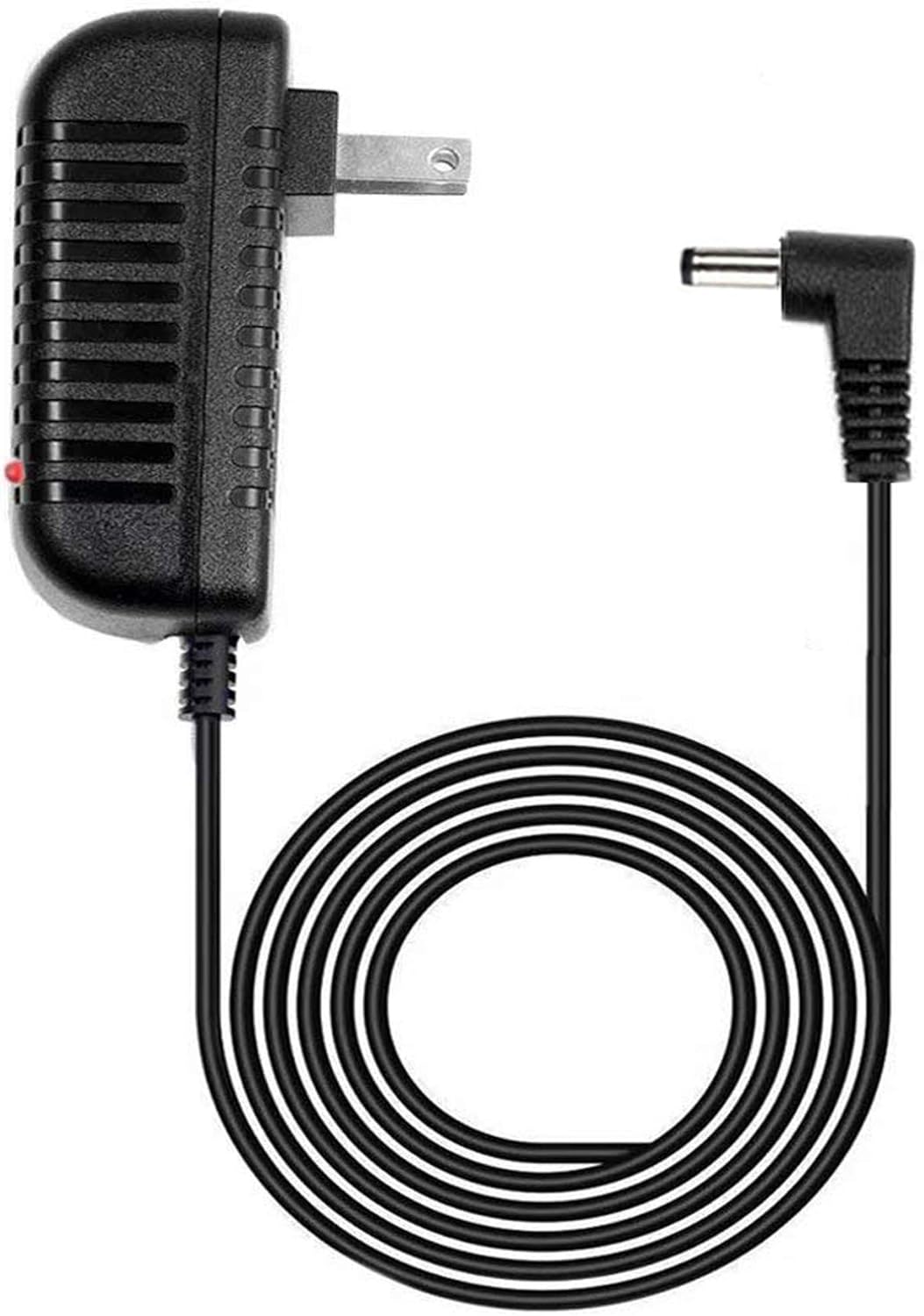
This instruction manual provides essential information for the safe and effective use of your GUY-TECH AC Adapter. This adapter is specifically designed as a compatible replacement power supply for the Hyper Tough AQ75046G 8V Cordless Drill Driver Tool. It is crucial to verify your device model to ensure compatibility, as this adapter is NO designed to fit other models.
2. Informació de seguretat
Please read and understand all safety instructions before using the AC adapter. Failure to follow these instructions may result in electric shock, fire, or other hazards.
- Només per a ús interior: This adapter is designed for indoor use in dry locations. Do not expose it to rain, moisture, or extreme temperatures.
- Vol adequattage: Assegureu-vos que la presa de corrent voltage matches the adapter's input voltage (100V - 240V).
- Evita danys: Do not use the adapter if the cord or plug is damaged. Avoid bending, twisting, or pulling the cord excessively.
- Ventilació: Ensure adequate ventilation around the adapter during use. Do not cover it with cloth or place it in an enclosed space.
- Desconnecteu quan no estigui en ús: Desendolleu l'adaptador de la presa de corrent quan no l'utilitzeu o durant tempestes elèctriques.
- Nens i animals de companyia: Keep the adapter out of reach of children and pets.
- Compatibilitat: Use this adapter ONLY with the Hyper Tough AQ75046G 8V Cordless Drill Driver Tool. Using it with incompatible devices may cause damage to the adapter or the device.
3. Configuració
Follow these steps to set up your GUY-TECH AC Adapter:
- Verifiqueu la compatibilitat del dispositiu: Confirm that your device is the Hyper Tough AQ75046G 8V Cordless Drill Driver Tool. The adapter's barrel connector is specifically sized for this model.
- Connecteu-vos a la presa de corrent: Insert the AC adapter's two-prong plug into a standard 100V-240V wall power outlet.
- Connecta't al dispositiu: Carefully insert the barrel connector end of the adapter cable into the charging port of your Hyper Tough AQ75046G drill driver. Ensure a secure and snug fit.
- Observeu l'indicador LED: The adapter features an LED indicator. When properly connected and receiving power, this LED will illuminate, typically red, to indicate operation.

4. Instruccions de funcionament
Once the adapter is correctly set up, it will begin charging your Hyper Tough AQ75046G drill driver's battery. The LED indicator on the adapter will confirm that power is being supplied.
- Procés de càrrega: The adapter provides DC power to charge the drill's internal battery. The charging time will depend on the battery's current charge level and capacity.
- Indicador LED: The LED light on the adapter indicates that the unit is powered on and actively supplying current. It does not typically indicate the charge status of the drill's battery itself. Refer to your drill's manual for battery charge status indicators.
- Desconnexió: Once the drill's battery is fully charged, or if you need to stop charging, first disconnect the barrel connector from the drill, then unplug the adapter from the wall outlet.
5. Manteniment
Proper maintenance ensures the longevity and safe operation of your AC adapter.
- Neteja: Desconnecteu l'adaptador de totes les fonts d'alimentació abans de netejar-lo. Feu servir un drap suau i sec per netejar l'exterior. No utilitzeu netejadors líquids ni dissolvents.
- Emmagatzematge: Store the adapter in a cool, dry place away from direct sunlight and moisture when not in use. Avoid wrapping the cable too tightly around the adapter.
- Inspecció: Periodically inspect the adapter, cable, and connectors for any signs of damage, such as cuts, fraying, or bent pins. If damage is found, discontinue use immediately and replace the adapter.
6. Solució De Problemes
If you encounter issues with your AC adapter, refer to the following table for common problems and solutions.
| Problema | Causa possible | Solució |
|---|---|---|
| Adapter LED not lit / Drill not charging | No power from outlet; Loose connection; Incompatible device. | Check wall outlet with another device; Ensure all connections are secure; Confirm your drill is Hyper Tough AQ75046G. |
| Adapter feels hot during use | Funcionament normal (lleugera calor); Mala ventilació; Sobrecàrrega. | Ensure adapter is in a well-ventilated area; Disconnect if excessively hot and allow to cool; Verify device compatibility. |
| Barrel connector does not fit the drill | Incorrect drill model. | This adapter is ONLY for Hyper Tough AQ75046G. If your drill is a different model, this adapter will not fit. |
7. Especificacions
| Marca | GUY-TECH |
| Entrada Voltage | 100V - 240V (Worldwide Compatible) |
| Protecció de sortida | Més del voltage, Over Current, Short Circuit Protection |
| Longitud del cable | 5 peus |
| Tipus de connector | Connector de barril |
| Característica especial | Indicador LED |
| Color | Negre |
| Pes de l'article | 3.2 unces (0.09 quilograms) |
| Fabricant | Guy-Tech |
8. Garantia i Suport
Specific warranty details are not provided in this manual. For information regarding warranty coverage, technical support, or replacement parts, please contact the manufacturer, GUY-TECH, through their official support channels or the retailer from whom the product was purchased.
Always refer to the original product packaging or the seller's listing for the most current warranty information and contact details.