
Introducció
This manual provides essential instructions for the safe and effective use of your GUY-TECH AC Adapter, specifically designed for the Roku 2 4210X Streaming Media Player. Please read this manual thoroughly before use to ensure proper operation and to prevent damage to the adapter or your device.
Nota important de compatibilitat: This adapter is designed exclusively for the Roku 2 4210X model. It is not compatible with other Roku models. Verify your device model before connecting the adapter.
Producte acabatview
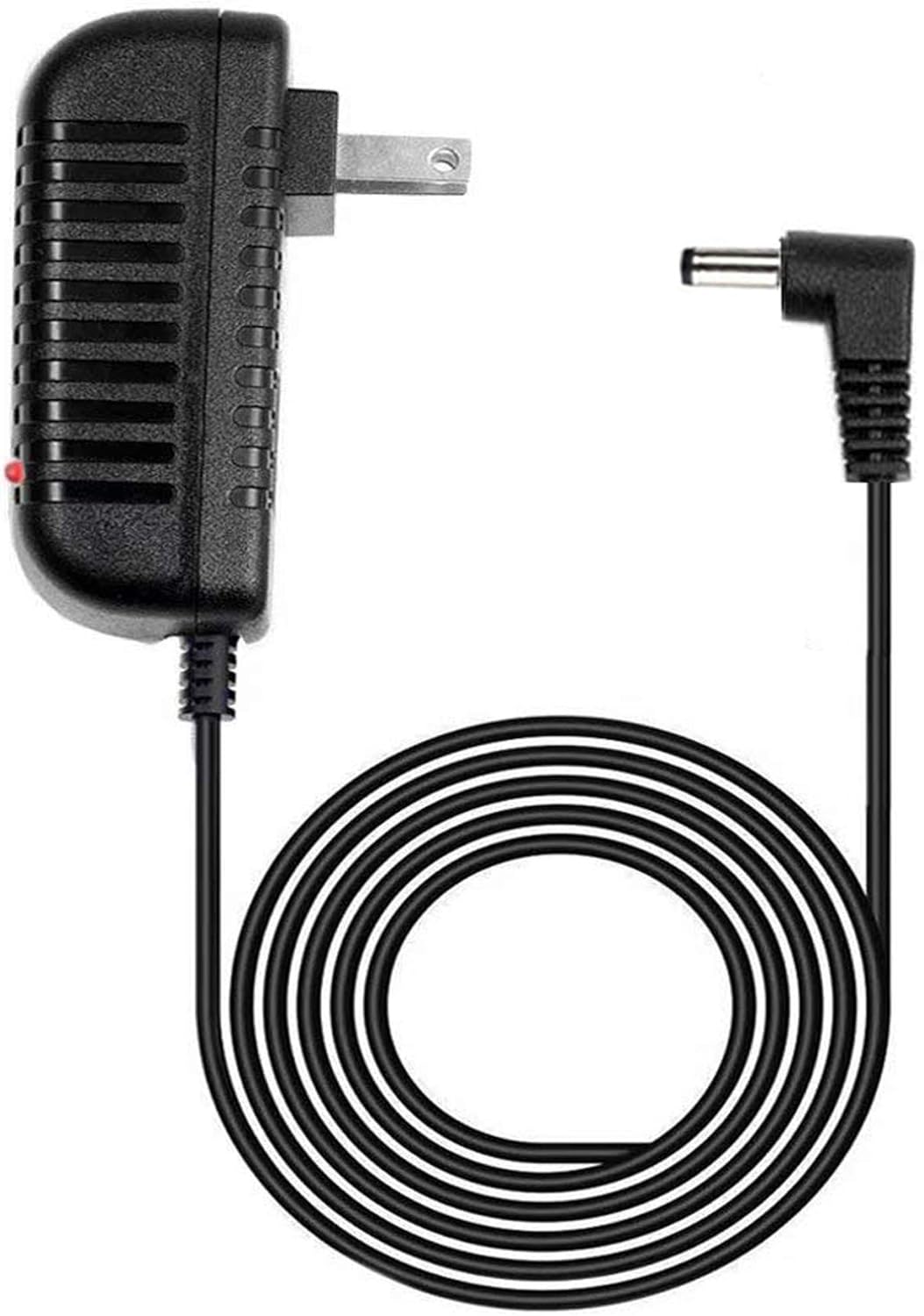
Figura 1: GUY-TECH AC Adapter. This image displays the power adapter unit with its integrated power cord and DC output connector. The adapter features a standard two-prong plug for wall outlets and a small LED indicator light.

Figura 2: Key Features. This image highlights two main features: a 5-foot cable length and an LED indicator light on the adapter unit, which illuminates when power is supplied.
The GUY-TECH AC Adapter is a replacement power supply designed to provide reliable power to your Roku 2 4210X Streaming Media Player. It features a 5-foot cable for flexible placement and an LED indicator to confirm power status.
Instruccions de configuració
- Verificar la compatibilitat: Ensure your device is a Roku 2 model 4210X. This adapter is not compatible with other Roku models.
- Desempaqueteu l'adaptador: Carefully remove the AC adapter from its packaging.
- Connect to Roku Device: Locate the DC power input port on your Roku 2 4210X Streaming Media Player. Insert the small DC connector from the GUY-TECH adapter firmly into this port.
- Connecteu-vos a la presa de corrent: Plug the AC adapter's two-prong plug into a standard electrical wall outlet (100V - 240V AC).
- Confirm Power: Once connected to a live outlet, the LED indicator on the adapter unit should illuminate, indicating that power is being supplied. Your Roku device should now power on.
Precaució: Do not force the connector into the port. Ensure proper alignment to prevent damage.
Funcionament de l'adaptador
The GUY-TECH AC Adapter operates automatically once connected to a power source and your Roku 2 4210X device. It provides a stable power supply necessary for the Roku player's functionality.
- Indicador d'alimentació: The integrated LED light on the adapter serves as a visual confirmation that the adapter is receiving power from the wall outlet.
- Característiques de seguretat: The adapter is equipped with built-in protections against over-voltage, over-current, and short circuits to safeguard both the adapter and your connected Roku device.
- Desconnexió d'alimentació: To power off your Roku device, disconnect the adapter from the wall outlet.
Cura i Manteniment
- Neteja: Disconnect the adapter from the power outlet before cleaning. Use a soft, dry cloth to wipe the adapter. Do not use liquid cleaners or aerosols.
- Emmagatzematge: Quan no l'utilitzeu, guardeu l'adaptador en un lloc fresc i sec, allunyat de la llum solar directa i de temperatures extremes. Eviteu enrotllar el cable massa fort per evitar danys.
- Manipulació: Do not drop, disassemble, or attempt to repair the adapter yourself. This can void any potential warranty and poses a safety risk.
- Integritat del cable: Regularly inspect the power cord for any signs of damage, such as fraying or exposed wires. If damage is observed, discontinue use immediately and replace the adapter.
Resolució de problemes
| Problema | Causa possible | Solució |
|---|---|---|
| Adapter LED is off, Roku not powering on. | No power from outlet; loose connection; faulty adapter. |
|
| Roku device powers on but experiences intermittent power loss. | Unstable power supply; damaged cable; incorrect adapter. |
|
| Adapter feels excessively hot during operation. | Sobrecàrrega; mala ventilació; falla interna. |
|
Especificacions
| Marca | GUY-TECH |
| Dispositiu compatible | Roku 2 4210X Streaming Media Player (Not compatible with other models) |
| Entrada Voltage | 100V - 240V CA (compatible a tot el món) |
| Font d'alimentació | Elèctric amb cable |
| Longitud del cable | 5 peus |
| Tipus de connector d'alimentació principal | 2 Pin (Standard US plug) |
| Característiques especials | Indicador LED, sobrevol.tagProtecció electrònica, protecció contra sobrecorrent, protecció contra curtcircuits |
| Pes de l'article | 5 unces |
| Fabricant | Guy-Tech |
| UPC | 757926763488 |
Garantia i Suport
Specific warranty details for this GUY-TECH AC Adapter are not included in this manual. For information regarding warranty coverage, technical support, or replacement parts, please contact the manufacturer, Guy-Tech, or refer to the product's original purchase documentation.
For further assistance, please visit the official GUY-TECH weblloc o poseu-vos en contacte amb el seu departament d'atenció al client.