DISPOSICIÓ ISR WebManual d'usuari de la càmera amb llum
Model: B08P4QLQNM
1. Introducció
This manual provides comprehensive instructions for the setup, operation, and maintenance of your PROVISION ISR Webcam with Light. Please read this manual thoroughly before using the device to ensure optimal performance and longevity.
The PROVISION ISR Webcam with Light is designed to offer a superior video streaming experience with its Full HD 1080p resolution, adjustable integrated lighting, and a built-in noise-reduction microphone. It is ideal for various applications including live streaming, video conferencing, online classes, and content creation.
2. Característiques clau
- Professional Webcam with Adjustable Light: Features an innovative design with an integrated LED light offering 3 adjustable brightness levels for optimal illumination in any environment.
- Resolució Full HD 1080p: Delivers crystal-clear images and high color reproduction with a 1080p resolution and a 100-degree wide viewing angle for a natural, undistorted picture.
- Built-in Noise-Canceling Microphone: Equipped with a microphone that reduces background noise and echoes, ensuring clear audio during calls and recordings.
- Aplicació versàtil: Suitable for live streaming, video conferences, online courses, vlogging, and gaming.
- Instal·lació Plug and Play: Requires no driver installation; simply connect the USB cable to your device. Compatible with most popular operating systems.
3. Contingut del paquet
Si us plau, comproveu que tots els articles siguin presents i en bon estat en obrir el paquet.
- DISPOSICIÓ ISR Webcàmera amb llum
- Cable USB integrat
- Manual d'usuari (aquest document)
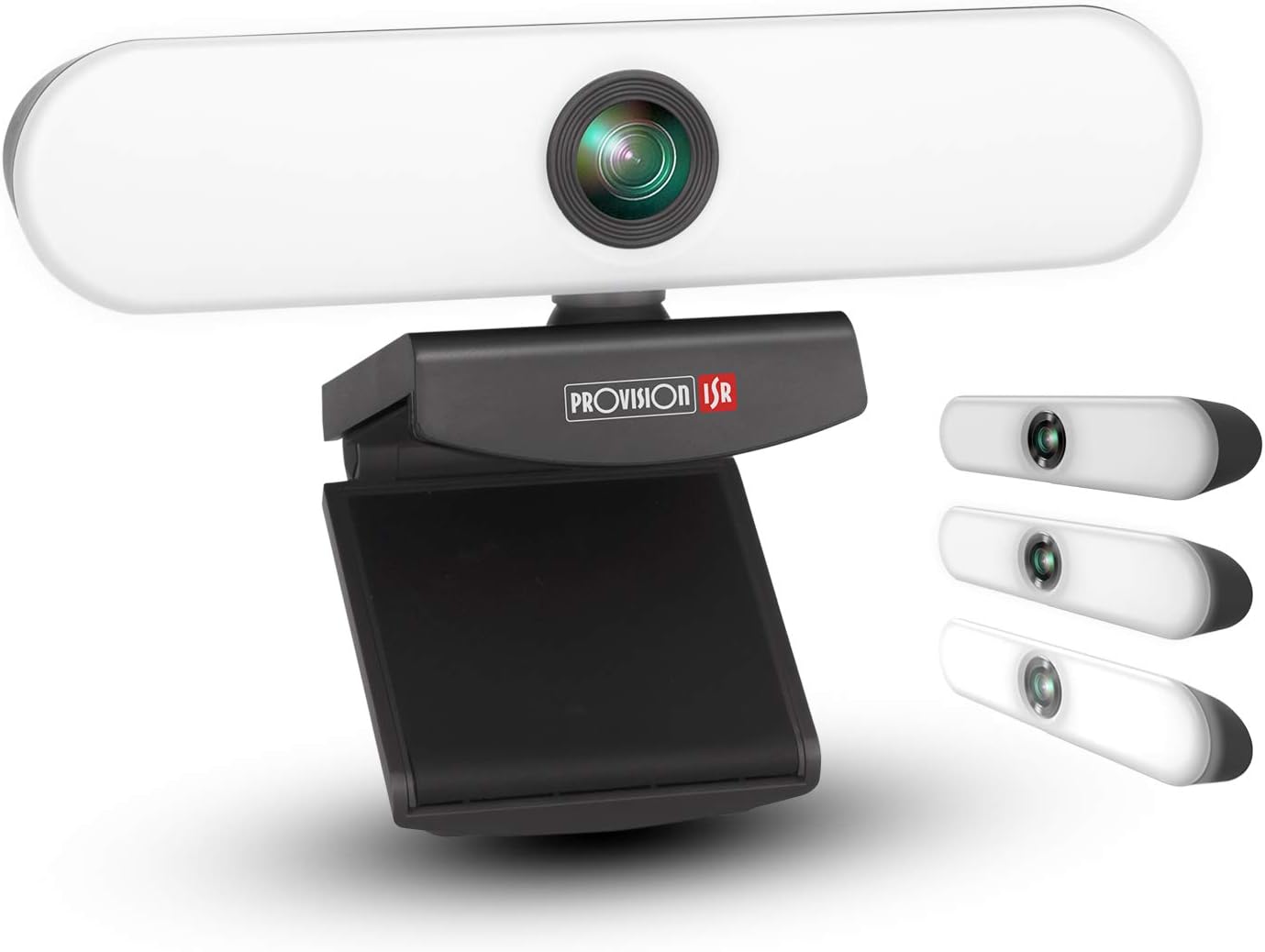
Image: The PROVISION ISR Webcam with Light, showing its integrated light bar and adjustable clip.
4. Guia de configuració
4.1 Connexió del Weblleva
- Desembalar: Traieu amb cura websortit del seu embalatge.
- Muntatge: Open the adjustable clip base and securely place the webcam on top of your computer monitor, laptop screen, or a flat surface. Ensure the webcam is stable and facing the desired direction.
- Connectar: Plug the integrated USB cable from the webcàmera a un port USB disponible de l'ordinador.

Imatge: El/La webcam shown with its USB cable, illustrating its plug-and-play compatibility with Windows, Mac OS, and Android devices.
4.2 Driver Installation (Plug & Play)
The PROVISION ISR Webcam is designed for plug-and-play operation. Your operating system (Windows, macOS, Linux, Android) should automatically detect and install the necessary drivers upon connection. No manual driver installation is typically required.
- Wait a few moments after connecting the USB cable for your system to recognize the device.
- You may see a notification indicating that a new device has been detected and is ready for use.
4.3 Initial Setup in Applications
Once connected, you can select the webcam and its microphone within your preferred video conferencing or streaming application (e.g., Zoom, Skype, Microsoft Teams, OBS Studio).
- Obriu l'aplicació desitjada.
- Navigate to the application's settings or preferences, usually under "Audio" or "Video" settings.
- Select "PROVISION ISR Webcam" com a dispositiu d'entrada de vídeo.
- Select "PROVISION ISR Webcam Microphone" (or similar) as your audio input device.
- Adjust video and audio settings as needed within the application.

Image: A woman on a video call, demonstrating the webcam's clear image and sound quality when used with a laptop.
5. Instruccions de funcionament
5.1 Adjusting the Integrated Light
El webcam features an integrated LED light with three brightness levels. To adjust the light:
- Locate the touch button on the top of the weblleva.
- Tap the button once to cycle through the brightness levels: Low, Medium, High, and Off.
- Select the level that provides optimal illumination for your environment.

Image: Illustration showing the webcam and three examples of lighting levels (Low, Medium, High) on a person's face.
5.2 Ajust Viewangle ing
El webcam's clip base allows for flexible positioning and angle adjustment.
- Gently tilt the webcam up or down to adjust the vertical viewangle de ing.
- Gira el webcam left or right on its base to adjust the horizontal viewangle de ing.
- Assegureu-vos el webcam is securely positioned after adjustment.

Image: Diagram illustrating the 90-degree wide-angle view de la webcam, showing it capturing a group meeting.
6. Manteniment
Un manteniment adequat garanteix la longevitat i el rendiment òptim del vostre weblleva.
- Neteja de la lent: Feu servir un drap suau i sense borrissol dissenyat específicament per a lents òptiques per netejar suaument el weblent de càmera. Eviteu materials abrasius o productes químics agressius.
- Neteja del cos: Netegeu el cos de la webamb un drap suau i sec. Si cal, una mica deamp Es pot fer servir un drap, però assegureu-vos que no entri humitat a l'aparell.
- Emmagatzematge: Quan no s'utilitzi durant períodes prolongats, guardeu-lo webguardeu-ho en un lloc net i sec, allunyat de la llum solar directa i de temperatures extremes.
- Cura del cable: Avoid bending or kinking the USB cable excessively. Do not pull the cable to disconnect the webcam; always grasp the plug.
7. Solució De Problemes
| Problema | Causa possible | Solució |
|---|---|---|
| Webcàmera no detectada | Loose USB connection, faulty USB port, driver issue, application not recognizing device. | Ensure USB cable is fully inserted. Try a different USB port. Restart your computer. Check device manager for driver status. Select the webcam in your application settings. |
| Sense sortida de vídeo | Webcam not selected in application, privacy settings blocking camera, lens cap (if applicable). | Verificar webcam selection in application settings. Check operating system privacy settings (e.g., Windows Camera Privacy). Ensure nothing is obstructing the lens. |
| Poca qualitat de vídeo | Insufficient lighting, dirty lens, low bandwidth, application settings. | Adjust the integrated light to a higher brightness level. Clean the webcam lens. Ensure stable internet connection. Check application video resolution settings. |
| Microphone not working or poor audio | Microphone not selected, privacy settings, background noise. | Seleccioneu el webcam's microphone in your application's audio settings. Check operating system microphone privacy settings. Reduce ambient noise. |
| Integrated light not working | Not turned on, faulty unit. | Tap the touch button on top of the webcam to cycle through brightness levels. If still not working, contact customer support. |
8. Especificacions
| Característica | Detall |
|---|---|
| Número de model | B08P4QLQNM |
| Resolució de captura de vídeo | 1080p Full HD |
| Tecnologia del sensor fotogràfic | CMOS |
| Tecnologia de connectivitat | USB |
| Característica especial | Integrated Adjustable Light (3 Levels), Low Light Performance |
| Micròfon | Built-in Noise-Reduction Microphone |
| Viewangle ing | 100-degree (approx.) |
| Dimensions (aprox.) | 15.9 x 7.1 x 6.3 cm |
| Pes (aprox.) | 237 g |
| Compatibilitat | Windows, macOS, Android (Plug & Play) |
9. Garantia i Suport
PROVISION ISR products are manufactured to high quality standards. For specific warranty information, please refer to the warranty card included with your purchase or visit the official PROVISION ISR weblloc web. Conserveu el rebut de compra com a comprovant de compra.
For technical support, troubleshooting assistance beyond this manual, or warranty claims, please contact PROVISION ISR customer service through their official channels. Contact information can typically be found on the product packaging or the brand's official weblloc.
Nota: Els termes de la garantia i la disponibilitat de l'assistència poden variar segons la regió.


