
Xfinity XE2-SG
Manual d'usuari del pod Xfinity XE2-SG xFi
Model: XE2-SG
Introducció
El pod xFi de 2a generació Xfinity XE2-SG està dissenyat per ampliar la cobertura Wi-Fi de casa teva, ajudant a eliminar els punts morts i proporcionant una connectivitat més consistent a tot l'espai vital. Aquests pods funcionen perfectament amb el teu xFi Gateway per crear una xarxa Wi-Fi en malla, optimitzant i adaptant-se a les necessitats Wi-Fi de casa teva. Aquest manual proporciona informació essencial per configurar, operar i mantenir els teus xFi Pods.
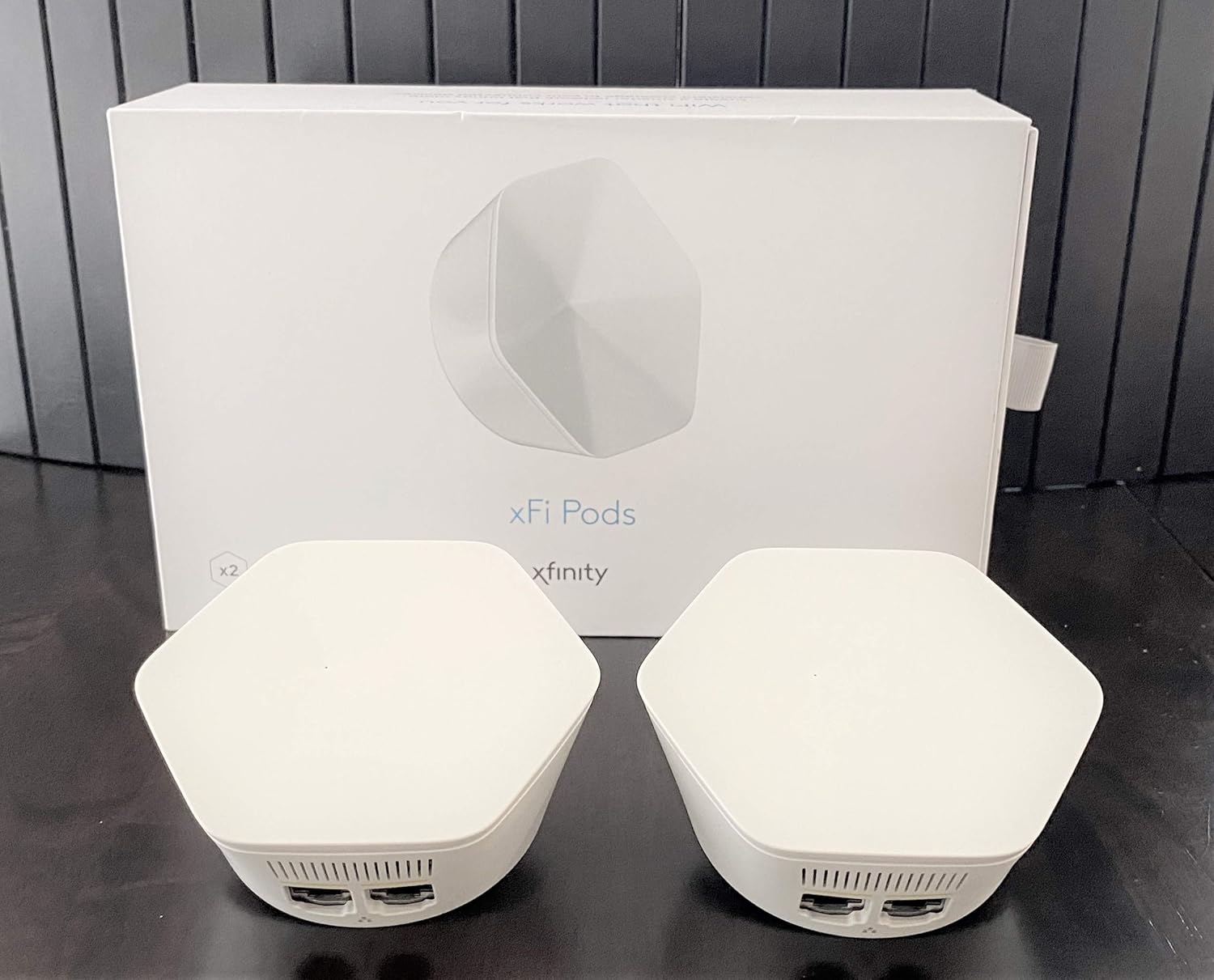
Imatge: Es mostren dos Xfinity xFi Pods, blanc i hexagonal, al costat de la seva caixa blanca. Els pods estan dissenyats per ampliar la cobertura Wi-Fi.
Informació important de seguretat
- Connecteu els xFi Pods només a endolls elèctrics estàndard d'interior.
- No exposeu les beines a l'aigua ni a la humitat.
- Eviteu col·locar les càpsules a prop de fonts de calor o sota la llum solar directa.
- No intenteu obrir ni reparar el dispositiu. Encarregueu totes les tasques de manteniment a personal qualificat.
- Mantenir fora de l'abast dels nens i mascotes.
Compatibilitat
Els pods Xfinity XE2-SG xFi tenen requisits de compatibilitat específics:
- Compatible només amb comptes Xfinity de consumidors/basats en la llar. No és compatible amb els comptes empresarials de Comcast.
- Requereix un encaminador/mòdem de lloguer de Comcast (xFi Gateway). Aquests pods no són compatibles amb encaminadors o mòdems propietat dels clients.
- És possible que Comcast requereixi una actualització del mòdem per permetre l'ús d'aquests pods.
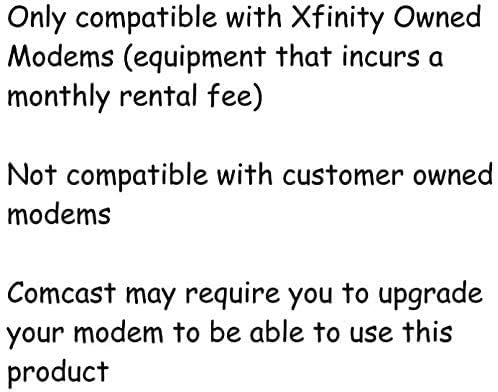
Imatge: Un gràfic de text reitera que els pods només són compatibles amb els mòdems propietat d'Xfinity (equips amb una quota de lloguer mensual) i no amb els mòdems propietat del client. També assenyala que Comcast pot requerir una actualització del mòdem.
Configuració
Configurar els teus Xfinity xFi Pods és un procés senzill amb l'aplicació xFi:
- Descarrega l'aplicació xFi: Assegureu-vos que teniu instal·lada la versió més recent de l'aplicació Xfinity xFi al vostre telèfon intel·ligent o tauleta.
- Prepareu les vostres càpsules: Desempaqueta els teus xFi Pods. Cada pod està dissenyat per connectar-se directament a una presa de corrent interior estàndard.
- Trieu una ubicació: Seleccioneu una presa de corrent en una zona de casa vostra on la cobertura Wi-Fi sigui feble. Per a un rendiment òptim, col·loqueu els pods aproximadament a mig camí entre el vostre xFi Gateway i la zona que necessita una cobertura millorada. Eviteu col·locar-los en espais tancats o a prop d'objectes metàl·lics grans.
- Connecteu el primer pod: Connecta un xFi Pod a una presa de corrent disponible.
- Activació mitjançant l'aplicació xFi:
- Obre l'aplicació xFi i inicia la sessió amb les teves credencials d'Xfinity.
- Segueix les instruccions que apareixen a la pantalla per afegir un nou xFi Pod. L'aplicació et guiarà durant el procés d'activació.
- És possible que se us demani que mantingueu el telèfon a prop del pod per a la configuració inicial.
- Connecteu pods addicionals: Si teniu diversos pods (per exemple, un paquet doble), repetiu els passos 3-5 per a cada pod addicional. L'aplicació xFi us ajudarà a determinar la col·locació òptima per als pods posteriors.
- Verifica la connexió: Un cop activada, l'aplicació xFi confirmarà que els vostres pods estan connectats i que amplien la vostra xarxa Wi-Fi. Podeu controlar el seu estat i rendiment dins de l'aplicació.
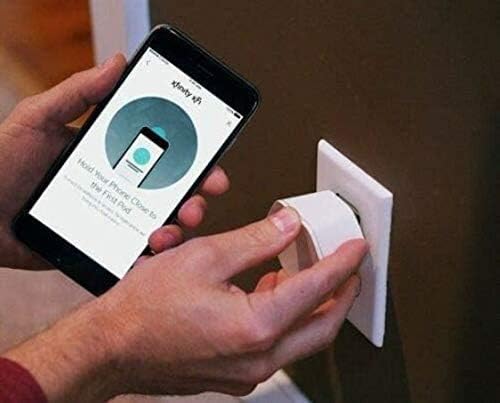
Imatge: Es mostra una persona connectant un Xfinity xFi Pod blanc a una presa de corrent. Simultàniament, sosté un telèfon intel·ligent que mostra l'aplicació Xfinity xFi, que mostra instruccions per "Mantenir el telèfon a prop del primer pod", il·lustrant el procés de configuració guiat per l'aplicació.

Imatge: Un primer pla view de la part inferior d'un Xfinity xFi Pod, que revela dos ports Ethernet i una etiqueta amb codi QR. Això view destaca les opcions de connectivitat i els detalls d'identificació del dispositiu.
Funcionament dels vostres pods XFI
Un cop instal·lats, els vostres xFi Pods funcionen automàticament per ampliar la vostra xarxa Wi-Fi. L'aplicació xFi és la vostra eina principal per gestionar i monitoritzar la vostra xarxa domèstica.
- Optimització automàtica: Els xFi Pods funcionen amb el vostre xFi Gateway per optimitzar contínuament la vostra xarxa WiFi, adaptant-se a la distribució i als patrons d'ús de la vostra llar per proporcionar la millor cobertura possible.
- Monitorització amb l'aplicació xFi: Fes servir l'aplicació Xfinity xFi per a:
- View dispositius connectats.
- Comproveu l'estat de la xarxa i la intensitat del senyal.
- Gestionar els controls parentals i el professional del dispositiufiles.
- Resolució de problemes comuns de xarxa.
- Connectivitat per cable: Cada xFi Pod inclou ports Ethernet, cosa que permet connectar dispositius amb cable (per exemple, consoles de jocs, televisors intel·ligents) directament al pod per a una connexió estable en zones amb cobertura WiFi estesa.
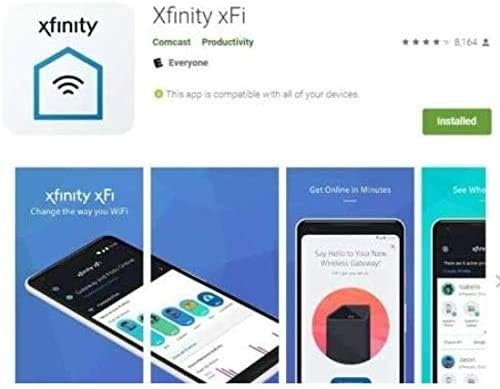
Imatge: Una sèrie de captures de pantalla de l'aplicació Xfinity xFi, que mostren la seva interfície per gestionar la configuració del Wi-Fi. viewcontrol de l'estat de la xarxa i dels dispositius connectats. L'aplicació es mostra com una eina perquè els usuaris puguin supervisar i optimitzar la seva xarxa domèstica.
Manteniment
Els pods Xfinity xFi requereixen un manteniment mínim:
- Neteja: Netegeu suaument l'exterior de les càpsules amb un drap suau i sec. No utilitzeu netejadors líquids ni materials abrasius.
- Actualitzacions de firmware: Les actualitzacions de firmware normalment les gestiona automàticament Xfinity per garantir un rendiment i una seguretat òptims. Assegureu-vos que el vostre xFi Gateway estigui connectat i encès perquè es produeixin aquestes actualitzacions.
- Reubicació: Si necessiteu moure un pod, simplement desendolleu-lo i connecteu-lo a una nova presa de corrent adequada. El sistema es reconfigurarà automàticament.
Resolució de problemes
Si teniu problemes amb els vostres xFi Pods, proveu el següent:
| Problema | Causa possible | Solució |
|---|---|---|
| El pod no es connecta/està fora de línia | No està ben connectat; massa lluny del Gateway o d'un altre pod; problema amb l'aplicació xFi. | Assegureu-vos que el pod estigui ben connectat a una presa de corrent que funcioni. Proveu d'acostar el pod a l'xFi Gateway o a un altre pod actiu. Reinicieu l'aplicació xFi. Desconnecteu el pod durant 10 segons i torneu-lo a connectar. |
| Velocitats lentes malgrat les càpsules | Col·locació subòptima; congestió de la xarxa; problema de servei d'Internet. | Consulta l'aplicació xFi per obtenir suggeriments de col·locació òptima. Assegura't que el teu xFi Gateway funcioni correctament. Contacta amb el suport d'Xfinity si els problemes del servei d'Internet persisteixen. |
| No es pot activar el pod | Tipus de compte incompatible; mòdem incorrecte; error de l'aplicació. | Verifiqueu que teniu un compte Xfinity per a consumidors/particulars i un xFi Gateway de lloguer de Comcast. Assegureu-vos que l'aplicació xFi estigui actualitzada. Poseu-vos en contacte amb el servei d'assistència d'Xfinity per obtenir ajuda amb l'activació. |
Per obtenir més ajuda, consulteu l'aplicació Xfinity xFi o poseu-vos en contacte amb el servei d'atenció al client de Xfinity.
Especificacions
- Model: XE2-SG
- Marca: Xfinity
- Color: Blanc
- Tecnologia de connectivitat: Wi-Fi
- Estàndard de comunicació sense fils: 802.11ac
- Classe de banda de freqüència: Doble banda (5 GHz)
- Característica especial: WPS (configuració protegida per Wi-Fi)
- Pes de l'article: Aproximadament 1 unça per beina
- Dimensions del paquet: 10.2 x 5.79 x 2.91 cm (per al paquet doble)
- Usos recomanats: Extensió de Wi-Fi domèstica
Garantia i Suport
Per obtenir informació sobre la cobertura de la garantia dels vostres Xfinity xFi Pods, consulteu el vostre acord de servei Xfinity o poseu-vos en contacte directament amb el servei d'atenció al client de Xfinity. Xfinity proporciona l'assistència per als xFi Pods.
Atenció al client de Xfinity:
- Visita el suport oficial de Xfinity weblloc: xfinity.com/support
- Feu servir l'aplicació Xfinity xFi per obtenir assistència i eines de resolució de problemes dins de l'aplicació.
- Poseu-vos en contacte amb Xfinity per telèfon (el número que normalment trobareu a la factura o a Xfinity) weblloc).
Documents relacionatsXE2-SG

Ask a question about this manual
Ask about setup, troubleshooting, compatibility, parts, safety, or missing instructions. Manuals+ will review the question and use this page’s manual context to help answer it.