
Introducció
The Sengled Smart Wi-Fi A19 Multicolor LED Light Bulb offers advanced lighting control for your home. This smart bulb connects directly to your 2.4GHz Wi-Fi network, eliminating the need for a separate hub. It is compatible with voice assistants like Google Assistant, allowing you to manage your lighting with simple voice commands. Adjust brightness, change colors, and set schedules to create the perfect ambiance for any occasion.
This manual provides detailed instructions for setting up, operating, and maintaining your Sengled Smart Wi-Fi LED Light Bulb.
Producte acabatview

Image: Sengled Smart Wi-Fi A19 Multicolor LED Light Bulb, showing its standard A19 shape and E26 base.
- Control de veu: Control your smart bulbs using Google Assistant voice commands.
- Schedule Feature: Set up schedules and timers for automatic on/off, dimming, and color changes.
- Comandament a distància: Manage your lights from anywhere using the Sengled Home App.
- No es requereix concentrador: Connects directly to your home's 2.4GHz Wi-Fi network.
- Wake Up and Sleep Mode: Program lights to gradually brighten or dim for natural wake-up and sleep cycles.
- Multicolor and Tunable White: Choose from 16 million colors and white temperatures (2000K to 6500K).
Instruccions de configuració
- Descarrega l'aplicació Sengled Home: Cerca "Sengled Home" in your smartphone's app store (iOS or Android) and install it.
- Registreu un compte: Obre l'aplicació i segueix les instruccions que apareixen a la pantalla per crear un compte nou o iniciar la sessió si ja en tens un.
- Instal·leu la bombeta: Screw the Sengled Smart Wi-Fi LED Light Bulb into a standard E26 light socket. Ensure the power is turned off before installation.
- Encès: Turn on the light switch to power the bulb. The bulb should blink, indicating it is in pairing mode.
- Afegeix un dispositiu a l'aplicació: In the Sengled Home App, tap the "+" icon to add a new device. Select the Smart Wi-Fi LED bulb and follow the in-app guided setup to connect it to your 2.4GHz Wi-Fi network.
- Integració de l'Assistent de veu (opcional): If you wish to use Google Assistant, open the Google Home app, navigate to 'Set up device' -> 'Works with Google', and link your Sengled Home account.
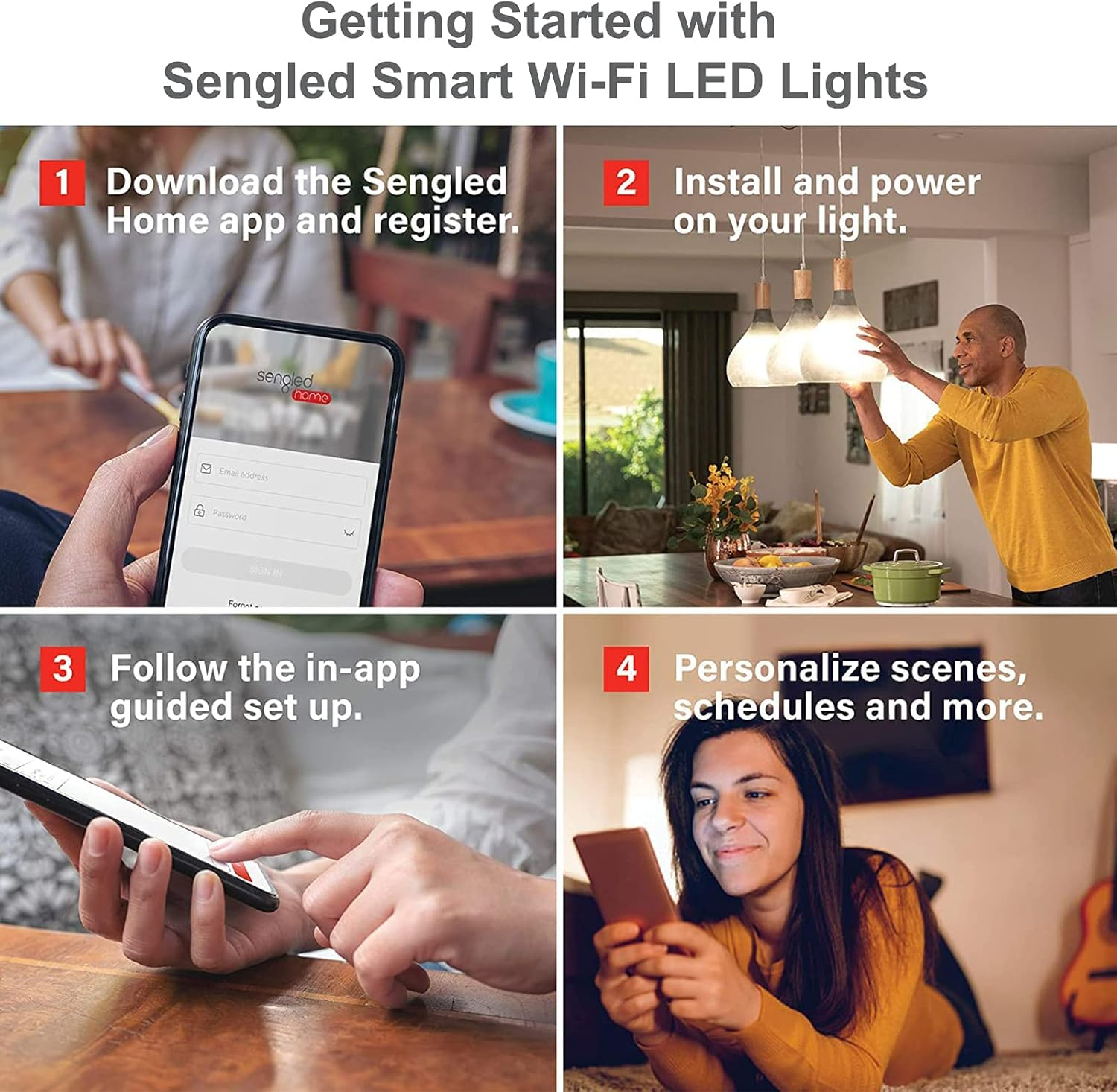
Image: Visual guide showing the four main steps for getting started with Sengled Smart Wi-Fi LED Lights: downloading the app, installing the bulb, following in-app setup, and personalizing scenes.
Video: Official guide on how to set up Sengled Element Smart Bulbs with Alexa. This process is similar for Google Assistant integration.
Instruccions de funcionament
Control de veu
Once connected to Google Assistant, you can use voice commands to control your lights. Ensure your Google Assistant device is linked to your Sengled Home account.
- "Hey Google, turn on [Light Name]."
- "Ei Google, atenua [Nom de la llum] al 50%."
- "Hey Google, change [Light Name] to blue."
- "Hey Google, set [Light Name] to warm white."
- "Ei Google, apaga tots els llums."

Image: Demonstrates voice control for setting custom routines and moods, such as a 'date night' scene.
Video: Shows how to adjust Sengled Smart Wi-Fi bulbs using voice commands via Alexa, a similar process applies to Google Assistant.
Sengled Home App Control
The Sengled Home App provides comprehensive control over your smart bulbs.
- Encès/apagat i atenuació: Tap the light icon to turn on/off, and use the slider to adjust brightness.
- Selecció de color: Access the color wheel to choose from 16 million colors or adjust white temperature from warm (2000K) to cool (6500K).
- Escenes: Create and activate custom scenes for different moods or activities (e.g., "Movie Night," "Party").
- Horaris: Set daily or weekly schedules for your lights to turn on/off, change color, or dim automatically.
- Control de grup: Group multiple bulbs together to control them simultaneously with a single command.

Image: Illustrates custom scenes and 16 million colors controllable via the Sengled Home App, ideal for events like parties.

Image: Demonstrates the group control feature, allowing users to manage multiple bulbs across different rooms or areas of their home.

Image: Illustrates the 'Wake Up and Sleep Mode' feature, showing how light schedules can gently wake you up or help you fall asleep.
Manteniment
- Neteja: Assegureu-vos que la bombeta estigui apagada i freda abans de netejar-la. Netegeu-la amb un drap suau i sec. No utilitzeu netejadors líquids ni materials abrasius.
- Actualitzacions de firmware: Regularly check the Sengled Home App for available firmware updates to ensure optimal performance and security.
- Condicions ambientals: Use the bulb in dry, indoor environments within its specified operating temperature range. Avoid exposure to water or extreme temperatures.
Resolució de problemes
La bombeta no es connecta a Wi-Fi
- Comprova la banda Wi-Fi: Ensure your router is broadcasting a 2.4GHz Wi-Fi network. Sengled Smart Wi-Fi bulbs do not support 5GHz networks.
- Proximitat del router: Acosteu la bombeta al vostre encaminador Wi-Fi durant el procés de configuració inicial.
- Reinicieu l'encaminador: Power cycle your Wi-Fi router by unplugging it for 30 seconds and then plugging it back in.
- Restableix la bombeta: Turn the light switch on and off five times slowly (about 1 second per turn). The bulb should flash three times, indicating a successful reset. Then attempt pairing again.
- Permisos de l'aplicació: Ensure the Sengled Home App has necessary permissions (e.g., location services) enabled on your smartphone.
El control de veu no funciona
- Enllaç del compte: Verify that your Sengled Home account is correctly linked to your Google Assistant account in the Google Home app.
- Nom del dispositiu: Ensure the light names in the Sengled Home App and Google Home app are consistent and easy for the voice assistant to understand.
- Connexió a Internet: Confirm that both your smart bulb and voice assistant device have a stable internet connection.
- Comandaments de veu: Use clear and precise voice commands. Refer to the operating instructions for examples.
Especificacions
| Característica | Detall |
|---|---|
| Marca | seglat |
| Número de model | W21-N13 |
| Tipus de llum | LED |
| Mida de la forma del bulb | A19 |
| Base del bulb | E26 |
| Wattage | 9 watts |
| Equivalent incandescent | 60 watts |
| Brillantor blanc | 800 lúmens |
| Temperatura de color | 2000K a 6500K (Blanc sintonitzable) |
| Color clar | Multicolor, blanc sintonitzable |
| Índex de reproducció del color (CRI) | 90 |
| Voltage | 120 volts (100 a 120 volts i 60 hertzs) |
| Tecnologia de connectivitat | Wi-Fi (només 2.4 GHz) |
| Tipus de controlador | Google Assistant, SmartThings (via Wi-Fi) |
| Ús interior/exterior | Interior |
| Vida operativa de la font de llum | 25,000 hores |
| Dimensions de l'article (W x H) | 2.3 cm d'amplada x 4.2 cm d'alçada |
| Pes de l'article | 0.21 quilos |
| Tipus de material | Polímer sintètic (PMMA) |
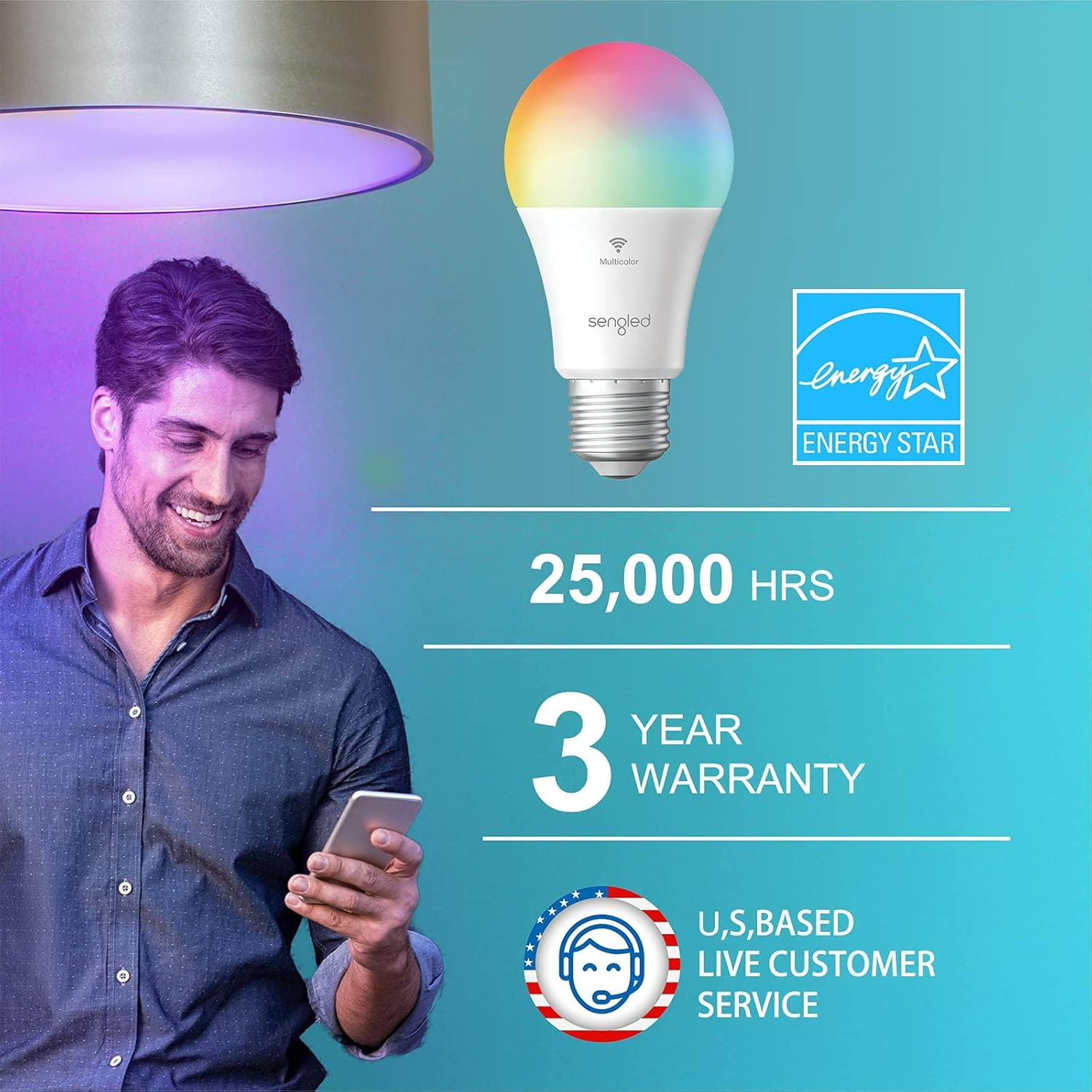
Image: Highlights key product specifications including 25,000 hours lifespan, 3-year warranty, and Energy Star certification.
Garantia i Suport
Informació de la garantia
The Sengled Smart Wi-Fi A19 Multicolor LED Light Bulb comes with a Garantia del fabricant de 3 anysAquesta garantia cobreix els defectes de materials i de fabricació en condicions d'ús normal. Si us plau, conserveu el comprovant de compra per a reclamacions de garantia.
Atenció al client
For technical assistance, troubleshooting, or warranty inquiries, please contact Sengled Customer Support. You can find contact information on the official Sengled weblloc web o dins de l'aplicació Sengled Home.
Online resources, including FAQs and additional guides, are also available on the Sengled support page.