
1. Producte acabatview
The Yanzeo AR970 is a handheld RFID reader designed for efficient and reliable wireless reading of electronic tags. It supports multiple tag formats including FDX-B, FDX-A (ISO11784/85), and HDX. The device features a high-brightness 480x320 LCD display, ensuring clear visibility of information in various indoor and outdoor lighting conditions. With an internal storage capacity of up to 20,000 tag records, the AR970 allows for extensive data collection. Stored information can be easily transferred to a computer for comprehensive data management via USB or Bluetooth connectivity. Its robust and waterproof design, combined with stable performance and simple operation, makes it an ideal tool for applications such as animal identification, traceability management, and general asset tracking.

Figura 1: Frontal view of the Yanzeo AR970 RFID Animal Microchip Reader Scanner.
2. Guia de configuració
2.1 Desembalatge i inspecció
Carefully remove all components from the packaging. Inspect the device for any signs of damage. Ensure all accessories, including the USB data cable, are present.
2.2 Instal·lació i càrrega de la bateria
The Yanzeo AR970 is powered by a Lithium Ion battery, which is typically pre-installed. If not, open the battery compartment (refer to the diagram in Figure 2) and insert the battery, ensuring correct polarity. Before first use, fully charge the device using the provided USB cable connected to a computer or a compatible USB power adapter. The LCD screen will indicate the charging status.

Figura 2: lateral view of the Yanzeo AR970 RFID Reader, showing the general form factor.
2.3 Encès inicial
Press and hold the power button (usually located on the side or front panel) until the LCD screen illuminates. The device will perform a self-test and display the main operating interface.
2.4 Connecting to a Computer (Optional)
To transfer data or update firmware, connect the device to a computer using the supplied USB 2.0 cable. The device may appear as a removable storage drive. For wireless data transfer, enable Bluetooth on the AR970 and pair it with your computer or compatible device. Refer to your computer's operating system instructions for Bluetooth pairing procedures.
3. Instruccions de funcionament
3.1 Reading Electronic Tags
- Encès: Assegureu-vos que el dispositiu estigui encès i completament carregat.
- Seleccioneu el mode: If applicable, navigate through the menu on the 480x320 high-brightness LCD to select the desired reading mode (e.g., continuous scan or single scan).
- Posicionament: Hold the AR970 with the antenna end pointed towards the electronic tag. The optimal reading distance may vary depending on the tag type and environmental factors.
- Escaneig: Press the 'Scan' button. The device will emit a signal and attempt to read the tag.
- Confirmació: Upon successful reading, the tag information (e.g., tag code) will be displayed on the LCD screen, and a buzzer will sound as a signal indication.
- Emmagatzematge de dades: The device automatically stores the read tag information, including the tag code and timestamp. It can store up to 20,000 pieces of information.
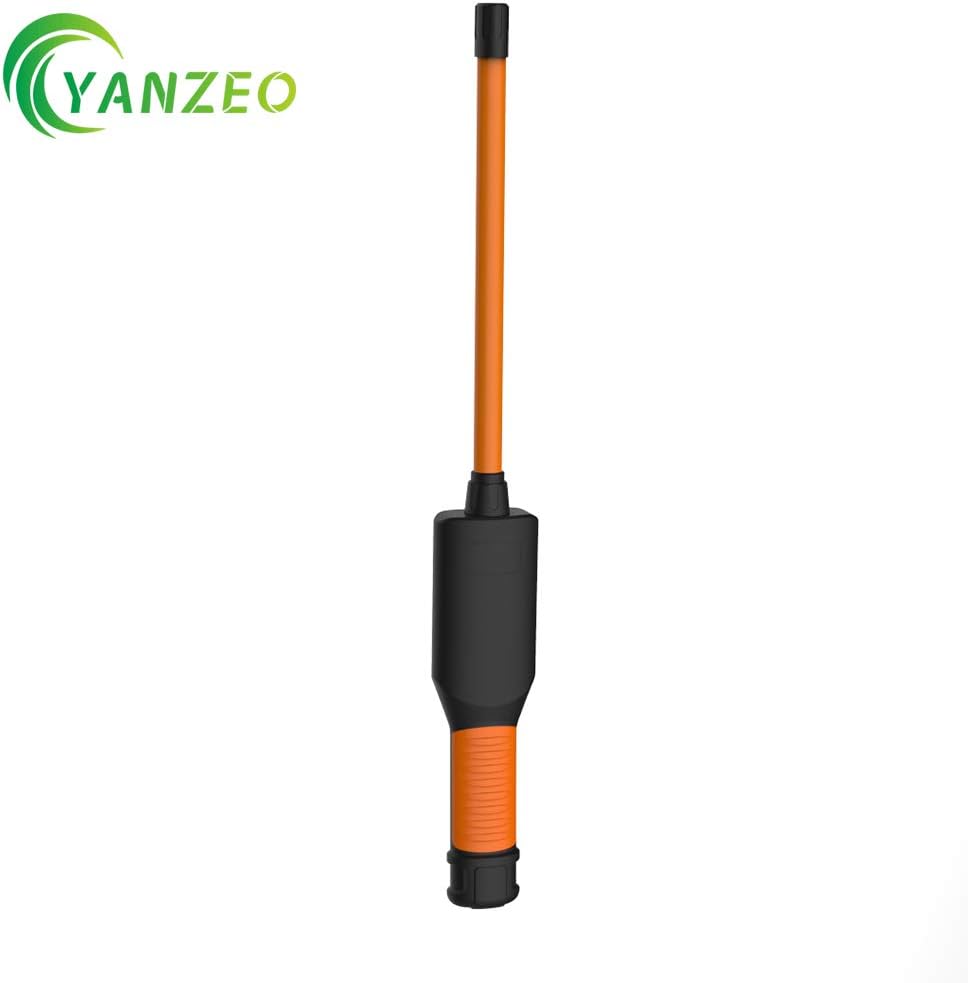
Figure 3: The Yanzeo AR970 RFID Reader in an operational scenario, highlighting its extended reach for scanning.
3.2 Gestió de dades
- Viewdades emmagatzemades: Use the navigation buttons on the device to browse through the stored tag information on the LCD screen.
- Transferring Data via USB: Connect the AR970 to a computer using the USB cable. The device's internal storage will be accessible, allowing you to copy or move the tag dades files.
- Transferring Data via Bluetooth: After pairing the device with a computer or mobile device via Bluetooth, use compatible software (if provided by Yanzeo) or standard file transfer protocols to retrieve the stored tag informació.
Video 1: Demonstration of the Yanzeo AR970 RFID Reader's waterproof capability and tag reading functionality in various environments, including submerged in water and under a vehicle.
4. Manteniment
4.1 Neteja
Regularly clean the device with a soft, dry cloth. For stubborn dirt, a slightly damp cloth can be used. Avoid using harsh chemicals, solvents, or abrasive cleaners, as these can damage the device's surface or internal components. Ensure the device is powered off and disconnected from any power source before cleaning.
4.2 Cura de la bateria
- To prolong battery life, avoid fully discharging the Lithium Ion battery frequently.
- Guardeu el dispositiu en un lloc fresc i sec quan no el feu servir durant períodes prolongats.
- If storing for a long time, ensure the battery is charged to approximately 50-70% capacity.
4.3 Característica impermeable
The Yanzeo AR970 is designed to be waterproof. However, ensure all ports (e.g., USB port) are properly sealed with their protective covers when operating in wet conditions to maintain its waterproof integrity. Avoid submerging the device beyond its specified depth or for prolonged periods unless explicitly stated in the product specifications.
5. Solució De Problemes
| Problema | Causa possible | Solució |
|---|---|---|
| El dispositiu no s'encén. | Bateria baixa o esgotada. | Carregueu el dispositiu completament. |
| No es pot llegir tags. | Tag out of range; incorrect tag type; tag danyat. | Assegureu-vos tag is within reading range. Verify tag format is supported (FDX-B, FDX-A, HDX). Try with a known working tag. |
| La pantalla LCD està tènue o en blanc. | Low battery; screen brightness setting. | Charge the device. Adjust screen brightness in settings. |
| Cannot transfer data to computer. | Loose USB connection; Bluetooth not paired; driver issues. | Check USB cable connection. Ensure Bluetooth is enabled and paired. Install necessary drivers if prompted by the computer. |
| Buzzer not sounding. | Buzzer disabled in settings; device malfunction. | Check device settings to ensure the buzzer is enabled. If the issue persists, contact support. |
6. Especificacions tècniques
| Característica | Detall |
|---|---|
| Model | AR970 |
| Freqüència de treball | 134.2 kHz |
| Supported Label Formats | FDX-B, FDX-A (ISO11784/85), HDX |
| Mostra | 480x320 High Brightness LCD |
| Indicació del senyal | LCD, Buzzer |
| Capacitat d'emmagatzematge | Fins a 20,000 tag information records (tag code + time) |
| Interfície de comunicació | USB 2.0, Bluetooth |
| Tipus de bateria | 1 bateria de ions de liti (inclosa) |
| Fabricant | Yanzeo |
| Data de primera disponibilitat | 12 de desembre de 2020 |
7. Garantia i Suport
For warranty information, technical support, or service inquiries regarding your Yanzeo AR970 RFID Animal Microchip Reader Scanner, please contact Yanzeo customer service directly. Refer to the product packaging or the official Yanzeo weblloc web per obtenir les dades de contacte i els termes de garantia més actualitzats.