
Newmen GM610
Newmen GM610 60% Wireless Mechanical Keyboard User Manual
Model: GM610 | Brand: Newmen
1. Introducció
Thank you for choosing the Newmen GM610 60% Wireless Mechanical Keyboard. This compact and versatile keyboard is designed for both gaming and office use, offering multiple connectivity options, customizable RGB backlighting, and hot-swappable switches. This manual provides detailed instructions to help you set up, operate, and maintain your keyboard for optimal performance.
2. Contingut del paquet
Si us plau, verifiqueu que tots els elements que s'enumeren a continuació estiguin inclosos al vostre paquet:
- 1 x Newmen GM610 Gaming Keyboard
- 1 x cable USB-C
- 4 x Replaceable Switches (Red Switch)
- 1 x receptor 2.4G
- 1 x 2-in-1 Keycap and Switch Puller
- 1 x Manual d'usuari

Image: Newmen GM610 Package Contents
3. Producte acabatview
The Newmen GM610 is a 60% mechanical keyboard featuring a compact 61-key layout with N-key rollover for anti-ghosting. It supports multiple connection modes and offers extensive customization options.
- Disseny del 60%: Ultra-compact design saving desktop space.
- Connectivitat multimodal: Supports wired (USB-C), Bluetooth 3.0/5.0, and 2.4G wireless connections.
- Retroil·luminació RGB: Features 19 RGB backlit effects with adjustable brightness and speed.
- Interruptors intercanviables en calent: Compatible with 3-pin Outemu switches, allowing for easy switch replacement without soldering.
- Programable: Supports macro recording and customization via dedicated software.
- Àmplia compatibilitat: Works with PC, Windows, Mac, Laptop, and Android systems.

Image: Newmen GM610 Keyboard Front View

Image: Compact Design and Dimensions
4. Configuració
Abans del primer ús, es recomana carregar completament el teclat amb el cable USB-C inclòs.
4.1. Connexió per cable
Connect the USB-C end of the cable to the keyboard and the USB-A end to your computer's USB port. The keyboard will be automatically recognized and ready for use.
4.2. Connexió sense fil 2.4G
- Locate the 2.4G USB receiver in the package.
- Connecteu el receptor 2.4G a un port USB disponible de l'ordinador.
- Ensure the keyboard's mode switch (usually on the back or side) is set to 2.4G wireless mode.
- El teclat s'hauria de connectar automàticament.
4.3. Connexió Bluetooth
The GM610 keyboard supports connecting up to three different Bluetooth devices.
- Assegureu-vos que el selector de mode del teclat estigui configurat en mode Bluetooth.
- To enter pairing mode for a specific Bluetooth channel (BT1, BT2, BT3), press and hold Fn + Q (per a BT1), Fn + W (per a BT2), o Fn + E (for BT3) for 3-5 seconds until the corresponding key (Q, W, or E) blinks rapidly.
- On your device (PC, laptop, tablet, smartphone), open Bluetooth settings and search for new devices.
- Select "Newmen GM610" from the list of available devices to pair.
- Once paired, the blinking light will become solid, indicating a successful connection.
- Per canviar entre dispositius Bluetooth emparellats, només cal que premeu Fn + Q, Fn + W, o Fn + E breument.

Image: Easy Connectivity Options

Image: Wired and Wireless Connection Ports
5. Instruccions de funcionament
5.1. Control de retroiluminació RGB
The GM610 keyboard offers 19 different RGB backlit effects. You can customize the lighting to your preference:
- Efecte del canvi: Premeu Fn + \| to cycle through 19 different RGB lighting effects.
- Ajusta la brillantor: Premeu Fn + ]} per augmentar la brillantor i Fn + [{ per disminuir la brillantor (4 nivells).
- Ajustar velocitat: Premeu Fn + ;: to increase speed and Fn + '" to decrease speed (5 levels).
- Activar/desactivar la llum de fons: Premeu Fn + Intro per activar o desactivar la retroiluminació.

Image: 19 RGB Backlit Effects
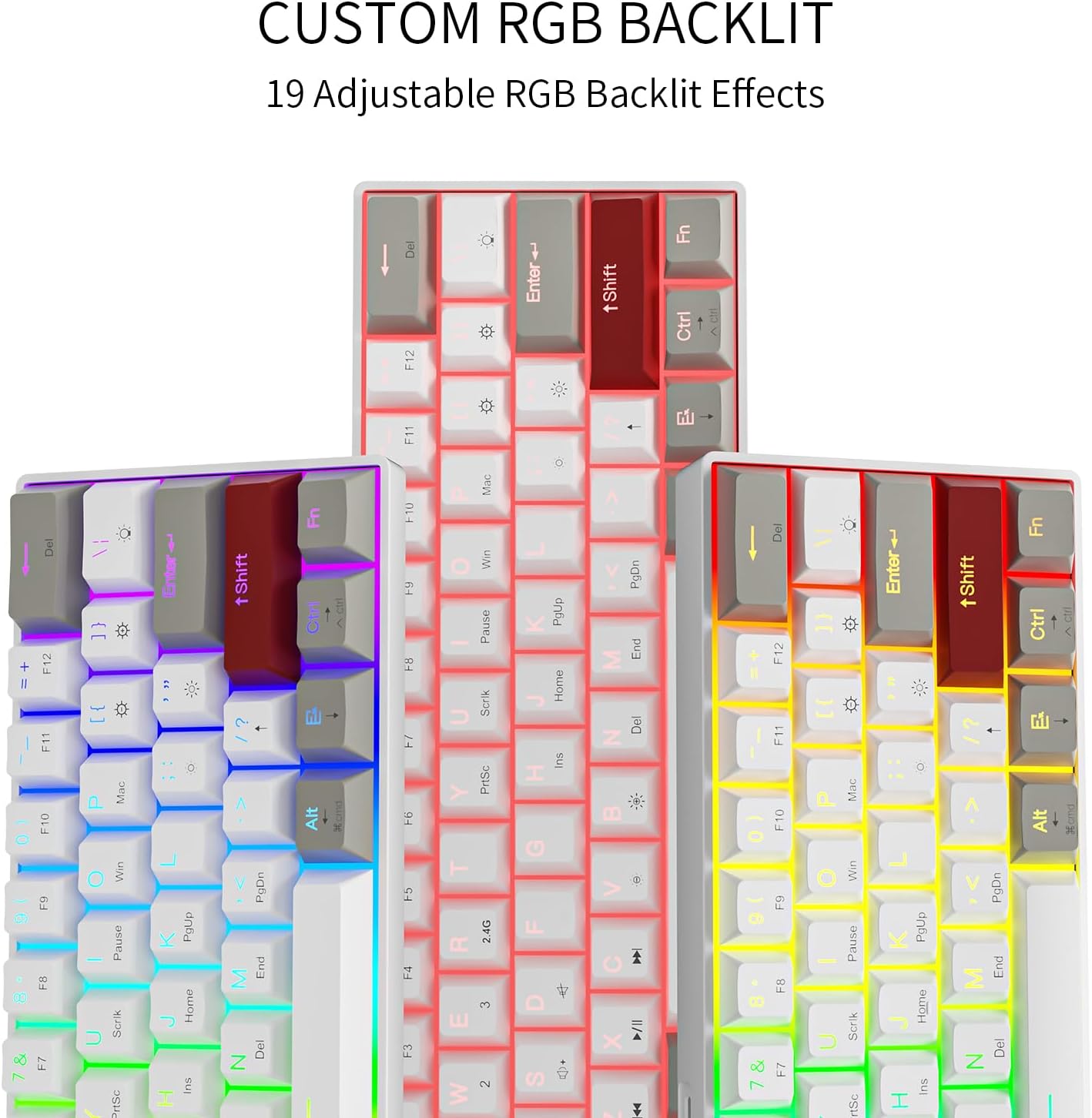
Image: Custom RGB Backlit Options
5.2. Macro Recording & Programmability
The GM610 keyboard supports macro recording and key remapping through its dedicated software. This allows you to assign complex commands or customize key functions.
- Descàrrega de programari: Visita bit.ly/38Tm367 to download the official software.
- Mac Remapping Instructions: For Mac users, specific remapping instructions are available at bit.ly/3sOX7XZ.

Image: Customization Software Interface
5.3. Function Key Combinations
Due to its compact 60% layout, many functions are accessed via the Fn clau:
- Fn + 1/2/3: Canvia entre dispositius Bluetooth (BT1, BT2, BT3).
- Fn + R: Reset Bluetooth connection (useful for troubleshooting blinking lights).
- Fn + Win: Tecla de bloqueig/desbloqueig de Windows.
- Fn + A: Switch to Mac layout.
- Fn + S: Switch to Windows layout.
- Fn + Y/U/I/O/P: Media control keys (Play/Pause, Stop, Previous, Next, Mute).
- Fn + J/K/L: Volume control (Volume Down, Volume Up, Mute).
- Fn + Tecles de fletxa: Use as directional arrows (Up, Down, Left, Right).
- Fn + Retrocés: Tecla Suprimeix.
- Fn + Intro: Toggle backlight.
6. Commutadors intercanviables en calent
The Newmen GM610 features hot-swappable sockets, allowing you to easily change mechanical switches without soldering. This keyboard is compatible with 3-pin Outemu switches.
6.1. Substitució d'interruptors
- Using the provided 2-in-1 keycap and switch puller, gently remove the keycap from the switch you wish to replace.
- Insert the switch puller's prongs into the two small clips on the top and bottom of the switch.
- Squeeze the prongs firmly to compress the clips and gently pull the switch straight up to remove it from the PCB.
- Alineeu els pins del nou interruptor amb els forats de la placa de circuit imprès. Assegureu-vos que els pins estiguin rectes per evitar que es dobleguin.
- Premeu suaument el nou interruptor cap avall fins que encaixi al seu lloc. No el forceu.
- Torneu a col·locar la tapa de les tecles.

Image: Hot-Swappable Mechanical Keyboard
7. Manteniment
7.1. Neteja del teclat
- Desconnecta el teclat del dispositiu abans de netejar-lo.
- Feu servir una llauna d'aire comprimit per eliminar la pols i les restes que hi ha entre les tecles.
- For surface cleaning, wipe the keycaps and frame with a soft, slightly damp, drap sense borrissol. Eviteu la humitat excessiva.
- No utilitzeu productes químics o materials abrasius.
7.2. Cura de la bateria
- Carregueu el teclat regularment per mantenir la bateria en bon estat.
- Eviteu descarregar completament la bateria amb freqüència.
- Si guardeu el teclat durant un període prolongat, carregueu-lo al 50% aproximadament abans de guardar-lo.
8. Solució De Problemes
| Problema | Causa possible | Solució |
|---|---|---|
| Keyboard not connecting wirelessly. | Incorrect mode, low battery, pairing issue, receiver not plugged in. | Ensure correct mode (2.4G/Bluetooth) is selected. Charge the keyboard. Re-pair Bluetooth or re-insert 2.4G receiver. |
| Keys not responding or input lag. | Low battery, loose switch, interference, software issue. | Charge the keyboard. Check if switches are properly seated. Reduce wireless interference. Try wired connection. Restart device. |
| RGB backlight not working or stuck. | Backlight turned off, software glitch. | Premeu Fn + Intro to toggle backlight. Restart keyboard. Check software settings. |
| Blinking green light on Q, W, or E keys. | Problema de connexió Bluetooth. | Mantén premut Fn + R for 1 second to reset the Bluetooth connection. |
| Cannot use Shift + Arrow keys. | Fn key changes Shift function. | This is a design limitation of the compact layout. Consider using the software to remap keys if possible for specific needs. |
9. Especificacions
| Característica | Detall |
|---|---|
| Número de model | GM610 |
| Dimensions del producte | 11 x 4 x 1 polzades (11" de llargada x 4" d'amplada x 1" d'alçada) |
| Pes de l'article | 2 lliures |
| Tecnologia de connectivitat | Bluetooth (3.0 & 5.0), USB-C (Wired), 2.4G Wireless |
| Descripció del teclat | Mecànica |
| Tipus de canvi | Red Switch (Hot-swappable, 3-pin Outemu compatible) |
| Disseny de claus | 61-key, 60% layout, N-key rollover |
| Il·luminació de fons | RGB (19 effects, adjustable brightness/speed) |
| Dispositius compatibles | Ordinador portàtil, PC, telèfon intel·ligent, tauleta |
| Bateries | 1 bateria de polímer de liti (inclosa) |
10. Garantia i Suport
Newmen products are designed for reliability and performance. For specific warranty details, please refer to the warranty card included with your product or contact Newmen customer support.
For software downloads, firmware updates, and additional support resources, please visit the official Newmen website or the links provided in this manual.
Documents relacionats - GM610
 |
Manual d'usuari del teclat per a jocs GM610 Manual d'usuari detallat per al teclat per a jocs GM610, que cobreix les característiques, la garantia, els requisits de maquinari, la compatibilitat amb el sistema operatiu i les descripcions de les funcions per als modes amb cable i Bluetooth. Inclou informació de descàrrega de programari i declaracions de compliment de la FCC. |
 |
Manual d'usuari del teclat mecànic per a jocs NEWMEN GM326 75%. User manual for the NEWMEN GM326 75% Mechanical Gaming Keyboard, detailing its features, functions, and warranty information. Includes instructions for Windows and Mac systems. |
 |
Manual d'usuari del teclat mecànic NEWMEN GM610 de triple mode hotswap Manual d'usuari del teclat mecànic NEWMEN GM610 de triple mode hotswap, que detalla les descripcions de les funcions, la compatibilitat amb el sistema operatiu, la informació de la garantia i les funcions de la tecla FN. Admet els modes amb cable, Bluetooth i sense fil de 2.4 GHz. |
 |
Manual d'usuari del teclat mecànic NEWMEN GM610 de triple mode hotswap Detailed user manual for the NEWMEN GM610 Triple Mode Hotswap Mechanical Keyboard, covering setup, warranty, function descriptions, and software. Learn how to use its triple mode connectivity and customizable features. |
 |
NEWMEN GM335 Mechanical Keyboard User Manual - Features, Installation, and Support Comprehensive user manual for the NEWMEN GM335 Hot Swappable Mechanical Keyboard. Learn about installation, function keys, warranty, and technical specifications. |
 |
NEWMEN GM101 Wired Mechanical Keyboard User Manual Official user manual for the NEWMEN GM101 Wired Mechanical Keyboard, detailing warranty, OS support, function key descriptions, and software customization. |