
Introducció
This manual provides detailed instructions for setting up, operating, maintaining, and troubleshooting your HP 230 Wireless Keyboard and Mouse Combo. Please read this manual thoroughly before using the product to ensure optimal performance and longevity.
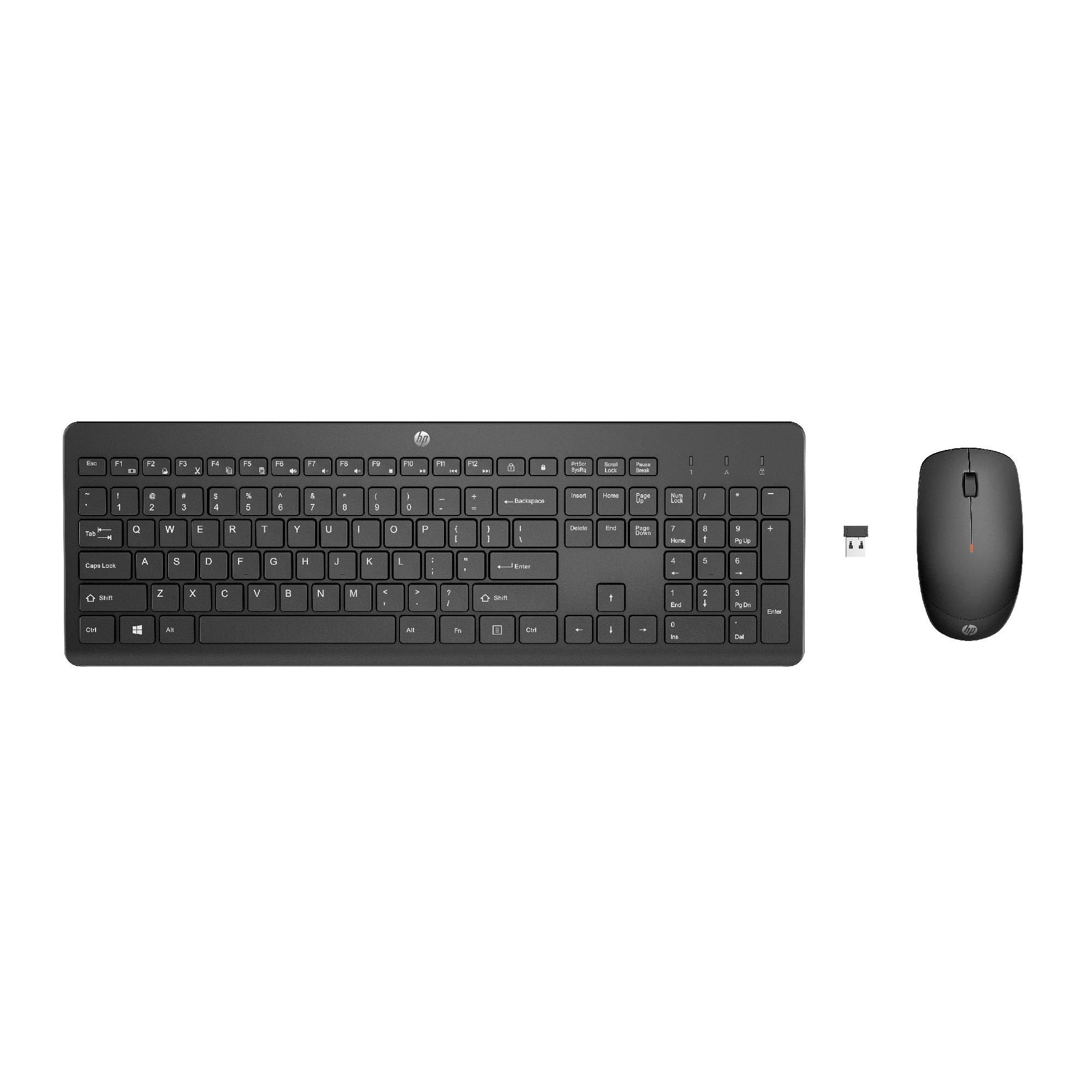
Image: The HP 230 Wireless Keyboard and Mouse Combo, showing both devices in black.
Contingut del paquet
Assegureu-vos que tots els elements siguin presents al paquet:
- Teclat sense fil HP 230
- Ratolí sense fil HP 230
- USB-A Wireless Dongle (2.4 GHz)
- 2 piles AAA (per al teclat)
- 1 pila AA (per al ratolí)
- Product Information and Warranty Card
Instruccions de configuració
1. Instal·leu les bateries
- Per al teclat: Locate the battery compartment on the underside of the keyboard. Insert two AAA batteries, ensuring correct polarity (+/-).
- Per al ratolí: Locate the battery compartment on the underside of the mouse. Insert one AA battery, ensuring correct polarity (+/-).
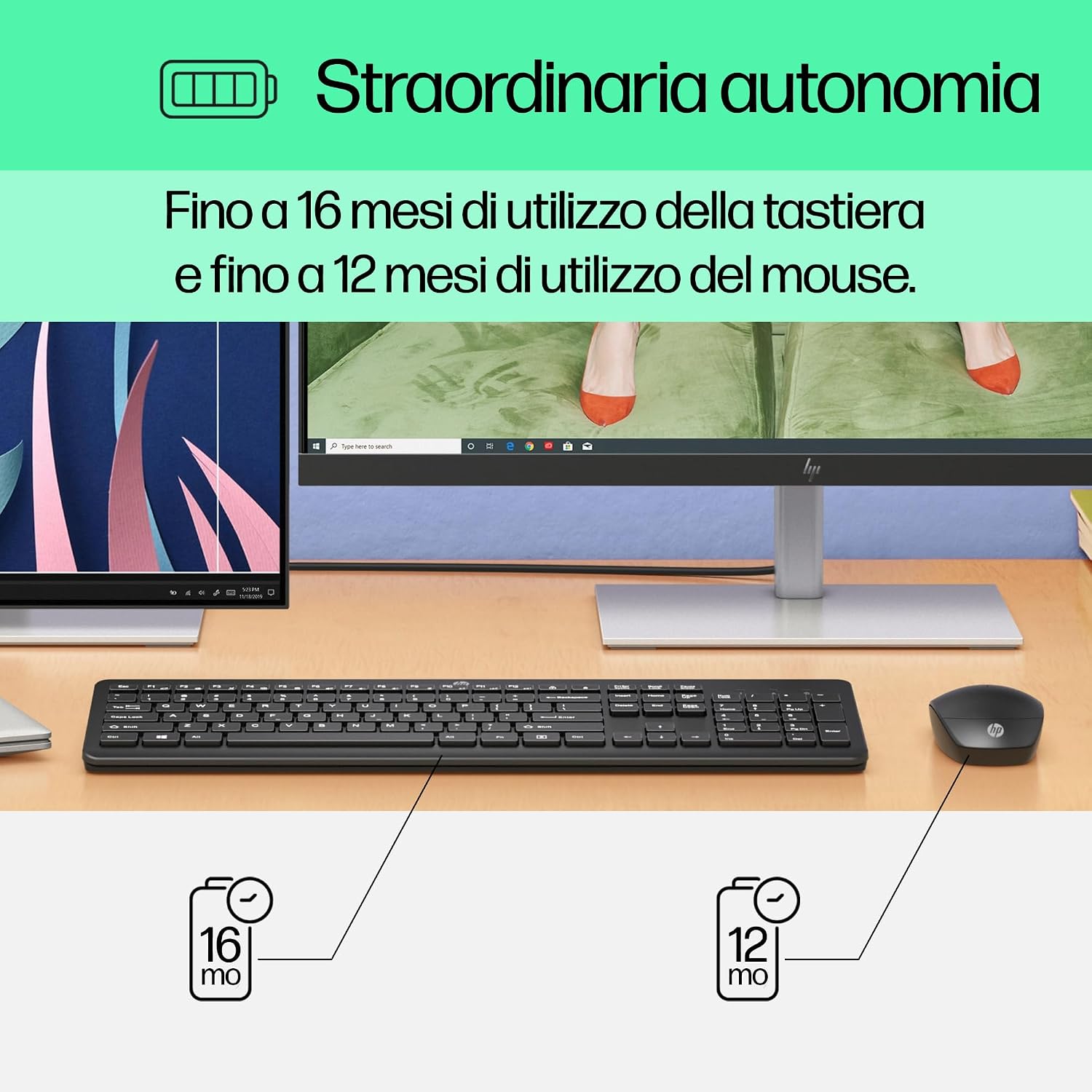
Image: Diagram illustrating battery life for the keyboard (16 months with 2 AAA) and mouse (12 months with 1 AA).
2. Connect the USB-A Wireless Dongle
- Locate the USB-A wireless dongle, typically stored in the mouse's battery compartment or included separately in the packaging.
- Insert the USB-A dongle into an available USB Type-A port on your computer (desktop, laptop, tablet, or All-in-One PC).
- Your computer should automatically detect and install the necessary drivers. This is a Plug and Play device, requiring no manual driver installation.

Image: The HP 230 wireless keyboard and mouse positioned next to a laptop, illustrating wireless connectivity.
The keyboard and mouse are pre-paired with the dongle and should be ready for use immediately after connection.
Funcionament
Funcions del teclat
The HP 230 Wireless Keyboard features a full-size layout with a numeric keypad and silent chicklet keys for comfortable and quiet typing.
- Escriptura silenciosa: The keyboard is designed for reduced noise during typing, making it suitable for quiet environments.
- Fn Key Shortcuts: Utilitzeu el Fn key in combination with the F1-F12 function keys for quick access to various functions such as volume control, home page, bookmarks, and email.
- Teclat numèric: A dedicated numeric keypad is included for efficient data entry.

Imatge: Detallada view of the HP 230 keyboard layout, highlighting function keys and silent chicklet keys, with dimensions.

Image: A close-up of the HP 230 keyboard showing the Fn keys and their associated shortcut icons, emphasizing productivity.
Funcions del ratolí
The HP 230 Wireless Mouse is designed for precise navigation and comfortable use.
- Seguiment de precisió: The mouse features a 1600 DPI optical sensor for accurate and smooth cursor movement.
- Roda de desplaçament: Use the scroll wheel for easy vertical navigation through documents and web pàgines.
- Left and Right Buttons: Standard left and right-click functionality for interaction with your computer.
- Disseny ambidextre: Apte tant per a usuaris esquerrans com dretans.

Imatge: De dalt a baix view of the HP 230 mouse, showing its ergonomic design, scroll wheel, and 1600 DPI specification, with dimensions.

Image: Graphic illustrating the precise movement of the HP 230 mouse with up to 1600 DPI tracking.
Manteniment
Proper maintenance ensures the longevity and performance of your HP 230 combo.
- Neteja:
- Utilitzeu un drap suau i sense pelusa lleugerament dampEsbandiu amb aigua o una solució de neteja suau per netejar les superfícies del teclat i el ratolí.
- Eviteu l'ús de productes químics agressius, abrasius o dissolvents.
- Per al teclat, feu servir aire comprimit per eliminar la pols i les restes que hi ha entre les tecles.
- Substitució de la bateria:
- Canvieu les piles quan el rendiment disminueixi o s'il·lumini l'indicador de bateria baixa (si n'hi ha).
- Always use new, high-quality batteries of the specified type (AAA for keyboard, AA for mouse).
- Elimineu les piles velles d'acord amb la normativa local.
- Emmagatzematge: Quan no els feu servir durant períodes prolongats, traieu les piles per evitar fuites. Guardeu els dispositius en un lloc fresc i sec.
Resolució de problemes
If you encounter issues with your HP 230 Wireless Keyboard and Mouse Combo, try the following solutions:
| Problema | Solució |
|---|---|
| El teclat o el ratolí no responen |
|
| Connexió endarrerida o intermitent |
|
| El cursor del ratolí és erràtic o no es mou suaument |
|
Especificacions
| Característica | Detall |
|---|---|
| Marca | HP |
| Número de model | HP 230 |
| Color | Negre |
| Tecnologia de connectivitat | 2.4 GHz Radiofrequency (Wireless USB-A Dongle) |
| Disposició del teclat | QWERTY |
| Number of Keys (Keyboard) | 104 |
| Special Keyboard Feature | Silent Typing, Fn-key shortcuts |
| DPI del ratolí | 1600 DPI |
| Disseny del ratolí | Ambidextre |
| Sistemes operatius compatibles | Windows 10, Windows 11 (also Windows 7, Windows 8) |
| Minimum OS Requirement | Windows 10 |
| Tipus de bateria del teclat | 2 x piles AAA |
| Tipus de bateria del ratolí | 1 x bateria AA |
| Estimated Keyboard Battery Life | Fins a 16 mesos |
| Estimated Mouse Battery Life | Fins a 12 mesos |
| Ús recomanat | Computer typing and navigation |
Informació de la garantia
The HP 230 Wireless Keyboard and Mouse Combo comes with a 2 anys de garantia del producte from the date of purchase. Please retain your proof of purchase for warranty claims. For detailed terms and conditions, refer to the warranty card included in your package or visit the official HP support weblloc.
EU spare parts availability: 1 year.
Suport
For further assistance, technical support, or to access updated drivers and documentation, please visit the official HP support weblloc:
You may also find helpful information and FAQs on the product's Amazon page or by contacting HP customer service directly.