
Introducció
Gràcies per la compraasing the Hoco HC4 5.0 Wireless Bluetooth Sport Speaker. This manual provides detailed instructions for the proper setup, operation, and maintenance of your device. Please read this manual thoroughly before use to ensure optimal performance and to prevent damage.
Producte acabatview
The Hoco HC4 is a portable wireless speaker designed for outdoor and sport use, featuring Bluetooth 5.0 connectivity, multiple playback options, and a robust design.
Contingut del paquet:
- Hoco HC4 Wireless Bluetooth Speaker
- Cable de càrrega USB
- Manual d'usuari
Controls i ports:
Familiarize yourself with the speaker's buttons and connection ports:

Imatge: Close-up of the Hoco HC4 speaker showing the AUX port, DC-5V charging port, USB port, TF card slot, and control buttons.
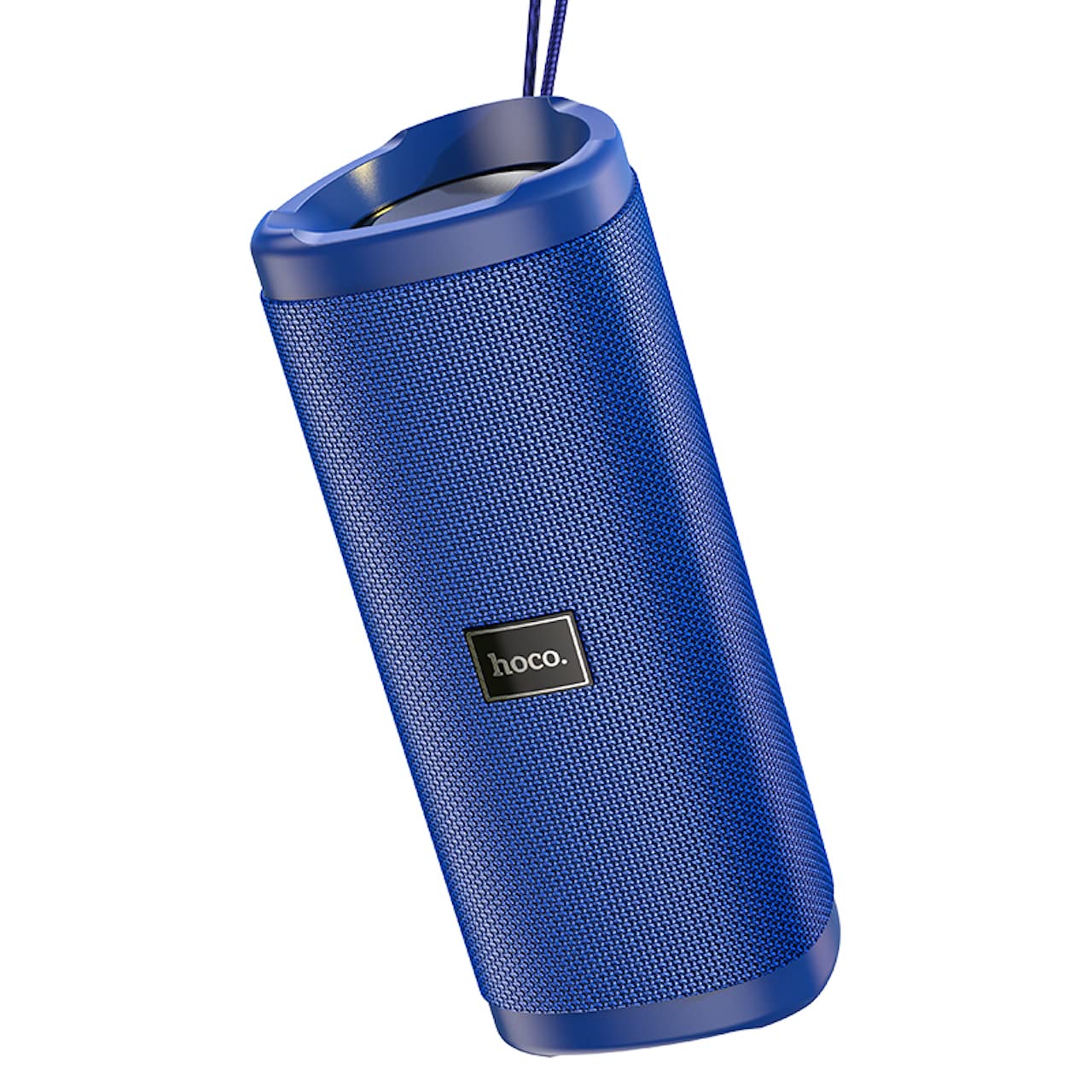
Imatge: Un angle view of the Hoco HC4 blue wireless speaker, highlighting its cylindrical design and fabric mesh.
- Botó d'encesa: Premeu i manteniu premut per encendre/apagar. Premeu curt per reproduir/pausar.
- Botó de mode (M): Short press to switch between Bluetooth, FM Radio, TF Card, USB, and AUX modes.
- Botó per baixar el volum / pista anterior (-): Premeu curt per a la pista anterior, premeu llargament per baixar el volum.
- Botó Pujar volum / Pista següent (+): Premeu curt per a la següent pista, premeu llargament per augmentar el volum.
- Port AUX: Per a la connexió d'àudio amb cable mitjançant un cable d'àudio de 3.5 mm.
- DC-5V Port: Per carregar l'altaveu amb el cable USB inclòs.
- Port USB: Per reproduir àudio des d'una unitat flash USB.
- Ranura per a targetes TF: Per reproduir àudio des d'una targeta TF (MicroSD).
Configuració
Càrrega inicial:
- Abans del primer ús, carregueu completament l'altaveu.
- Connect the small end of the USB charging cable to the DC-5V port on the speaker.
- Connect the larger end of the USB cable to a USB power adapter (5V/1A recommended) or a computer's USB port.
- El llum indicador de càrrega s'il·luminarà durant la càrrega i s'apagarà quan estigui completament carregat.
Instruccions de funcionament
Encès/apagat:
- Per encendre: Press and hold the Power button for approximately 3 seconds. You will hear an audible prompt.
- Per apagar: Press and hold the Power button for approximately 3 seconds. You will hear an audible prompt.
Emparellament Bluetooth:
- Ensure the speaker is powered on and in Bluetooth mode (indicated by a flashing blue LED and an audible prompt). If not, short press the 'M' (Mode) button to switch to Bluetooth mode.
- Activa el Bluetooth al teu dispositiu mòbil (telèfon intel·ligent, tauleta, etc.).
- Cerca available Bluetooth devices. Select "HC4" from the list.
- Once paired, the blue LED will stop flashing and remain solid, and you will hear a confirmation sound.
- Ara pots reproduir àudio des del teu dispositiu a través de l'altaveu.
Mode de ràdio FM:
- Short press the 'M' (Mode) button until you hear the FM radio prompt.
- To auto-scan and save available stations, short press the Power button. The speaker will scan and store stations automatically.
- Use the '-' and '+' buttons to navigate between saved stations.
TF Card / USB Playback:
- Insert a TF (MicroSD) card or USB flash drive into the respective slot.
- The speaker will automatically switch to TF card or USB mode and begin playing audio files. If not, short press the 'M' (Mode) button to select the correct mode.
- Use the Power button to play/pause, and the '-' and '+' buttons for track navigation and volume control.
Mode AUX:
- Connecteu un extrem d'un cable d'àudio de 3.5 mm (no inclòs) al port AUX de l'altaveu.
- Connect the other end to the audio output of your device (e.g., laptop, MP3 player).
- Short press the 'M' (Mode) button to switch to AUX mode.
- Audio will now play through the speaker. Volume can be controlled via the speaker or your connected device.
Funció True Wireless Stereo (TWS):
The TWS function allows you to pair two Hoco HC4 speakers together for a stereo sound experience.
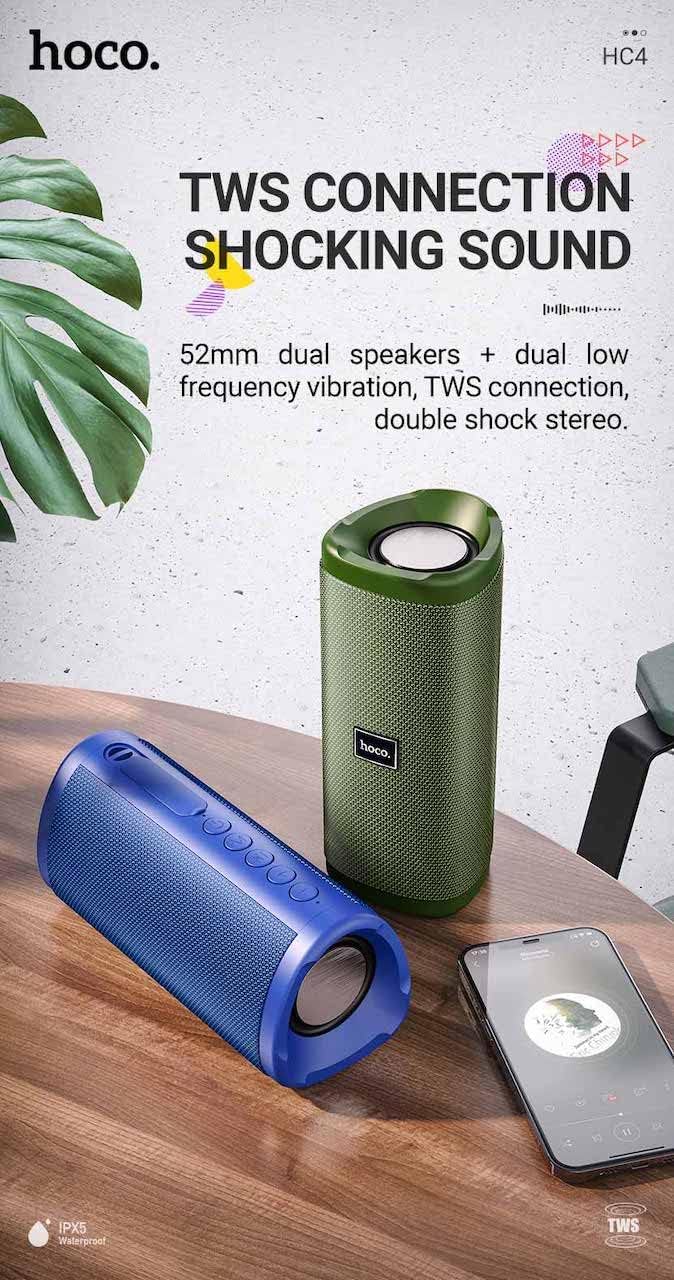
Imatge: A promotional image showing two Hoco HC4 speakers (blue and green) connected via TWS, with a smartphone playing music. The image also highlights 'IPX5 Waterproof'.
- Ensure both HC4 speakers are powered on and in Bluetooth pairing mode (flashing blue LED).
- On one of the speakers (this will be the primary speaker), double-press the Power button. You will hear a tone indicating it is searching for another speaker.
- The two speakers will automatically connect to each other. Once connected, you will hear a confirmation sound, and the LED on the primary speaker will flash, while the secondary speaker's LED will be solid.
- Ara, connecteu el dispositiu mòbil a l'altaveu principal mitjançant Bluetooth tal com es descriu a la secció "Emparellament amb Bluetooth".
- L'àudio ara es reproduirà en estèreo pels dos altaveus.
Carregant
When the battery is low, the speaker will emit an audible warning. Connect the speaker to a power source using the provided USB cable to recharge. A full charge takes approximately 2-3 hours. The speaker provides up to 3 hours of playtime on a full charge, depending on volume level and usage.
Manteniment
Neteja:
Netegeu l'altaveu amb un drap suau i sec. No utilitzeu productes de neteja abrasius, alcohol ni altres dissolvents químics, ja que poden danyar la superfície.
Emmagatzematge:
Store the speaker in a cool, dry place away from direct sunlight and extreme temperatures. If storing for an extended period, charge the battery at least once every three months to prolong its lifespan.
Resistència a l'aigua (IPX5):
The Hoco HC4 speaker features an IPX5 water resistance rating, meaning it is protected against low-pressure water jets from any direction. This makes it suitable for outdoor use and resistant to splashes and light rain. No submergiu l'altaveu a l'aigua. Ensure the port cover is securely closed to maintain water resistance.
Resolució de problemes
| Problema | Causa possible | Solució |
|---|---|---|
| L'altaveu no s'encén | Bateria baixa; el botó d'engegada no s'ha premut prou estona | Carregueu l'altaveu; manteniu premut el botó d'engegada durant 3 segons |
| Sense so | Volum massa baix; Mode incorrecte; Dispositiu no connectat | Increase volume; Switch to correct mode (Bluetooth, AUX, etc.); Ensure device is paired/connected |
| L'aparellament de Bluetooth falla | Speaker not in pairing mode; Device Bluetooth off; Too far from speaker | Ensure speaker is in Bluetooth mode (flashing LED); Turn on device Bluetooth; Move device closer (within 10m) |
| L'aparellament de TWS falla | Speakers not in TWS pairing mode; Too far apart | Ensure both speakers are in Bluetooth mode, then double-press Power button on one; Keep speakers close during TWS pairing |
Especificacions

Imatge: The Hoco HC4 speaker with its dimensions clearly marked: 20 cm in length, 8.8 cm in height, and 8.1 cm in width.
- Marca: Hoco
- Model: HC4
- Versió Bluetooth: 5.0
- Potència de sortida: 10W
- Mida de l'altaveu: 52 mm
- Capacitat de la bateria: 1500 mAh
- Temps de joc: Aproximadament 3 hores (al 80% del volum)
- Temps de càrrega: Aproximadament 2-3 hores
- Dimensions: 200 x 88 x 81 mm (Length x Height x Width)
- Pes: 540 grams
- Opcions de connectivitat: Bluetooth, FM Radio, TF Card, USB, AUX
- Resistència a l'aigua: IPX5 (a prova d'esquitxades)
- Tipus de control: Botó
Informació de seguretat
- No exposeu l'altaveu a temperatures extremes ni a la llum solar directa durant períodes prolongats.
- Eviteu deixar caure o sotmetre l'altaveu a forts impactes.
- Keep the speaker away from water and liquids, especially when ports are open.
- Do not attempt to disassemble, repair, or modify the speaker yourself. This will void the warranty and may cause damage.
- Utilitzeu només el volum de càrrega especificattage (DC 5V) and the provided charging cable.
- Mantenir fora de l'abast dels nens.
Garantia i Suport
This product is covered by a standard manufacturer's warranty. For specific warranty terms and conditions, please refer to the warranty card included with your purchase or contact your local retailer. For technical support or service inquiries, please contact Hoco customer service or the authorized distributor in your region.


