
Introducció
The VTech VM923 Digital Video Baby Monitor provides a secure and reliable way to monitor your baby. Featuring a 2.8-inch LCD screen, pan-tilt-zoom camera, night vision, two-way audio, temperature sensor, and lullabies, this system is designed for comprehensive baby monitoring without Wi-Fi dependency. This manual provides essential information for setting up, operating, and maintaining your baby monitor.

Image: The VTech VM923 Baby Monitor system, showing the parent unit with a 2.8-inch LCD screen and the pan-tilt-zoom baby unit camera.
Característiques clau del producte
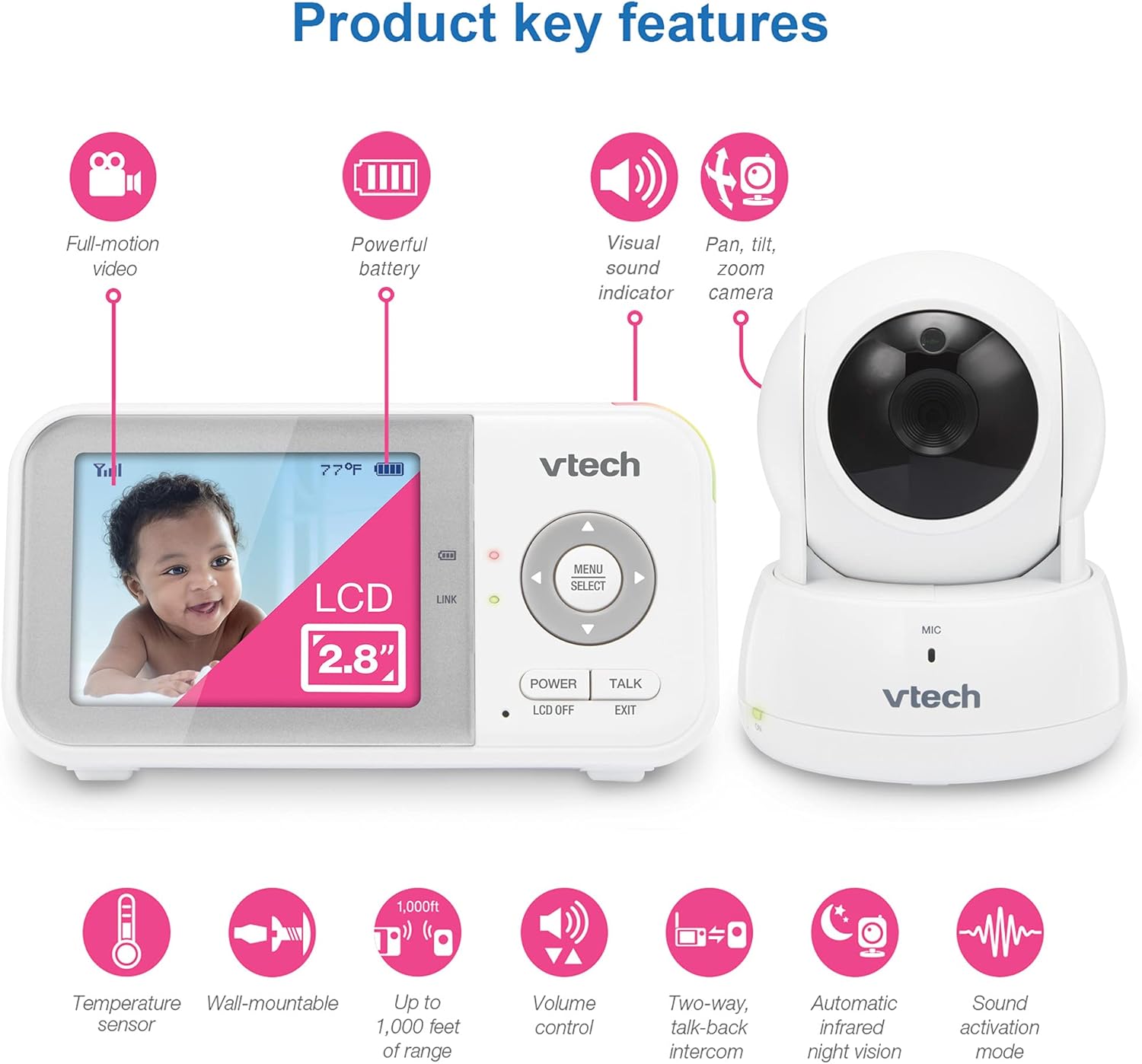
Imatge: Una imatge visualview of the VTech VM923's main features, highlighting its video capabilities, battery life, sound indicators, camera movement, and environmental sensors.
- Pantalla LCD d'2.8 polzades: Pantalla d'alta resolució per a una visió clara viewdia i nit.
- Càmera panoràmica, inclinable i amb zoom: Remotely adjust the camera view (270 degrees side-to-side, 105 degrees up and down, 2x zoom).
- Visió nocturna millorada: Infrared LEDs provide clear greyscale images in low light conditions.
- Xerrada bidireccional: Comunica't amb el teu nadó des de la unitat dels pares.
- Sensor de temperatura: Monitors the nursery temperature and displays it on the parent unit.
- Soothing Lullabies and Sounds: Play 2 calming melodies and 2 ambient sounds directly from the baby unit.
- Sound Activation Mode (VOX): Screen automatically turns on when sound is detected above a set level.
- De llarg abast: Up to 1,000 feet of operating range.
- Llarga vida útil de la bateria: Up to 19 hours of video streaming on a single charge.
Què s'inclou
Your VTech VM923 Baby Monitor package includes the following components:
- Baby Camera Unit
- Unitat de pares
- Power Adapters for both units
- Wall Mount Bracket (for baby camera)
- Guia d'inici ràpid

Image: The VTech VM923 Baby Monitor components laid out, showing the parent unit, baby unit, and their respective power adapters.
Configuració
1. Càrrega de la unitat principal
Before initial use, charge the parent unit battery for at least 12 hours. The battery icon on the screen will indicate charging status. A full charge provides up to 19 hours of video streaming or 29 hours in audio-only mode.

Image: The parent unit displaying battery life and usage times for video and audio-only modes.
2. Positioning the Baby Unit (Camera)
Col·loqueu la unitat del nadó en un lloc que proporcioni una vista clara view of your baby. Ensure it is at least 3 feet (1 meter) away from your baby to avoid strangulation hazards from the power cord. The camera can be placed on a flat surface or wall-mounted using the included bracket.
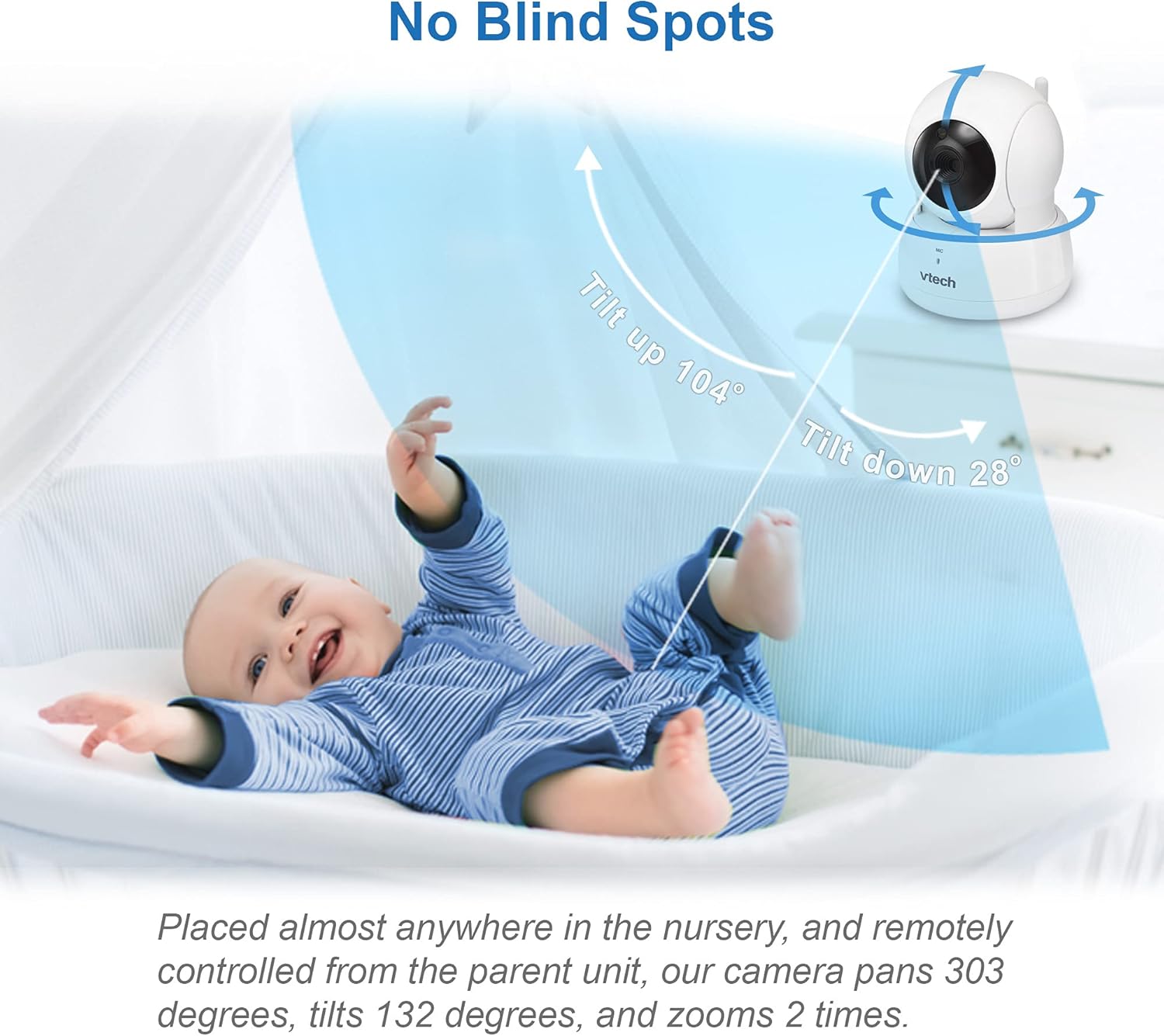
Image: The baby unit camera demonstrating its pan and tilt capabilities to cover the nursery without blind spots.
3. Potència de connexió
Connect the power adapters to both the baby unit and the parent unit, then plug them into a power outlet. The units will automatically link once powered on.
Instruccions de funcionament
Viewcuidant del teu nadó
The 2.8-inch LCD screen on the parent unit provides a live video feed from the baby unit. The screen offers full color during the day and automatically switches to greyscale infrared night vision in low light conditions.
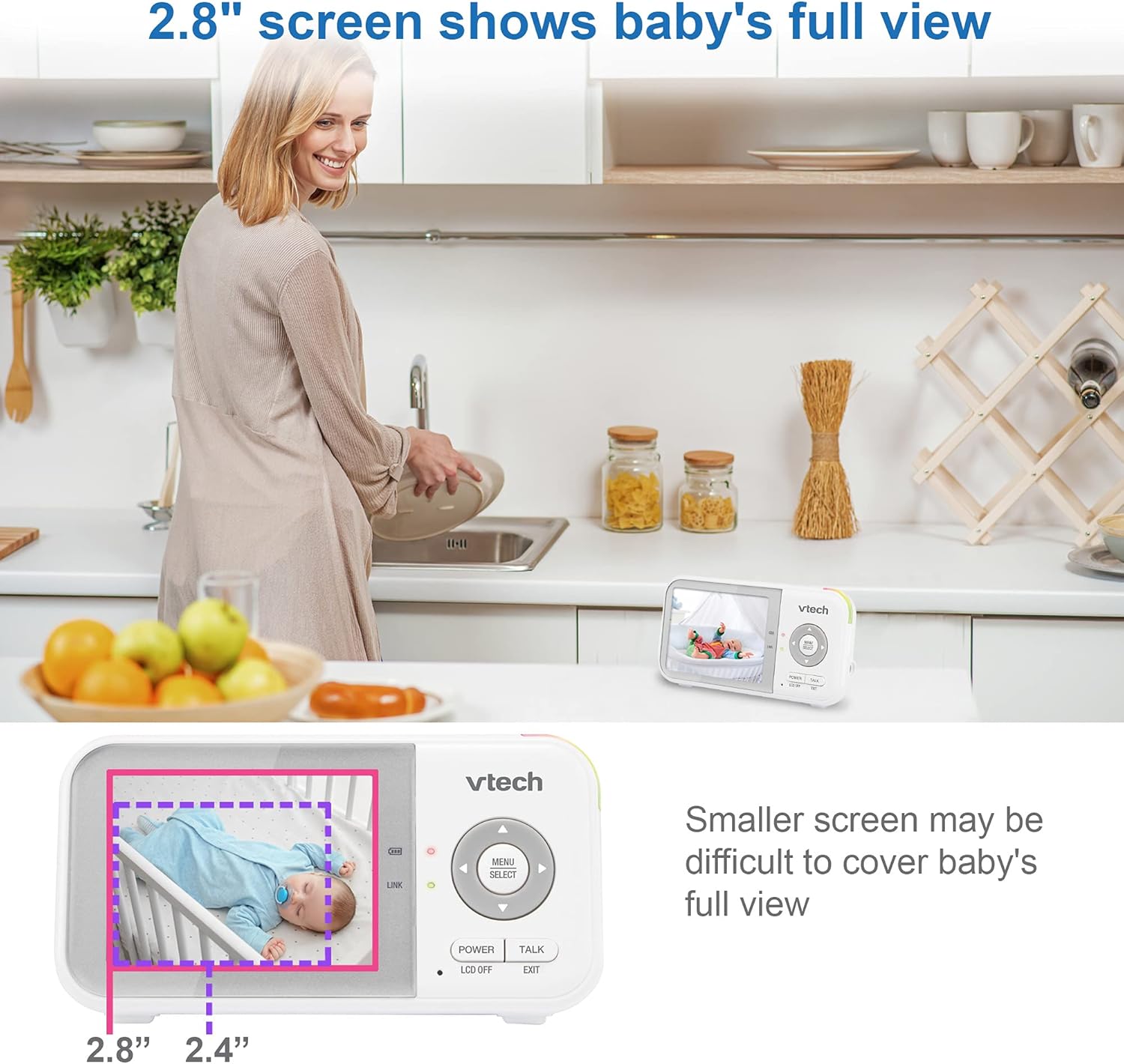
Image: The parent unit's 2.8-inch screen showing a full view of a baby, emphasizing its larger display compared to smaller monitors.

Image: A side-by-side comparison illustrating the clarity of the VTech VM923's night vision compared to standard night vision.
Camera Control (Pan, Tilt, Zoom)
Use the directional buttons on the parent unit to remotely pan (move horizontally), tilt (move vertically), and zoom (magnify) the baby unit camera. This allows you to adjust the viewing angle without disturbing your baby.
Video: Demonstration of the pan, tilt, and zoom functions of the VTech baby monitor camera, showing how to adjust the view from the parent unit.
Xerrada bidireccional
Press and hold the 'TALK' button on the parent unit to speak to your baby through the baby unit's speaker. Release the button to hear your baby's sounds.

Image: The two-way talk feature in action, allowing parents to comfort their baby remotely.
Soothing Lullabies and Sounds
Access the menu on the parent unit to select and play from 2 pre-programmed lullabies and 2 ambient sounds (white noise, trickling stream) to help soothe your baby to sleep.

Image: The baby unit playing lullabies to a sleeping infant.
Monitorització de la temperatura
The baby unit includes a temperature sensor that continuously monitors the nursery's ambient temperature. This reading is displayed on the parent unit's screen, allowing you to ensure a comfortable environment for your baby.

Image: The parent unit displaying the nursery temperature, indicating when adjustments might be needed.
Mode d'activació del so (VOX)
The monitor features a sound activation mode. When enabled, the parent unit screen will automatically turn off to save power and reduce light disturbance. It will reactivate and display video when sounds above a preset sensitivity level are detected in the nursery.
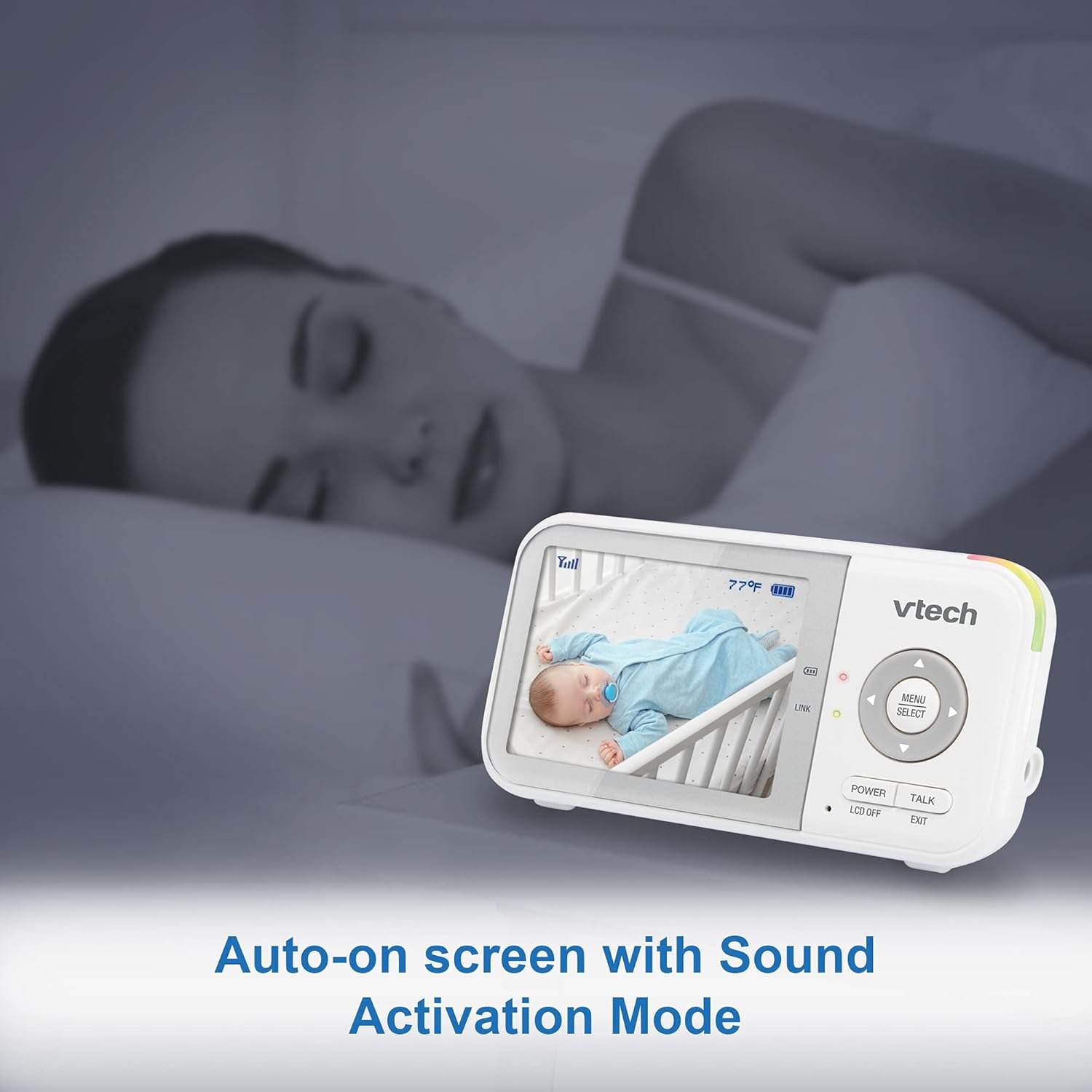
Image: The parent unit in sound activation mode, showing the screen activating upon detecting sound.
Range and Portability
The VM923 offers a long operating range of up to 1,000 feet, allowing you to move freely around your home while staying connected to your baby. The compact parent unit is designed for easy portability.

Image: The monitor's long range capability, allowing monitoring from various parts of a home.

Image: The compact design of the parent unit, making it easy to carry.
Manteniment
To ensure optimal performance and longevity of your VTech VM923 Baby Monitor, follow these maintenance guidelines:
- Neteja: Netegeu les unitats del monitor amb un drap suau iamp cloth. Do not use cleaning sprays or liquid cleaners.
- Cura de la bateria: Fully charge the parent unit battery before first use. Avoid extreme temperatures and prolonged exposure to direct sunlight.
- Emmagatzematge: If storing the product for an extended period, remove the battery from the parent unit and store it in a cool, dry place.
- Seguretat del cable: Always keep power cords out of reach of children (more than 3 feet/1 meter away) to prevent strangulation hazards.
Resolució de problemes
If you encounter any issues with your VTech VM923 Baby Monitor, refer to the following common troubleshooting tips:
- No Link/Poor Signal: Ensure both units are powered on and within range. Move the parent unit closer to the baby unit. Avoid placing units near large metal objects or other electronic devices that may cause interference.
- Sense imatge/so: Check if both units are properly connected to power and turned on. Adjust the volume level on the parent unit. Ensure the screen is not in sleep mode (VOX).
- Estàtica o Interferència: Move the units away from other electronic devices (e.g., cell phones, Wi-Fi routers, microwaves). Try repositioning the units to find a clearer signal path.
- La bateria no manté la càrrega: Ensure the parent unit is charging correctly. If the battery life has significantly decreased over time, it may need replacement. Contact customer support for assistance.
Especificacions
| Característica | Especificació |
|---|---|
| Mida de la pantalla | 2.8 polzades |
| Tecnologia de connectivitat | Sense fil (2.4 GHz FHSS) |
| Ús interior/exterior | Interior |
| Font d'alimentació | Funciona amb bateria |
| Resolució de captura de vídeo | 480p |
| Panoràmica/Inclinació/Zoom | Pan 270°, Tilt 105°, Digital Zoom 2x |
| Característiques especials | 2-Way Audio, Cry Detection, Night Vision, PTZ Technology, Temperature Sensor |
| Tipus de bateria | 1 bateria de ions de liti (inclosa) |
| Pes de l'article | 1.41 lliures |
| Dimensions del producte | 2.5 x 1.32 x 4.72 polzades |
Garantia i Suport
For warranty information, technical support, or to register your product, please visit the official VTech Baby Care weblloc web o contacteu amb l'atenció al client:
- Weblloc: www.vtechbabycare.com
- Correu electrònic: suport@vtechbabycare.com
Vídeo: Un review highlighting the ease of use and features of the VTech baby monitor, including its simple setup and reliable performance.


