
ZIPRO 6299206
Manual d'usuari de la bicicleta estàtica Zipro Flame
Model: 6299206 | Marca: ZIPRO
Introducció
This manual provides essential information for the safe and effective use of your Zipro Flame Exercise Bike. Training on the ZIPRO FLAME stationary bike strengthens abdominal and leg muscles and promotes weight loss. It features an advanced computer that connects to your phone via Bluetooth, offering a reliable and quiet fitness experience thanks to reinforced bearings and a robust resistance system. For an enhanced experience, download the iConsole+ and Kinomap applications.

Figura 1: Frontal view of the Zipro Flame Exercise Bike.
Informació de seguretat
Si us plau, llegiu atentament totes les instruccions abans d'utilitzar aquest producte. Conserveu aquest manual per a futures consultes.
- Consulteu el vostre metge abans de començar qualsevol programa d'exercici.
- Assegureu-vos que totes les peces estiguin correctament muntades i ajustades abans de cada ús.
- Col·loqueu la bicicleta estàtica sobre una superfície plana i estable.
- Mantingueu els nens i les mascotes lluny de l'equip durant el funcionament.
- No supereu el pes màxim de l'usuari de 150 kg.
- Porteu roba i calçat adequats per fer exercici.
- Deixa de fer exercici immediatament si et sents dèbil, marejat o tens dolor.
- Regularly inspect the equipment for wear and tear. Do not use if damaged.
Contingut del paquet
Verify that all components are present and undamaged. If any parts are missing or damaged, contact customer support.
- Muntatge principal del marc
- Muntatge de manillar i consola
- Cadira i tija de seient
- Pedals (esquerra i dreta)
- Estabilitzadors davanters i posteriors
- Kit de ferramenta (cargols, volanderes, femelles, eines)
- Adaptador d'alimentació
- Manual d'usuari
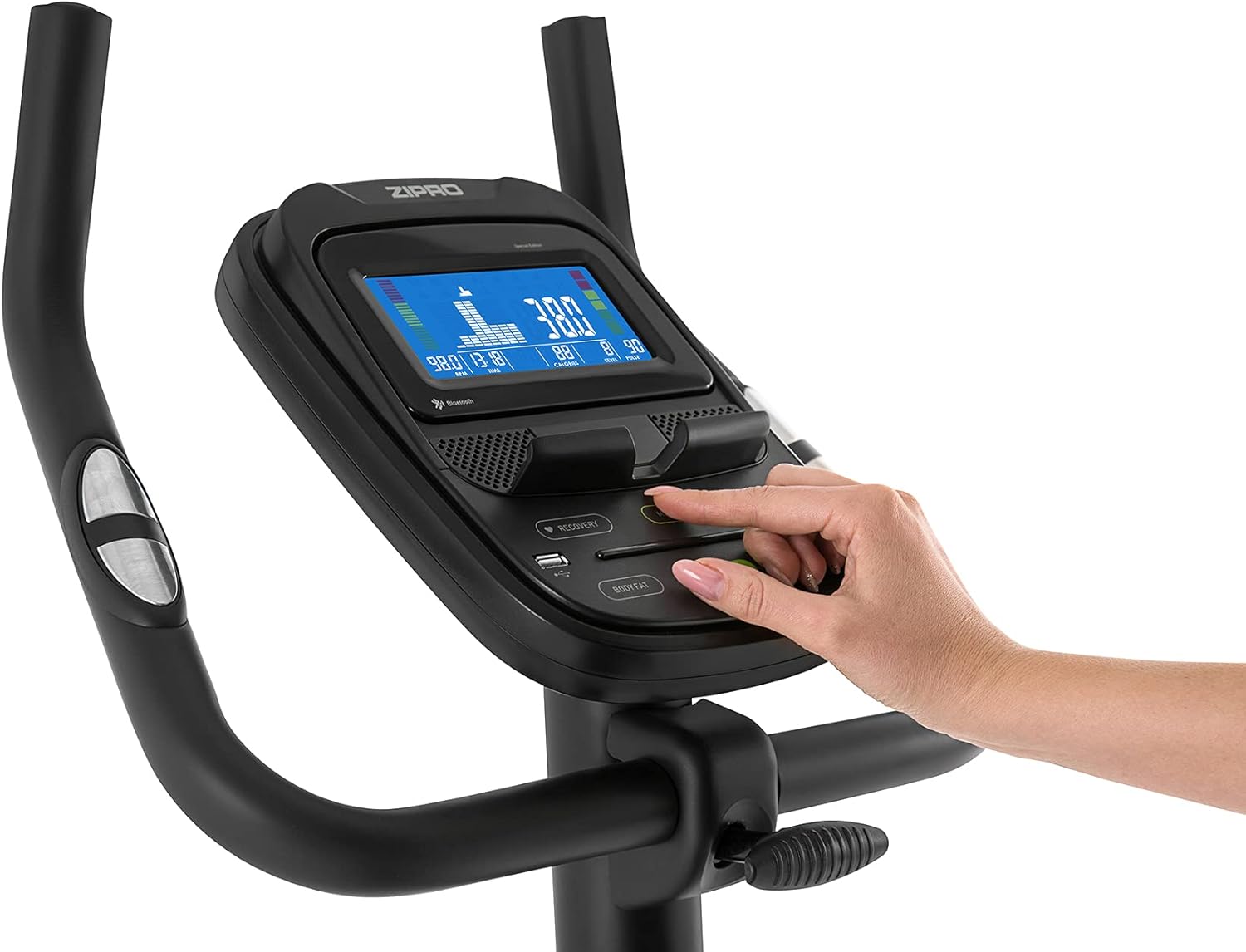
Figure 2: User manual and power adapter.
Muntatge i muntatge
Follow these steps to assemble your Zipro Flame Exercise Bike. It is recommended to have two people for assembly.
- Attach the front and rear stabilizers to the main frame using the provided bolts and washers.
- Secure the seat post and saddle to the main frame. Adjust the saddle height and distance for comfort.
- Install the handlebar and console assembly onto the main frame. Ensure all cables are connected properly.
- Attach the left and right pedals. Note that the left pedal is reverse-threaded.
- Connect the power adapter to the bike and a suitable power outlet.

Figure 3: Saddle adjustment for personalized comfort.

Figure 4: Non-slip pedals with adjustable straps for secure footing.
Instruccions de funcionament
Funcions de la consola
The advanced computer console provides real-time workout data and various programs.
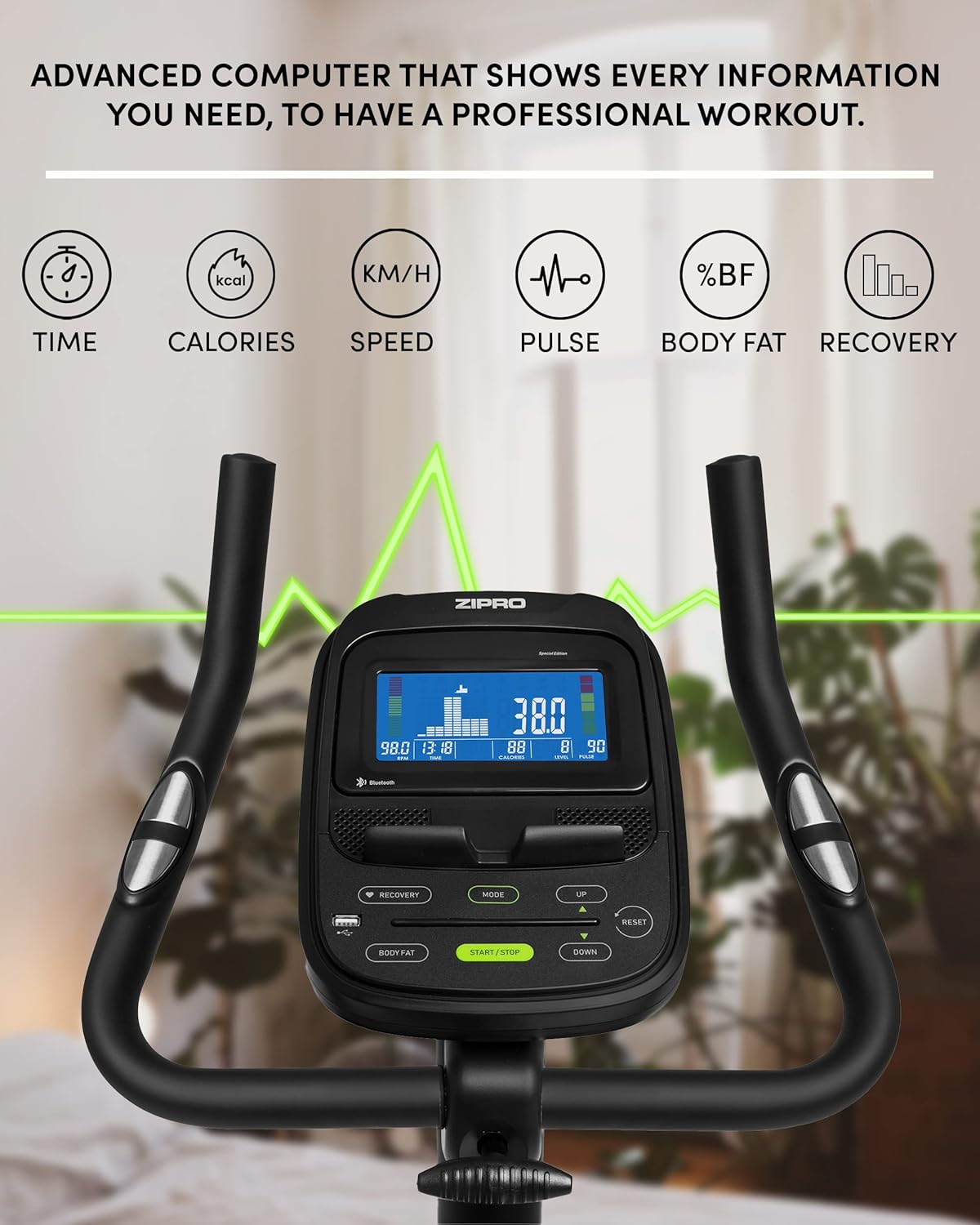
Figure 5: Advanced computer display showing workout metrics.

Figure 6: User interacting with the console controls.
- Encès/apagat: Press the START/STOP button to turn the console on or off.
- Mode: Press the MODE button to cycle through display functions (Time, Calories, Speed, Pulse, Body Fat, Recovery).
- Ajust de resistència: Use the UP/DOWN buttons to adjust the 32-step electric-magnetic resistance level.
- Mesura del pols: Grip the pulse sensors on the handlebars to measure your heart rate.
- Mesurament del greix corporal: Follow the instructions on the console to perform a body fat measurement.
- HRC Training: The bike supports Heart Rate Control (HRC) training, automatically adjusting resistance based on your target heart rate.
Mobile Device Integration
The Zipro Flame Exercise Bike is designed for seamless integration with your mobile devices and fitness applications.

Figure 7: Integrated stand for mobile devices.
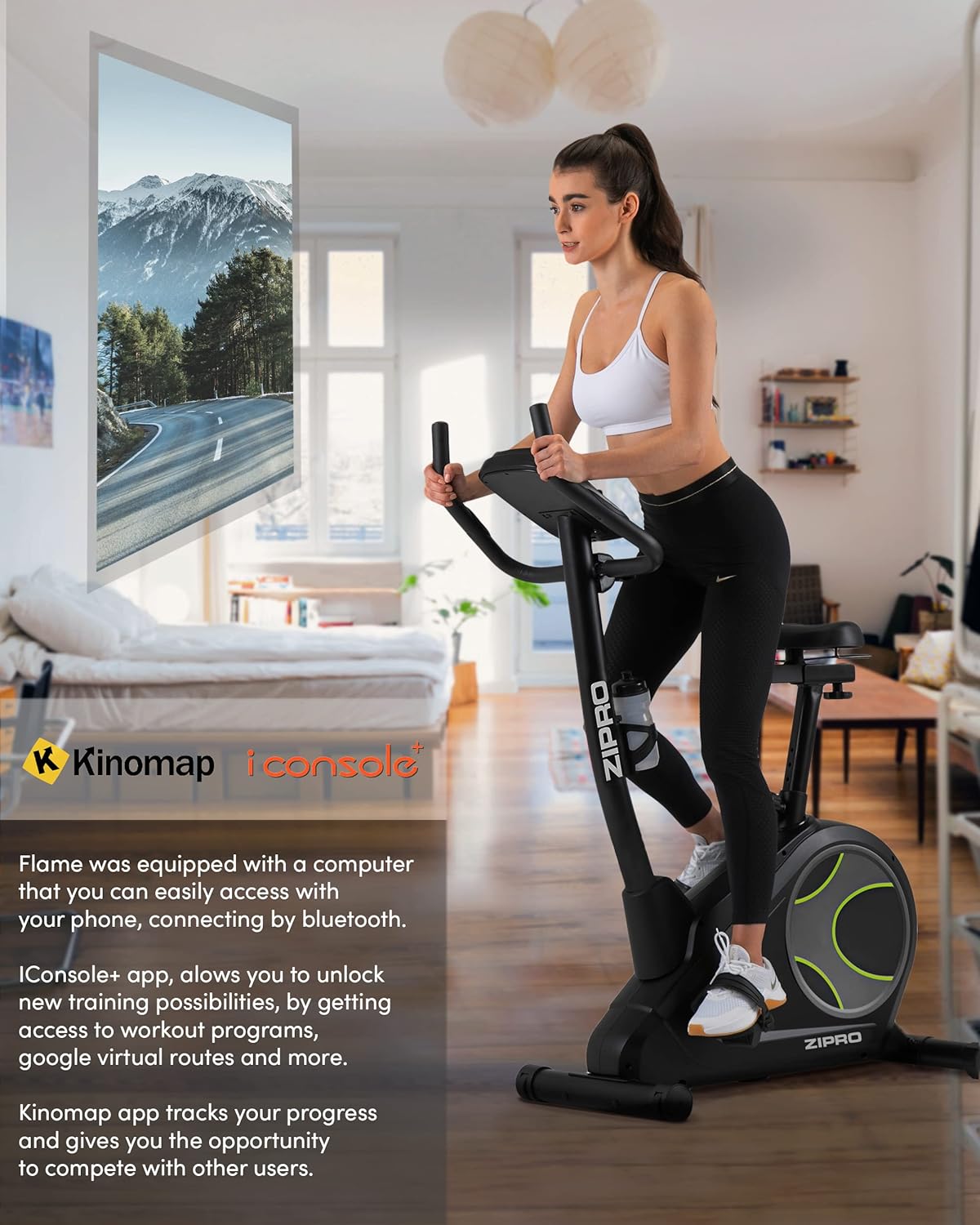
Figure 8: Bluetooth connectivity with Kinomap and iConsole+ apps.
- Connectivitat Bluetooth: Connect your smartphone or tablet to the bike via Bluetooth to use compatible fitness apps.
- iConsole+ App: Download the iConsole+ app to unlock new training possibilities, access workout programs, and track your progress.
- Kinomap App: The Kinomap app allows you to experience virtual routes and compete with other users, enhancing your workout engagement.
- Mobile Device Stand: Utilize the integrated stand on the console to securely hold your mobile device while exercising.
Producte acabatview Vídeo
Watch this video for a general presentation of the ZIPRO product range, showcasing the brand's commitment to quality fitness equipment.
Video 1: Presentation of the ZIPRO product range. This video provides a general overview of the brand's fitness equipment, including various exercise types.
Manteniment
Un manteniment regular garanteix la longevitat i el rendiment òptim de la teva bicicleta estàtica.
- Neteja: Netegeu la bicicleta amb un anunciamp drap després de cada ús per eliminar la suor i la pols. Eviteu productes de neteja abrasius.
- Lubricació: Periodically check and lubricate moving parts as recommended in the full manual (if applicable).
- Apretament: Check all bolts and nuts regularly and tighten them if necessary to ensure stability and safety.
- Emmagatzematge: When not in use, store the bike in a cool, dry place. The integrated transport wheels facilitate easy relocation.

Figure 9: Compact dimensions for easy storage and transport.
Resolució de problemes
| Problema | Causa possible | Solució |
|---|---|---|
| Sense energia a la consola | Power adapter not connected; outlet issue | Ensure adapter is fully plugged in; try a different outlet. |
| Bicicleta inestable o inestable | Loose bolts; uneven surface | Tighten all assembly bolts; adjust leveling feet on stabilizers. |
| Soroll de grinyol o fregament | Loose parts; lack of lubrication | Check and tighten all connections; apply lubricant to moving parts as per manual. |
| Pulse reading inaccurate | Hands not firmly on sensors; dry hands | Ensure firm, consistent contact with both sensors; moisten hands slightly if dry. |
| Problemes de connectivitat Bluetooth | Bluetooth off on device; app not updated | Ensure Bluetooth is enabled; restart bike and device; update fitness app. |
Especificacions
| Característica | Detall |
|---|---|
| Número de model | 6299206 |
| Marca | ZIPRO |
| Color | Negre |
| Estil | Flama |
| Sistema d'accionament | Cinturó |
| Material principal | Plàstic |
| Font d'alimentació | Requires external power for console and electromagnetic resistance control. |
| Característiques especials | Modern computer with clear screen, wide feet with stabilizing pads, two-level saddle adjustment, mobile device tray, continuous handlebar adjustment, iConsole+ and Kinomap compatibility, integrated transport wheels, soft non-slip foam handlebars, cup holder, reinforced bearing, noise-dampening casing, touch-sensitive pulse sensors, non-slip pedals with straps. |
| Capacitat màxima de pes | 150 quilos |
| Dimensions del producte (L x A x A) | 118 x 49 x 140 cm |
| Pes de l'article | 27.3 quilos |
| Mecanisme de resistència | Magnètic |
| Usos recomanats | Home, Gym, Studio, Indoor |
Garantia i Suport
For warranty information, technical support, or to order replacement parts, please contact ZIPRO customer service. Refer to your purchase documentation for specific warranty terms and contact details.
Assistència en línia: Visit the official ZIPRO weblloc web per a preguntes freqüents, guies de resolució de problemes i formularis de contacte.
Fabricant: Morele.net Sp. z oo
Ask a question about this manual
Ask about setup, troubleshooting, compatibility, parts, safety, or missing instructions. Manuals+ will review the question and use this page’s manual context to help answer it.