
Introducció
Thank you for choosing the Ttec AirBeat Free True Wireless Earphones. These earphones are designed to provide a superior audio experience with deep bass and impressive music quality, along with convenient call management. Featuring an ultra-compact design and advanced Bluetooth 5.0 connectivity, they offer up to 4 hours of battery life on a single charge and an additional 30 hours with the charging case. The MonoSmart technology allows for independent use of each earbud, and the Charge&Go feature provides 1 hour of use with just 15 minutes of charging. They are also IPX4 water and dust resistant, making them suitable for various activities.
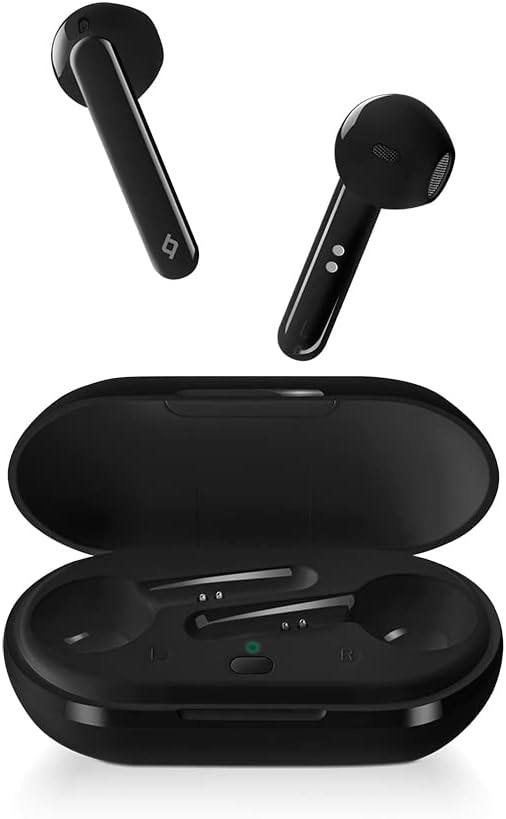
Image: Ttec AirBeat Free True Wireless Earphones, showing both earbuds and the open charging case.
Contingut del paquet
Si us plau, comproveu el paquet per veure si hi ha els elements següents:
- Ttec AirBeat Free True Wireless Earphones (Left and Right)
- Estoig de càrrega
- Cable de càrrega USB
- Manual d'usuari
Configuració
1. Càrrega inicial
Before first use, fully charge the charging case and earphones. Place both earbuds into the charging case. Connect the USB charging cable to the charging port on the case and to a power source. The indicator light on the case will show charging status.
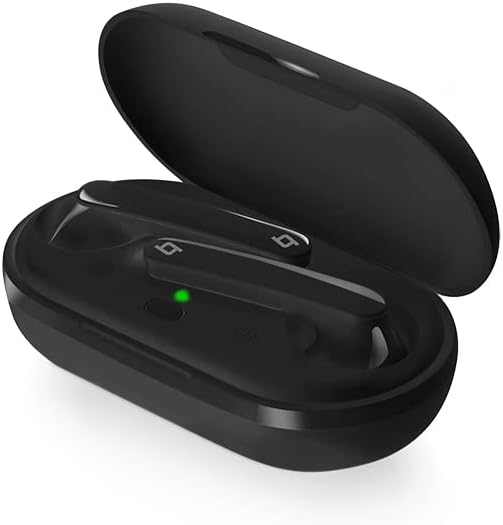
Image: The Ttec AirBeat Free charging case open, with both earbuds inside and a green indicator light visible, signifying charging or readiness.
2. Emparellament amb el dispositiu
Follow these steps to pair your earphones with a Bluetooth-enabled device:
- Assegura't que l'estoig de càrrega estigui carregat i que els auriculars siguin a dins.
- Obre l'estoig de càrrega. Els auriculars entraran automàticament en mode d'emparellament.
- Al dispositiu (telèfon intel·ligent, tauleta, etc.), aneu a la configuració de Bluetooth i activeu el Bluetooth.
- Cerca available devices. Select "Ttec AirBeat Free" from the list.
- Un cop connectat, sentiràs un to de confirmació i és possible que el llum indicador dels auriculars canviï.
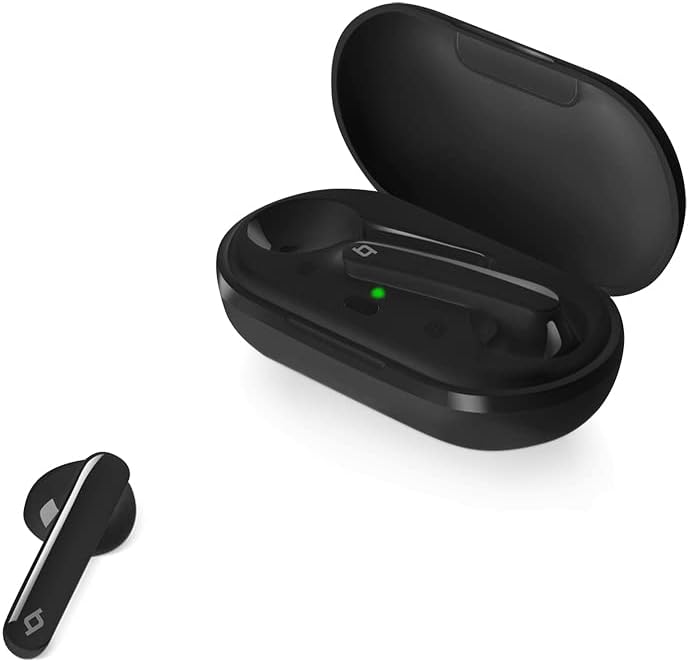
Image: A single Ttec AirBeat Free earbud positioned next to its open charging case, which contains the other earbud and shows a green indicator light.
Funcionament dels auriculars
Controls de sensor tàctil
The Ttec AirBeat Free earphones feature intuitive touch sensors for easy control of music playback and calls. The touch sensor is located on the outer surface of each earbud.
Reproducció de música:
- Reproduir/pausa: Un sol toc a qualsevol dels auriculars.
- Pista següent: Toca dues vegades l'auricular dret.
- Pista anterior: Toca dues vegades l'auricular esquerre.
Gestió de trucades:
- Respondre/Finalitzar la trucada: Un sol toc a qualsevol dels auriculars.
- Rebutja la trucada: Manteniu premut qualsevol dels auriculars durant 2 segons.
Assistent de veu:
- Activa l'Assistent de veu: Toqueu tres vegades qualsevol dels auriculars.
MonoSmart Technology
The MonoSmart technology allows you to use either the left or right earbud independently. Simply take one earbud out of the case, and it will automatically connect to your device. This is useful for hands-free calls or when you need to be aware of your surroundings.
Manteniment i cura
Proper maintenance ensures the longevity and optimal performance of your Ttec AirBeat Free earphones.
Neteja
- Netegeu suaument els auriculars i l'estoig de càrrega amb un drap suau, sec i sense borrissol.
- No utilitzeu netejadors abrasius, alcohol ni dissolvents químics.
- Mantingueu els contactes de càrrega tant dels auriculars com de la funda nets i lliures de residus.
Emmagatzematge
- Quan no els utilitzeu, guardeu els auriculars a la seva funda de càrrega per protegir-los i mantenir-los carregats.
- Emmagatzemar en un lloc fresc i sec, allunyat de temperatures extremes i de la llum solar directa.
Cura de la bateria
- To preserve battery life, avoid fully discharging the earphones and charging case frequently.
- Carregueu el dispositiu regularment, fins i tot si no l'utilitzeu amb freqüència, per evitar una descàrrega profunda.
Resolució de problemes
If you encounter issues with your Ttec AirBeat Free earphones, try the following solutions:
No Sound or Pairing Issues:
- Comproveu la bateria: Assegureu-vos que els auriculars i l'estoig de càrrega estiguin prou carregats.
- Torna a emparellar: Delete "Ttec AirBeat Free" from your device's Bluetooth list and try pairing again.
- Distància: Ensure the earphones are within the Bluetooth range (typically 10 meters) of your device.
- Interferència: Allunyeu-vos d'altres senyals sense fils forts que puguin causar interferències.
Només funciona un auricular:
- Torneu a col·locar els dos auriculars a l'estoig de càrrega, tanqueu la tapa, espereu uns segons i, a continuació, obriu la tapa i torneu-los a treure. Sovint, això els torna a sincronitzar.
- Assegureu-vos que els dos auriculars estiguin carregats.
Problemes de càrrega:
- Comprovació del cable i l'adaptador: Ensure the USB charging cable and power adapter are working correctly. Try a different cable or adapter.
- Contactes nets: Netegeu els contactes de càrrega dels auriculars i de l'interior de la funda amb un bastonet de cotó sec.
- Font d'alimentació: Try charging from a different USB port or wall adapter.
Especificacions
| Característica | Detall |
|---|---|
| Marca | ttec |
| Nom del model | AirBeat gratuït |
| Número de model de l'article | 2KM133S |
| Versió Bluetooth | 5.0 |
| Water and Dust Proof Rate | IPX4 |
| Pes de l'auricular | 3.6 grams (cada una) |
| Pes de la caixa de càrrega | 37 grams |
| Durada de la bateria dels auriculars (càrrega única) | Fins a 4 hores |
| Durada total de la bateria (amb estoig de càrrega) | Fins a 30 hores |
| Charge&Go Feature | 1 hour of use with 15 minutes of charging |
| Control de soroll | Cancel·lació activa del soroll |
| Color | Negre |
| Col·locació de les orelles dels auriculars | A l'orella |
| Tecnologia de connectivitat | Sense fil (Bluetooth) |
Garantia i Suport
Your Ttec AirBeat Free True Wireless Earphones come with a manufacturer's warranty. Please refer to the warranty card included in your product packaging for specific terms and conditions, including warranty period and coverage details.
For technical support, troubleshooting assistance, or warranty claims, please contact Ttec customer service. Contact information can typically be found on the product packaging, the official Ttec weblloc web o la targeta de garantia.
Nota: Conserveu el tiquet de compra com a comprovant de compra a efectes de garantia.