
DUODUOGO J6+
DUODUOGO J6+ Smartphone User Manual
Model: J6+
Producte acabatview
The DUODUOGO J6+ is a 4G-enabled smartphone featuring a 6.0-inch HD+ display and running on Android 9.0. It is designed for everyday use, offering a balance of performance and features.
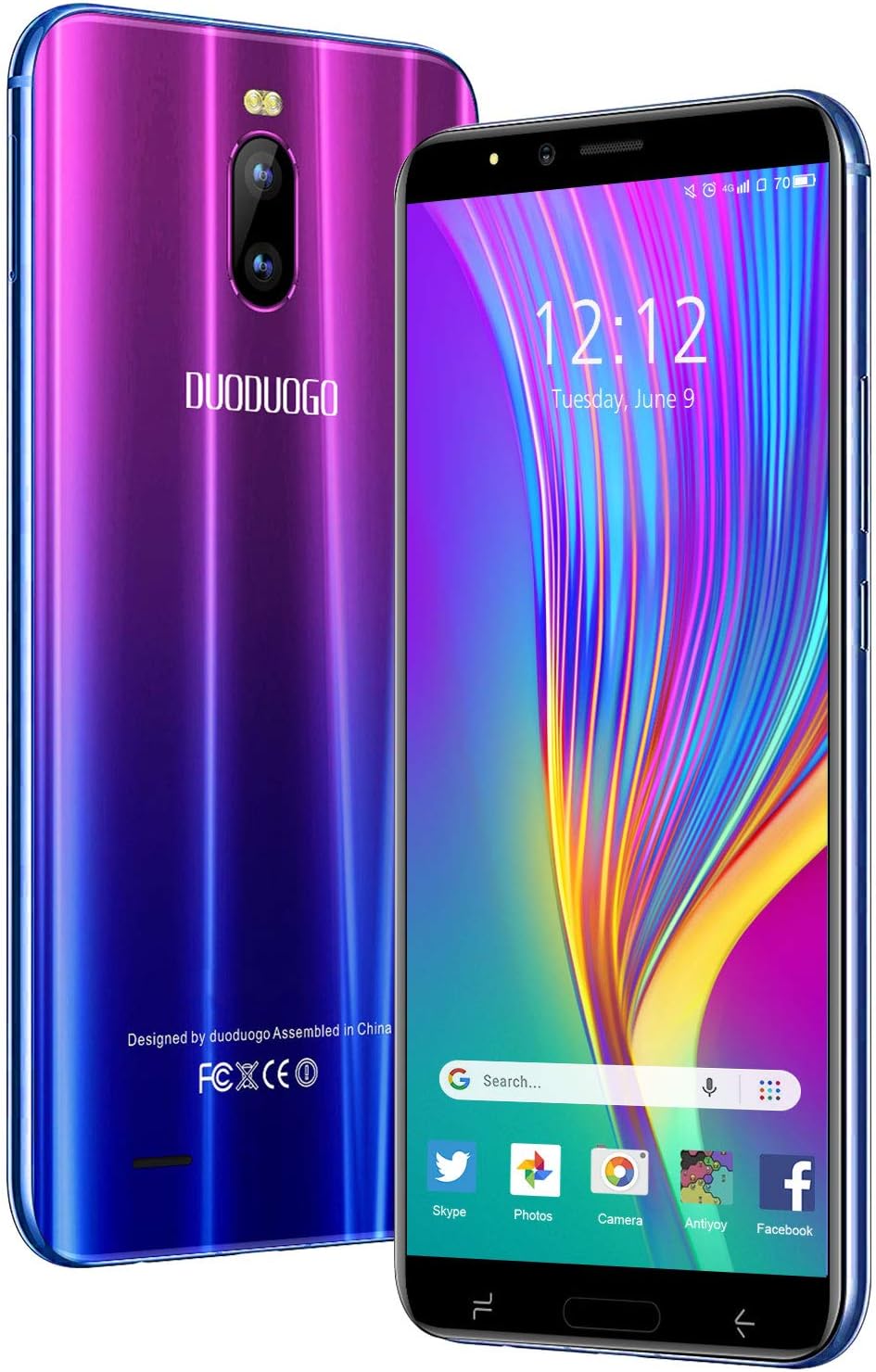
Imatge: Anvers i revers view of the DUODUOGO J6+ smartphone, showcasing its vibrant purple-to-blue gradient finish and the display.
Característiques principals:
- Visualització: Pantalla HD+ de 6.0 polzades.
- Sistema operatiu: Android 9.0.
- Rendiment: 3GB RAM and 16GB internal storage, expandable up to 128GB via microSD.
- Bateria: 4800 mAh large capacity battery for extended use.
- Càmeres: Càmera posterior de 8MP i càmera frontal de 5MP.
- Seguretat: Face ID unlock feature.
- Connectivitat: Dual SIM (2 Micro-SIM + 1 MicroSD) with 2G/3G/4G network support, Wi-Fi, Bluetooth 4.2, and GPS.
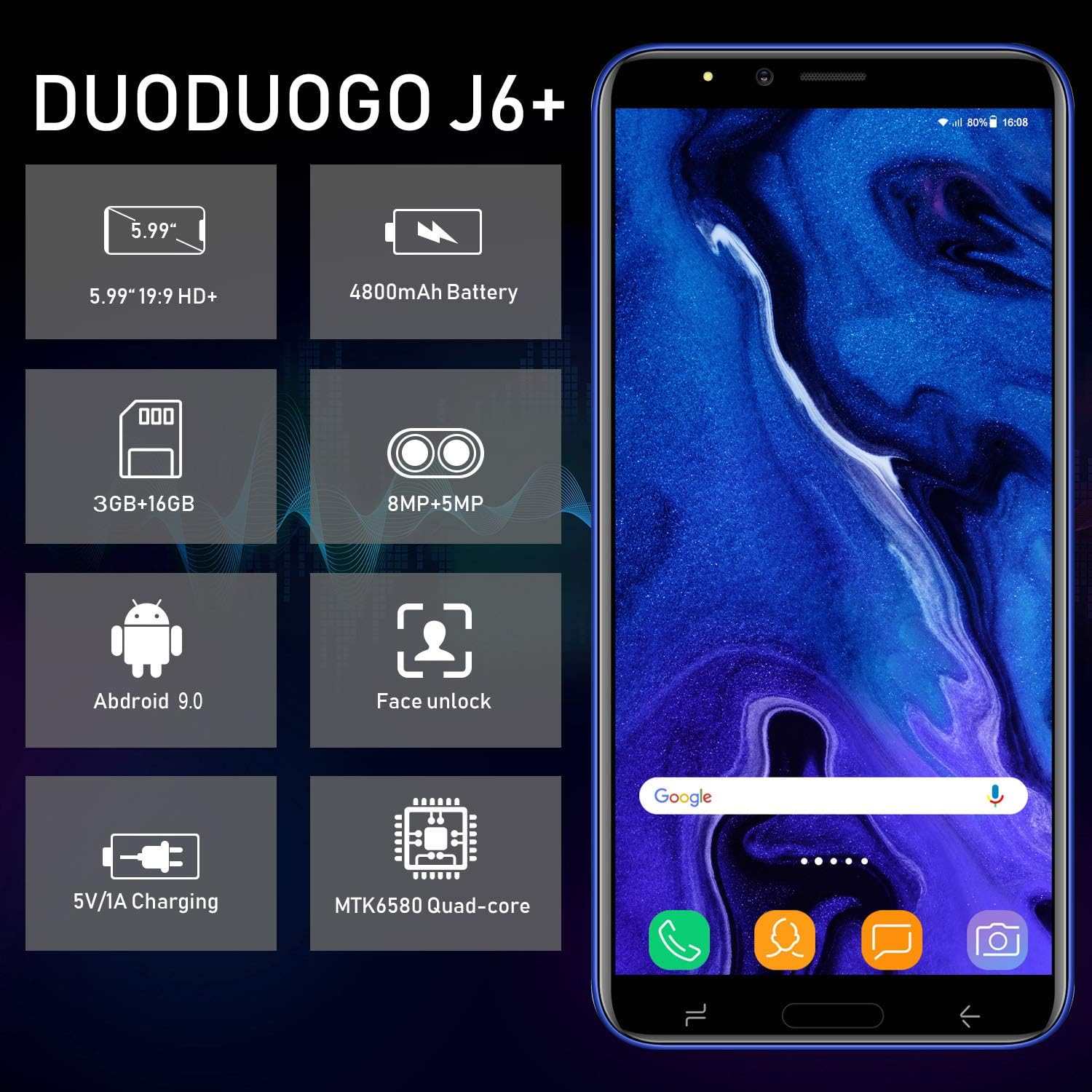
Image: Infographic highlighting key specifications of the DUODUOGO J6+, including screen size, battery capacity, memory, camera resolution, Android version, Face Unlock, charging, and processor type.
Contingut del paquet
En obrir el paquet, assegureu-vos que hi hagi tots els elements següents:
- DUODUOGO J6+ Smartphone
- Carregador
- Cable de dades USB
- Auriculars
- Funda protectora
- Screen Protector (Anti-burst membrane)
- Manual d'usuari

Image: All items included in the DUODUOGO J6+ smartphone package, neatly laid out, including the phone, charger, USB cable, headphones, protective case, and user manual.
Configuració
1. Instal·lació de la bateria i càrrega inicial
The DUODUOGO J6+ comes with a removable battery. Before first use, remove the insulating film from the battery terminals. Insert the battery into the designated compartment on the back of the phone. Close the back cover securely.
Connect the charger to the phone's USB port and plug it into a power outlet. Charge the phone completely before initial use. A full charge ensures optimal battery calibration.
2. Instal·lació de la targeta SIM i la targeta MicroSD
The phone supports two Micro-SIM cards and one MicroSD card for expandable storage.
- Locate the SIM/MicroSD card slot(s), typically under the battery or on the side of the device.
- Carefully insert your Micro-SIM cards into the SIM slots with the gold contacts facing down.
- If desired, insert a MicroSD card (up to 128GB) into the dedicated MicroSD slot.
- Ensure the cards are seated correctly.
3. Engegada i configuració inicial
Press and hold the Power button (usually on the right side) until the screen lights up. Follow the on-screen prompts to complete the initial setup, which includes selecting your language, connecting to Wi-Fi, setting up your Google account, and configuring security features like Face ID.
Instruccions de funcionament
Navegació bàsica
- Encès/apagat: Press and hold the Power button. Select "Power off" or "Restart" from the options.
- Bloqueig/desbloqueig de pantalla: Premeu breument el botó d'engegada per bloquejar o desbloquejar la pantalla.
- Pantalla d'inici: Llisca cap a l'esquerra o la dreta per navegar entre les pantalles d'inici.
- Notificacions: Llisca cap avall des de la part superior de la pantalla per accedir al tauler de notificacions i a la configuració ràpida.
- Aplicacions recents: Tap the square navigation button (or swipe up and hold from the bottom if using gestures) to view aplicacions utilitzades recentment.
Fer trucades i enviar missatges
- Trucades: Obriu l'aplicació "Telèfon", introduïu el número i toqueu la icona de trucada.
- Missatges: Open the "Messages" app, tap the new message icon, enter the recipient's number or select from contacts, and type your message.
Ús de la càmera
The DUODUOGO J6+ features an 8MP rear camera and a 5MP front camera.
- Obriu l'aplicació "Càmera".
- Toqueu el botó de l'obturador per fer una foto.
- Toqueu la icona de vídeo per canviar al mode de gravació de vídeo.
- Use the camera switch icon to toggle between the front and rear cameras.

Image: The DUODUOGO J6+ smartphone displayed with icons indicating its 8MP rear camera and 5MP front camera capabilities.
Face ID Unlock
To set up Face ID, go to Settings > Security & Location > Face Unlock. Follow the on-screen instructions to register your face. Once set up, simply look at the front camera to unlock your device quickly and securely.
Manteniment
Atenció General
- Mantingueu el dispositiu sec. La humitat pot danyar els circuits electrònics.
- Eviteu les temperatures extremes. Les temperatures altes poden escurçar la vida útil dels dispositius electrònics i danyar les bateries.
- No deixeu caure, colpejar o sacsejar el dispositiu. Una manipulació brusca pot trencar les plaques de circuit intern.
- Feu servir només carregadors i accessoris aprovats.
- Netegeu la pantalla i el cos amb un drap suau i sec. Eviteu utilitzar productes químics agressius.
Cura de la bateria
- Per allargar la durada de la bateria, eviteu descarregar-la completament amb freqüència.
- No deixeu el telèfon carregant-se durant períodes excessivament llargs després d'estar completament carregat.
- Si no feu servir el telèfon durant un període prolongat, carregueu-lo al 50% aproximadament abans de guardar-lo.

Image: A visual representation emphasizing the 4800mAh large capacity battery of the DUODUOGO J6+ smartphone.
Resolució de problemes
| Problema | Possible causa/solució |
|---|---|
| El telèfon no s'encén. | Battery might be completely drained. Charge the phone for at least 30 minutes before attempting to power on. Ensure the insulating film is removed from the battery. |
| No es pot connectar a la Wi-Fi. | Ensure Wi-Fi is enabled in settings. Check if the Wi-Fi password is correct. Restart your router and the phone. |
| No s'ha detectat la targeta SIM. | Ensure the SIM card is correctly inserted in the slot. Restart the phone. Check if the SIM card is active with your network provider. |
| Face ID not working. | Ensure your face is well-lit and not obstructed. Re-register your face in settings if the issue persists. |
| Rendiment lent. | Close unused apps. Clear cache from apps. Free up storage space by deleting unnecessary files or moving them to the SD card. Restart the phone. |
Especificacions
| Característica | Detall |
|---|---|
| Nom del model | J6+ |
| Marca | DUODUOGO |
| Sistema operatiu | Android 9.0 |
| Mida de la pantalla | 6.0 inches (15.3 cm) HD+ |
| RAM | 3 GB |
| Emmagatzematge intern | 16 GB |
| Emmagatzematge ampliable | Fins a 128 GB (MicroSD) |
| Càmera posterior | 8 MP |
| Càmera frontal | 5 MP |
| Capacitat de la bateria | 4800 mAh |
| Ranures per a targetes SIM | Dual-SIM (2 Micro-SIM) |
| Tecnologia de xarxes | 2G, 3G, 4G |
| Connectivitat | Bluetooth 4.2, USB, WLAN (Wi-Fi), GPS |
| Característiques de seguretat | Identificació facial |
| Dimensions del producte | 16.1 x 7.7 x 0.8 cm |
| Pes del producte | 170 grams |
| Color | Violeta |

Image: Detailed dimensions of the DUODUOGO J6+ smartphone, showing its length, width, and thickness.
Garantia i Suport
The DUODUOGO J6+ smartphone comes with a 1 any de garantia from the date of purchase. This warranty covers manufacturing defects and malfunctions under normal use. Please note that the warranty does not cover damages caused by human factors (e.g., accidental drops, liquid damage, unauthorized repairs).
For any questions, technical support, or warranty claims, please contact DUODUOGO customer service. Refer to the contact information provided in your product packaging or on the official DUODUOGO weblloc.
Ask a question about this manual
Ask about setup, troubleshooting, compatibility, parts, safety, or missing instructions. Manuals+ will review the question and use this page’s manual context to help answer it.