
1. Producte acabatview
The LENVII F510 is a wired 2D barcode scanner designed for efficient and accurate data capture. It supports both 1D and 2D barcodes, including QR codes, making it suitable for various applications such as retail, logistics, and inventory management. Its plug-and-play design ensures easy setup and immediate use with compatible systems.

Image: The LENVII F510 Wired 2D Barcode Scanner, a black handheld device with a scanning window.

Image: Various angles of the LENVII F510 barcode scanner, showcasing its ergonomic design and features.
2. Contingut del paquet
- LENVII F510 Wired 2D Barcode Scanner
- USB Cable (1.8 meters)
- Manual d'usuari (aquest document)
3. Instruccions de configuració
The LENVII F510 barcode scanner is designed for plug-and-play operation, requiring no driver installation for most operating systems.
- Connecteu el cable USB: Insert the smaller end of the provided USB cable into the port at the base of the scanner.
- Connexió a l'ordinador: Plug the standard USB-A end of the cable into an available USB port on your computer (PC, Laptop, Mac).
- Reconeixement del sistema: Your operating system (Windows, Mac, Linux) will automatically detect and install the necessary device drivers. This process usually takes a few seconds.
- A punt per al seu ús: Once the system recognizes the scanner, it is ready for immediate use. Open any application that accepts keyboard input (e.g., Notepad, Word, Excel) and scan a barcode to test. The barcode data should appear as typed text.
Nota: Connection with Square systems is not supported.
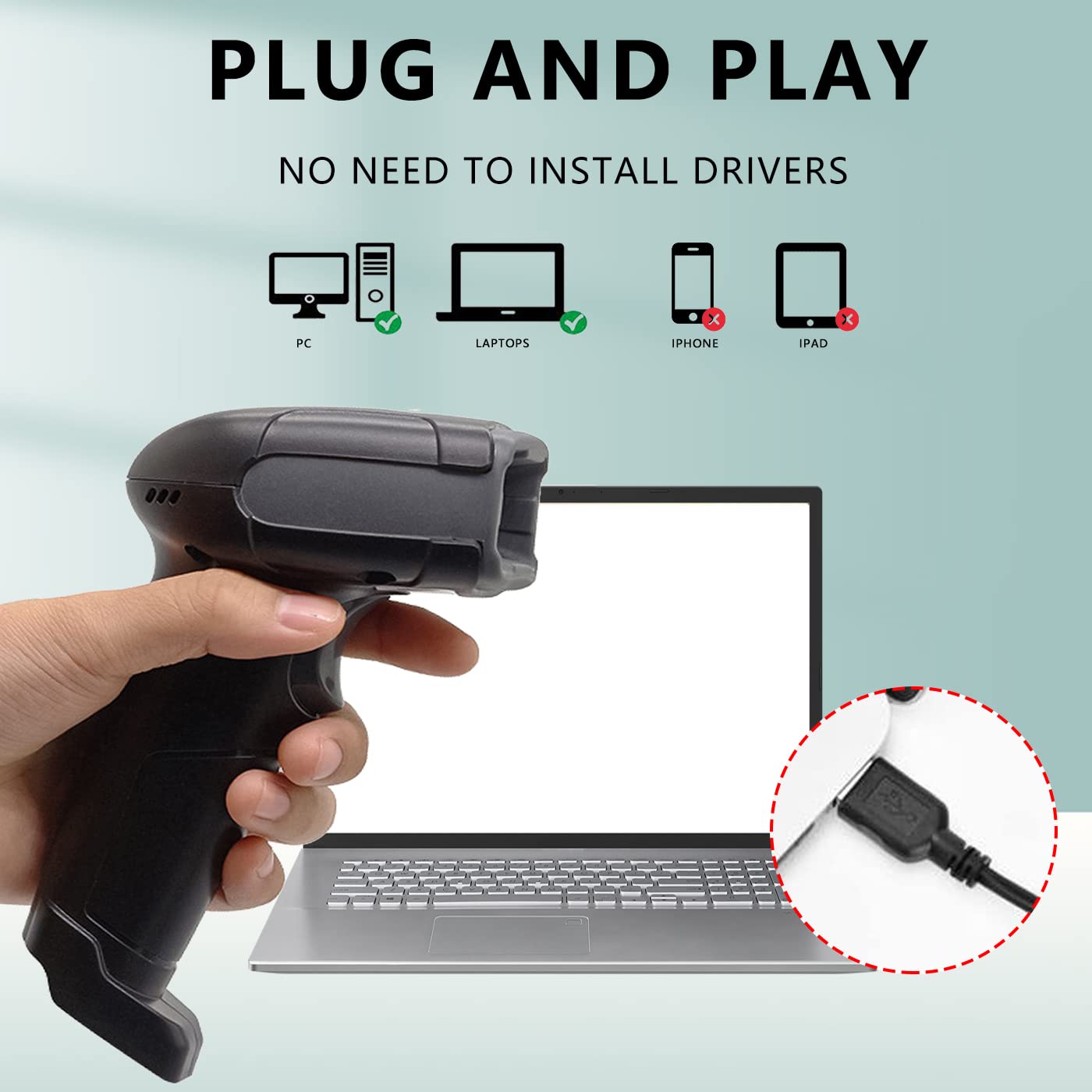
Image: A hand holding the LENVII F510 scanner, with illustrations showing compatibility with PCs and Laptops (green check) and incompatibility with iPhones and iPads (red X). A close-up of the USB connection is also shown.

Image: The LENVII F510 scanner connected via USB cable, with icons indicating compatibility with Windows (Win7, Win8, Win10, WinXP) and Mac operating systems.
Video: A demonstration of connecting the LENVII F510 scanner to a laptop and scanning various 1D and 2D barcodes from a phone screen and printed labels.
4. Instruccions de funcionament
The LENVII F510 is a versatile barcode reader capable of scanning a wide range of 1D and 2D barcodes.
4.1. Escaneig de codis de barres
- Hold the scanner approximately 5-15 cm (2-6 inches) away from the barcode.
- Press the trigger button to activate the scanning light.
- Aim the scanning light directly at the center of the barcode.
- A successful scan will be indicated by an audible beep and the data appearing on your connected device.
4.2. Tipus de codis de barres compatibles
The scanner supports the following barcode symbologies:
- Codis de barres 1D: UPC/EAN/JAN, UPC-A and UPC-E, EAN-8 and EAN-13, JAN-8 and JAN-13, ISBN/ISSN, Code 39 (with full ASCII), Codabar (NW7), Code 128 & EAN 128, Code 93, Interleaved 2 of 5 (ITF), Appendix 2 of 5, IATA Code, MSI/Plessy, China Postcode, Code 32 (Italian Pharmacode), RSS 14, RSS Limited, RSS Extension.
- Codis de barres 2D: QR Code, Data Matrix, PDF417, Aztec, Maxicode, MicroPDF417.

Image: A hand holding the LENVII F510 scanner, with examples of various 1D barcodes (one-dimensional, incomplete, high density, deformation) and 2D barcodes (QR code, DataMatrix, Minitype code, PDF417, Border code) that the scanner supports.
4.3. Scanning from Screens
The LENVII F510 is capable of reading barcodes displayed on mobile phone screens and computer monitors, making it ideal for digital coupons, tickets, and payment applications.
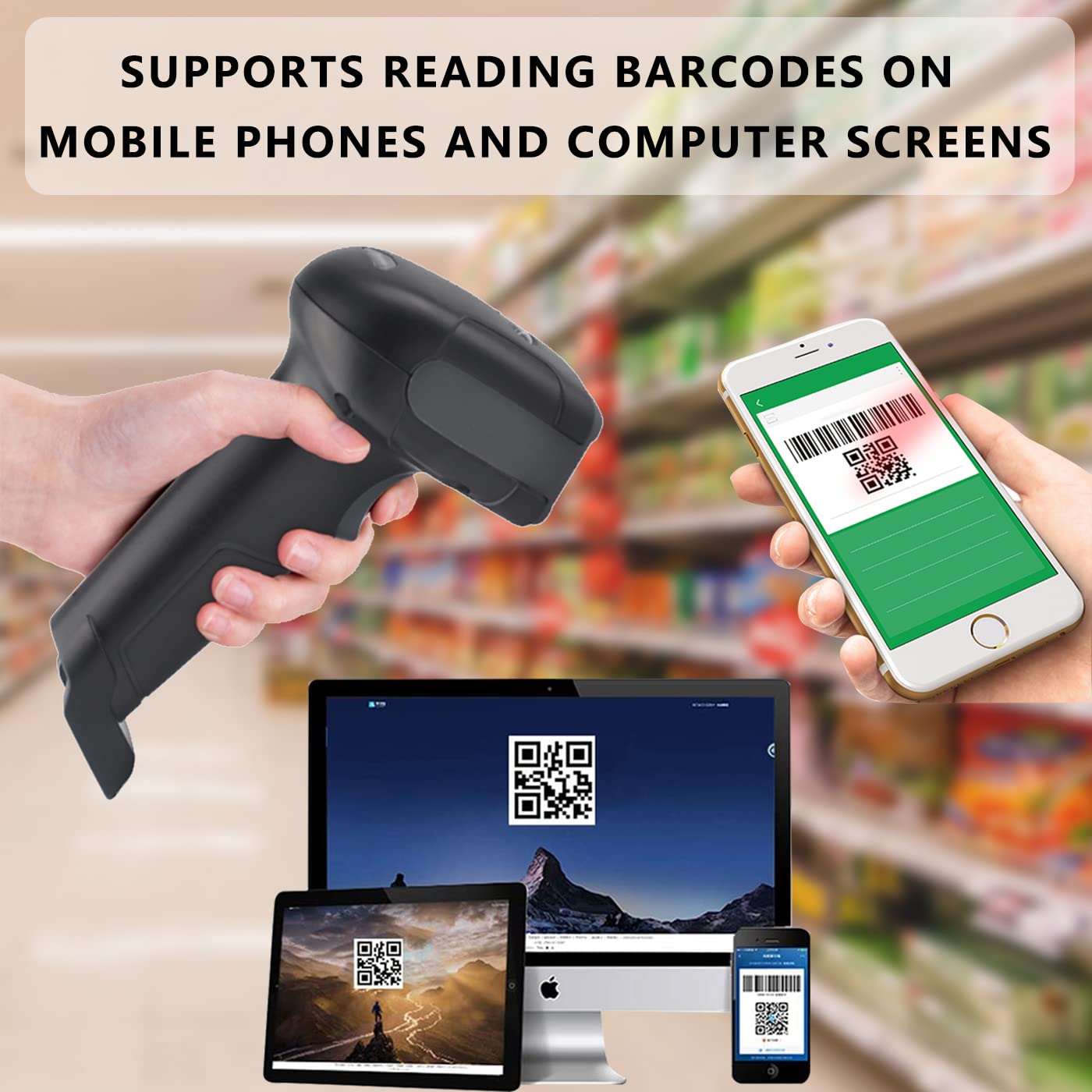
Image: The LENVII F510 scanner being used to scan a QR code displayed on a smartphone screen, with other screens (laptop, tablet) also showing barcodes.
5. Manteniment
To ensure optimal performance and longevity of your LENVII F510 barcode scanner, follow these maintenance guidelines:
- Neteja: Regularly wipe the scanning window and the scanner body with a soft, dry, lint-free cloth. For stubborn dirt, a slightly damp es pot fer servir un drap i assecar-lo immediatament. Eviteu netejadors o dissolvents abrasius.
- Emmagatzematge: Guardeu l'escàner en un lloc fresc i sec, allunyat de la llum solar directa i de temperatures extremes.
- Manipulació: While the scanner is designed with anti-shock material, avoid unnecessary drops or impacts to prevent damage. The device has an anti-fall height rating of 5 meters.

Image: The LENVII F510 scanner lying on a cracked surface, illustrating its anti-shock and anti-fall capability.
6. Solució De Problemes
If you encounter issues with your LENVII F510 barcode scanner, please refer to the following common troubleshooting steps:
- L'escàner no respon:
- Assegureu-vos que el cable USB estigui connectat correctament tant a l'escàner com a l'ordinador.
- Prova de connectar l'escàner a un port USB diferent de l'ordinador.
- Reinicieu l'ordinador.
- No hi ha sortida de dades després de l'escaneig:
- Verify that the application you are using (e.g., Notepad, Word) is active and ready to receive input.
- Comproveu si el codi de barres està malmès o mal imprès. Intenteu escanejar un codi de barres que se sàpiga que funciona correctament.
- Ensure the scanning light is properly aimed at the barcode.
- Sortida de dades incorrecta:
- This can sometimes occur with specific barcode types or settings. Refer to the full programming manual (if available from the manufacturer) for advanced configuration options.
For further assistance, please contact LENVII customer support.
7. Especificacions
| Característica | Detall |
|---|---|
| Número de model | F510 |
| Connectivitat | Wired USB Cable (1.8 meters) |
| Taxa d'escaneig | 200 escanejos per segon |
| Sensor d'imatge | 640 pixels (H) * 480 pixels (V) CMOS |
| Font de llum | Aiming: 617 nm LED; Illumination: 6500K LED |
| Capacitat de descodificació | 1D: UPC/EAN/JAN, Code 39, Code 128, etc. 2D: QR Code, Data Matrix, PDF417, etc. |
| Resolució | Reads minimum 5mil barcode and maximum 13mil barcode |
| Dimensions (L*W*H) | 160 mm * 64 mm * 97 mm (6.29 polzades * 2.5 polzades * 3.81 polzades) |
| Pes | 190 grams (0.41 lliures) |
| Anti-fall Height | 5 metres |
| Sistema operatiu compatible | Windows, Mac, Linux |
| Àrea d'aplicació | Supermarkets, convenience stores, warehouses, libraries, bookstores, drugstores, retail shops, file management, inventory tracking. |
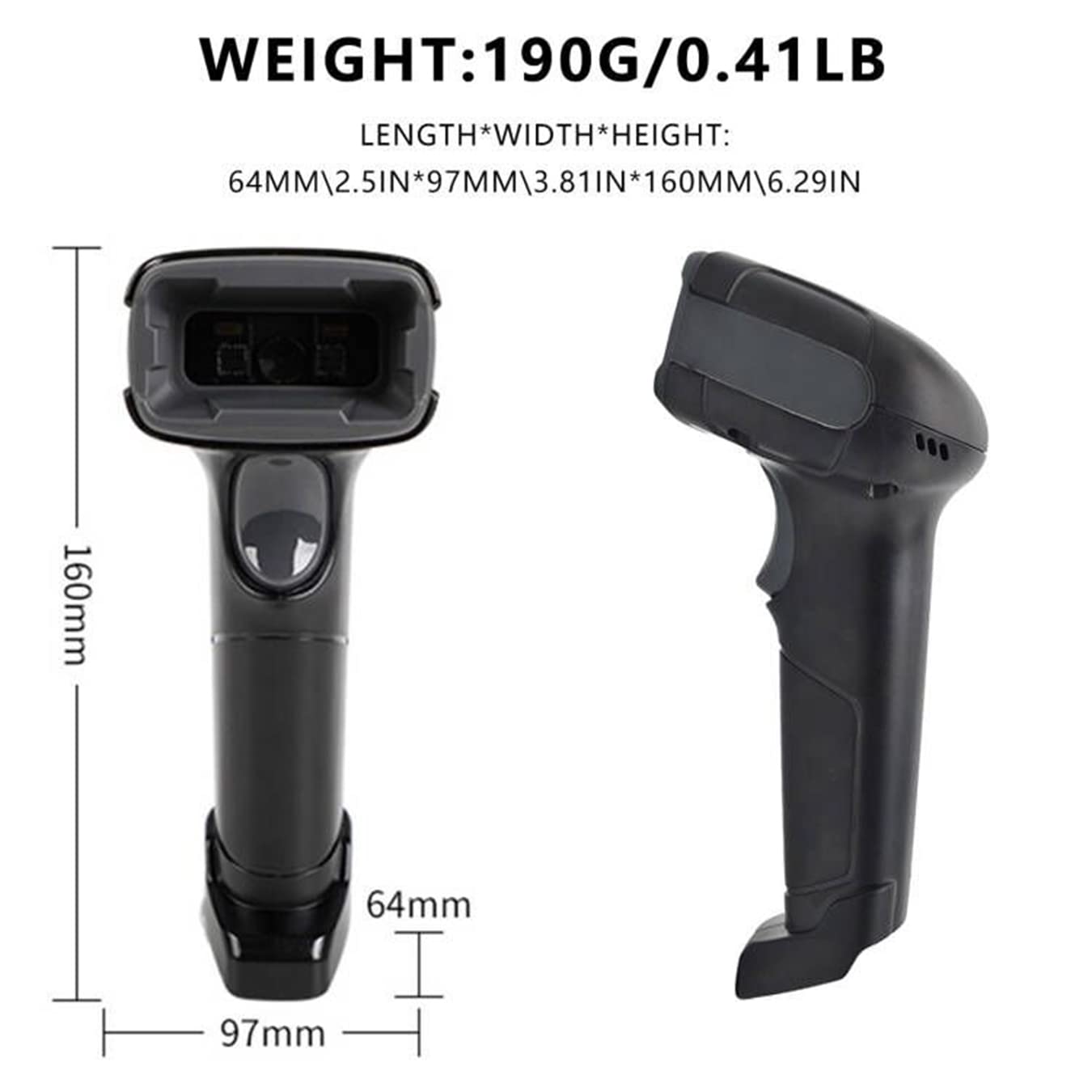
Image: Technical drawing of the LENVII F510 scanner showing its dimensions (160mm length, 64mm width, 97mm height) and weight (190g / 0.41lb).

Image: A collage showing various environments where the LENVII F510 scanner can be used, including a supermarket, storehouse, library, and pharmacy.
8. Garantia i Suport
The LENVII F510 barcode scanner comes with a 6 mesos de garantia. For any product-related inquiries, technical support, or warranty claims, please contact the manufacturer or importer directly.
- Importador/Empacador: COOLPLAY TECHNOLOGY PRIVATE LIMITED
- Correu electrònic de suport: support@lenvii.net
Si us plau, conserveu el rebut de compra per motius de garantia.