
1. Introducció
Thank you for choosing the Yosoo Hands-Free Desktop Omnidirectional 1D/2D/QR Barcode Scanner. This device is designed for efficient and reliable barcode reading in various environments, including retail, self-service kiosks, and industrial assembly lines. Its advanced CMOS image processing technology allows for quick and accurate scanning of both printed and screen-displayed barcodes, including damaged or incomplete ones. Please read this manual thoroughly before operating the device to ensure proper use and optimal performance.
2. Producte acabatview

Figure 2.1: Yosoo Hands-Free Desktop Omnidirectional Barcode Scanner

Figure 2.2: Barcode Scanner with USB Cable for connection
Característiques principals:
- Advanced CMOS Image Processing: Enables 360° scanning of 1D, 2D, and QR codes from various surfaces, including mobile phone screens and even incomplete or damaged codes.
- Escaneig omnidireccional: No need to precisely align the barcode, improving scanning efficiency.
- Large Scan Window: Ofereix un ampli camp de view for quick and easy scanning of diverse printed and screen-displayed barcodes.
- Connectivitat Plug-and-Play: Features a convenient data interface for easy connection to devices.
- Comentaris audibles: A built-in buzzer provides clear confirmation upon successful scans.
- Disseny compacte i elegant: With dimensions of 95mm x 75mm x 63mm, it offers a professional appearance and comfortable user experience.
- Multiple Interface Support: Supports USB (USB-KBW, USB-COM), TTL, and RS232 for broad compatibility.
Escenaris d'aplicació:
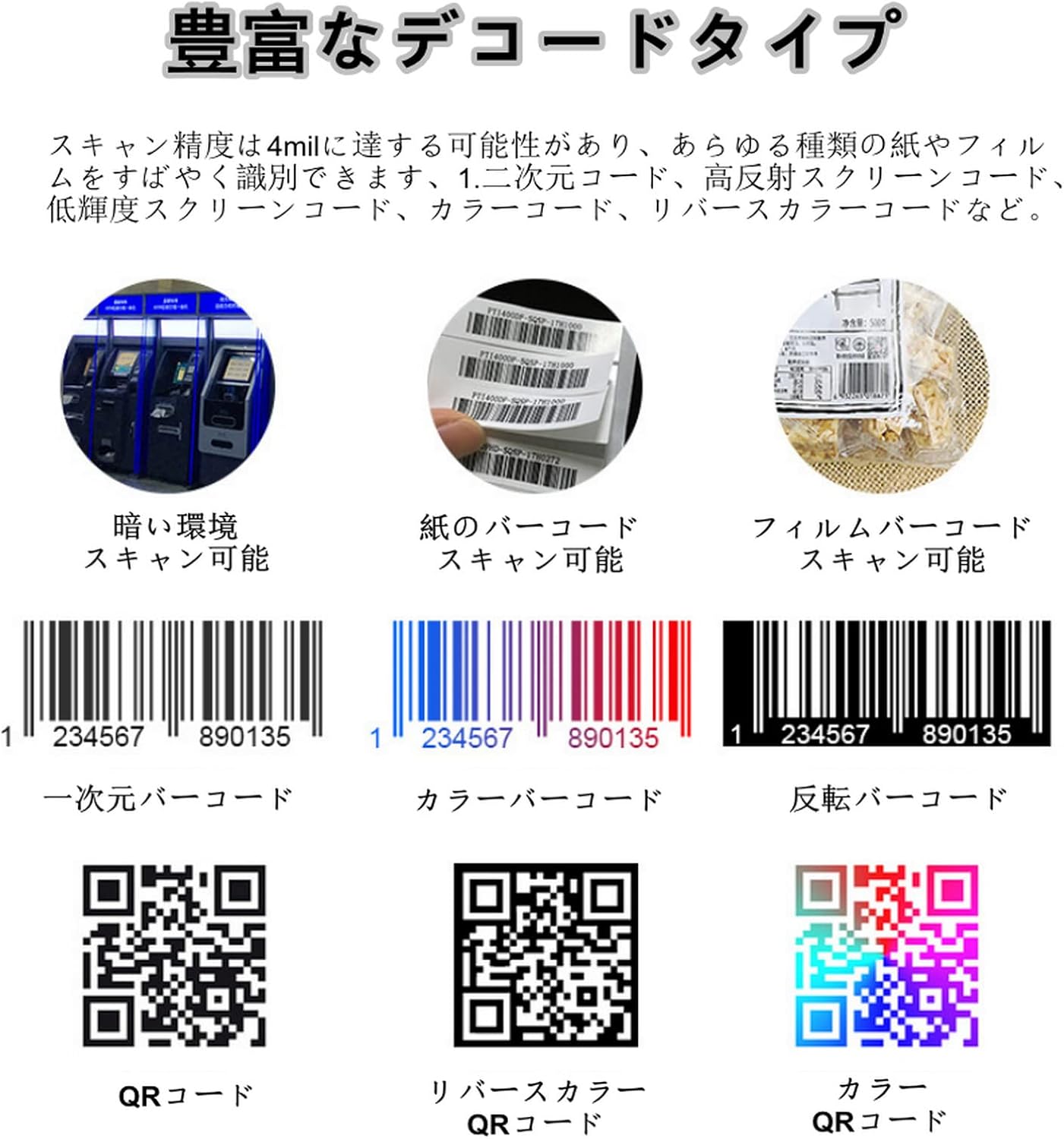
Figure 2.3: Scanning QR codes from mobile phone screens for mobile payments.

Figure 2.4: Use in retail checkout counters for product scanning.
This scanner is versatile and can be integrated into various systems such as self-service terminals, ticket machines, retail POS systems, industrial assembly lines, and access control points.
3. Especificacions
| Característica | Descripció |
|---|---|
| Tipus d'element | Escàner de codi de barres d'escriptori |
| Sensor d'imatge | CMOS |
| Font de llum | 620nm Visible Red Light Diode |
| Mode d'activació | Continuous Automatic Induction |
| Resolució | 640 x 480 |
| Interfície | RS232, USB |
| Velocitat de descodificació | 500 exploracions/segon |
| Minimum Contrast | ≥25% |
| 1D Decode Capability | UPC/EAN, Code128, Code39, Code39 Full ASCII, Coda Bar, Industrial/Interleaved 2 of 5, Code93, Code11, ISBN, ISSN, China Post, GS1 Databar, etc. |
| 2D Decode Capability | PDF417, QR, Aztec, DataMatrix, Maxicode, MicroPDF417, etc. |
| Depth of Field (Code39, 5MIL) | 40-120 mm |
| Depth of Field (EAN-13, 13MIL) | 20-300 mm |
| Depth of Field (PDF417, 6.8MIL) | 20-150 mm |
| Depth of Field (QR Code, 20MIL) | 15-250 mm |
| Angle d'escaneig | Roll 55°, Pitch ±25°, Tilt ±75° |
| Vol. Operatiutage | 5V |
| Corrent màxim | 212 mA |
| Corrent de funcionament | 156mA ~ 212mA |
| Corrent d'espera | 156 mA |
| Pes del producte | 252 grams |
| Dimensions (L x A x A) | 95 mm x 75 mm x 63 mm |
4. Instruccions de configuració
The Yosoo Barcode Scanner is designed for simple plug-and-play setup.
- Desempaquetar l'escàner: Carefully remove the barcode scanner and its USB cable from the packaging.
- Connecteu el cable USB: Insert the USB connector of the scanner cable into an available USB port on your computer or host device.
- Reconeixement del sistema: El vostre sistema operatiu hauria de detectar i instal·lar automàticament els controladors necessaris. Aquest procés pot trigar uns instants.
- Col·locació: Place the scanner on a stable, flat surface, ensuring the scanning window is clear and unobstructed.
- Prova l'escàner: Open a text editor (e.g., Notepad, Word) or any application that accepts keyboard input. Hold a barcode or QR code in front of the scanner's window. A successful scan will be indicated by an audible beep, and the barcode data will appear in your open application.
Figure 4.1: Connecting the USB cable for initial setup.
5. Instruccions de funcionament
Escaneig d'un codi de barres:
- Ensure the scanner is properly connected to your host device and powered on.
- Position the barcode or QR code within the scanning window. The scanner's omnidirectional capability means precise alignment is not strictly necessary, but ensure the code is flat and clearly visible.
- The scanner will automatically detect and read the code. A successful scan will be confirmed by an audible beep.
- The decoded data will be transmitted to your connected device as keyboard input.
Figure 5.1: Scanning a QR code displayed on a mobile phone screen.
Tipus de codis de barres compatibles:
The scanner supports a wide range of 1D and 2D barcode symbologies, including:
- 1D Codes: UPC/EAN, Code128, Code39, Code39 Full ASCII, Coda Bar, Industrial/Interleaved 2 of 5, Code93, Code11, ISBN, ISSN, China Post, GS1 Databar, etc.
- 2D Codes: PDF417, QR Code, Aztec, DataMatrix, Maxicode, MicroPDF417, etc.

Figura 5.2: Examples of various scannable barcode types.
6. Manteniment
To ensure the longevity and optimal performance of your Yosoo Barcode Scanner, follow these maintenance guidelines:
- Neteja: Netegeu regularment la finestra d'escaneig amb un drap suau i sense borrissol. Per a taques difícils, esbandiu lleugeramentampen the cloth with water or a mild, non-abrasive cleaner. Avoid harsh chemicals or abrasive materials that could scratch the window.
- Emmagatzematge: When not in use, store the scanner in a clean, dry environment away from direct sunlight and extreme temperatures.
- Manipulació: Handle the scanner with care. Avoid dropping it or subjecting it to strong impacts, which could damage internal components.
- Cura del cable: Do not bend or twist the USB cable excessively. Always grasp the plug when disconnecting, rather than pulling on the cable itself.
7. Solució De Problemes
If you encounter issues with your barcode scanner, please refer to the following common problems and solutions:
| Problema | Causa possible | Solució |
|---|---|---|
| L'escàner no s'encén. | El cable USB no està connectat correctament o el port USB està defectuós. | Ensure the USB cable is securely connected to both the scanner and the host device. Try a different USB port or a different computer. |
| L'escàner no llegeix codis de barres. | Barcode is damaged, poorly printed, or not within the scanning range. Scanning window is dirty. Incorrect symbology settings (less common for omnidirectional). | Ensure the barcode is clear and undamaged. Position the barcode correctly within the scanning window. Clean the scanning window. Refer to the product specifications for supported barcode types. |
| No data output after scanning. | Scanner not recognized by the system or application. | Verify that the scanner is recognized by your operating system (check Device Manager). Ensure the application you are using is ready to receive keyboard input. Restart the application or computer. |
| L'escàner emet un so però no apareixen dades. | Output format issue or application not focused. | Ensure the cursor is active in the input field of your application. Check if the scanner's output mode matches your system's requirements (e.g., USB-KBW for keyboard emulation). |
8. Garantia i Suport
The Yosoo Barcode Scanner comes with a standard manufacturer's warranty. Please refer to the warranty card included in your product packaging for specific terms and conditions, including warranty duration and coverage.
For technical support, troubleshooting assistance beyond this manual, or warranty claims, please contact your retailer or the Yosoo customer service department. Contact information can typically be found on the product packaging or the official Yosoo weblloc.
When contacting support, please have your product model number (Yosooayn7o0cpbs1511-11) and purchase date available.