
ROCCAT ROC-11-410-01
ROCCAT Kone Pro Air Wireless Gaming Mouse User Manual
Comprehensive instructions for setup, operation, and maintenance of your ROCCAT Kone Pro Air mouse.
1. Configuració
1.1 Què hi ha a la caixa
Your ROCCAT Kone Pro Air package includes:
- ROCCAT Kone Pro Air Wireless Gaming Mouse
- PhantomFlex USB-C charging cable
- Adaptador sense fil USB-A
- Guia d'inici ràpid

Image: The ROCCAT Kone Pro Air mouse shown with its retail packaging, highlighting key features like the Titan Switch Optical, Stellar Wireless + Bluetooth, and PhantomFlex charging cable.
1.2 Connectivitat
The ROCCAT Kone Pro Air offers versatile connectivity options:
- 2.4GHz Wireless (Dongle): For optimal gaming performance with a fast response time, use the included USB-A wireless dongle. This is recommended for competitive gaming.
- Bluetooth: For general productivity and multi-device use, connect via Bluetooth.
To switch between modes, use the toggle switch located on the underside of the mouse. Ensure your computer has a USB 3.0 (or higher) port for the dongle for best performance.

Image: The ROCCAT Kone Pro Air mouse displaying its AIMO RGB lighting, showcasing el seu disseny ergonòmic.
1.3 Càrrega
The Kone Pro Air features a USB-C PhantomFlex charging cable. This flexible and lightweight cable allows you to continue using the mouse while it charges. Rapid Charge technology provides 5 hours of play time with just a 10-minute charge.
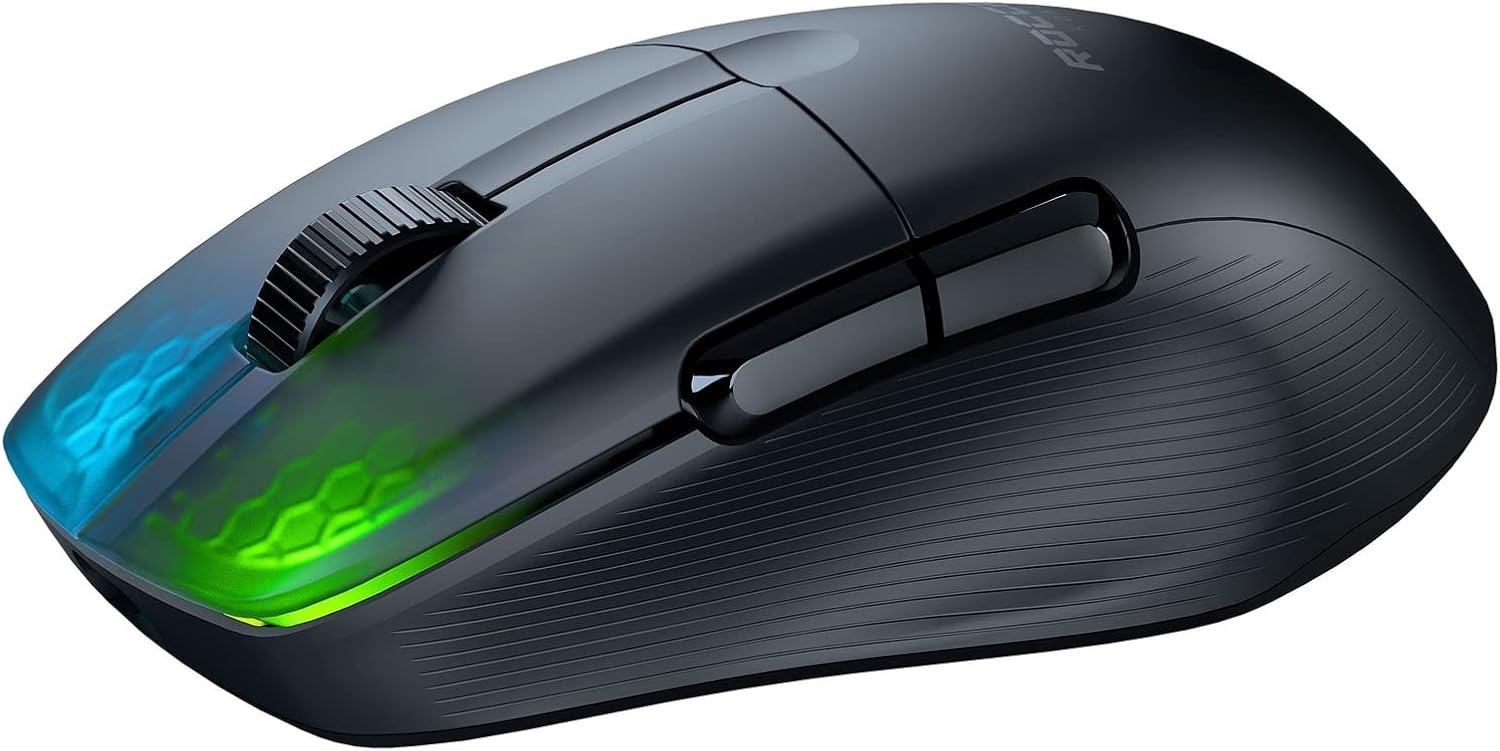
Imatge: Un costat view of the ROCCAT Kone Pro Air mouse, highlighting its sleek profile and translucent main clicks.
2. Funcionament
2.1 Ergonomia i comoditat
The Kone Pro Air features an ergonomic shape perfected through extensive research, weighing just 75g. This design offers superior comfort for various hand sizes and grip styles, including palm grip. The lightweight design ensures agile and comfortable use during extended sessions.

Image: The ROCCAT Kone Pro Air mouse showcasing its vibrant AIMO RGB lighting through the translucent Bionic Shell.
2.2 Botons i controls
- Main Clicks (Titan Switch Optical): Experience tactile and responsive clicks with a long-lasting 100 million click life cycle and speed-of-light actuation.
- Titan Wheel Pro: The aluminum scroll wheel provides a unique and satisfying tactile feedback.
- Botons laterals: Two programmable side buttons allow for quick access to functions like back/forward navigation, customizable via the Roccat Swarm software.
2.3 RGB Lighting and Sensor
The translucent fade design of the ROCCAT Bionic Shell allows the signature AIMO RGB lighting with 16.8 million colors to shine through. The mouse is equipped with the Owl-Eye 19K DPI optical sensor for smooth and precise tracking.
For advanced customization of lighting effects, button assignments, and DPI settings, download and install the Roccat Swarm software from the official ROCCAT weblloc.
Vídeo: Presentació oficial del producte en vídeoasing the ROCCAT Kone Pro Air Wireless Gaming Mouse, highlighting its features and design.
3. Manteniment
3.1 Glides and Cleaning
The Kone Pro's heat-treated pure PTFE glides are pre-tuned for incredible glide and smooth mouse movements. To maintain optimal performance, regularly clean the glides and the mouse sensor with a soft, dry cloth. Avoid using harsh chemicals or abrasive materials.

Image: Dimensions of the ROCCAT Kone Pro Air mouse, showing its length and width.
4. Solució De Problemes
4.1 Problemes comuns
If you experience issues with your mouse, consider the following:
- Avaria de la roda de desplaçament: Some users have reported scroll wheel issues over time. Ensure the Roccat Swarm software is updated, and try recalibrating the mouse.
- Problemes de connectivitat: Verify the mouse is in the correct mode (2.4GHz or Bluetooth) using the switch on the underside. Ensure the USB dongle is securely plugged into a compatible USB 3.0 port.
- Cursor Skipping: This can sometimes be caused by interference from other electronics or a dirty mouse sensor/mouse pad. Try cleaning the sensor and using the mouse on a clean, consistent surface.
4.2 Roccat Swarm Software
The Roccat Swarm software is essential for managing your mouse settings, including DPI, button assignments, RGB lighting, and firmware updates. If you encounter persistent issues, ensure your software and mouse firmware are up to date.
5. Especificacions
| Característica | Detall |
|---|---|
| Marca | ROCCAT |
| Número de model | ROC-11-410-01 |
| Tecnologia de connectivitat | 2.4GHz Wireless (USB Dongle), Bluetooth |
| Sensor | Owl-Eye Optical Sensor (19K DPI) |
| Interruptors | Titan Switch Optical (100M click life cycle) |
| Pes | 75 g |
| Durada de la bateria | Més de 100 hores |
| Carregant | USB-C PhantomFlex (Rapid Charge) |
| Llisca | Heat-treated Pure PTFE |
| Dimensions (LxWxH) | 4.94 x 2.83 x 1.57 polzades |
6. Garantia i Suport
The ROCCAT Kone Pro Air comes with a 2-year manufacturer warranty, ensuring peace of mind regarding product quality and longevity.
For further support, troubleshooting, or to explore other ROCCAT products, please visit the Official ROCCAT Store.
Ask a question about this manual
Ask about setup, troubleshooting, compatibility, parts, safety, or missing instructions. Manuals+ will review the question and use this page’s manual context to help answer it.