
1. Introducció
This manual provides detailed instructions for the safe and effective use of your Remax SD-02 Compact Digital Camera. Please read this manual thoroughly before using the camera and keep it for future reference. The Remax SD-02 is a compact digital camera designed for ease of use, featuring a 12-megapixel sensor, 4x optical zoom, and a 1.8-inch LCD screen.
2. Contingut del paquet
Verifiqueu que tots els elements que s'enumeren a continuació s'inclouen al paquet de la càmera. Si falta algun element o està malmès, poseu-vos en contacte amb el vostre distribuïdor.
- Remax SD-02 Compact Digital Camera
- Cable USB
- Corretja de canell
- Manual d'usuari (aquest document)
- Bateria
- C protectoraasing (if included in specific bundle)
- Mounting Accessories (if included in specific bundle)

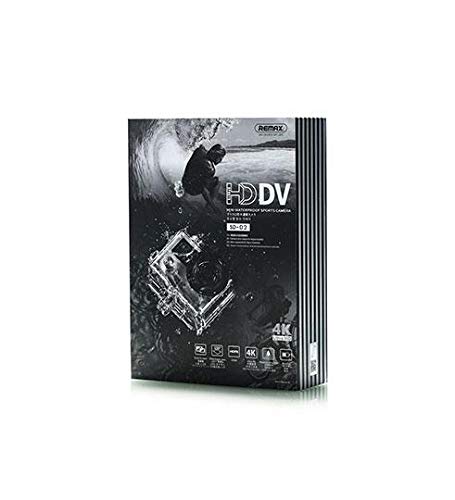
Image 2.1: Contents of the Remax SD-02 camera package, showing the camera unit, USB cable, battery, and various mounting accessories and protective cases.
3. Producte acabatview
Familiarize yourself with the main components of your Remax SD-02 camera.
Imatge 3.1: Davant i darrere views of the Remax SD-02 camera. The front features the camera lens, power/mode button, and branding. The rear displays the 1.8-inch LCD screen.
3.1 Davant View
- Lent: Captura imatges i vídeos.
- Botó d'alimentació / mode: Press and hold to power on/off. Press briefly to switch between shooting modes (Photo, Video, Playback).
- Llum indicadora: Mostra l'estat de la càmera (per exemple, gravant, carregant).
3.2 Darrera View
- Pantalla LCD d'1.8 polzades: Mostra en directe view, menús i reproducció.
- Botons amunt / avall: Navigate menus, zoom in/out (in certain modes).
- D'acord/Botó de l'obturador: Confirms selections, takes photos, starts/stops video recording.
- Botó de menú: Accedeix a la configuració de la càmera.
3.3 Side/Bottom View (General)
- Port micro USB: Per a càrrega i transferència de dades.
- Ranura per a targeta MicroSD: Insert your memory card here.
- Compartiment de la bateria: Conté la bateria extraïble.
4. Configuració
4.1 Càrrega de la bateria
- Obriu la tapa del compartiment de la bateria.
- Inseriu la pila, assegurant-vos de la polaritat correcta.
- Tanqueu bé la tapa del compartiment de la bateria.
- Connect the camera to a USB power source (e.g., computer, wall adapter) using the provided USB cable.
- El llum indicador s'il·luminarà durant la càrrega i s'apagarà quan estigui completament carregat.
4.2 Inserció d'una targeta MicroSD
A MicroSD card (not included) is required to store photos and videos. The camera supports cards up to a certain capacity (refer to specifications for details).
- Localitza la ranura per a targetes MicroSD al lateral de la càmera.
- Insert the MicroSD card with the gold contacts facing down, until it clicks into place.
- Per treure-la, premeu suaument la targeta fins que surti.
Note: It is recommended to format the MicroSD card in the camera before first use to ensure optimal performance.
5. Instruccions de funcionament
5.1 Engegada/apagada
- Per encendre: Press and hold the Power/Mode button for approximately 3 seconds.
- Per apagar: Press and hold the Power/Mode button for approximately 3 seconds.
5.2 Canvi de modes
Briefly press the Power/Mode button to cycle through the available modes: Photo Mode, Video Mode, and Playback Mode.
5.3 Fer fotos
- Switch to Photo Mode. The camera icon will appear on the screen.
- Enquadra la teva foto amb la pantalla LCD.
- Press the OK/Shutter button to take a photo.
5.4 Gravació de vídeos
- Switch to Video Mode. The video camera icon will appear on the screen.
- Press the OK/Shutter button to start recording. A red recording indicator will typically flash.
- Press the OK/Shutter button again to stop recording.
5.5 Reproducció
- Switch to Playback Mode.
- Use the Up/Down buttons to navigate through your photos and videos.
- Press the OK/Shutter button to view una foto o reproduir un vídeo.
5.6 Accés a la configuració
- In any mode, press the Menu button to access camera settings.
- Feu servir els botons Amunt/Avall per navegar per les opcions del menú.
- Premeu el botó OK/Obturador per seleccionar una opció.
- Premeu de nou el botó Menú per sortir del menú.
6. Manteniment
6.1 Neteja de la càmera
- Feu servir un drap suau i sense borrissol per netejar el cos de la càmera.
- Per a la lent, feu servir un drap i una solució especials per a la neteja de lents. Eviteu tocar la lent amb els dits.
- No utilitzeu detergents ni dissolvents forts.
6.2 Cura de la bateria
- Guardeu la bateria en un lloc fresc i sec quan no la feu servir.
- Eviteu exposar la bateria a temperatures extremes.
- No desmunteu ni curtcircuiteu la bateria.
6.3 Emmagatzematge
When storing the camera for extended periods, remove the battery and store the camera in a dry, dust-free environment, preferably in its original packaging or a protective case.
7. Solució De Problemes
| Problema | Causa possible | Solució |
|---|---|---|
| La càmera no s'encén. | La bateria està esgotada o inserida incorrectament. | Carregueu la bateria. Assegureu-vos que la bateria estigui inserida amb la polaritat correcta. |
| No es poden fer fotos/vídeos. | No hi ha targeta MicroSD, la targeta està plena o hi ha un error de targeta. | Insert a MicroSD card. Delete unnecessary files or replace the card. Format the card. |
| Les imatges són borroses. | Lens is dirty. Insufficient light. Camera shake. | Clean the lens. Ensure adequate lighting. Hold the camera steady. |
| La càmera es congela. | Error de programari. | Traieu i torneu a inserir la bateria per reiniciar la càmera. |
Si el problema persisteix després de provar aquestes solucions, poseu-vos en contacte amb l'atenció al client.
8. Especificacions
| Característica | Detall |
|---|---|
| Marca | Remax |
| Nom del model | SD-02 |
| Resolució del sensor d'imatge | 12 megapíxels |
| Resolució de fixes efectius | 12 megapíxels |
| Zoom òptic | 4x |
| Tipus de visualització | LCD |
| Mida de la pantalla | 1.8 polzades |
| Pantalla tàctil | No |
| Lent intercanviable | No |
| Factor de forma | Compacte |
| Tipus de control d'exposició | Automàtic |
| Minimum Expanded ISO | 100 |
| File Format | RAW (for images, video format not specified but typically AVI/MOV) |
| Color | Plata |
| Dimensions d'enviament | 23.4 x 16.8 x 6.2 cm; 680 grams |
9. Garantia i Suport
9.1 Informació de la garantia
This product is covered by a limited warranty from the date of purchase. Please refer to the warranty card included in your package for specific terms and conditions. Keep your purchase receipt as proof of purchase for warranty claims.
9.2 Atenció al client
For technical assistance, troubleshooting, or warranty inquiries, please contact Remax customer support. Contact details can typically be found on the manufacturer's official weblloc web o a l'embalatge del producte.
Assistència en línia: Visit the official Remax weblloc web per a preguntes freqüents, actualitzacions de programari i recursos de suport.
Suport per correu electrònic: Refer to your warranty card or product packaging for the customer service email address.