
Introducció
Welcome to the user manual for your AWOW Funtab 701 Kids Tablet. This guide provides essential information on setting up, operating, maintaining, and troubleshooting your device to ensure a safe and enjoyable experience for your child. Please read this manual thoroughly before using the tablet.
Contingut del paquet
Si us plau, verifiqueu que tots els elements que s'enumeren a continuació estiguin inclosos al vostre paquet:
- AWOW Funtab 701 Kids Tablet (7 inch)
- Exclusive Kid-Proof Case
- Bolígraf actiu
- Manual d'usuari (aquest document)
- Adaptador d'alimentació
Producte acabatview
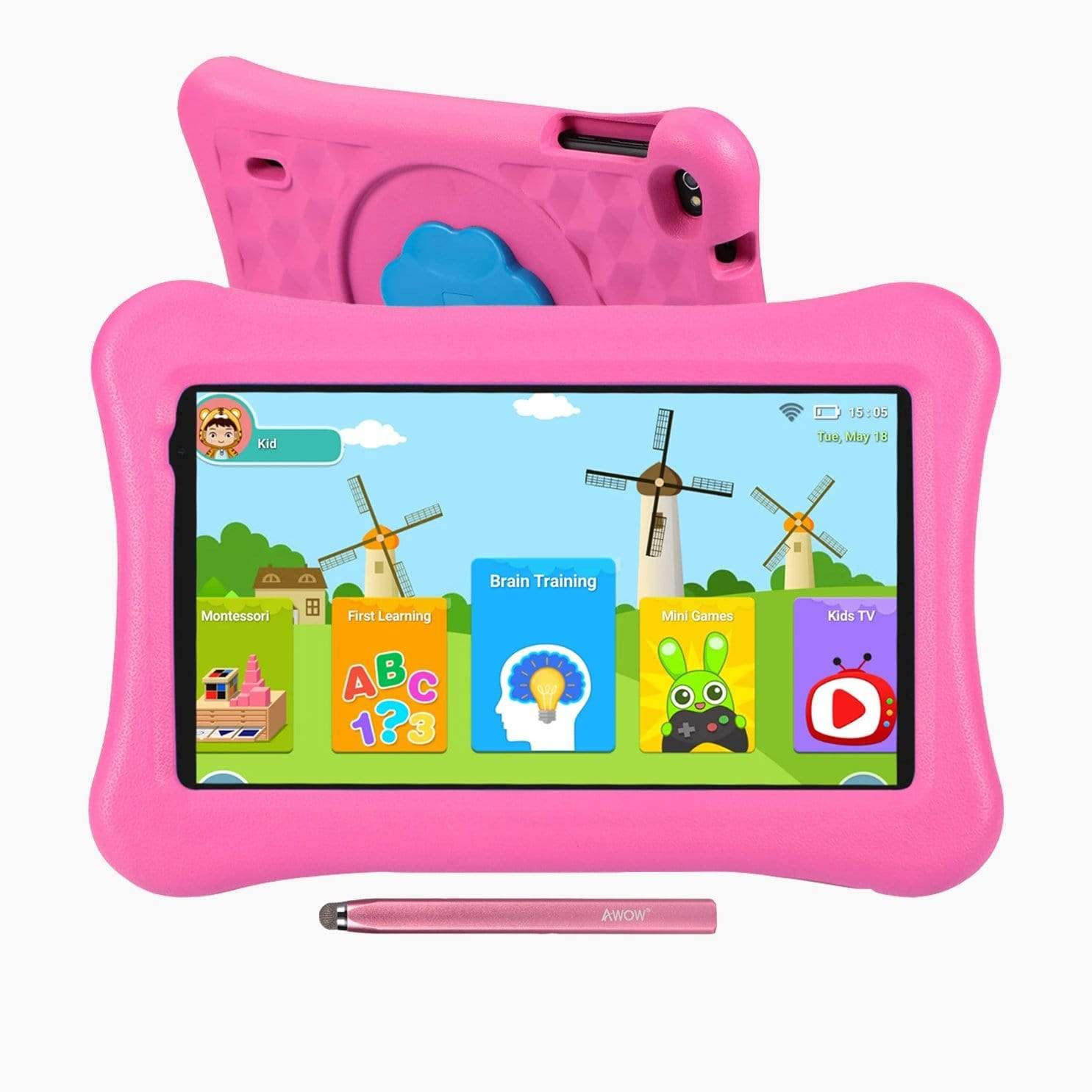
Image: The AWOW Funtab 701 Kids Tablet, shown with its protective pink kid-proof case and the accompanying active pen. The tablet features a 7-inch display.
The AWOW Funtab 701 is a 7-inch kids tablet designed for educational and entertainment purposes. It runs on Android 10 Go, powered by a 1.5GHz Quad-core processor, with 2GB RAM and 16GB ROM. It features a 1024x600 IPS HD display and supports 2.4G Wi-Fi connectivity. The tablet comes with a durable kid-proof case and an active pen for interactive learning and creativity.
Configuració
1. Càrrega de la tauleta
Before first use, fully charge the tablet. Connect the provided power adapter to the tablet's charging port and plug it into a wall outlet. The charging indicator will typically light up. A full charge may take several hours.
2. Encès / apagat
- Per encendre: Premeu i manteniu premut el botó d'engegada (normalment situat al lateral o a la vora superior) fins que la pantalla s'il·lumini.
- Per apagar: Mantingueu premut el botó d'engegada fins que aparegui un menú d'apagada a la pantalla. Seleccioneu "Apagar" i confirmeu.
3. Configuració inicial
En engegar-la per primera vegada, la tauleta us guiarà pel procés de configuració inicial:
- Selecció d'idioma: Trieu el vostre idioma preferit.
- Connexió Wi-Fi: Select your 2.4G Wi-Fi network from the list and enter the password.
- Compte de Google: Sign in with an existing Google account or create a new one. This is necessary for accessing the Google Play Store and other Google services.
- Data i hora: Estableix la data i l'hora correctes o permet que la xarxa les estableixi automàticament.
4. iWawa App and Parental Controls
The AWOW Funtab 701 comes with the iWawa app pre-installed, offering a safe environment for children and robust parental controls.
- Creant Profiles: Open the iWawa app to create individual profiles per a cada nen.
- Content Management: Within the parental control mode, you can hand-pick specific apps, games, videos, and websites that your child can access.
- Screen Time Control: Set daily time limits for tablet usage and specific play periods.
- Navegació segura: Ensure children browse only safe and approved webllocs.
- Ajust de la configuració: Parental control settings can be adjusted as your child grows to tailor content to their age and development.
Funcionament de la tauleta
1. Navegació bàsica
The tablet uses a touchscreen interface. Common gestures include:
- Toca: Per seleccionar un element o obrir una aplicació.
- Llisca: To scroll through pages or menus.
- Pessigar: Per ampliar o reduir les imatges i web pàgines.
- Premsa llarga: Per accedir a menús contextuals o moure icones d'aplicacions.
2. Using the Active Pen
The included active pen allows for more precise interaction, drawing, and writing. Simply touch the pen to the screen as you would with your finger. No pairing is typically required for basic functionality.
3. Gestió d'aplicacions
- Descàrrega d'aplicacions: Access the Google Play Store to download new applications. Ensure parental controls are set to manage app downloads for children.
- Desinstal·lació d'aplicacions: Long-press an app icon on the home screen or in the app drawer, then drag it to the 'Uninstall' option that appears. Alternatively, go to Settings > Apps & notifications > See all apps, select the app, and tap 'Uninstall'.
4. Connexió a Wi-Fi
To connect or reconnect to a Wi-Fi network:
- Vés a Configuració > Xarxa i Internet > Wi-Fi.
- Ensure Wi-Fi is turned On.
- Select your desired 2.4G network from the list of available networks.
- Introduïu la contrasenya de xarxa si us demana i, a continuació, toqueu Connecta't.
Manteniment
1. Neteja
To clean the tablet screen, use a soft, lint-free cloth. For stubborn smudges, slightly dampen the cloth with water or a screen-specific cleaning solution. Avoid harsh chemicals or abrasive materials. The kid-proof case can be cleaned with mild soap and water.
2. Cura de la bateria
Per allargar la durada de la bateria:
- Eviteu exposar la tauleta a temperatures extremes (calor o fred).
- No permeteu que la bateria es descarregui completament amb freqüència.
- Feu servir només l'adaptador de corrent proporcionat per carregar.
- Reduce screen brightness and close unused apps to conserve power.
3. Emmagatzematge
When not in use for extended periods, store the tablet in a cool, dry place away from direct sunlight. Ensure the battery has at least a 50% charge before storing.
Resolució de problemes
If you encounter issues with your AWOW Funtab 701, refer to the solutions below:
- La tauleta no s'encén: Ensure the tablet is fully charged. Connect it to the power adapter and wait a few minutes before attempting to power it on again. If it still doesn't turn on, try holding the power button for 10-15 seconds.
- Problemes de connexió Wi-Fi: Check if your Wi-Fi router is working correctly. Restart both the tablet and the router. Ensure you are connecting to a 2.4G network and have entered the correct password.
- Apps are slow or crashing: Close unused applications. Clear the cache of problematic apps (Settings > Apps & notifications > App info > Storage & cache > Clear cache). If the issue persists, consider uninstalling and reinstalling the app.
- La bateria es descarrega ràpidament: The average battery life is approximately 4 hours. To optimize, reduce screen brightness, disable Wi-Fi when not needed, and close background apps. Avoid running multiple demanding applications simultaneously.
- La pantalla no respon: Try restarting the tablet. If the issue persists, ensure the screen is clean and free of debris.
Especificacions
| Característica | Detall |
|---|---|
| Marca | UAU! |
| Nom del model | Funtab 701 |
| Sistema operatiu | Android 10 Go |
| Mida de la pantalla | 7 polzades |
| Resolució de visualització | 1024 x 600 píxels |
| Processador | 1.5 GHz Quad-core (Qualcomm) |
| RAM | 2 GB |
| Emmagatzematge intern | 16 GB |
| Emmagatzematge ampliable | Micro SD slot (up to 512GB) |
| Càmera posterior | 2.0 MP |
| Càmera frontal | 2.0 MP |
| Connectivitat sense fil | 2.4G Wi-Fi (802.11b) |
| Durada mitjana de la bateria | 4 hores |
| Dimensions del producte | 18.5 x 10.5 x 1 cm |
| Pes de l'article | 453.59 g |
Garantia i Suport
For warranty information, please refer to the documentation provided at the time of purchase. This typically includes details on coverage duration and terms. For technical assistance or further inquiries, please contact AWOW customer service through their official support channels.