
1. Introducció
The iCarsoft CR Max is a professional multi-brand vehicle diagnostic tool designed for comprehensive automotive system analysis. Featuring an Android operating system and a touch screen interface, it offers a wide range of diagnostic capabilities, including auto VIN detection, quick tests, and actuation tests. Its Bluetooth connectivity enhances user convenience and flexibility.

2. Configuració
2.1 Desembalatge i inspecció inicial
Upon receiving your iCarsoft CR Max, carefully open the packaging and inspect all components for any signs of damage. Ensure all listed accessories are present. The device is supplied in a protective carrying case.

2.2 Encès
The iCarsoft CR Max is battery-powered and also draws power directly from the vehicle's OBD II port. To power on, simply connect the device to the vehicle's OBD II port. No external batteries are required for operation when connected to a vehicle.
2.3 Configuració inicial
Upon first use, the device may prompt you to set up basic preferences such as language, time zone, and Wi-Fi connection. Follow the on-screen instructions to complete these settings.
2.4 Connexió al vehicle
Locate the OBD II port in your vehicle, typically found under the dashboard on the driver's side. Connect the diagnostic cable from the iCarsoft CR Max to the vehicle's OBD II port. Ensure a secure connection.

3. Instruccions de funcionament
3.1 Navegació bàsica
The iCarsoft CR Max features a touch screen interface. Navigate through menus and select functions by tapping the corresponding icons or options on the screen. Use the back button (if present) or swipe gestures to return to previous screens.
3.2 Vehicle Communication
After connecting to the vehicle, select the 'Diagnostics' option from the main menu. The device will attempt to establish communication with the vehicle's systems. It supports auto VIN detection to quickly identify vehicle information.

3.3 Funcions de diagnòstic
- Llegir/Esborrar DTC: Access and clear Diagnostic Trouble Codes from various vehicle systems.
- Flux de dades en directe: View and graph real-time data parameters in color, with fast refresh rates.
- Congela les dades del fotograma: Captura una instantània de les condicions del vehicle en el moment en què es va establir un codi d'error.
- Prova del sensor d'O2: Monitor and test the oxygen sensors.
- Evap System Test: Realitzar proves al sistema de control d'emissions evaporatives.
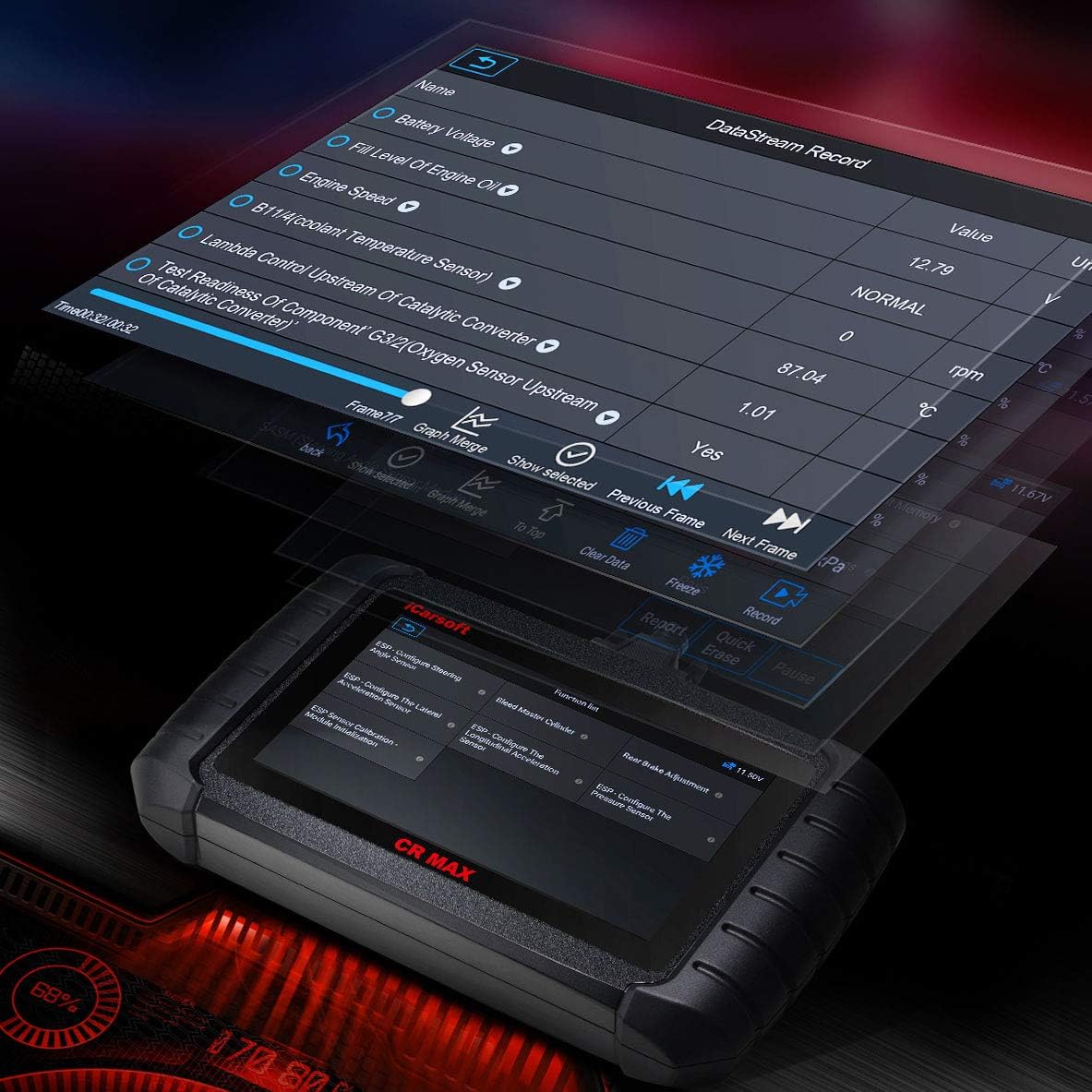
3.4 Funcions especials
The CR Max includes advanced service functions:
- Service Interval Reset
- Brake Deactivation
- Registre de bateries
- Oil Light Service Reset
- Throttle Body Adjustment
- Adaptació de la transmissió
- Calibratge de la suspensió
- Seat and Door Adjustment
3.5 Actualitzacions de programari
Regular software updates are available to enhance functionality and vehicle coverage. Connect the device to Wi-Fi and select the 'Upgrade' option from the main menu to check for and install updates.
4. Manteniment
4.1 Neteja del dispositiu
Utilitzeu un suau, damp cloth to clean the screen and exterior of the device. Avoid using abrasive cleaners or solvents that could damage the screen or casing.
4.2 Emmagatzematge
Store the iCarsoft CR Max in its protective carrying case when not in use. Keep it in a dry environment, away from extreme temperatures and direct sunlight.
5. Solució De Problemes
5.1 El dispositiu no s'encén
- Ensure the device is securely connected to the vehicle's OBD II port.
- Verifiqueu que el contacte d'encesa del vehicle estigui en la posició ON.
- Comproveu el volum de la bateria del vehicletage.
5.2 Communication Errors
- Confirm the OBD II cable is properly connected to both the device and the vehicle.
- Assegureu-vos que el contacte del vehicle estigui engegat.
- Prova de connectar-te a un vehicle diferent per descartar un problema específic del vehicle.
- If VIN is not recognized, manually enter vehicle details if the option is available.
5.3 Problemes de programari
- Perform a software update if available.
- Reinicieu el dispositiu.
- If issues persist, contact iCarsoft customer support.
6. Especificacions
| Característica | Detall |
|---|---|
| Marca | iCarsoft |
| Número de model | CR Max |
| Sistema operatiu | Android |
| Mida de la pantalla | 7 polzades |
| Font d'alimentació | Battery Powered (via OBD II) |
| Pes de l'article | 5.06 lliures |
| Dimensions del paquet | 14.33 x 11.1 x 4.17 polzades |
| Data de primera disponibilitat | 2 d'abril de 2021 |


7. Garantia i Suport
For warranty information, please refer to the official iCarsoft website or the documentation included with your product. iCarsoft offers customer support for product inquiries and technical assistance. If you encounter any issues or require a refund/replacement, please contact iCarsoft customer service directly.
For information on enhanced versions or additional functions, please visit the official iCarsoft Amazon store (iCarzone Inc).