
1. Introducció
Gràcies per la compraasing the QFX PBX-8080 Portable Bluetooth Speaker. This manual provides important information regarding the setup, operation, and maintenance of your device. Please read it thoroughly before use and retain it for future reference.
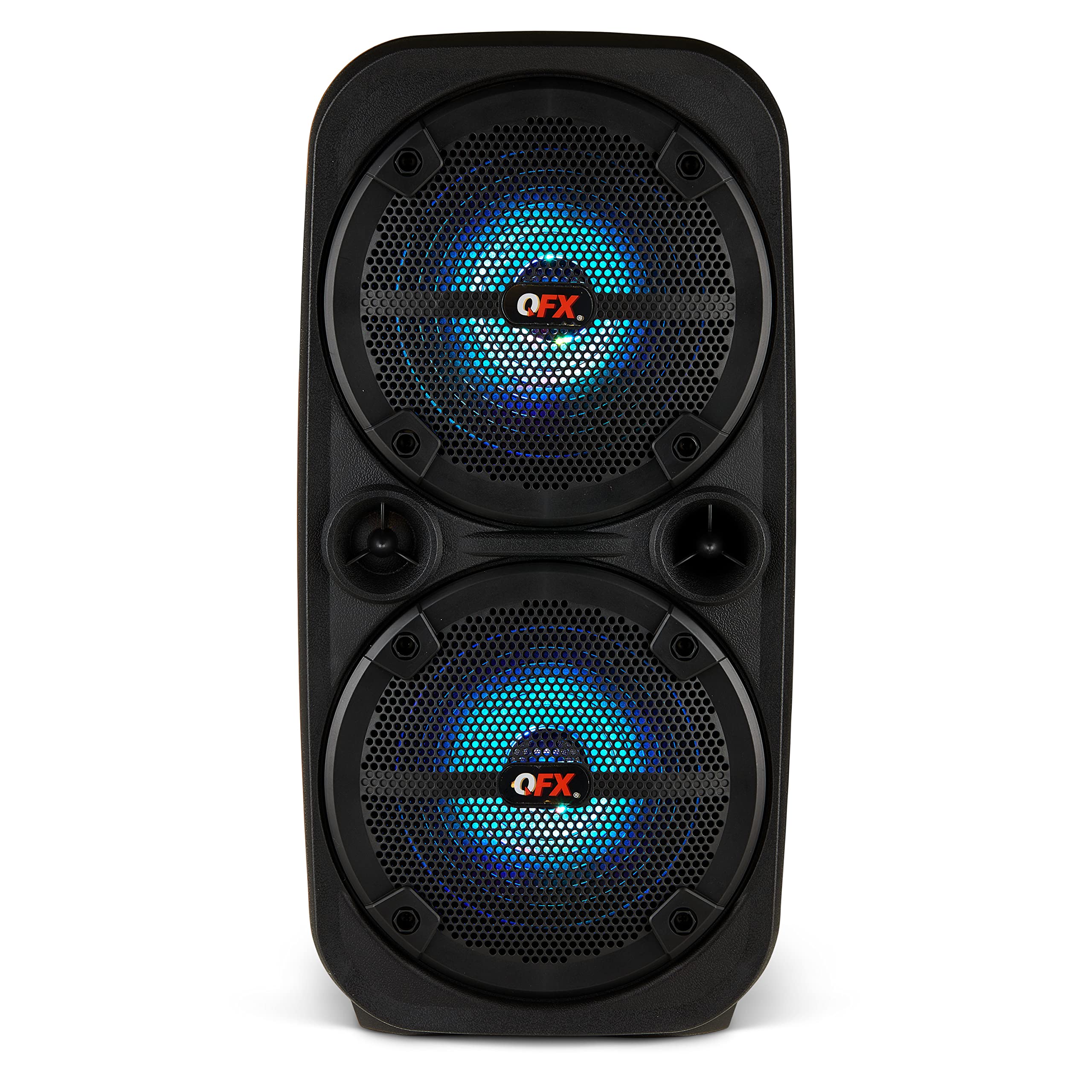
Imatge 1.1: Frontal view of the QFX PBX-8080 Portable Bluetooth Speaker. This image displays the speaker's robust design, featuring two 8-inch woofers, a central control panel, and illuminated LED party lights, indicating its readiness for use.
2. Instruccions de seguretat
- Llegeix les instruccions: Read all safety and operating instructions before using the product.
- Instruccions de conservació: Conserveu les instruccions de seguretat i funcionament per a futures consultes.
- Compte amb les advertències: Respecteu totes les advertències del producte i de les instruccions d'ús.
- Seguiu les instruccions: Seguiu totes les instruccions d'ús i funcionament.
- Aigua i humitat: No utilitzeu aquest aparell prop de l'aigua.
- Neteja: Netegeu només amb un drap sec.
- Ventilació: No bloquegeu cap obertura de ventilació. Instal·leu-ho d'acord amb les instruccions del fabricant.
- Calor: No instal·leu a prop de cap font de calor com ara radiadors, registres de calor, estufes o altres aparells (inclosos amplificadors) que produeixen calor.
- Protecció del cable d'alimentació: Eviteu que el cable d'alimentació sigui trepitjat o pessigat, especialment als endolls, els endolls i el punt on surten de l'aparell.
- Adjunts: Utilitzeu només accessoris/accessoris especificats pel fabricant.
- Llamp: Desendolleu aquest aparell durant les tempestes amb llamps o quan no l'utilitzeu durant llargs períodes de temps.
- Manteniment: Demaneu tot el servei a personal de servei qualificat. El manteniment és necessari quan l'aparell s'ha fet malbé d'alguna manera, com ara el cable d'alimentació o l'endoll està danyat, s'ha vessat líquid o han caigut objectes a l'aparell, l'aparell ha estat exposat a la pluja o la humitat, no funciona amb normalitat. , o s'ha deixat caure.
3. Contingut del paquet
Marqueu la casella per als elements següents:
- QFX PBX-8080 Portable Bluetooth Speaker
- Cable de càrrega USB
- Manual d'instruccions (aquest document)
4. Producte acabatview
The QFX PBX-8080 is a versatile portable speaker designed for powerful audio output and various connectivity options. It features dual 8-inch woofers, LED party lights, and multiple input methods.
Components clau:
- Woofers dobles de 8 polzades: For powerful bass and clear audio.
- Tauler de control: Located on the top or front, featuring buttons for power, mode selection, volume, playback control, and LED light control.
- Llums de festa LED: Integrated lights that synchronize with music or can be set to various patterns.
- Ports d'entrada: USB, Aux-in (3.5mm), Microphone input.
- Port de càrrega: Per connectar el cable de càrrega USB.
- Nanses: Per a una fàcil portabilitat.
5. Configuració
5.1 Càrrega de l'altaveu
- Localitzeu el port de càrrega de l'altaveu.
- Connecteu el cable de càrrega USB subministrat al port de càrrega de l'altaveu.
- Connect the other end of the USB cable to a compatible USB power adapter (not included) or a powered USB port.
- The charging indicator light (if present) will illuminate, typically red, during charging.
- Once fully charged, the indicator light may change color (e.g., turn off or turn green). A full charge typically takes several hours.
- The speaker supports "Charge & Play," allowing you to use it while it is charging.
5.2 Engegada/apagada
- To power on the speaker, press and hold the Power button (usually marked with ⏻ or "POWER") for a few seconds until you hear an audible prompt or see the display/LEDs light up.
- Per apagar-lo, premeu i manteniu premut el botó d'engegada de nou fins que l'altaveu s'apagui.
6. Instruccions de funcionament
6.1 Vinculació Bluetooth
- Ensure the speaker is powered on and in Bluetooth mode. If not, press the "MODE" button until "Bluetooth" or "BT" is displayed/announced. The Bluetooth indicator will typically flash, indicating it's in pairing mode.
- Al dispositiu mòbil (telèfon intel·ligent, tauleta, etc.), activeu el Bluetooth i cerqueu els dispositius disponibles.
- Select "QFX PBX-8080" from the list of found devices.
- Once paired, the speaker will emit an audible confirmation, and the Bluetooth indicator light will stop flashing and remain solid.
- Ara pots reproduir àudio des del teu dispositiu a través de l'altaveu.
Funció estèreo sense fil 6.2 (TWS)
The TWS function allows you to connect two PBX-8080 speakers wirelessly for a stereo sound experience.
- Ensure both PBX-8080 speakers are powered on and in Bluetooth mode, but no connected to any device.
- On one of the speakers, press and hold the "TWS" button (or a similar button, refer to speaker markings) for a few seconds.
- The speakers will attempt to connect to each other. Once connected, you will hear a confirmation tone.
- Now, connect your mobile device to one of the paired PBX-8080 speakers via Bluetooth (as described in section 6.1). Both speakers will play audio in stereo.
6.3 Llums de festa LED
The PBX-8080 features dynamic LED party lights. Use the "LIGHT" button (or similar) on the control panel to cycle through different light modes or to turn the lights off.
6.4 Entrada de micròfon
- Connect a wired microphone (not included) to the "MIC IN" jack on the speaker.
- Adjust the microphone volume using the dedicated "MIC VOL" knob or buttons on the control panel.
- You can use the microphone while playing music from other sources.
6.5 entrada auxiliar
- Connect an external audio device (e.g., MP3 player, laptop) to the "AUX IN" jack using a 3.5mm audio cable (not included).
- Press the "MODE" button on the speaker until "AUX" mode is selected.
- Control playback and volume from your connected device or the speaker's main volume control.
6.6 Entrada USB
- Insert a USB flash drive (containing MP3 audio files) into the "USB" port.
- The speaker will automatically switch to USB mode and begin playing music from the drive. If not, press the "MODE" button to select "USB" mode.
- Feu servir els controls de reproducció (Reproduir/Pausa, Pista següent/anterior) de l'altaveu per gestionar la vostra música.
6.7 Ràdio FM
- Press the "MODE" button until "FM" radio mode is selected.
- Press the "PLAY/PAUSE" button (or a dedicated scan button) to automatically scan and save available FM radio stations.
- Use the "NEXT/PREVIOUS" buttons to navigate between saved stations.
- Per a una millor recepció, assegureu-vos que l'altaveu estigui en una zona oberta.
7. Manteniment
- Neteja: Feu servir un drap suau i sec per netejar l'exterior de l'altaveu. No utilitzeu productes de neteja abrasius, ceres ni dissolvents.
- Emmagatzematge: Quan no l'utilitzeu durant períodes prolongats, guardeu l'altaveu en un lloc fresc i sec, allunyat de la llum solar directa i de temperatures extremes.
- Cura de la bateria: Per allargar la durada de la bateria, eviteu descarregar-la completament amb freqüència. Carregueu l'altaveu regularment, fins i tot si no l'esteu fent servir, per mantenir la bateria en bon estat.
- Eviteu l'aigua: This speaker is not waterproof. Keep it away from water and moisture to prevent damage.
8. Solució De Problemes
| Problema | Possible solució |
|---|---|
| L'altaveu no s'encén. |
|
| No hi ha so de l’altaveu. |
|
| L'aparellament de Bluetooth falla. |
|
| La recepció de ràdio FM és deficient. |
|
9. Especificacions
| Característica | Detall |
|---|---|
| Nom del model | PBX-8080 |
| Marca | QFX |
| Tipus d'altaveu | Woofer (2 x 8-inch) |
| Tecnologia de connectivitat | Bluetooth |
| Característiques especials | Bluetooth, True Wireless Stereo (TWS), LED Party Lights, Microphone Input, Aux Input, USB Input, FM Radio, Rechargeable, Handles |
| Mode de sortida d'àudio | estèreo |
| Font d'alimentació | Corded Electric (for charging), Rechargeable Battery |
| Pes de l'article | 5.73 lliures (2.6 kg) |
| Dimensions de la unitat (WxDxH) | 9.65 x 7.36 x 19.69 polzades (aprox.) |
| UPC | 606540039670 |
10. Garantia i Suport
QFX products are designed and manufactured to the highest quality standards. For specific warranty information, please refer to the warranty card included with your purchase or visit the official QFX website. If you encounter any issues or require technical assistance, please contact QFX customer support.
Atenció al client de QFX:
- Per obtenir la informació d'assistència més actualitzada, visiteu la QFX Store on Amazon or the official QFX weblloc.