
1. Acabatview
This instruction manual provides essential information for the proper use and care of your HPRT Hard EVA Storage Case, designed specifically for the MT800 and MT800Q Mobile A4 Thermal Printers. This case offers robust protection and convenient portability for your device and its accessories.
Característiques principals:
- Reliable EVA Material: Constructed from high-quality EVA for durability and longevity.
- Impermeable i a prova de cops: Protects your thermal printer from impacts and splashes.
- Mida perfecta: Custom-designed to fit MT800/MT800Q portable A4 thermal printers. Outer dimensions: 14.2 x 3.6 x 2.4 inches.
- Compacte i lleuger: Easy to carry for office use, business trips, or travel.
- Unique and Stylish Design: Features a gray interior with red-stitched zippers for a distinctive look.
- Convenient and Portable with High Capacity: Includes a built-in mesh pocket for accessories like USB cables, ribbons, and adapters.
Compatibilitat:
This case is designed exclusively for HPRT MT800 i MT800Q Mobile A4 Thermal Printers. It is not compatible with other printer models, including the MT810.
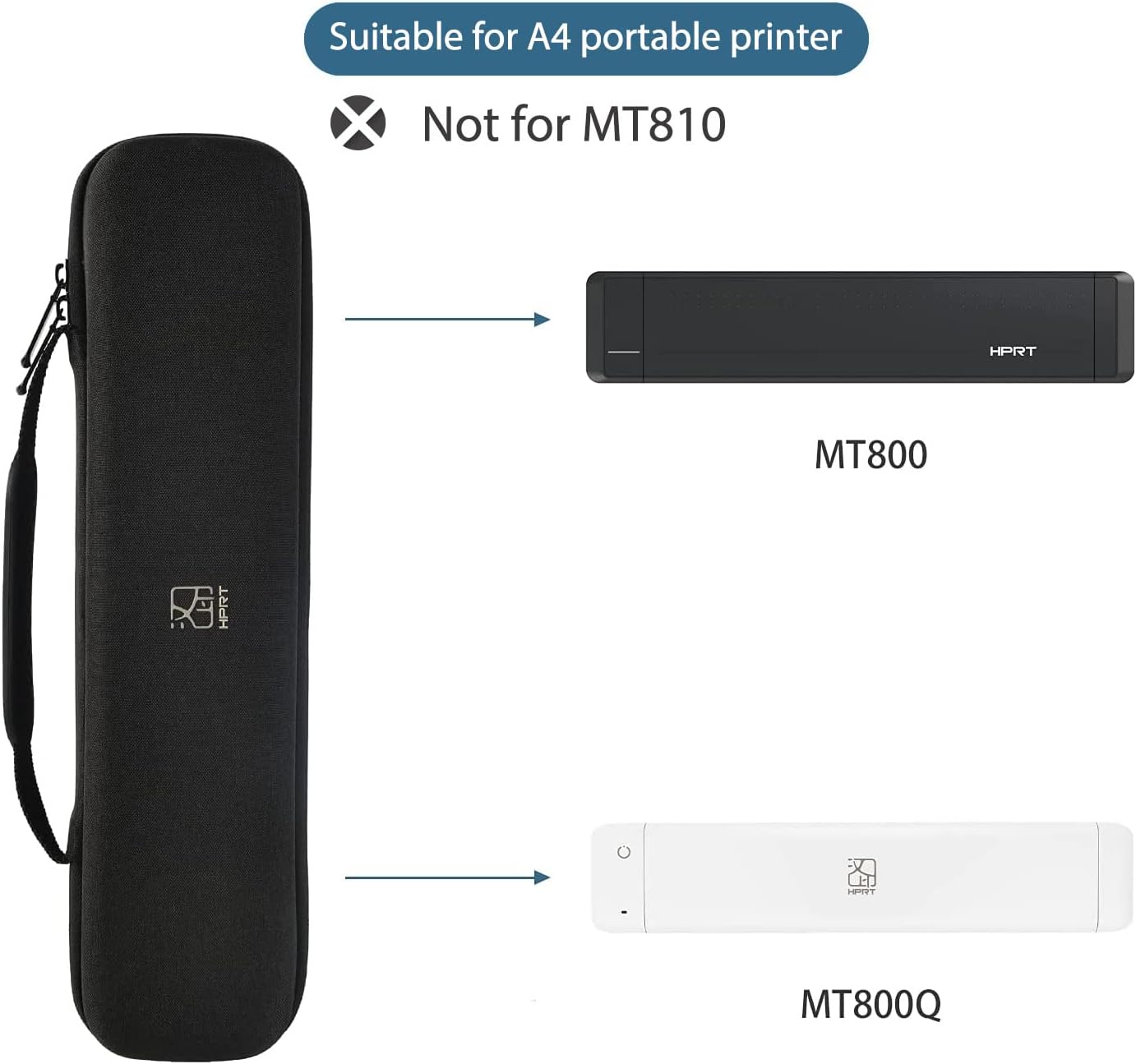
Image 1: Illustrates the HPRT storage case and its compatibility with MT800 and MT800Q printers, explicitly stating non-compatibility with MT810.
2. Configuració
Proper setup ensures your printer is securely stored and protected within the case.
2.1 Inserting the Printer
- Unzip the case completely using the smooth 360-degree zipper.
- Gently place your HPRT MT800 or MT800Q thermal printer into the main compartment of the case. Ensure it fits snugly without forcing.
- The soft, velvety interior lining will prevent scratches and provide cushioning.

Image 2: Shows the HPRT storage case opened, with the MT800 printer placed inside and accessories stored in the mesh pocket.
2.2 Emmagatzematge d'accessoris
- Utilize the built-in mesh pocket located in the upper lid of the case to store smaller accessories.
- Carefully place items such as the USB charging cable, thermal ribbons, and power adapter into the mesh pocket to keep them organized and prevent them from scratching the printer.
- Ensure all accessories are securely placed before closing the case.

Image 3: Displays the interior of the HPRT storage case, highlighting the mesh pocket, soft lining, and waterproof exterior.
3. Funcionament de la caixa
The case is designed for ease of use and maximum portability.
3.1 Obertura i tancament
- To open, grasp the zipper pulls and smoothly slide them around the case until it fully opens.
- To close, align the two halves of the case and pull the zippers together until they meet securely. The 360-degree zipper ensures a complete and secure closure.
3.2 Opcions de transport
- Mànec integrat: Use the sturdy handle for convenient hand-carrying.
- Disseny compacte: The mini size and portable nature of the case allow it to be easily stored in a backpack, briefcase, or luggage.

Image 4: Shows the HPRT storage case with its integrated handle, emphasizing ease of carrying.

Image 5: Depicts the HPRT storage case being placed into a bag, illustrating its portability.
3.3 Video Demonstration: Mobile Office Usage
Video 1: This video demonstrates the HPRT MT800Q portable printer and its case being used in various mobile office scenarios, highlighting its convenience for printing anywhere and anytime.
4. Manteniment
To ensure the longevity and effectiveness of your storage case, follow these maintenance guidelines:
4.1 Instruccions de neteja
- Wipe the exterior of the EVA case with a soft, damp drap per eliminar la pols o les taques.
- For the interior, use a soft, dry cloth or a lint roller to remove any debris from the velvety lining.
- Eviteu utilitzar productes químics agressius o netejadors abrasius, ja que poden danyar el material.
4.2 Care for Protective Features
- While the case is waterproof, avoid prolonged exposure to water or submerging it.
- Inspect the zipper periodically for any debris that might hinder its smooth operation. Clean if necessary.
- Store the case in a cool, dry place away from direct sunlight and extreme temperatures to preserve its material integrity.
5. Solució De Problemes
If you encounter any issues with your HPRT storage case, refer to the following common problems and solutions:
5.1 Case Not Closing Properly
- Problema: The zipper is difficult to close or the case does not shut completely.
- Solució: Ensure that the printer and all accessories are correctly positioned within their designated compartments and not obstructing the zipper path. Remove any excess items if the case is overfilled.
5.2 Zipper Stuck
- Problema: The zipper is jammed or difficult to move.
- Solució: Check for any fabric, threads, or debris caught in the zipper teeth. Gently remove any obstructions. Avoid forcing the zipper, as this can cause damage.
6. Especificacions
| Característica | Detall |
|---|---|
| Nom del producte | HPRT Hard EVA Storage Case |
| Models compatibles | HPRT MT800, HPRT MT800Q Mobile A4 Thermal Printers |
| Material | EVA d'alta qualitat |
| Dimensions exteriors (L x A x A) | 14.2 x 3.6 x 2.4 polzades (34 cm x 8 cm x 9 cm) |
| Pes | 9.14 unces (278 g) |
| Característiques de protecció | Waterproof, Shockproof, Scratch-resistant interior |
| Emmagatzematge | Main compartment for printer, built-in mesh pocket for accessories |
| Tipus de tancament | Smooth 360-degree zipper |
| Portabilitat | Integrated handle, compact design for easy transport |

Image 6: Provides a detailed view of the HPRT storage case, including its dimensions (34cm L x 8cm W x 9cm H) and weight (278g), along with compatible printer models.
7. Garantia i Suport
For warranty information, technical support, or to purchase additional accessories, please contact HPRT Official Store US.
- Fabricant: Xiamen Hanin Electronic Technology Co., Ltd
- Venedor: HPRT Official Store US
- Contacte: Please refer to the seller's contact information on the platform where the product was purchased.
- Botiga online: Visita el HPRT Store per a informació i assistència sobre el producte.