
VOX 65ADW-C2B
VOX TV 65" LED 65ADW-C2B User Manual
Model: 65ADW-C2B
Introducció
This manual provides detailed instructions for the setup, operation, maintenance, and troubleshooting of your VOX 65-inch 4K LED TV, model 65ADW-C2B. Please read this manual thoroughly before using your television to ensure proper and safe operation. Keep this manual for future reference.
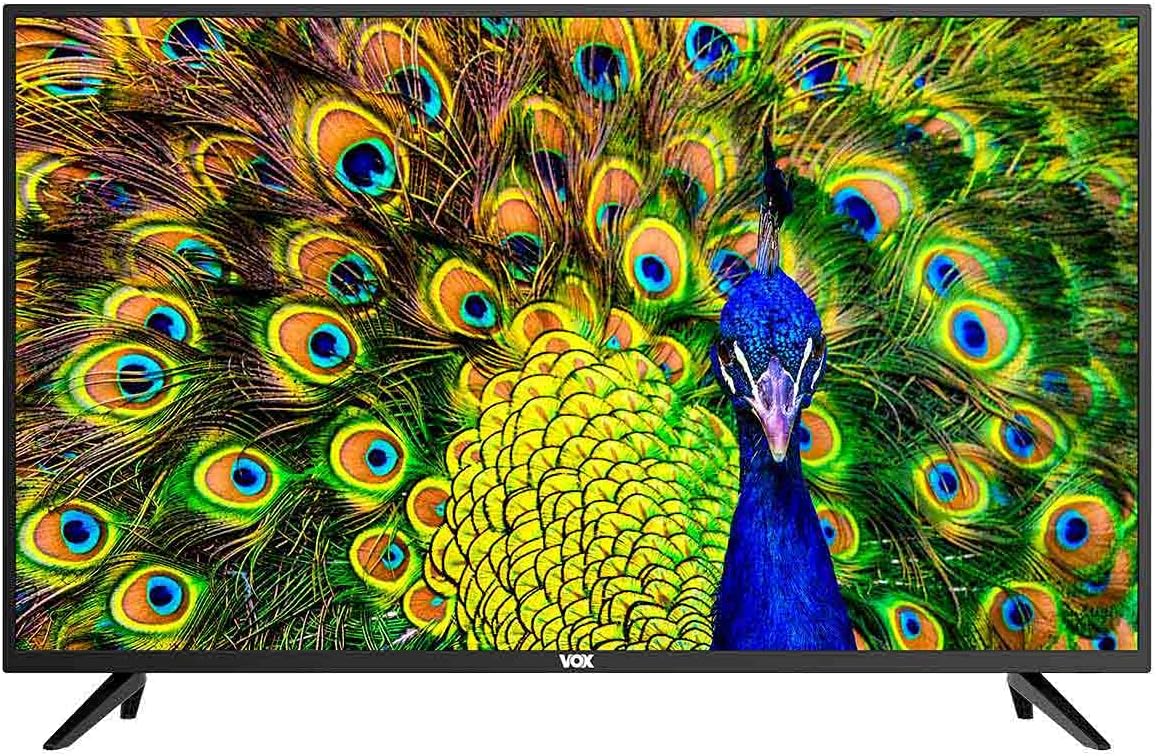
Figura 1: Frontal view of the VOX 65-inch 4K LED TV. The screen displays a vibrant image of a peacock, and the VOX logo is centered at the bottom bezel.
1. Configuració
1.1 Desembalatge
Carefully remove the television from its packaging. Ensure all accessories are present: remote control, batteries, power cord, and stand components. Retain the packaging for future transport or service needs.
1.2 Instal·lació de l'estand
If you plan to use the included stand, follow these steps:
- Col·loqueu la pantalla del televisor amb la pantalla cap avall sobre una superfície suau i plana per evitar ratllades.
- Alineeu les potes del suport amb els forats dels cargols de la part inferior del televisor.
- Secure the stand legs using the provided screws. Do not overtighten.

Figura 2: Front inclinat view of the VOX 65-inch TV, showcasing the installed stand legs. The screen displays a peacock image.
1.3 Muntatge a la paret (opcional)
The TV supports VESA standard 200 x 200 mm for wall mounting. Use a compatible wall mount bracket (sold separately) and consult the bracket's instructions for installation. Ensure the wall can support the weight of the TV.

Figura 3: posterior view of the VOX 65-inch TV, highlighting the VESA mounting points and various input/output ports on the back panel.
1.4 Connexió de dispositius
Connect your external devices to the appropriate ports on the TV. Refer to Figure 3 for port locations.
- HDMI (x3): Per a dispositius d'àudio i vídeo d'alta definició com ara reproductors de Blu-ray, consoles de jocs o descodificadors.
- USB (x2): For connecting USB storage devices to play media or for PVR functionality.
- Entrada d'antena (x2): For connecting terrestrial (DVB-T2), cable (DVB-C), or satellite (DVB-S2) antennas.
- Entrada AV: Per a dispositius més antics que utilitzen vídeo compost i àudio estèreo.
- Ranura CI: For Common Interface modules (e.g., for encrypted channels).
- SPDIF Optical Output: Per connectar sistemes d'àudio externs amb entrada òptica.
- Sortida d'àudio: Per connectar auriculars o altaveus externs.
- LAN: For wired network connection to access Smart TV features and internet.
2. Instruccions de funcionament
2.1 Encès/Apagat
Connect the power cord to the TV and a power outlet. Press the power button on the remote control or on the TV itself to turn the TV on or off.
2.2 Initial Setup (Android 9.0)
Upon first power-on, the TV will guide you through the initial setup process. This includes language selection, network connection (Wi-Fi or LAN), channel scanning, and Google account setup for Android TV features.
2.3 Característiques del televisor intel·ligent
Your VOX TV is equipped with Android 9.0, offering a range of smart features:
- Wi-Fi integrat: Connecteu-vos sense fil a la vostra xarxa domèstica per accedir a Internet.
- Miracast: Wirelessly mirror content from compatible mobile devices to your TV screen.
- HDR10 & HLG: Support for High Dynamic Range content, providing enhanced contrast and color.
- Dolby Digital Plus (DD+): Experiència d'àudio millorada.
- Aplicacions preinstal·lades: Access popular streaming services like Amazon Prime Video and Netflix, and browse the web utilitzant el navegador integrat.
2.4 Selecció d'entrada
Press the "Source" or "Input" button on your remote control to switch between connected devices (HDMI, AV, TV tuner).
2.5 Sintonització de canals
Access the TV menu to perform an automatic or manual channel scan for DVB-T2 (terrestrial), DVB-C (cable), or DVB-S2 (satellite) channels.
2.6 PVR (Personal Video Recorder)
Connect a USB storage device to record live TV programs. Refer to the on-screen menu for PVR setup and operation.
3. Manteniment
3.1 Neteja de la pantalla
Netegeu suaument la pantalla amb un drap suau i sense borrissol. Per a marques difícils, netegeu lleugerament.ampNetegeu el drap amb aigua o un netejador de pantalles especialitzat. No ruixeu líquid directament sobre la pantalla.
3.2 Neteja de la carcassa del televisor
Use a soft, dry cloth to wipe the TV's frame and stand. Avoid using abrasive cleaners or solvents.
3.3 Emmagatzematge
If storing the TV for an extended period, disconnect it from power, remove batteries from the remote, and cover it to protect from dust. Store in a cool, dry place.
4. Solució De Problemes
Abans de contactar amb l'atenció al client, prova les solucions següents per a problemes comuns:
| Problema | Possible solució |
|---|---|
| Sense poder | Assegureu-vos que el cable d'alimentació estigui ben connectat tant al televisor com a la presa de corrent. Comproveu la presa de corrent amb un altre dispositiu. |
| Sense imatge / Pantalla negra | Check the input source (HDMI, AV, etc.) is correctly selected. Ensure the connected device is powered on. Try a different HDMI cable. |
| Sense so | Check the volume level and ensure mute is not activated. Verify external audio systems are connected and configured correctly. |
| El control remot no funciona | Canvieu les piles. Assegureu-vos que no hi hagi cap obstacle entre el comandament a distància i el sensor d'infrarojos del televisor. |
| No es pot connectar a la Wi-Fi | Assegureu-vos que el vostre encaminador estigui engegat i funcioni. Torneu a introduir la contrasenya del Wi-Fi. Intenteu reiniciar tant el televisor com l'encaminador. |
5. Especificacions
| Característica | Detall |
|---|---|
| Marca | VOX |
| Model | 65ADW-C2B |
| Mida de la pantalla | 65 polzades |
| Tipus de visualització | DLED (LED directe) |
| Resolució | 4K (3840 x 2160 píxels) |
| Image Response | 60 Hz |
| Sistema operatiu | Android 9.0 |
| Tipus de sintonitzador | DVB-T2 / C / S2 |
| Potència dels altaveus | 2 x 8 W RMS |
| Connectivitat | 3 x HDMI, 2 x USB, 2 x Antenna Input, AV Input, CI Slot, Optical SPDIF Out, Audio Out, LAN, Built-in Wi-Fi, Bluetooth |
| Tecnologies | H.265 HEVC, PVR, Smart TV, Miracast, HDR10, HLG, Dolby Digital Plus (DD+) |
| Estàndard VESA | 200 x 200 mm |
| Classe Energètica | G |
| Dimensions with Stand (WxDxH) | 1464 x 258 x 906 mm |
| Dimensions without Stand (WxDxH) | 1464 x 85 x 845 mm |
| Color | Negre |
Ask a question about this manual
Ask about setup, troubleshooting, compatibility, parts, safety, or missing instructions. Manuals+ will review the question and use this page’s manual context to help answer it.