
Introducció
This manual provides comprehensive instructions for the XINJIA XJ-768 Electronic Voice Watch, designed for individuals with visual impairments, middle-aged, and elderly users. It features English voice prompts, an alarm clock, and a large digital display for ease of use. Please read this manual thoroughly to understand the watch's functions and ensure proper operation.

Figura 1: Frontal view of the XINJIA XJ-768 Electronic Voice Watch.
Característiques del producte
- Visualització de l'hora: Clearly displays the current time and allows for easy time setting.
- Funció d'alarma: Provides customizable alarm settings with the option to change the alarm tone.
- Timekeeping Function: Features a 'TALKING' button to broadcast the current time and an automatic hourly timekeeping function that can be toggled on or off.
- Funció de posposar: Allows for a temporary pause of the alarm, with the alarm sounding again after 5 minutes.
- Usabilitat millorada: Designed with a larger font display, increased volume, and simplified operation for improved accessibility.
Configuració
Initial Battery Installation
The XINJIA XJ-768 watch comes with one LR44 battery included. Before initial use, ensure the battery is properly seated. If the display is blurred or the watch is unresponsive, the battery may need to be replaced. Refer to the 'Battery Replacement' section for detailed instructions.
Instruccions de funcionament
The watch features four primary buttons for operation: B1 (MODE), B2 (MINUTE), B3 (HOUR), i B4 (TALKING). These buttons are located on the sides of the watch case.

Figura 2: lateral view illustrating the watch buttons.
1. Configuració de l'hora
- Des del mode de visualització de l'hora normal, premeu la tecla B1 (MODE) button once. The time digits will begin flashing.
- Premeu el botó B2 (MINUTE) per ajustar els minuts.
- Premeu el botó B3 (HOUR) botó per ajustar les hores.
- Un cop establerta l'hora correcta, premeu B1 (MODE) de nou per sortir del mode de configuració de l'hora.
2. Configuració de l'hora de l'alarma
- Des del mode de visualització de l'hora normal, premeu la tecla B1 (MODE) button twice. The display will show the 'AL' symbol, and the alarm time digits will flash.
- Premeu el botó B2 (MINUTE) per configurar els minuts d'alarma desitjats.
- Premeu el botó B3 (HOUR) button to set the desired alarm hours.
- Un cop configurada l'hora de l'alarma, premeu B1 (MODE) again to exit alarm setting mode.
3. Selecting Alarm Tone and Turning Alarm On/Off
- Des del mode de visualització de l'hora normal, premeu la tecla B3 (HOUR) botó.
- Each press will cycle through alarm tone options and toggle the alarm function on or off.
- When the alarm is set to ON, the alarm will sound at the set time, and the LCD will display the alarm time. After the alarm plays, the normal time will be displayed.
- When the alarm is set to OFF, the alarm symbol will disappear, and the watch will broadcast a 'DI' sound to confirm.
4. Turning Hourly Timekeeping On/Off
- Des del mode de visualització de l'hora normal, premeu la tecla B2 (MINUTE) botó.
- Each press will toggle the hourly timekeeping function on or off.
- When activated, a specific symbol will appear on the dial, and the watch will automatically announce the hour.
- When turned off, the symbol will disappear.
5. Ús de la funció Snooze
- Quan soni l'alarma, premeu el botó B4 (TALKING) botó.
- This will stop the current alarm and activate the snooze function.
- The alarm will sound again automatically after 5 minutes.
6. Broadcasting the Current Time
- Des del mode de visualització de l'hora normal, premeu la tecla B4 (TALKING) botó una vegada.
- The watch will audibly announce the current time.
Manteniment
Canvi de bateria
The watch uses one LR44 battery. You will know it's time to replace the battery if you observe any of the following:
- The display font becomes blurred or disappears.
- The sound volume becomes significantly lower.
- The watch functions abnormally or inconsistently.
To replace the battery, carefully open the back casing of the watch. Replace the old LR44 battery with a new one, ensuring correct polarity. Close the back casing de manera segura.
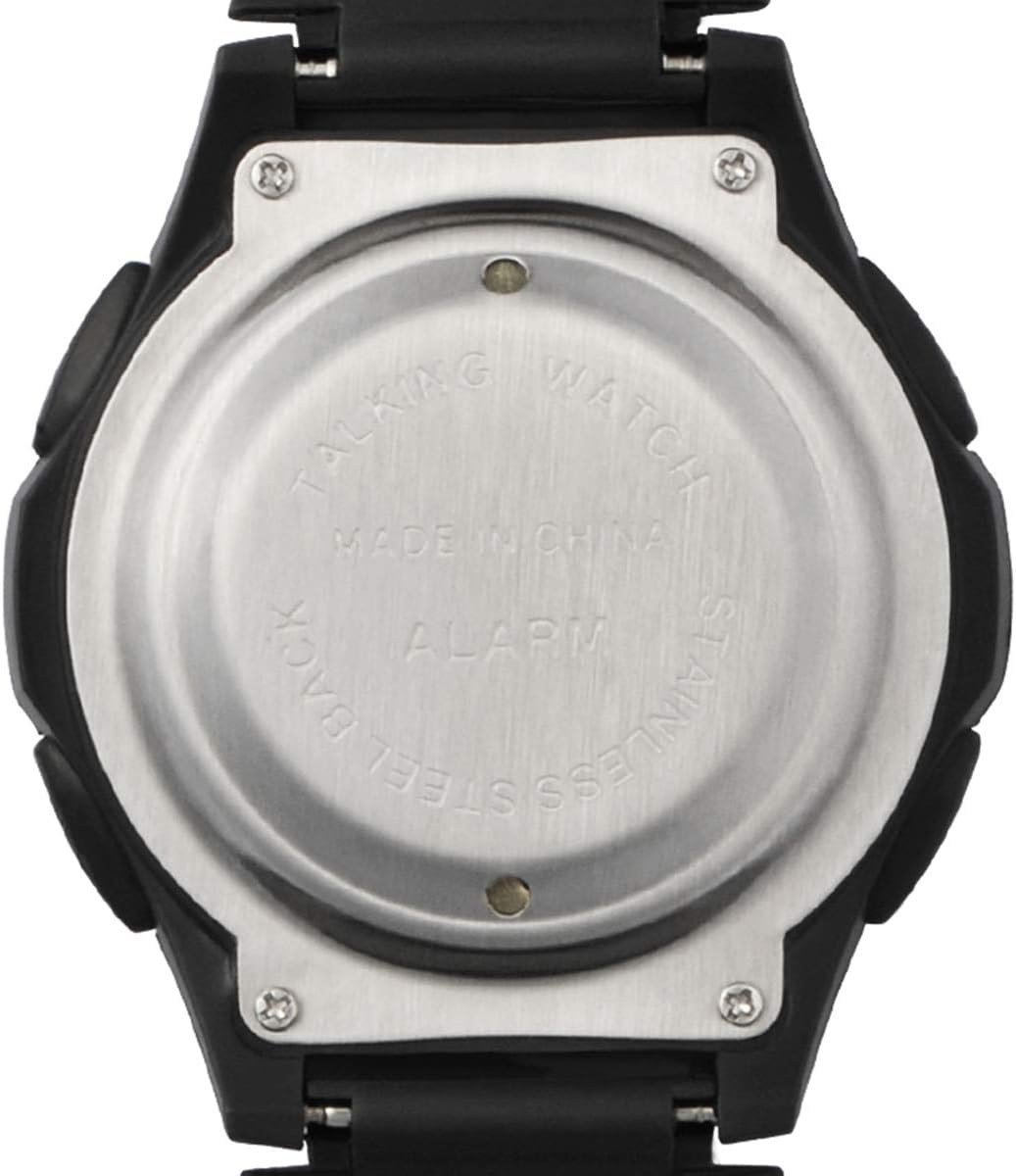
Figura 3: Esquena view of the watch, showing the battery compartment access.
Resolució de problemes
If you experience issues with your XINJIA XJ-768 watch, consider the following common solutions:
- Sense pantalla o pantalla tènue: Check the battery. It may be depleted or improperly installed. Replace with a new LR44 battery if necessary.
- Sense so o so baix: This is often an indication of a low battery. Replace the battery.
- Incorrect Time/Alarm: Ensure you have followed the time and alarm setting instructions precisely. Repeat the setting process if needed.
- Botons que no responen: A low battery can affect button responsiveness. Try replacing the battery. If the issue persists, ensure no debris is obstructing the buttons.
Per a problemes persistents que no es resolen amb aquests passos, consulteu la secció Garantia i assistència.
Especificacions
| Característica | Detall |
|---|---|
| Número de model | XJ-768 |
| Dimensions del producte | 25 x 4.4 x 1.65 cm |
| Pes | 59 g |
| Tipus de bateria | 1 x LR44 (inclosa) |
| Fabricant | Wuhan Prisco |
| Departament | Adult unisex |
Garantia i Suport
For information regarding warranty coverage or technical support for your XINJIA XJ-768 Electronic Voice Watch, please contact the seller or manufacturer directly. Keep your purchase receipt as proof of purchase.
Manufacturer: Wuhan Prisco