
Introducció
This manual provides instructions for the setup, operation, and maintenance of your Sharper Image Foldable Gaming Chair with Onboard Speakers. Please read this guide thoroughly before use and retain it for future reference to ensure safe and optimal performance.
Informació de seguretat
- Capacitat de pes màxim: This chair supports a maximum weight of 300 pounds (136 kg). Do not exceed this limit to prevent damage or injury.
- Rocking Feature: Use caution when utilizing the rocking feature. Avoid excessive or aggressive rocking to prevent tipping or injury.
- Mecanismes de plegat: Exercise care when folding and unfolding the chair. Keep hands and fingers clear of moving parts to avoid pinching.
- Col·locació: Ensure the chair is placed on a stable, flat, and level surface, such as a hard floor, during use.
- Nens: Adult supervision is recommended for children using the chair.
Contingut del paquet
Verifiqueu que tots els elements siguin presents al paquet:
- Sharper Image Foldable Gaming Chair with Onboard Speakers
- RCA to 3.5 mm mini adapter
- 3.5 mm mini cable
- Note: 6 AA 1.5V batteries are required for speaker operation (not included).
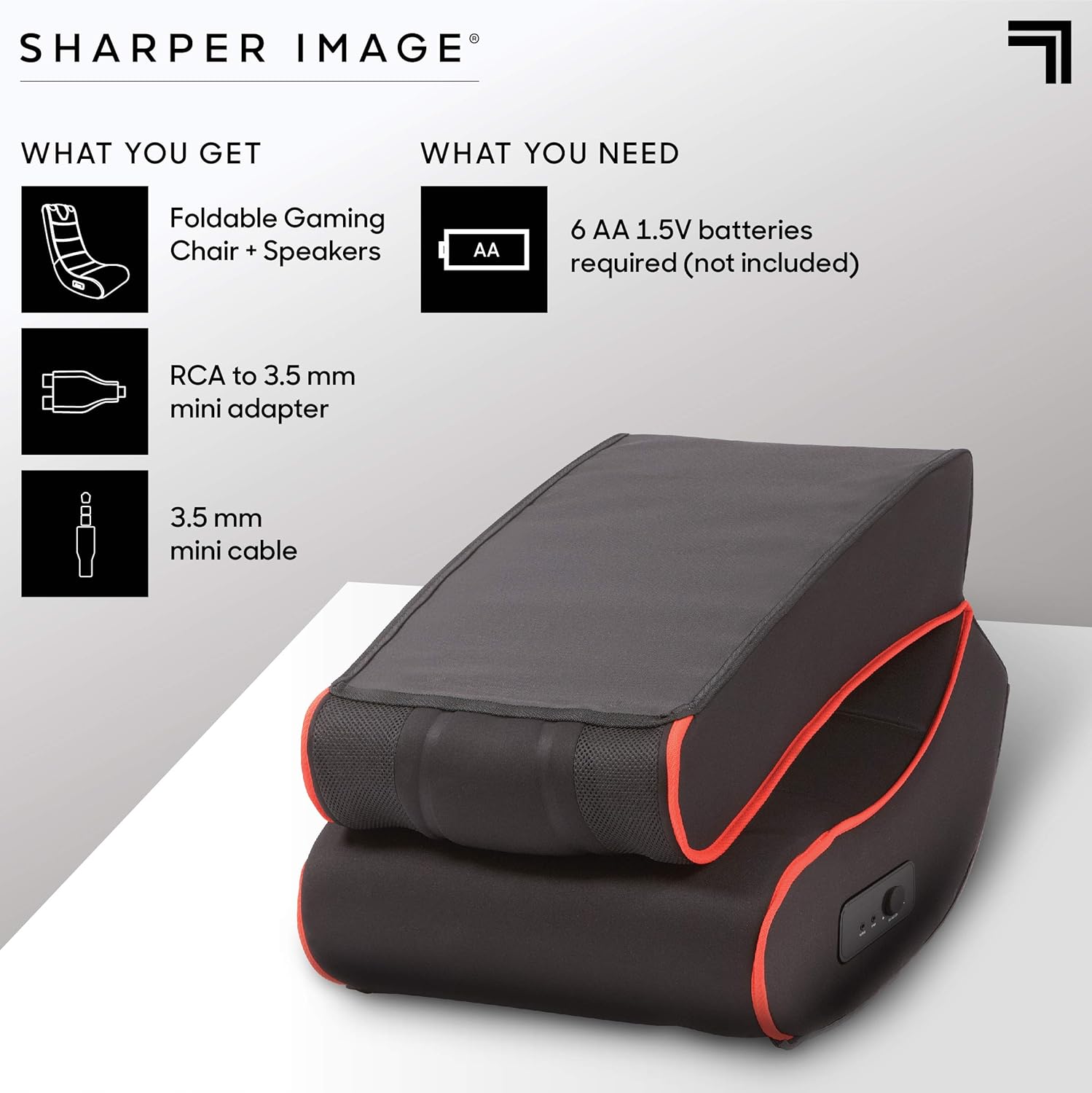
This image illustrates the items included in the package: the foldable gaming chair with speakers, an RCA to 3.5mm mini adapter, and a 3.5mm mini cable. It also indicates that 6 AA 1.5V batteries are required but not included.
Configuració
Desplegant la cadira
- Traieu amb cura la cadira del seu embalatge.
- Col·loqueu la cadira sobre una superfície plana i estable.
- Unfold the chair by gently extending the backrest until it locks into an upright position. Ensure the folding mechanism is securely engaged before use.
Connexió dels altaveus
- Locate the battery compartment, typically on the side or bottom of the chair. Insert 6 AA 1.5V batteries (not included), ensuring correct polarity.
- Identify the audio input and output ports on the side control panel of the chair.
- Connect the 3.5 mm mini cable from your audio source (e.g., gaming console, TV, smartphone) to the "INPUT" port on the chair.
- If your audio source uses RCA outputs, use the provided RCA to 3.5 mm mini adapter to connect to the chair's "INPUT" port.
- (Optional) To connect external headphones or another audio device, use the "OUTPUT" port.

This image highlights the dual speakers located at the top of the chair and a close-up of the side control panel, which includes a volume/power knob, an audio input port, and an audio output port.
Instruccions de funcionament
Engegar i ajustar el volum
- Once connected to an audio source and batteries are installed, turn the "VOLUME-ON" knob on the side control panel clockwise to power on the speakers and increase the volume.
- Ajusteu el volum al nivell desitjat.
- To power off the speakers, turn the "VOLUME-ON" knob counter-clockwise until it clicks off.
Using the Rocking Feature
The chair is designed to rock gently. Lean back or forward to engage the rocking motion. Ensure you maintain balance and do not rock excessively to prevent tipping.

This image shows a person comfortably seated in the gaming chair, engaged in playing a video game, illustrating the chair's intended use.
Manteniment
Neteja
To clean the chair, wipe it with a clean, damp cloth. Do not use harsh chemicals or abrasive cleaners, as these may damage the microfiber material. For stubborn stains, a mild soap solution can be used, followed by wiping with a clean, damp cloth. Always allow the chair to air dry completely.
Emmagatzematge
When not in use, the chair can be folded for compact storage. To fold, gently push the backrest forward until the locking mechanism disengages, then fold the backrest down onto the seat. Store in a dry place away from direct sunlight and extreme temperatures.

This image displays the gaming chair in its folded position, demonstrating its compact design for easy storage.
Resolució de problemes
| Problema | Causa possible | Solució |
|---|---|---|
| No hi ha so dels altaveus | Les piles estan gastades o incorrectament inserides. Volume knob is off or too low. Audio cable is not connected properly. Audio source volume is too low or muted. | Canvieu les piles o assegureu-vos de la polaritat correcta. Turn the "VOLUME-ON" knob clockwise. Comproveu totes les connexions del cable d'àudio. Augmenta el volum de la font d'àudio. |
| Sound is distorted or crackling | Bateries baixes. Connexió d'àudio fluixa. Volume too high on chair or audio source. | Substituïu les piles. Re-seat audio cables. Reduce volume on chair or audio source. |
| Chair does not rock smoothly | Superfície irregular. Obstruction under the chair. | Move chair to a flat, even surface. Check for and remove any objects beneath the chair. |
Especificacions
| Característica | Detall |
|---|---|
| Nom del model | Carles |
| Marca | Imatge més nítida |
| Color | Negre |
| Material | Microfiber (Seat), Metal (Frame), Polyester (Fill) |
| Dimensions del producte (P x A x A) | 28" de profunditat x 16.5" d'amplada x 30" d'alçada (71.1 cm de profunditat x 41.9 cm d'amplada x 76.2 cm d'alçada) |
| Recomanació de pes màxim | 300 lliures (136 kg) |
| Muntatge obligatori | No |
| Funcions d'àudio | Dual Onboard Speakers, Side Controls (Volume-On, Input, Output) |
| Power Source for Speakers | 6 AA 1.5V batteries (not included) |
| Factor de forma | Plegable |
| Moviment | Balanç |

This image provides a visual representation of the chair's dimensions: 30 inches in height, 28 inches in depth, and 16.5 inches in width.
Garantia i Suport
For warranty information and customer support, please refer to the documentation included with your purchase or visit the official Sharper Image website. Keep your proof of purchase for any warranty claims or service inquiries.