
ThreeH H-AC55Blue
ThreeH Digital Alarm Clock with Radio
Model: H-AC55Blue
Marca: ThreeH
Introducció
Gràcies per la compraasing the ThreeH Digital Alarm Clock with Radio. This manual provides detailed instructions for setting up, operating, and maintaining your new alarm clock. Please read it thoroughly to ensure optimal performance and longevity of the product.

Imatge: Frontal view of the ThreeH Digital Alarm Clock, displaying a large, clear blue LED time. The clock features a sleek, modern design with a reflective screen.
Característiques del producte
- Pantalla LED gran: 7.6-inch LED screen for easy readability.
- Ràdio FM: Built-in FM radio with 15-level adjustable volume and memory for up to 15 stations (76-108 MHz).
- Configuració d'alarma dual: Configura dues alarmes independents per a diferents hores de despertador.
- Funció de posposar: Adjustable snooze duration (default 9 minutes).
- Port de càrrega USB: Convenient USB port for charging mobile phones or other devices.
- Built-in Battery Backup: Ensures time memory function during power outages (requires 1 CR2 battery, not included).
- Brillantor ajustable: 4 levels of brightness adjustment (manual or automatic).
Configuració
1. Connexió d'alimentació
Connect the DC jack to the power input port on the back of the unit. Plug the other end into a standard wall outlet.
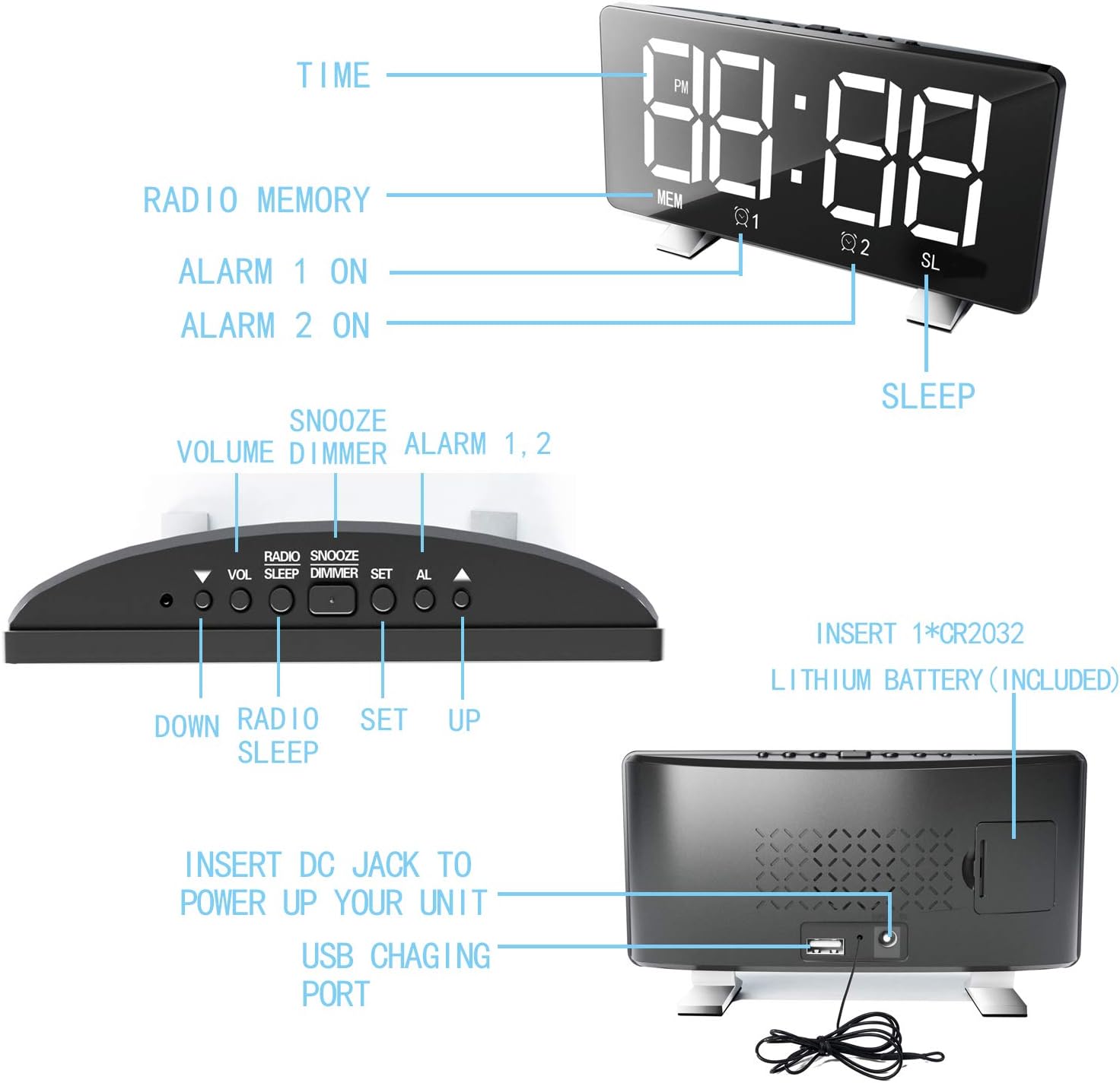
Image: Diagram illustrating the back panel of the alarm clock, highlighting the DC power input and the USB charging port. It also shows the location for the CR2032 lithium battery.
2. Instal·lació de bateria de seguretat
For time memory function during power outages, insert 1 CR2 battery (not included) into the battery compartment on the back of the clock. Ensure correct polarity.
3. Configuració inicial de l'hora
Upon first power-up, the clock may display a default time. Proceed to the "Operating Instructions" section to set the correct time.
Instruccions de funcionament
Establiment de l'hora
- Manteniu premut el botó SET fins que els dígits de les hores parpellegin.
- Utilitza el UP or ABAIX botons per ajustar l'hora.
- Premeu SET de nou per passar als dígits dels minuts.
- Utilitza el UP or ABAIX botons per ajustar els minuts.
- Premeu SET per confirmar i sortir del mode de configuració de l'hora.
- Per canviar entre el format de 12 hores i el de 24 hores, premeu la tecla SET button once while in normal time display mode.
Configuració d'alarmes (alarma 1 i alarma 2)
El rellotge admet dues alarmes independents.
- Premeu el botó AL button once to set Alarm 1, or twice to set Alarm 2. The corresponding alarm icon (Q1 or Q2) parpellejarà.
- The hour digits will flash. Use UP or ABAIX per ajustar l'hora.
- Premeu AL again to move to the minute digits. Use UP or ABAIX per ajustar els minuts.
- Premeu AL again to select the alarm sound source: Radio or Digital Alarm.
- Premeu AL one more time to confirm and activate the alarm. The alarm icon will remain lit.
- Per desactivar una alarma, premeu la tecla AL button repeatedly until the corresponding alarm icon disappears.

Image: Illustration demonstrating the dual alarm functionality, showing two different wake-up times (7:00 and 10:00) and the snooze/dimmer button.
Ús de la funció Snooze
Quan soni una alarma, premeu el botó SNOOZE / DIMMER button to temporarily silence the alarm for 9 minutes (default). The alarm will sound again after the snooze period. To cancel the alarm completely, press any other button.
Funcionament de la ràdio FM
- Premeu el botó RÀDIO botó per encendre la ràdio FM.
- Manteniu premut el botó RÀDIO button to automatically scan and save available stations (up to 15).
- Utilitza el UP or ABAIX buttons to manually tune or cycle through saved stations.
- Ajusteu el volum amb el botó VOL botó.
- Per apagar la ràdio, premeu el botó RÀDIO botó de nou.
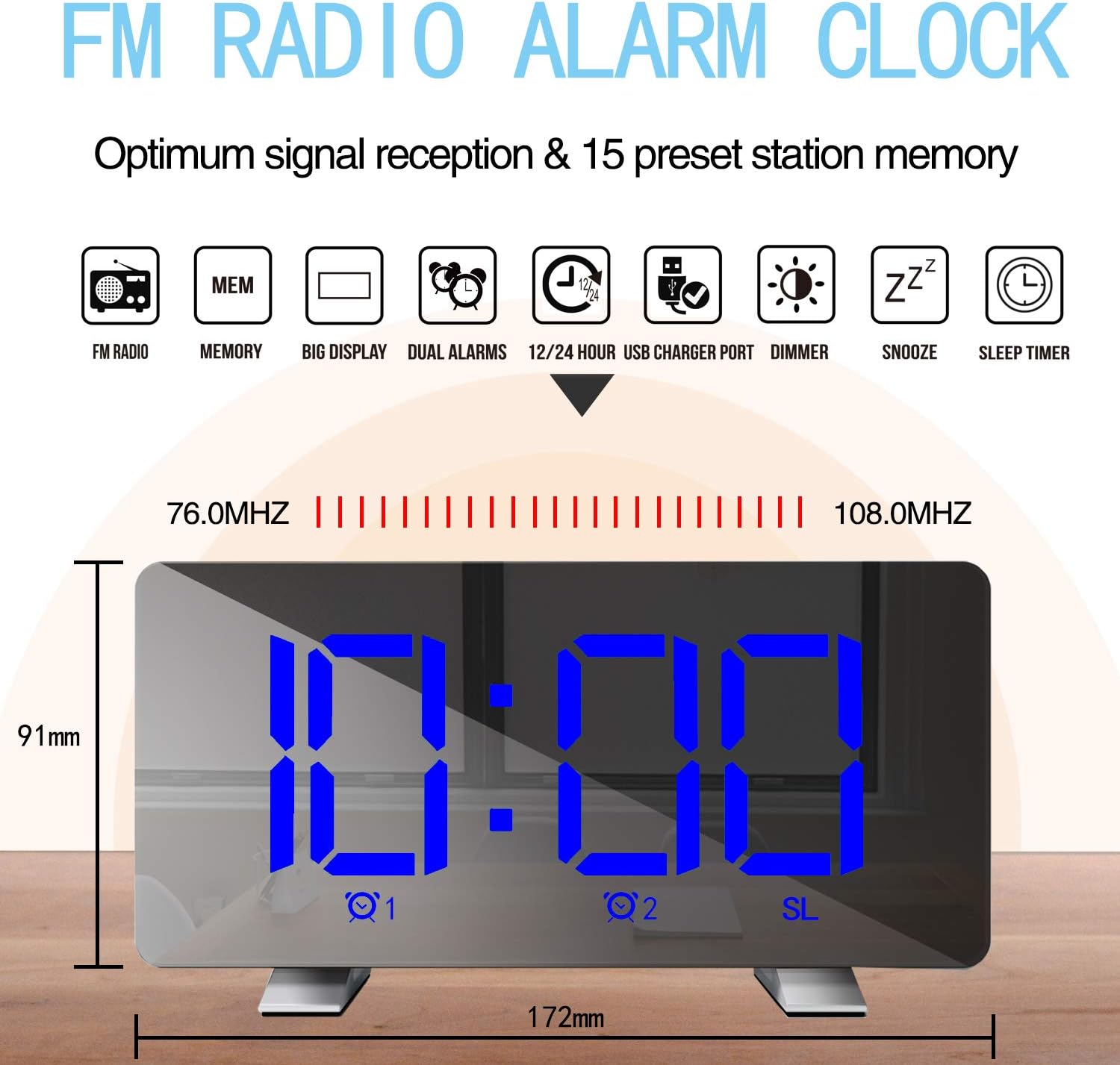
Image: Diagram highlighting the FM radio features, including frequency range (76.0MHz-108.0MHz) and memory for 15 preset stations. Also shows the clock's dimensions.
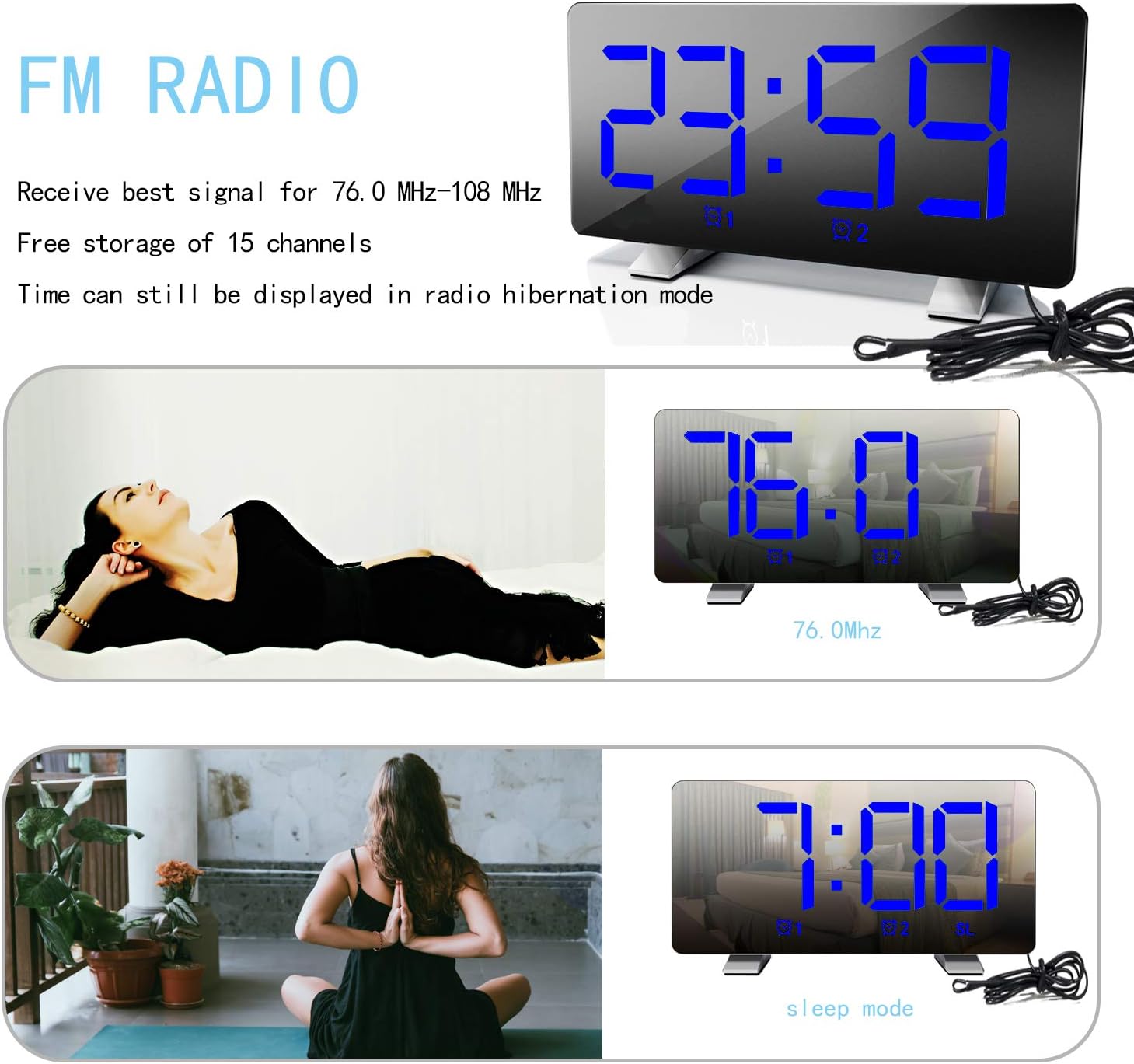
Image: The alarm clock displaying an FM radio frequency (76.0 MHz) and showing the time in sleep mode, indicating that time is still visible during radio operation.
Ajust de la brillantor de la pantalla
Premeu el botó SNOOZE / DIMMER button repeatedly to cycle through 4 levels of brightness: Bright, Medium, Dim, and Off. The clock can also automatically adjust brightness based on ambient light.

Image: Visual representation of the alarm clock display at three adjustable brightness levels: Bright, Medium, and Dim, along with an "Off" state for the display.
Port de càrrega USB
Connect your mobile phone or other USB-powered device to the USB charging port on the back of the clock. This port provides power for charging your devices.
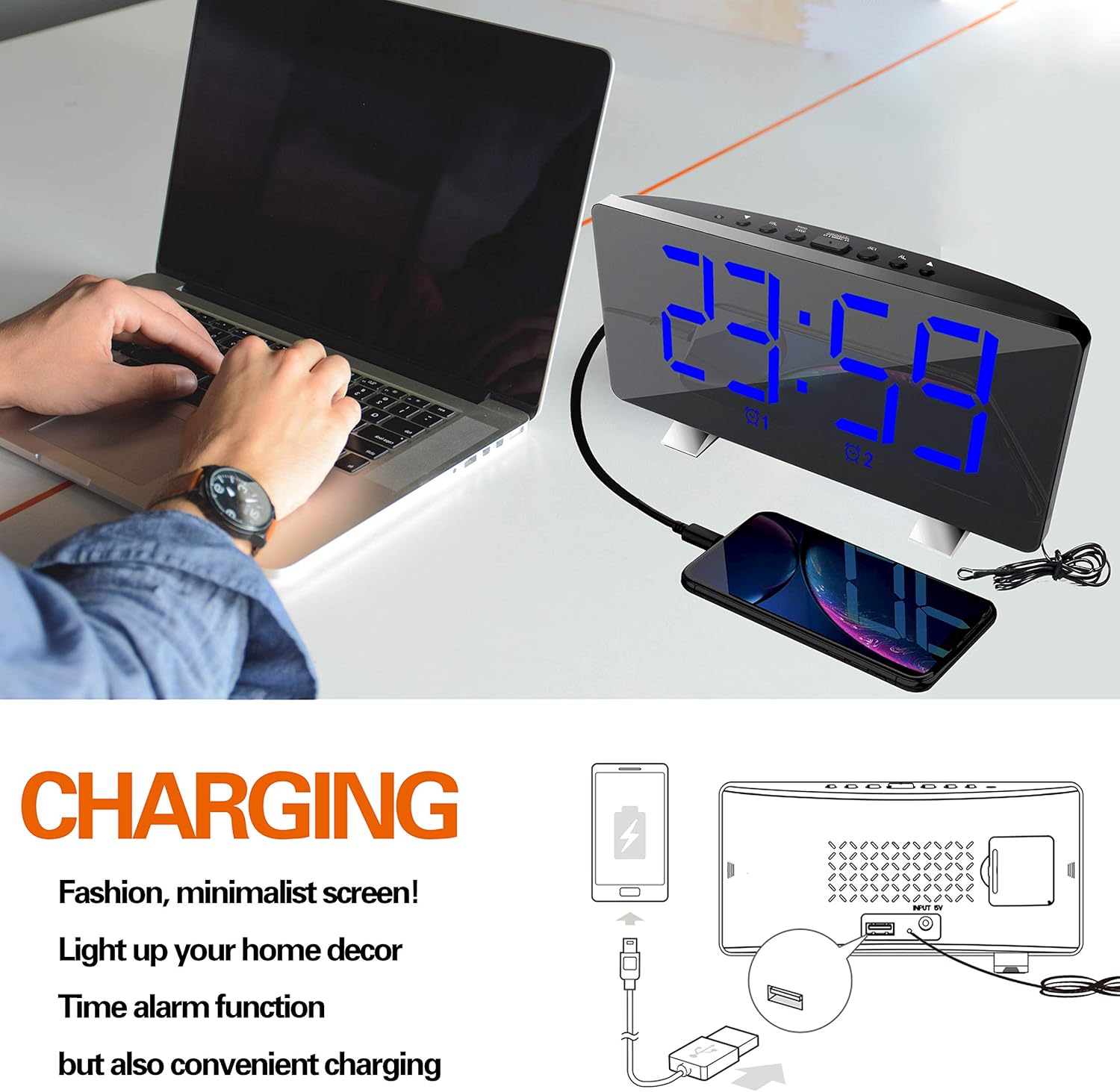
Image: The ThreeH Digital Alarm Clock connected to a laptop, with a smartphone charging via the clock's USB port, demonstrating its charging capability.
Manteniment
- Netegeu el rellotge amb un drap suau i sec. No utilitzeu productes de neteja abrasius ni dissolvents.
- Eviteu exposar el rellotge a temperatures extremes, llum solar directa o humitat elevada.
- Do not immerse the clock in water or any other liquid.
- If the clock will not be used for an extended period, remove the battery backup to prevent leakage.
Resolució de problemes
| Problema | Causa possible | Solució |
|---|---|---|
| La pantalla està en blanc. | Sense connexió elèctrica. | Ensure the power adapter is securely plugged into the clock and a working wall outlet. |
| L'alarma no sona. | L'alarma no està activada o està configurada incorrectament. | Verify alarm settings and ensure the alarm icon is lit on the display. Check alarm volume. |
| La recepció de la ràdio és deficient. | Senyal feble o interferències. | Adjust the position of the clock or the antenna wire for better reception. Avoid placing near other electronic devices. |
| La càrrega USB no funciona. | Device not compatible or cable issue. | Assegura't que el dispositiu sigui compatible amb la càrrega USB. Prova un altre cable USB. |
Especificacions
| Marca | Tres H |
| Número de model | H-AC55Blue |
| Tipus de visualització | LED digital |
| Dimensions (aprox.) | 172 mm (ample) x 91 mm (altura) |
| Font d'alimentació | AC Power Adapter (USB powered, adapter not included) |
| Còpia de seguretat de la bateria | 1 CR2 battery (not included) |
| Freqüència de ràdio FM | 76.0 MHz - 108.0 MHz |
| Material | Plàstic, acrilonitril butadiè estirè |
| Pes de l'article | 295 grams (10.4 unces) |
Garantia i Suport
For warranty information and customer support, please refer to the documentation included with your purchase or contact ThreeH customer service directly. Contact details can typically be found on the manufacturer's official weblloc web o a l'embalatge del producte.
Si us plau, conserveu el comprovant de compra per a qualsevol reclamació de garantia.
Ask a question about this manual
Ask about setup, troubleshooting, compatibility, parts, safety, or missing instructions. Manuals+ will review the question and use this page’s manual context to help answer it.