
Introducció
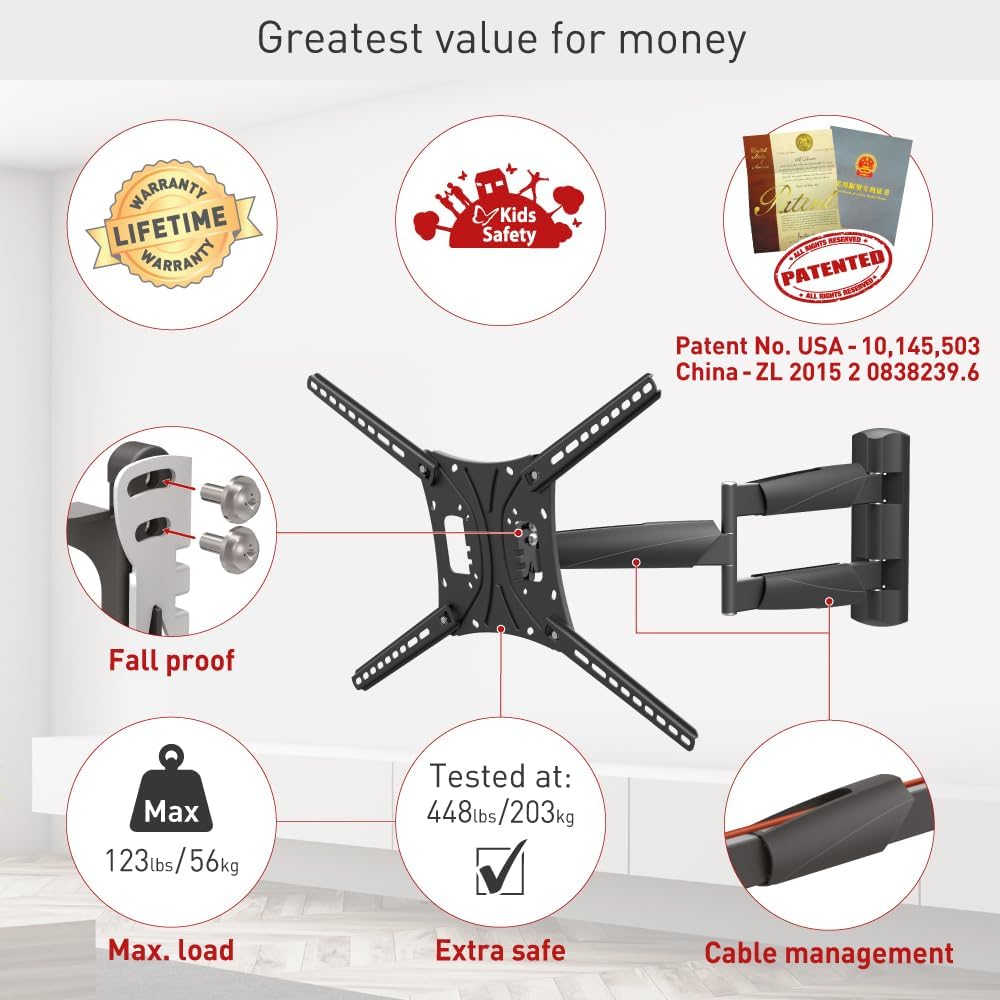
This manual provides detailed instructions for the safe and proper installation, operation, and maintenance of your Barkan Full Motion Articulating TV Wall Mount, Model BM443LP. This mount is designed for flat and curved screens ranging from 13 to 83 inches and supports weights up to 95 lbs (43 kg). It offers four movements: rotation, folding, swivel, and tilt, allowing for optimal viewangles d'ajust.
Informació de seguretat
Please read all instructions carefully before installation. Incorrect assembly or use may result in property damage or personal injury. Ensure you have all necessary tools and hardware before beginning. If you are unsure about any part of the installation, consult a qualified professional.
- Capacitat de pes: No supereu la capacitat màxima de pes de 95 lliures (43 kg).
- Mida de la pantalla: Compatible with screens from 13 to 83 inches.
- Tipus de paret: Ensure the wall structure can safely support the combined weight of the mount and the TV. Refer to the "Wall Compatibility" section for details.
- Maquinari: Use only the provided hardware or suitable alternatives as specified. If your TV requires different screen-connection screws, purchase them from a local hardware store or contact Barkan support.
Contingut del paquet
Verify that all components are present before starting the installation. The package includes:
- Muntatge de TV
- Hardware Kit (various screws, anchors, washers, spacers)
- Instruccions de muntatge

Especificacions
| Característica | Detall |
|---|---|
| Tipus de muntatge | Muntatge de paret |
| Tipus de moviment | Articulating, Rotate, Swivel, Tilt |
| Mides de pantalla compatibles | 13 - 83 polzades |
| Capacitat de càrrega màxima | 95 lliures (43 kg) |
| Compatibilitat VESA | 75x75, 100x100, 100x200, 200x100, 200x200, 200x300, 300x300, 300x400, 400x200, 400x300, 400x400, 400x600, 600x300, 600x400 mm (and non-VESA up to 600x400 mm) |
| Distància mínima des de la paret | 3.1 polzades (8 cm) |
| Extensió màxima des de la paret | 26 polzades (66 cm) |
| Angle d'inclinació | -5° a +15° |
| Angle de gir | Up to 180° (near screen connection plate) |
| Rotació | 180° (near wall), 360° (fold) |
| Material | Metall |
| Color | Negre |


Configuració i instal·lació
Compatibilitat de paret
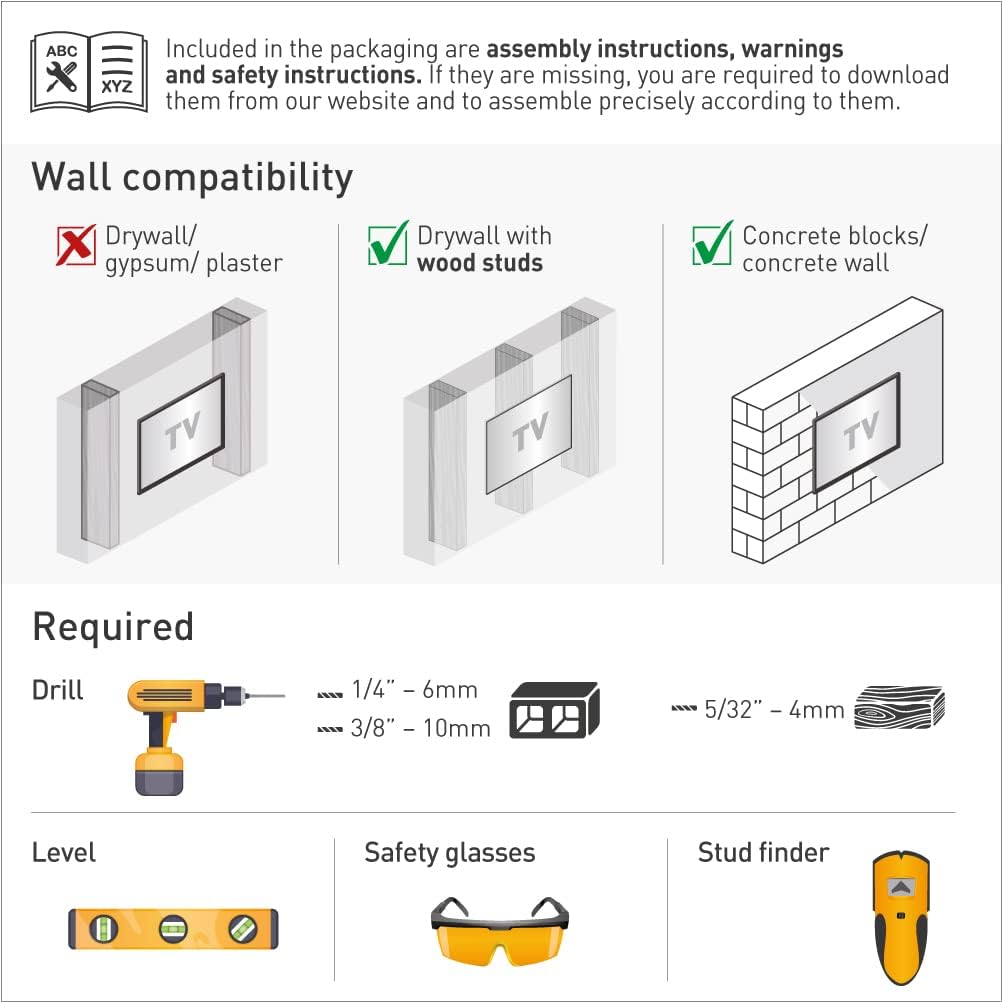
The mount is compatible with the following wall types:
- Panell de guix amb tacs de fusta
- Concrete blocks / Concrete wall
Nota: Not suitable for drywall/gypsum/plaster walls without studs.
Eines necessàries
Abans de la instal·lació, assegureu-vos que teniu les eines següents:
- Drill (1/4" - 6mm and 3/8" - 10mm bits for concrete/wood, 5/32" - 4mm for wood)
- Nivell
- Ulleres de seguretat
- Stud finder (for drywall with wood studs)
Passos de muntatge
Follow these general steps for assembly. A drilling template is included for easy and accurate installation.
- Connect the TV plate to the back of the TV: Attach the adapter plates to the VESA mounting holes on the rear of your television using the appropriate screws from the hardware kit.
- Install the bracket on the wall: Securely mount the wall bracket to your chosen wall location, ensuring it is level and using the correct anchors and screws for your wall type.
- Snap the TV onto the bracket: Carefully lift the TV with the attached plates and hook it onto the wall bracket. Ensure it is securely seated and locked into place.

Backscreen Connection Positioning
The mount supports various VESA patterns. Refer to the diagram below for common backscreen connection positioning options. All TV backscreen connections are in millimeters (Width x Height).

Instruccions de funcionament
The Barkan Full Motion TV Wall Mount offers flexible adjustments for an optimal viewing experience. You can easily rotate, swivel, or tilt the TV by gently pushing or pulling it to the desired angle.
- Inclinació: Adjust the screen vertically from -5° to +15° without tools.
- Girar: Pivot the screen horizontally up to 180° at the screen connection plate.
- Rotation/Fold: The mount rotates 180° near the wall and folds 360° for extensive positioning.
- Extensió: Extend the TV from a minimum of 3.1 inches (8 cm) to a maximum of 26 inches (66 cm) from the wall.
- Nivell: The mount allows for a leveling adjustment of ±5°.

Determining Maximum Swivel Angle
The maximum swivel angle depends on your TV's size and its distance from the wall. For optimal viewing, the line of sight should be perpendicular (90°) to the screen.

Manteniment
To ensure continued safe and optimal performance of your TV wall mount:
- Reviseu periòdicament tots els cargols i connexions per assegurar-vos que estiguin ben ajustats i segurs.
- Netegeu el suport amb un drap suau i sec. Eviteu netejadors o dissolvents abrasius.
- Ensure that cables are properly managed and not pinched by the moving parts of the mount.
Resolució de problemes
- Missing or Incorrect Screws: If your screen requires different screen-connection screws than those provided, please purchase them from your local hardware store or contact Barkan support.
- Backscreen Connection Issues: If your TV's backscreen connections do not match any of the positions shown in Figure 7, please contact Barkan support for assistance.
- La muntanya se sent fluixa: Re-check all wall and TV connection screws to ensure they are tightened according to the installation instructions. Do not overtighten.
- Dificultat d'ajust: Ensure no cables are obstructing movement. If the mount is stiff, check for any debris or obstructions in the joints.
Garantia i Suport
The Barkan Full Motion TV Wall Mount comes with a Garantia limitada de per vida. This warranty covers defects in materials and workmanship under normal use. For warranty claims or technical support, please visit www.barkanmounts.com/support or contact Barkan customer service.


