
1. Introducció
This manual provides detailed instructions for the installation, operation, and maintenance of your PGST PG107 4G Alarm System. This advanced security system is designed to provide comprehensive protection for your home or property, featuring 4G connectivity, a touch screen interface, and compatibility with various wireless sensors.

Figure 1.1: PGST PG107 4G Alarm System Control Panel
The system includes a main control panel, various wireless sensors (such as door/window contacts and PIR motion detectors), remote controls, and an SOS button. It supports two-way voice intercom, voice control integration with smart assistants, and mobile app control for convenient management.
2. Informació de seguretat
- Ensure the system is installed in a dry, stable environment, away from direct sunlight, extreme temperatures, and high humidity.
- No intenteu desmuntar ni reparar el dispositiu vosaltres mateixos. Encarregueu tot el manteniment a personal qualificat.
- Use only the specified power adapter and batteries. Incorrect power sources can damage the device and void the warranty.
- Mantingueu el dispositiu i els seus components fora de l'abast dels nens.
- Regularly test the system and its sensors to ensure proper functionality.
3. Contingut del paquet
Please check the package contents upon receipt to ensure all items are present and undamaged. Typical components include:
- PGST PG107 4G Alarm Control Panel (Main Unit)
- Wireless Door/Window Sensors
- Detectors de moviment PIR
- Comandaments a distància
- Botó SOS
- Adaptador d'alimentació
- Manual d'usuari
Figure 3.1: Typical PGST Alarm System Components
4. Producte acabatview
4.1 Main Panel Features
- Interfície de pantalla tàctil: Intuitive display for easy navigation and control.
- Connectivitat 4G: Ensures reliable communication for alerts and remote control.
- Two-Way Voice Intercom: Communicate directly through the panel.
- Botó SOS: Dedicated emergency button for immediate assistance.
- Compatibilitat amb l'Assistent de veu: Funciona amb Amazon Alexa i Google Assistant per a un control de veu còmode.
- Bateria de seguretat: Provides power during outages (approx. 8.5 hours).

Figure 4.1: Backup Battery Feature
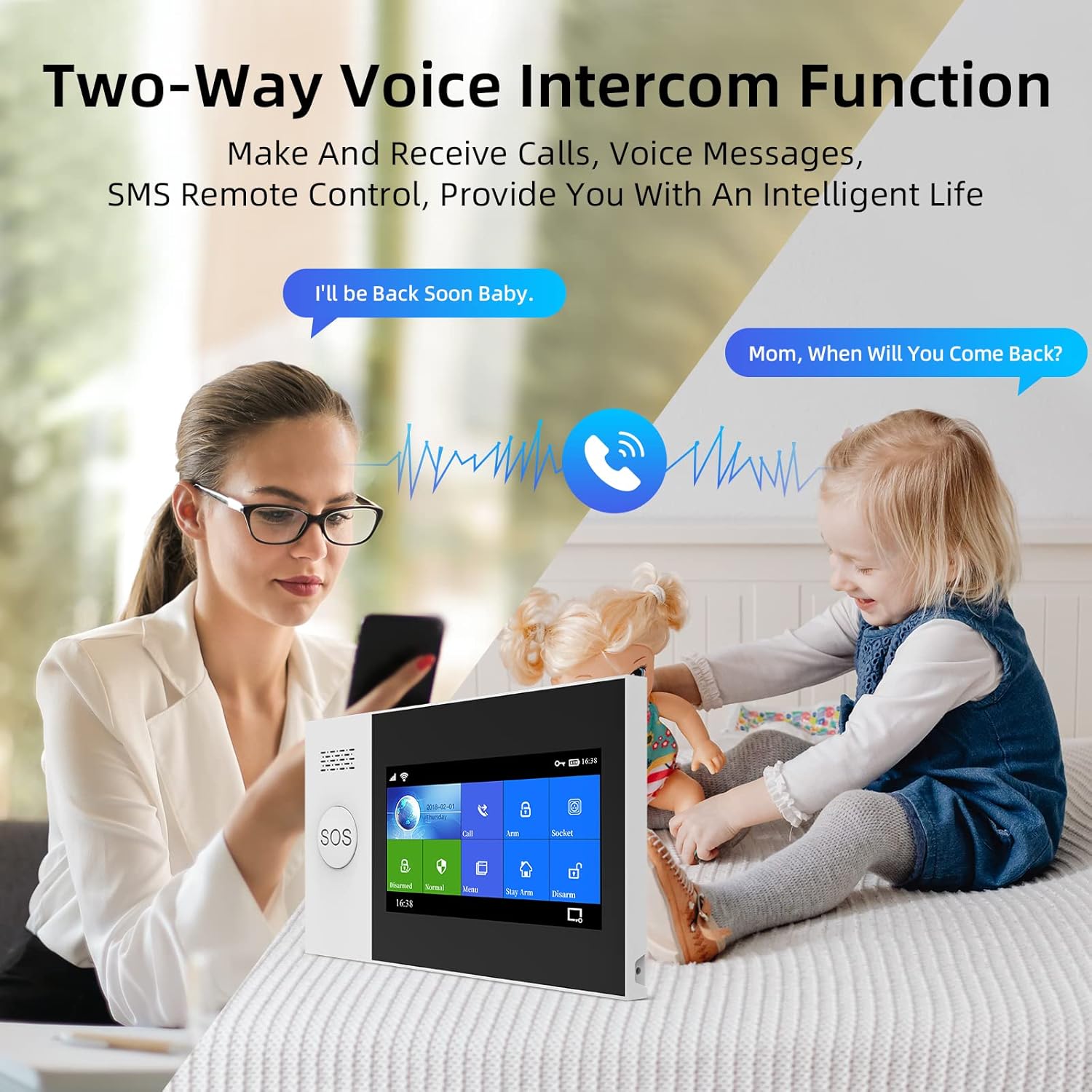
Figure 4.2: Two-Way Voice Intercom Function
4.2 Tipus de sensors
- Sensors de porta/finestra: Detect opening and closing of entry points.
- PIR Motion Detectors: Sense movement within a designated area.
- Botó SOS: For immediate emergency alerts.

Figure 4.3: Main Unit Dimensions and Parts
5. Configuració
5.1 Configuració inicial
- Connexió d'alimentació: Connect the main control panel to a power outlet using the provided adapter.
- Instal·lació de la bateria: Ensure the internal lithium polymer battery is properly connected.
- SIM Card (for 4G models): Insert a valid 4G SIM card into the designated slot on the main panel if you intend to use cellular communication features.
5.2 Connexió de sensors
The PGST system uses wireless sensors for easy installation. Follow these general steps to pair new sensors:
- Access the 'Add Device' or 'Sensor Pairing' menu on the main control panel's touch screen.
- Activate the sensor (e.g., open a door for a door sensor, or trigger a motion detector). The panel will detect the sensor.
- Confirm the pairing on the panel and assign a zone or name to the sensor for easy identification.

Figure 5.1: Wireless Sensor Pairing and Low Battery Indication
5.3 Instal·lació i configuració de l'aplicació
Download the official PGST alarm system mobile application from your smartphone's app store. Follow the in-app instructions to register an account and connect your alarm system. This app allows for remote arming/disarming, status checks, and receiving alerts.

Figura 5.2: Example of Sensor Placement in a Home
6. Funcionament del sistema
6.1 Armament i desarmament
- Braç lluny: Activates all sensors. Use when leaving the property.
- Armar a casa: Activates perimeter sensors (e.g., door/window contacts) while allowing free movement inside.
- Desarma: Deactivates all sensors.
You can arm or disarm the system using the control panel's touch screen, the remote control, or the mobile application.

Figure 6.1: Voice Prompts for System States
6.2 Funció d'intercomunicador bidireccional
The main panel supports two-way voice communication. You can make and receive calls directly through the system, allowing for communication with family members or visitors.
6.3 Integració del control per veu
Integrate your PGST alarm system with Amazon Alexa or Google Assistant for hands-free control. Follow the instructions in your smart assistant's app to link the PGST system. Common commands include "Alexa, arm my home" or "Hey Google, disarm the alarm."

Figure 6.2: Alexa Voice Control Integration
6.4 Funció SOS
In case of an emergency, press the SOS button on the main panel or the dedicated SOS remote. This will immediately trigger an alarm and send alerts to pre-programmed emergency contacts.

Figure 6.3: SOS Button for Emergency Situations

Figure 6.4: SOS Function for Elderly Assistance
6.5 Doorbell Function
The main unit can also function as a doorbell. When a compatible doorbell button is pressed, the main unit will emit a chime.

Figure 6.5: Doorbell Functionality
7. Manteniment
7.1 Substitució de la bateria
Sensors and the main unit's backup battery will indicate low power. Replace batteries promptly to ensure continuous protection. Refer to individual sensor manuals for specific battery types and replacement procedures. The main unit uses a Lithium Polymer battery.
7.2 Neteja
Wipe the main panel and sensors with a soft, dry cloth. Do not use abrasive cleaners or solvents, as these can damage the surfaces.
8. Solució De Problemes
If you encounter issues with your PGST PG107 4G Alarm System, refer to the table below for common problems and their solutions.
| Problema | Causa possible | Solució |
|---|---|---|
| El sistema no respon | No power, low battery, or system crash. | Check power connection. Recharge or replace backup battery. Restart the system. |
| Sensor not triggering alarm | Sensor battery low, sensor out of range, or not properly paired. | Replace sensor battery. Relocate sensor closer to main unit. Re-pair the sensor. |
| No mobile alerts | No 4G signal, incorrect app settings, or SIM card issue. | Check 4G signal strength. Verify app notification settings. Ensure SIM card is active and has credit. |
| Falses alarmes | Improper sensor placement, environmental factors, or faulty sensor. | Adjust sensor sensitivity or placement. Ensure PIR sensors are not facing heat sources or direct sunlight. Test or replace faulty sensor. |

Figure 8.1: LED Indicator States
9. Especificacions
| Característica | Detall |
|---|---|
| Número de model | PG107-4G-0 |
| Marca | PGST |
| Fabricant | PGST |
| Dimensions (unitat principal) | 10 x 3 x 3 cm |
| Pes (unitat principal) | 370 g |
| Material | ABS |
| Font d'alimentació | Funciona amb bateria |
| Tipus de bateria | Lithium Polymer (1 required) |
| Average Battery Life (Main Unit) | 10 hores (còpia de seguretat) |
| Dispositius compatibles | Home Security System components |
| Connectivitat | 4G, Wi-Fi |
10. Garantia i Suport
10.1 Informació de la garantia
PGST products typically come with a limited manufacturer's warranty. Please refer to the warranty card included with your product or visit the official PGST website for specific warranty terms and conditions. Keep your proof of purchase for warranty claims.
10.2 Atenció al client
For technical assistance, troubleshooting, or any questions regarding your PGST PG107 4G Alarm System, please contact PGST customer support. Contact details can usually be found on the product packaging, the official PGST weblloc web o a través del vostre distribuïdor.