
1. Introducció
This manual provides essential information and instructions for the proper installation and use of FocalTop Replacement TV Base Stand Pedestal Leg Screws. These screws are designed to securely attach the base, stand, pedestal, or legs to your compatible Westinghouse television models WR55UX4019, WR55UT4009, and WR50UX4019. Please read this manual thoroughly before proceeding with installation.
2. Informació de seguretat
- Instal·lació professional recomanada: It is strongly recommended that these screws be installed by a qualified professional. Improper installation can lead to instability, potential injury, or damage to your television. The seller is not responsible for any injury or damage resulting from improper installation.
- Not for Wall Mounting: These screws are specifically designed for attaching the TV's base/stand/pedestal/legs. They are NO intended for wall mounting applications. Do not attempt to use these screws for wall mounts.
- Not OEM Screws: These are replacement screws and may not be identical to the original equipment manufacturer (OEM) screws. Ensure they are compatible with your TV model before use.
- Ajust segur: Ensure all screws are tightened securely to prevent the TV from wobbling or falling. Do not overtighten, as this may strip the threads.
3. Contingut del paquet
El vostre paquet ha de contenir els elements següents:
- FocalTop Replacement TV Base Stand Pedestal Leg Screws (Quantity as purchased)
Note: A Phillips head screwdriver (not included) will be required for installation.
4. Configuració i instal·lació
Follow these steps to install the replacement screws and attach your TV's base stand or legs:
- Prepara la televisió: Carefully place your television screen-down on a soft, clean, and stable surface (e.g., a blanket on a table) to prevent scratches or damage. Ensure the TV is unplugged from any power source.
- Identify Screw Holes: Locate the designated screw holes on the back or bottom of your television where the base stand or legs attach. Also, identify the corresponding holes on your TV's base stand or legs.
- Alinea els components: Carefully align the TV base stand or legs with the screw holes on the television. Ensure a proper fit before inserting any screws.
- Inseriu i estrenyeu els cargols: Insert the FocalTop replacement screws into the aligned holes. Using a Phillips head screwdriver, turn the screws clockwise to tighten them. Tighten each screw firmly but avoid overtightening to prevent stripping the threads or damaging the TV casing.
- Verifica l'estabilitat: Once all screws are installed, gently lift the TV and place it upright on a flat, stable surface. Carefully check for any wobbling or instability. If the TV is not stable, re-check the screw tightness and alignment.
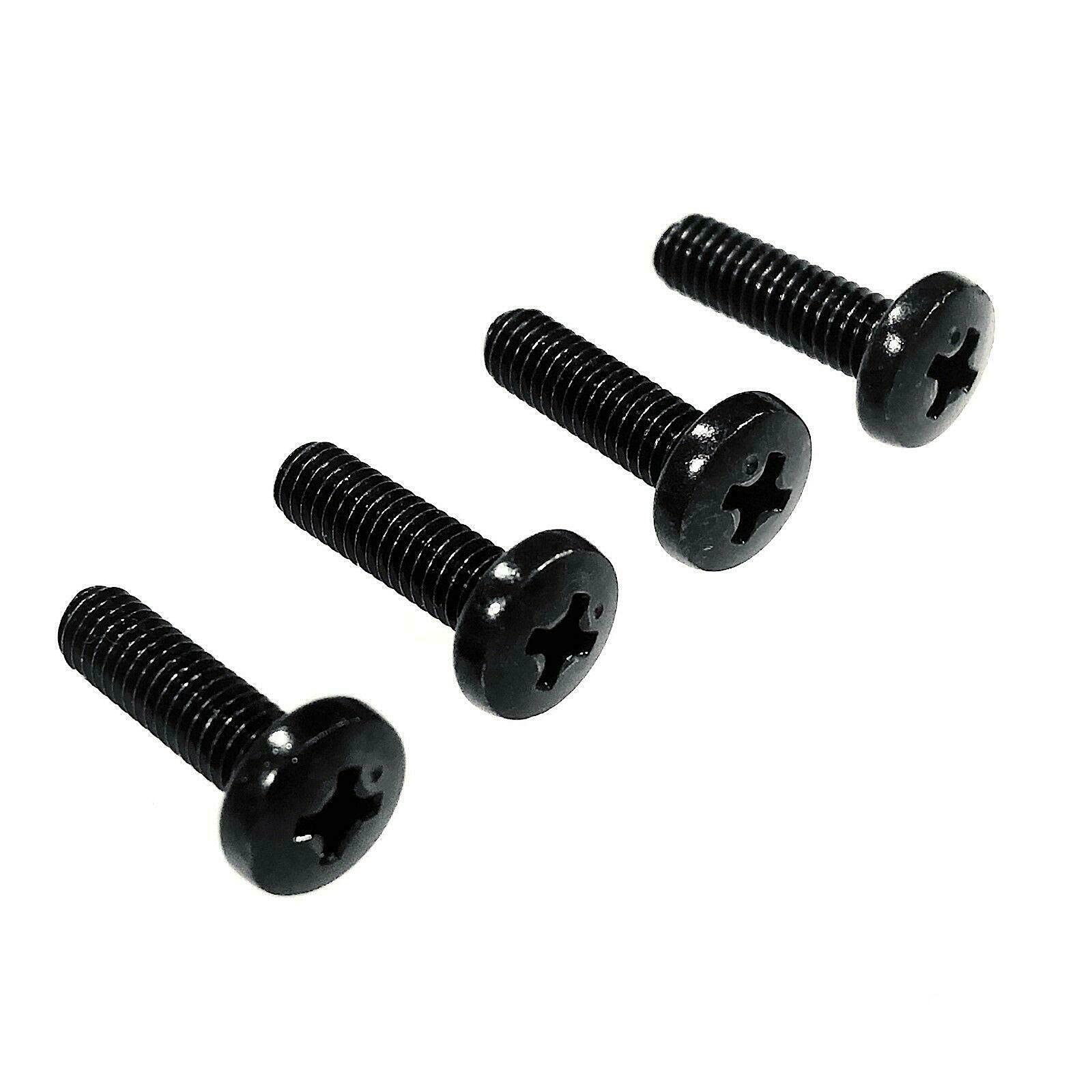
This image displays four black metal screws, designed for attaching a TV's base stand or pedestal legs. Each screw features a flat head with a Phillips drive and a fully threaded shaft.
5. Solució De Problemes
- Els cargols no encaixen:
- Double-check that your TV model (WR55UX4019, WR55UT4009, WR50UX4019) is listed as compatible.
- Ensure you are attempting to use the screws for the TV base/legs, not for wall mounting or other accessories.
- Verify that the screw holes on your TV and base are clear of debris or obstructions.
- TV base is wobbly after installation:
- Assegureu-vos que tots els cargols estiguin ben ajustats.
- Check that the base/legs are correctly aligned and seated against the TV.
- If issues persist, consider consulting a professional for assistance.
6. Especificacions
| Característica | Especificació |
|---|---|
| Marca | FocalTop |
| Material | Metall |
| Tipus de metall | Acer al carboni, acer inoxidable |
| Acabat exterior | Negre |
| Estil del cap | Pis |
| Tipus de capçal | Socket (Phillips drive) |
| Estil de punt | Flat Point |
| Tipus de fixació | Cargol |
| Mida de la fixació | 1/4 polzada x 1 polzada |
| Cobertura del fil | Totalment roscat |
| Estil de fil | Right Hand Fully Threaded |
| Classe de fil | Estàndard |
| Color | Negre |
7. Garantia i Suport
For any questions regarding the installation or compatibility of these replacement screws, please contact FocalTop customer support through your original point of purchase. Specific warranty information may vary; please refer to the product listing or contact the seller for details.