
Introducció
Welcome to the user manual for your Azumi V5+ 4G LTE Android Smartphone. This guide provides essential information on setting up, operating, maintaining, and troubleshooting your device. Please read this manual carefully to ensure optimal performance and longevity of your smartphone.
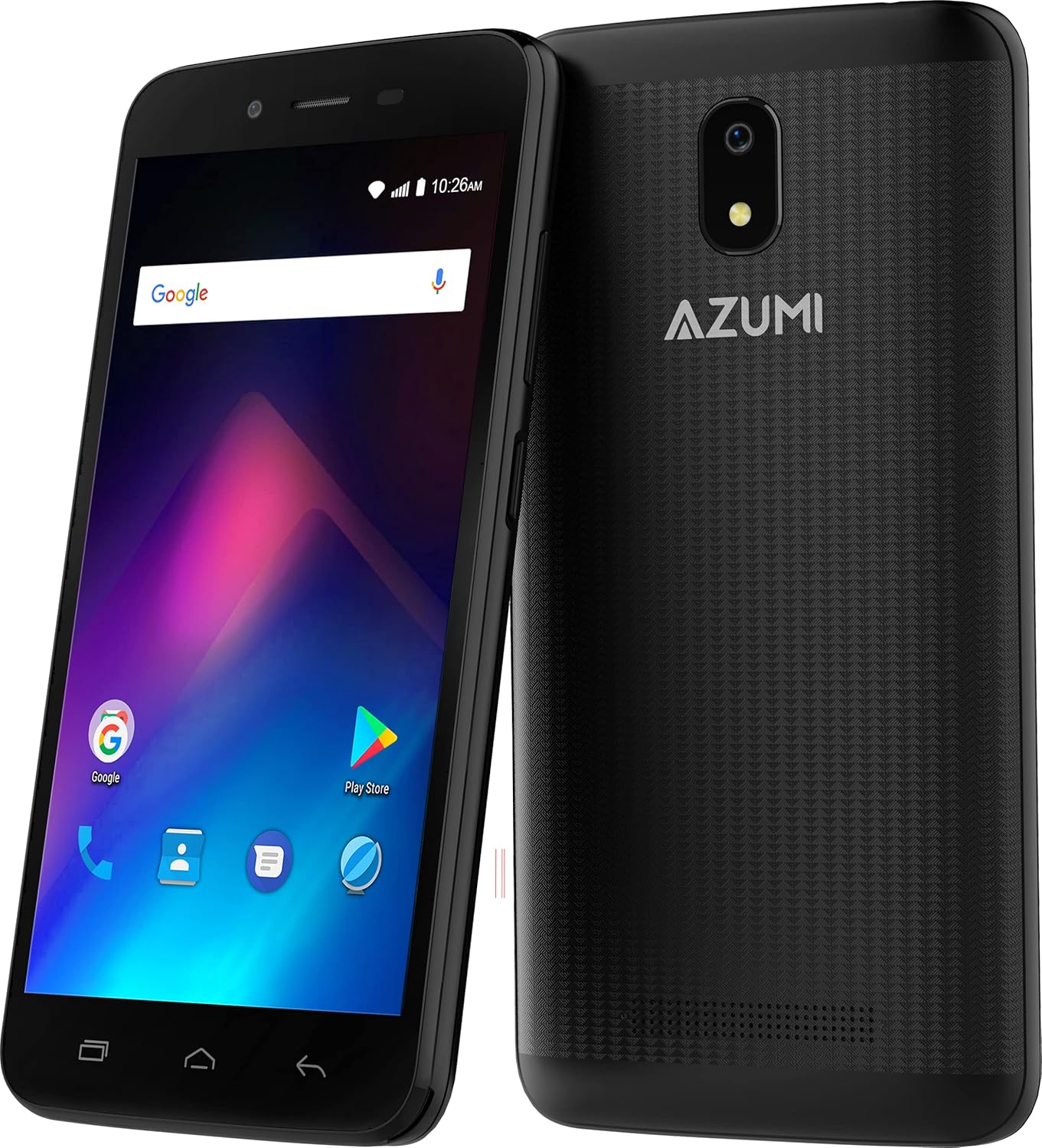
Imatge: Anvers i revers view of the Azumi V5+ smartphone, showcasing its 5.0-inch screen and rear camera module.
1. Configuració
1.1 Contingut del paquet
Abans de continuar, assegureu-vos que tots els elements estiguin presents al paquet:
- Azumi V5+ Smartphone
- Battery (if removable)
- Carregador
- Cable USB
- Guia d'inici ràpid (si s'inclou)
1.2 Inserció de la targeta SIM i la bateria
- Apagueu completament el dispositiu.
- Traieu amb cura la tapa posterior del telèfon.
- If the battery is removable, insert the battery into its compartment, ensuring the contacts align.
- Locate the SIM card slot(s). Insert your SIM card(s) with the gold contacts facing down, following the diagram near the slot.
- Col·loqueu la coberta posterior de manera segura.

Imatge: Múltiple views of the Azumi V5+ smartphone, illustrating its sides, top, and bottom, useful for identifying button and port locations.
1.3 Càrrega de la bateria
Before first use, fully charge the smartphone battery.
- Connecteu el cable USB a l'adaptador del carregador.
- Connecteu l'adaptador del carregador a una presa de corrent.
- Connecteu l'extrem micro USB del cable al port de càrrega del telèfon.
- L'indicador de càrrega apareixerà a la pantalla.
1.4 Engegada i configuració inicials
- Manteniu premut el botó d'engegada fins que la pantalla s'encengui.
- Segueix les instruccions que apareixen a la pantalla per seleccionar l'idioma, connectar-te a la Wi-Fi i configurar el teu compte de Google.
2. Com fer servir el telèfon intel·ligent
2.1 Navegació bàsica
- Pantalla tàctil: Toca per seleccionar, llisca per desplaçar-te, pessiga per ampliar.
- Botó d'encesa: Premeu per encendre/apagar la pantalla, premeu i manteniu premut per apagar-la o reiniciar-la.
- Botons de volum: Ajusta el volum multimèdia, el volum de les trucades o el volum del to de trucada.
2.2 Fer trucades i enviar missatges
- Trucades: Obriu l'aplicació Telèfon, marqueu el número i toqueu la icona de trucada.
- Missatges: Obre l'aplicació Missatges, toca la icona de missatge nou, introdueix el destinatari i el teu missatge.
2.3 Ús de la càmera
Your Azumi V5+ features an 8 MP main camera and a 5 MP front camera with LED flash.
- Obriu l'aplicació Càmera.
- Enquadra la teva foto.
- Toqueu el botó de l'obturador per fer una foto.
- Canvieu entre la càmera frontal i la posterior mitjançant la icona de canvi de càmera.
2.4 Connectivitat a Internet
- Wi-Fi: Go to Settings > Network & internet > Wi-Fi, turn Wi-Fi on, and select your network.
- Dades mòbils (4G LTE): Go to Settings > Network & internet > Mobile network, and ensure Mobile data is enabled.
2.5 App Management (Android Go)
The Azumi V5+ runs on Android Go, an optimized version of Android for entry-level devices.
- Descàrrega d'aplicacions: Use the Google Play Store to download and install applications.
- Desinstal·lació d'aplicacions: Press and hold an app icon on the home screen or app drawer, then drag it to "Uninstall". Alternatively, go to Settings > Apps & notifications.
3. Manteniment
3.1 Neteja del vostre dispositiu
Feu servir un drap suau i sense borrissol per netejar la pantalla i la carcassa del telèfon. Eviteu utilitzar productes químics agressius o materials abrasius.
3.2 Cura de la bateria
- Eviteu temperatures extremes.
- Do not overcharge the battery for extended periods.
- For optimal battery life, try to keep the charge between 20% and 80%.
- The Azumi V5+ has a 2000 mAh Lithium Ion battery.
3.3 Actualitzacions de programari
Periodically check for software updates to ensure your device has the latest features and security patches. Go to Settings > System > System update.
3.4 Gestió d'emmagatzematge
Your device comes with 32 GB of internal storage. To manage storage:
- Suprimeix les aplicacions innecessàries i files.
- Move photos and videos to cloud storage or a computer.
- Clear cache data for apps regularly (Settings > Apps & notifications > [App Name] > Storage & cache > Clear cache).
4. Solució De Problemes
4.1 Problemes comuns i solucions
| Problema | Solució |
|---|---|
| El dispositiu no s'encén | Assegureu-vos que la bateria estigui carregada. Premeu i manteniu premut el botó d'engegada durant almenys 10-15 segons. |
| Sense senyal de xarxa | Check if the SIM card is correctly inserted. Restart the phone. Verify mobile data is enabled in settings. |
| Les aplicacions es bloquegen o es bloquegen | Clear the app's cache (Settings > Apps & notifications > [App Name] > Storage & cache). Restart the device. |
| Rendiment lent | Close unused apps. Clear cache. Check available storage. Restart the phone. |
4.2 Restabliment de fàbrica
Si els problemes persisteixen, pot ser necessari restablir les dades de fàbrica. Avís: Això esborrarà totes les dades del telèfon. Fes una còpia de seguretat de les dades importants abans de continuar.
- Aneu a Configuració > Sistema > Opcions de restabliment.
- Seleccioneu "Esborra totes les dades (restabliment de fàbrica)".
- Confirmeu la vostra elecció.
5. Especificacions
| Característica | Detall |
|---|---|
| Marca | Azumi |
| Nom del model | V5+ |
| Sistema operatiu | Android Go |
| Mida de la pantalla | 5.0 polzades (13 cm) |
| Processador | Quadcore 1.3 GHz (Snapdragon) |
| RAM | 1 GB |
| Emmagatzematge intern | 32 GB |
| Càmera posterior | 8 MP amb flaix LED |
| Càmera frontal | 5 MP |
| Capacitat de la bateria | 2000 mAh d'ions de liti |
| Tecnologia cel·lular | 4G LTE |
| Connectivitat | Bluetooth, WiFi |
| Factor de forma | Smartphone |
| Dimensions | 15.7 x 9.7 x 5.3 cm |
| Pes | 301 g |
6. Garantia i Suport
Your Azumi V5+ smartphone is covered by a limited warranty. For detailed warranty information, terms, and conditions, please refer to the warranty card included in your product packaging or visit the official Azumi weblloc.
For technical support, frequently asked questions, or service inquiries, please visit the Azumi support page or contact their customer service.