
1. Introducció
This manual provides instructions for the WINFLIKE RC-928R replacement remote control. This remote is designed to be fully compatible with various Onkyo AV Receiver models, offering a direct replacement for your original remote without the need for complex programming.
Please read this manual carefully before using your new remote control to ensure proper operation and to familiarize yourself with its features.
2. Configuració: Instal·lació de la bateria
The RC-928R remote control requires two (2) AAA batteries for operation. Follow these steps to install the batteries:
- Localitzeu el compartiment de la bateria a la part posterior del comandament a distància.
- Feu lliscar la tapa del compartiment de la bateria cap avall i retireu-la.
- Introduïu dues piles AAA, assegurant-vos que els terminals positiu (+) i negatiu (-) s'alineïn correctament amb les marques de l'interior del compartiment.
- Torneu a col·locar la tapa del compartiment de la bateria fent-la lliscar fins que faci clic de manera segura.
Imatge: Part posterior view of the remote control with the battery cover open, illustrating the correct placement for two AAA batteries.
Nota: Feu servir sempre piles noves i substituïu-les totes dues alhora. No barregeu piles velles i noves ni piles de tipus diferents.
3. Instruccions de funcionament
The WINFLIKE RC-928R remote control is designed for immediate use with compatible Onkyo AV Receivers. No programming or code entry is required. Once batteries are installed, the remote is ready to operate your receiver.

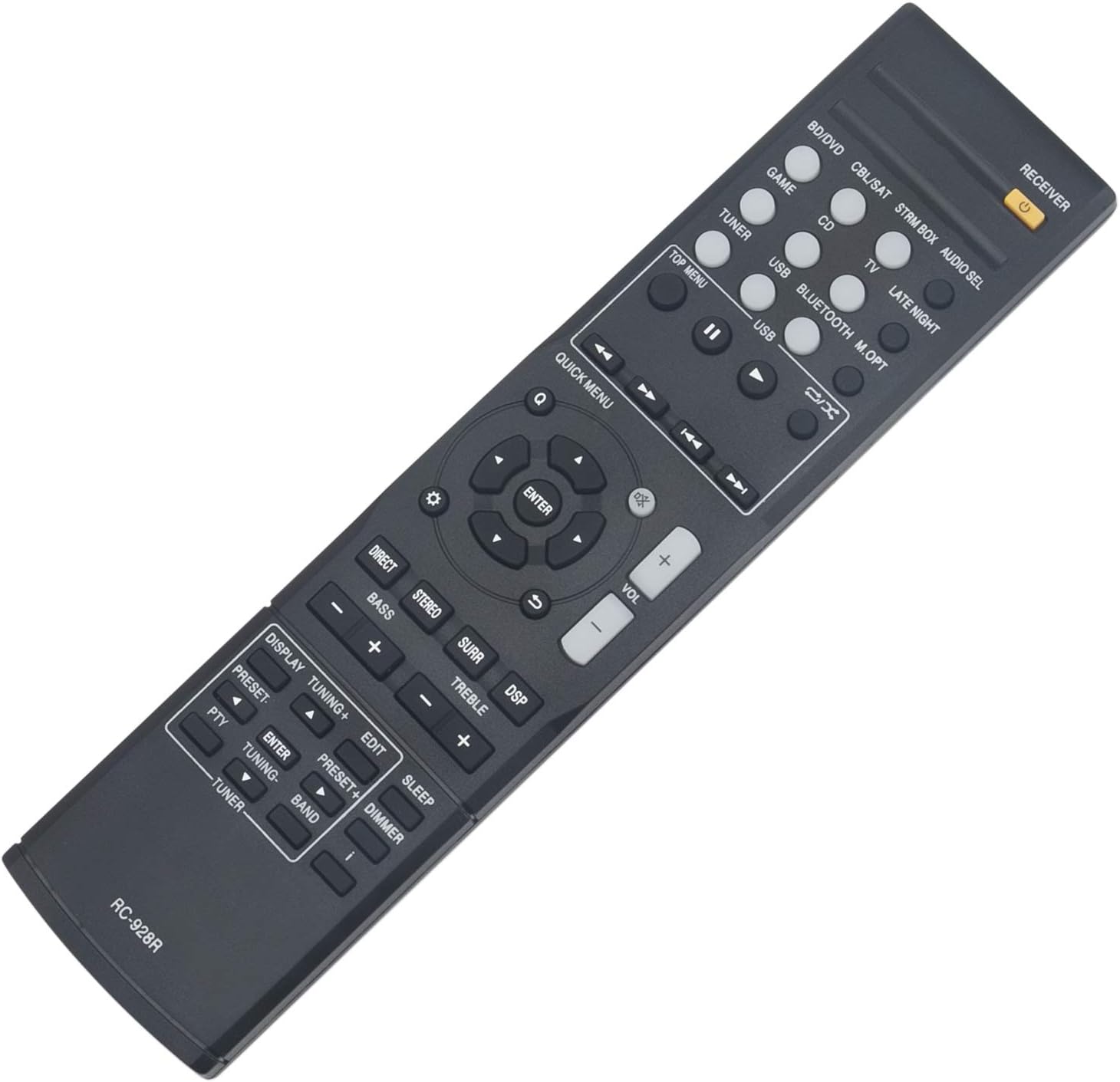
Imatge: Frontal view of the RC-928R remote control, displaying its layout and various function buttons.
To operate your Onkyo AV Receiver:
- Encès/apagat: Premeu el botó RECEPTOR button (usually orange) at the top right to power your receiver on or off.
- Selecció d'entrada: Use the dedicated input buttons (e.g., BD / DVD, CBL/SAT, STRM BOX, CD, SINTONITZADOR, USB, BLUETOOTH) to select your desired audio/video source.
- Control de volum: Ajusteu el volum amb el botó VOL + i VOLUM - botons.
- Navegació: Use the directional arrow buttons (up, down, left, right) and the ENTRAR button in the center to navigate menus on your receiver's display.
- Modes de so: Buttons like DIRECTE, ESTÈREO, SURR (Surround), and DSP (Digital Signal Processor) allow you to select different audio modes.
- Control de tons: Ús BAIX +/- i AGUTS +/- buttons to adjust audio tone.
- Display/Tuning: Botons com VISUALITZACIÓ, TUNING +/-, PRECONFIGURACIÓ +/-, PTY, EDITAR, BANDA, i SINTONITZADOR are for radio and display functions.
- Sleep/Dimmer: El DORMIR button sets a timer for the receiver to power off, and DIMMER adjusts display brightness.

Image: The RC-928R remote control highlighting its plug-and-play functionality, requiring only battery insertion to operate.
4. Manteniment
- Neteja: Wipe the remote control with a soft, dry cloth. Do not use abrasive cleaners, solvents, or alcohol, as these can damage the surface.
- Substitució de la bateria: Replace batteries when the remote's response becomes sluggish or stops working. Always replace both batteries simultaneously.
- Emmagatzematge: If the remote will not be used for an extended period, remove the batteries to prevent leakage and potential damage to the remote.
- Medi ambient: Avoid exposing the remote to extreme temperatures, direct sunlight, high humidity, or liquids.
5. Solució De Problemes
| Problema | Solució |
|---|---|
| El comandament a distància no funciona. |
|
| Some buttons are not responding. |
|
| El remot funciona de manera intermitent. |
|
6. Especificacions
- Model: RC-928R (WINFLIKE WL-RC-928R-S2-210513)
- Compatibilitat: Onkyo AV Receiver models TX-SR252, TX-SR353, TX-SR373, TX-SR383, HTP-395, HT-R395, HT-R397, HT-S3800, HT-S3900
- Font d'alimentació: 2 piles AAA (no incloses)
- Dimensions: 8.7 x 2 x 0.6 polzades (22.1 x 5.1 x 1.5 cm)
- Pes de l'article: 2.11 unces (60 grams)
- Característiques especials: Ergonomic design, Lightweight, No Programming Required
- Color: Negre
7. Garantia i Suport
WINFLIKE is committed to providing high-quality products and customer satisfaction. This replacement remote control is designed for durability and reliable performance.
If you encounter any issues with your WINFLIKE RC-928R remote control or have questions regarding its operation, please do not hesitate to contact WINFLIKE customer service. We are available to assist you with any problems or concerns.
For support, please refer to the contact information provided with your purchase or visit the official WINFLIKE weblloc.