
1. Introducció
Thank you for choosing the Mitzu MCS-9956 Bluetooth Car Stereo. This manual provides essential information for the proper installation, operation, and maintenance of your new car stereo. Please read this manual thoroughly before using the product to ensure safe and optimal performance. Keep this manual for future reference.
The MCS-9956 features Bluetooth connectivity for hands-free calls and audio streaming, USB and SD card playback for MP3 files, an AUX input, and an LCD display with a pre-set equalizer and digital clock.
2. Informació de seguretat
- Instal·lació: Ensure professional installation to prevent damage to the unit or your vehicle. Incorrect wiring can cause fire or electrical shock.
- Font d'alimentació: Connecteu la unitat només a una font d'alimentació de 12 V CC amb un born negatiu a terra.
- Nivell de volum: Avoid operating the unit at excessively high volume levels for extended periods to prevent hearing damage and to maintain awareness of traffic conditions.
- Neteja: Utilitzeu un drap suau i sec per netejar. No utilitzeu netejadors abrasius ni dissolvents.
- Humitat: Mantingueu la unitat allunyada de l'aigua i de la humitat excessiva.
- Funcionament durant la conducció: Do not operate complex functions or watch videos while driving. Distraction can lead to accidents.
3. Producte acabatview
3.1 Panell frontal i comandament a distància
The front panel provides access to all primary controls, including power, volume, mode selection, and media playback. The included remote control offers convenient access to these functions from a distance.

Imatge 3.1: Davant view of the Mitzu MCS-9956 car stereo showing the main unit with its LCD display, control knob, buttons, USB, SD, and AUX ports, alongside the included remote control.
- Botó d'alimentació / mode: Press to turn on/off, short press to change mode (Radio, USB, SD, AUX, Bluetooth).
- Pom de volum: Rotate to adjust volume. Press to access audio settings (EQ, Bass, Treble, Balance, Fader).
- Visualització: LCD screen showing current status, time, track information, etc.
- Port USB: Connect USB flash drives for MP3 playback.
- SD Card Slot (TF): Insert Micro SD cards for MP3 playback.
- Entrada AUX: Jack de 3.5 mm per connectar dispositius d'àudio externs.
- Micròfon (MIC): Micròfon integrat per trucades mans lliures.
- Band/APS Button: In radio mode, press to select radio band (FM1, FM2, FM3). Long press for automatic station scan.
- Botó de silenci: Silencia la sortida d'àudio.
- Navigation Buttons (<< / >>): Skip tracks, fast forward/rewind, tune radio stations.
- Botons predefinits (1-6): Store and recall radio stations. In media mode, these can also function as play/pause, repeat, random, and folder navigation.
3.2 Connexions del panell posterior
The rear panel houses all necessary wiring connections for power, speakers, and external ampaixecadors.
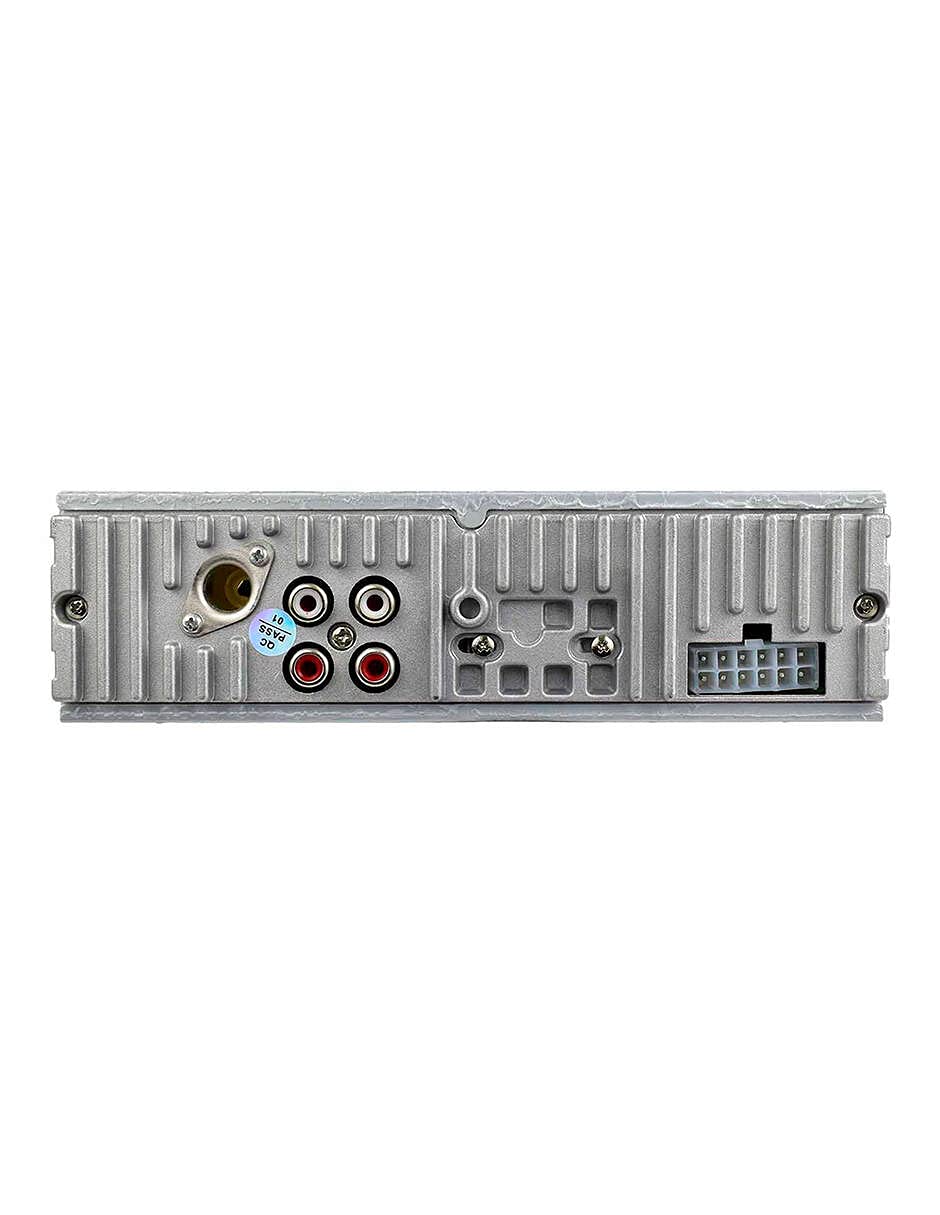
Imatge 3.2: posterior view of the Mitzu MCS-9956 car stereo, displaying the antenna input, RCA audio outputs, and the multi-pin wiring harness connector.
- Entrada d'antena: Connect your car's radio antenna here.
- RCA Audio Outputs: Per connectar externs amplifiers (Front Left/Right, Rear Left/Right).
- Connector del cablejat: Connects to the included wiring harness for power, ground, and speaker connections.
3.3 lateral View
El costat view illustrates the mounting points and heat dissipation design of the unit.
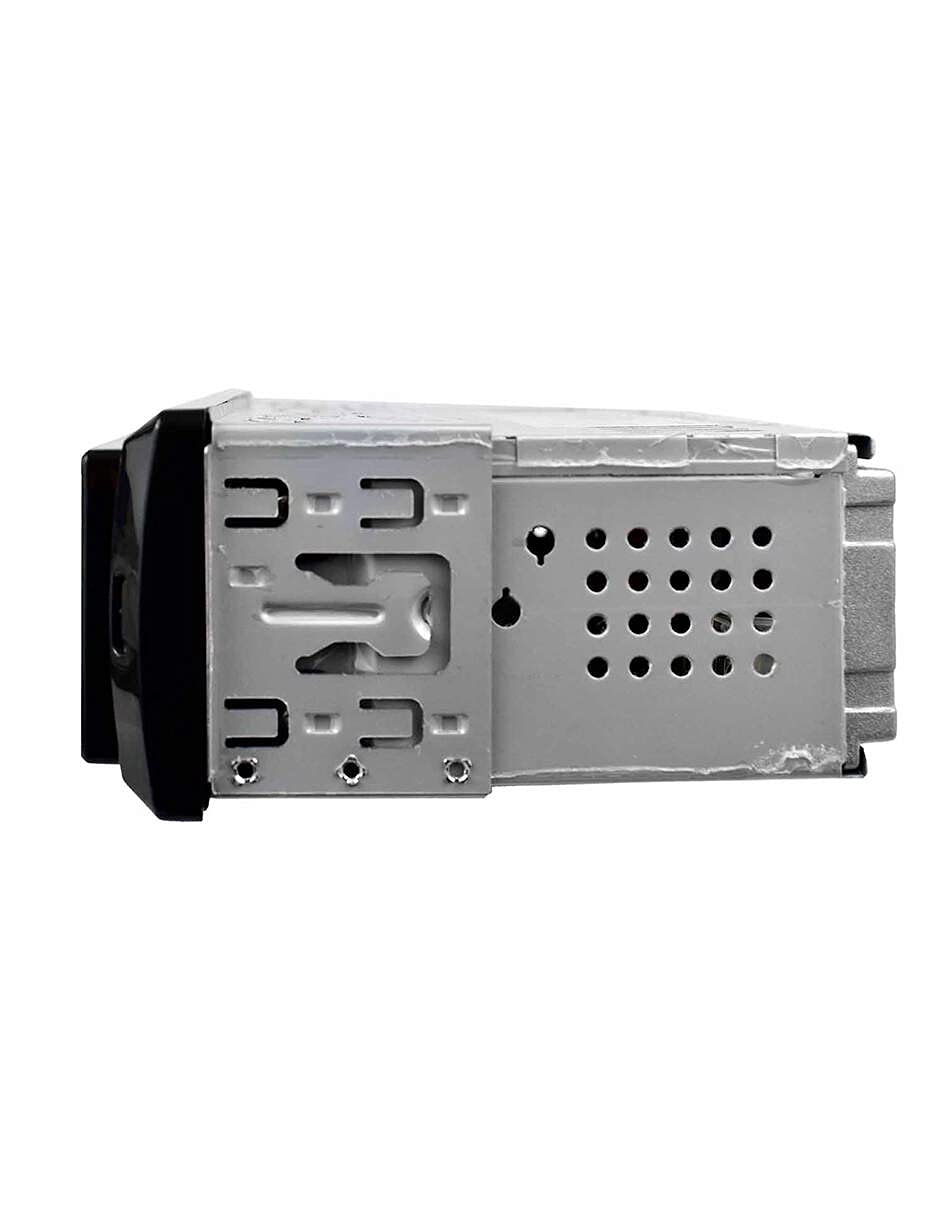
Imatge 3.3: lateral view of the Mitzu MCS-9956 car stereo, highlighting the mounting brackets and ventilation holes for heat management.
4. Configuració
4.1 Instal·lació
Professional installation is highly recommended. Incorrect wiring can damage the unit or your vehicle's electrical system. Refer to your vehicle's service manual for specific dashboard removal and wiring instructions.
- Desconnecta la bateria: Abans de començar, desconnecteu el terminal negatiu de la bateria del cotxe per evitar curtcircuits.
- Muntatge: Install the car stereo into the dashboard opening using the provided mounting sleeve and brackets. Secure it firmly.
- Connexions de cablejat:
- Potència: Connect the yellow wire (constant 12V) to a constant 12V power source, the red wire (accessory 12V) to a switched 12V source (ignition), and the black wire (ground) to a good chassis ground point.
- Ponents: Connect the speaker wires according to the color codes (e.g., White/White-Black for Front Left, Gray/Gray-Black for Front Right, Green/Green-Black for Rear Left, Purple/Purple-Black for Rear Right). Ensure correct polarity.
- Antena: Connect the car's radio antenna cable to the antenna input on the rear of the unit.
- RCA Outputs (Optional): Si s'utilitza extern amplifiers, connect RCA cables from the unit's RCA outputs to the ampentrades de lifier.
- Torneu a connectar la bateria: Once all connections are secure, reconnect the car battery.
4.2 Encès inicial
After installation, turn on your vehicle's ignition. Press the Potència/Mode button on the unit. The LCD display should illuminate. If not, check all wiring connections.
5. Instruccions de funcionament
5.1 Funcions bàsiques
- Encès/apagat: Premeu el botó Potència/Mode button to turn the unit on. Long press to turn off.
- Selecció del mode: Premeu breument Potència/Mode button to cycle through available modes: Radio (FM), USB, SD, AUX, Bluetooth.
- Control de volum: Gira el Pom de volum en sentit horari per augmentar el volum, en sentit antihorari per disminuir-lo.
- Silenciar: Premeu el botó Silenciar botó per silenciar l'àudio. Premeu-lo de nou per restaurar-lo.
5.2 Funcionament de la ràdio
- Selecciona la banda: En el mode Ràdio, premeu la tecla BAND/APS botó per canviar entre les bandes FM1, FM2 i FM3.
- Sintonització manual: Premeu breument Navigation Buttons (<< / >>) to fine-tune frequencies.
- Escaneig automàtic: Premeu llargament el botó Navigation Buttons (<< / >>) to automatically search for the next strong station.
- Auto Store (APS): Premeu llargament el botó BAND/APS per escanejar automàticament i emmagatzemar les emissores més fortes a la memòria preestablerta.
- Estacions preseleccionades: Premeu breument els botons preestablerts (1-6) to recall stored stations. To store a station, tune to the desired frequency, then long press one of the preset buttons (1-6) until you hear a beep.
5.3 Funcionament Bluetooth
The unit supports Bluetooth for hands-free calling and audio streaming.
- Maridatge:
- Ensure the car stereo is in Bluetooth mode (select via Mode button). The display will show "BT".
- Al dispositiu mòbil, activeu el Bluetooth i cerqueu els dispositius disponibles.
- Select "Mitzu MCS-9956" (or similar name) from the list. If prompted for a PIN, enter "0000".
- Once paired, the display will show "CONNECTED" or a Bluetooth icon.
- Trucades mans lliures:
- Respon a la trucada: Premeu el botó SEL button (or green call button on remote) to answer an incoming call.
- Finalitzar la trucada: Premeu el botó SEL button (or red call button on remote) to end a call.
- Marcació: Dial from your phone; audio will automatically transfer to the car stereo.
- Bluetooth Audio Streaming (A2DP):
- Once paired, play music on your mobile device. Audio will stream wirelessly to the car stereo.
- Utilitza el Navigation Buttons (<< / >>) per saltar pistes.
- Utilitza el SEL button (or Play/Pause on remote) to play or pause.
Reproducció USB/SD de 5.4"
Insert a USB flash drive into the USB port or a Micro SD card into the TF slot. The unit will automatically switch to USB/SD mode and begin playing MP3 files.
- Reproduir/pausa: Premeu el botó 1/PAU button (or Play/Pause on remote).
- Seguiment anterior / següent: Premeu breument Navigation Buttons (<< / >>).
- Avançar/rebobinar ràpid: Premeu llargament el botó Navigation Buttons (<< / >>).
- Repetiu: Premeu el botó 2 / INT button (or RPT on remote) to cycle through repeat modes (Repeat One, Repeat All).
- Reproducció aleatòria: Premeu el botó 3 / RDM button (or RDM on remote) to enable/disable random playback.
- Navegació per carpetes: Utilitza el -DIR i +DIR buttons to navigate between folders.
5.5 Entrada AUX
Connect an external audio device (e.g., smartphone, MP3 player) to the 3.5mm AUX input jack on the front panel using an audio cable. Switch the unit to AUX mode using the Mode button. Audio will play through the car speakers. Control playback from the connected device.
5.6 Audio Settings (EQ, Bass, Treble)
Premeu el botó Pom de volum to cycle through audio settings:
- EQ (equalitzador): Select from pre-set equalizer modes (e.g., POP, ROCK, CLASS, JAZZ, FLAT).
- BAIX/AGUS: Ajusta els nivells de greus i aguts.
- BALANCE (BAL): Adjust audio balance between left and right speakers.
- FADER (FAD): Adjust audio balance between front and rear speakers.
Gira el Pom de volum to change the value of the selected setting.
5.7 Configuració del rellotge
Premeu el botó CLK button (or CLK on remote) to display the time. Long press the CLK button to enter clock setting mode. Use the Navigation Buttons (<< / >>) to adjust hours and minutes, and the Pom de volum to confirm and move between hour/minute settings. Press CLK de nou per sortir.
6. Manteniment
- Neteja de la unitat: Use a soft, dry cloth to wipe the front panel. Do not use harsh chemicals, solvents, or abrasive cleaners, as they may damage the finish or display.
- USB/SD Card Care: Ensure USB drives and SD cards are clean and free of dust before insertion. Avoid forcing them into the slots.
- Temperatura: Eviteu exposar la unitat a temperatures extremes, a la llum solar directa durant períodes prolongats o a una humitat elevada.
7. Solució De Problemes
| Problema | Causa possible | Solució |
|---|---|---|
| Sense poder | Cablejat incorrecte; Fusible fundit; Connexió fluixa. | Check power and ground wires. Inspect the fuse (usually located on the yellow wire). Ensure all connections are secure. |
| Sense so | Volume too low; Mute activated; Incorrect speaker wiring; Faulty speakers. | Increase volume. Deactivate mute. Check speaker connections and polarity. Test with known good speakers. |
| La recepció de la ràdio és deficient | Antena no connectada; Antena danyada; Zona amb senyal feble. | Ensure antenna is securely connected. Check antenna for damage. Try a different location. |
| Bluetooth no connectat | Bluetooth not enabled on device; Device too far; Incorrect pairing process. | Ensure Bluetooth is on and discoverable on your phone. Keep devices within 10 meters. Re-attempt pairing. Forget device on phone and pair again. |
| L'USB/SD no es reprodueix | Sense suport file format; Corromput files; Incorrectly inserted media; Max capacity exceeded. | Assegureu-vos files are MP3 format. Check media for errors. Reinsert USB/SD card. Use media within supported capacity. |
8. Especificacions
- Marca: Mitzu
- Model: MCS-9956
- Max Audio Output Power: 4 x 45 W
- Rang Bluetooth: 10 metres (aprox.)
- Tecnologia de visualització: LCD
- Mode de sortida d'àudio: estèreo
- Dispositius compatibles: Smartphone
- Característiques especials: Equalizer, Hands-free calling
- Connectivitat: Auxiliary (3.5mm), Bluetooth, USB, Micro SD card
- Tipus de suports admesos: MP3
- Font d'alimentació: 12 V CC (massa negativa)
- Dimensions del paquet: 21.1 x 15.5 x 7.9 cm
- Pes: 480 g
9. Garantia i Suport
For warranty information, please refer to the warranty card included with your product or contact your retailer. For technical support, product inquiries, or service, please visit the official Mitzu weblloc web o poseu-vos en contacte amb el seu departament d'atenció al client. Conserveu el rebut de compra com a comprovant de compra.
Mitzu Official Store: Visit Mitzu Store on Amazon