
Introducció
The Volt Polska COMFORT WT-20 Wi-Fi Thermostat is designed to regulate the temperature in central heating systems. It maintains a comfortable and energy-efficient temperature based on programmed schedules. This device helps reduce energy costs by lowering the temperature when the space is unoccupied. The control panel features a built-in air temperature sensor and communicates wirelessly with a receiver unit connected to your central heating system. The thermostat's operation can be conveniently managed via a smartphone application.
Key features include a large, illuminated display, daily programmable cycles, and an Open Window Detection (OWD) mode for enhanced energy saving.
Configuració
1. Desembalatge i identificació dels components
Carefully unpack all components. You should find the thermostat control panel, the receiver unit, a USB cable, and a power adapter.
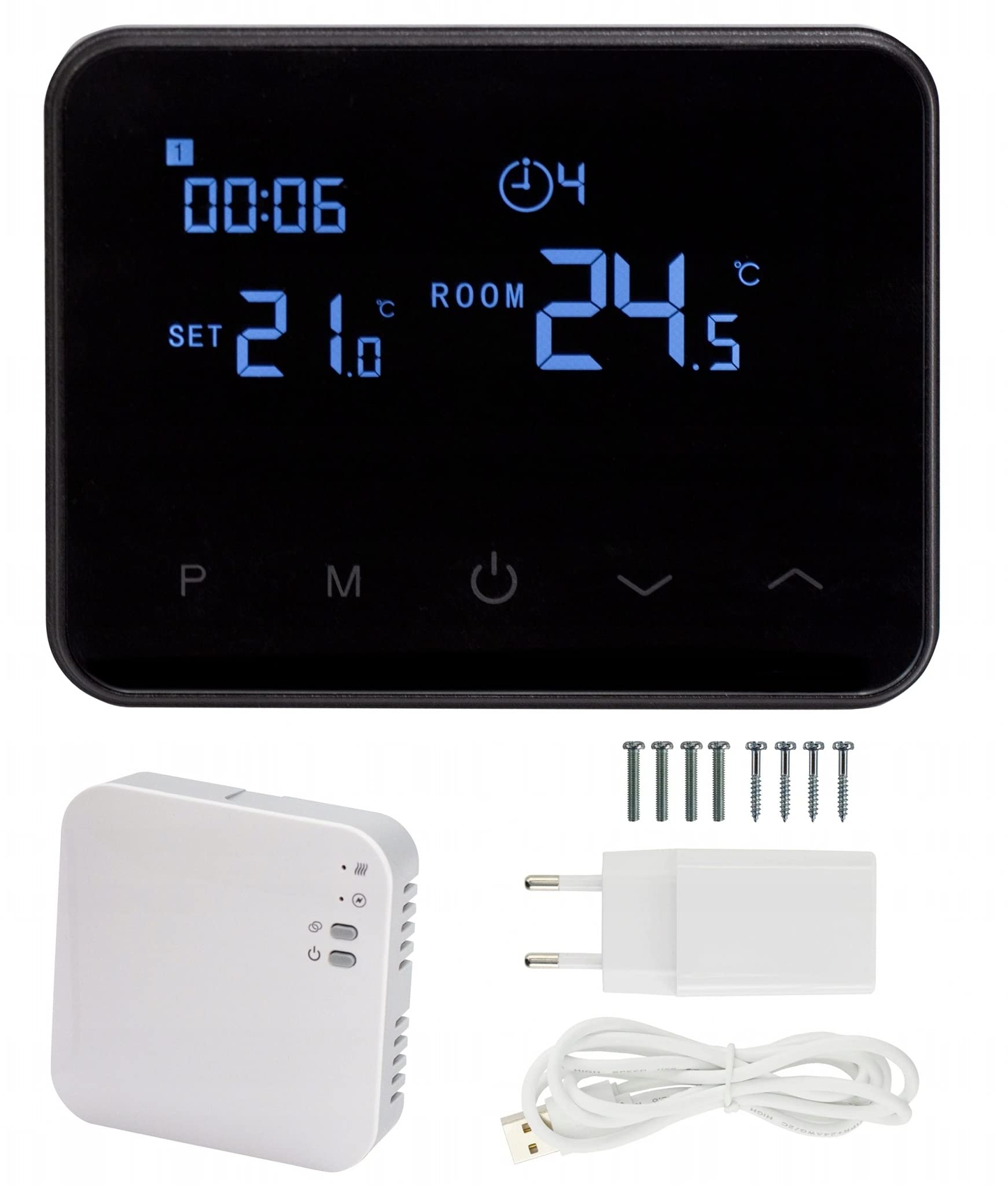
Imatge: Frontal view of the thermostat control panel.
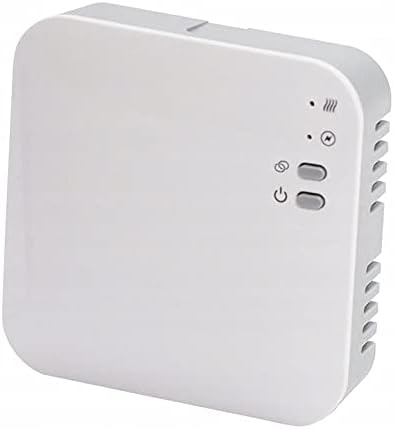
Image: The receiver unit.

Image: USB power adapter and cable.
2. Powering the Thermostat Control Panel
Connect the thermostat control panel using the provided USB cable and power adapter. The thermostat is powered via USB.
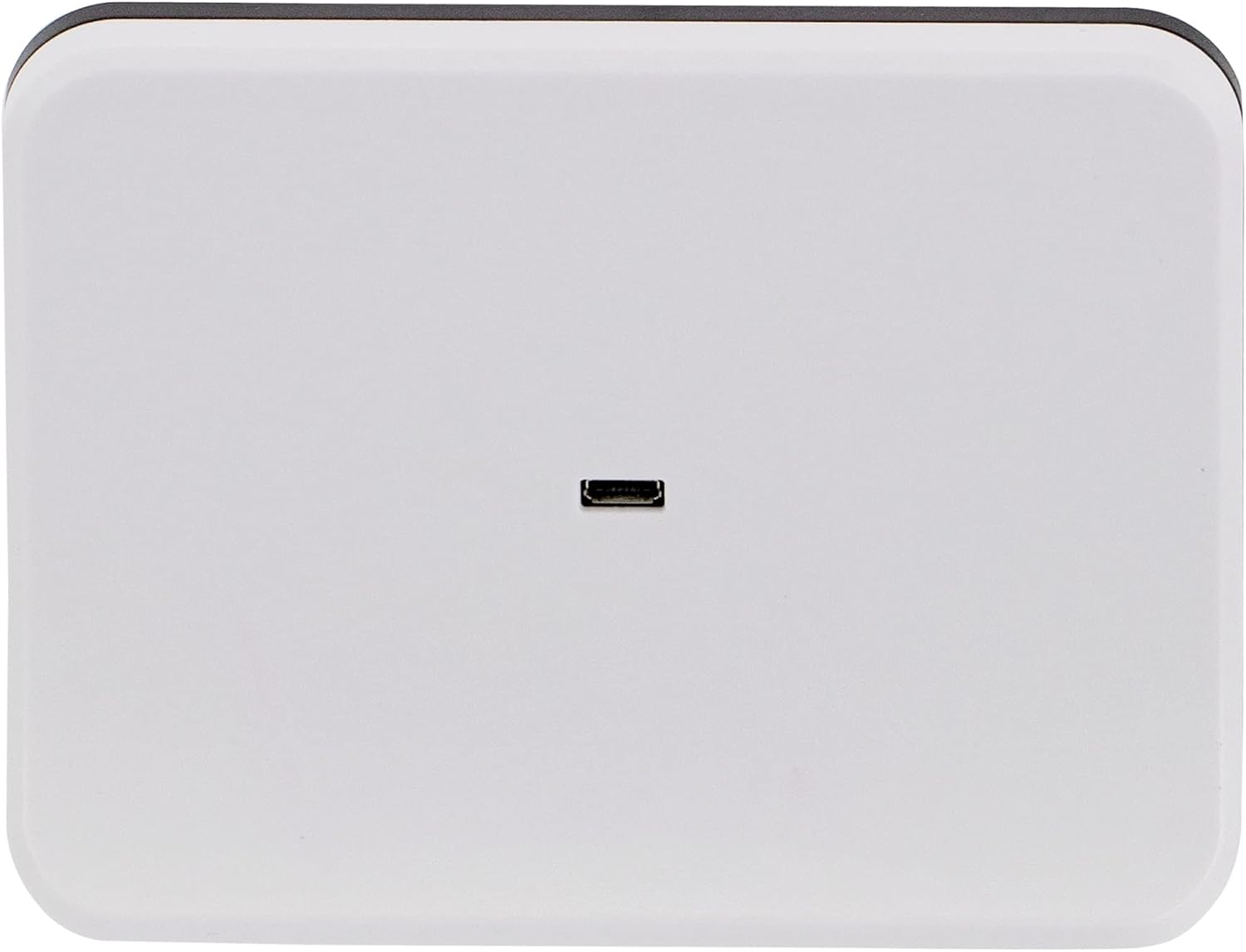
Imatge: Part posterior view of the thermostat with USB port.
3. Instal·lació de la unitat receptora
The receiver unit must be connected to your central heating system by a qualified electrician. Ensure the main power supply to the heating system is turned off before installation. The receiver operates on 230VAC, 50/60Hz.
4. Muntatge del termòstat
The thermostat control panel can be placed on a flat surface using the included stand or mounted on a wall. For wall mounting, use appropriate screws and anchors (not included) through the designated mounting points on the back of the unit.

Image: Thermostat on its stand.

Image: Back of the thermostat with mounting points.
5. Wi-Fi Connectivity and App Pairing
- Descarrega't el Vida intel·ligent application from Google Play Store or Apple App Store on your smartphone.
- Registra't o inicia la sessió al teu compte de Smart Life.
- Follow the in-app instructions to add a new device. Ensure your thermostat is powered on and in pairing mode (refer to the thermostat's display for pairing indicators).
- Once paired, you can control your thermostat remotely via the app.
Instruccions de funcionament
1. Mostra informació
The large, illuminated display shows the current room temperature, the set target temperature, the current time, and the active program cycle.

Imatge: Anglesa view of the thermostat display.
2. Controls bàsics
The thermostat features several buttons for manual control:
- P (Program): Access and adjust programming settings.
- M (mode): Switch between different operating modes (e.g., manual, auto).
- Botó d'engegada: Turn the thermostat on or off.
- Fletxes amunt/avall: Adjust temperature settings or navigate menus.
3. Horaris de programació
The thermostat supports programming up to 4 cycles per day for 7 days a week. Use the 'P' button to enter programming mode and the up/down arrows to set desired temperatures and times for each cycle. Refer to the on-screen prompts for detailed programming steps.
4. Open Window Detection (OWD) Mode
When enabled in the settings, the OWD mode automatically turns off the heating if it detects a sudden temperature drop (e.g., 2°C within 15 minutes, default setting). This prevents energy waste when a window or door is opened. The device will resume normal operation after 30 minutes. Pressing any button will immediately exit OWD mode.
5. Control d'aplicacions per a telèfons intel·ligents
After successful pairing, use the Smart Life app to:
- Adjust the temperature remotely.
- Set and modify heating schedules.
- Monitoritza la temperatura ambient actual.
- Access advanced settings and features.
Manteniment
The Volt Polska COMFORT WT-20 Thermostat requires minimal maintenance.
- Neteja: Wipe the thermostat's display and casing with a soft, dry cloth. Do not use abrasive cleaners or solvents, as these can damage the surface.
- Font d'alimentació: Ensure the USB cable and power adapter are in good condition and securely connected.
- Actualitzacions de programari: Periodically check the Smart Life app for any available firmware updates for your thermostat to ensure optimal performance and security.
Resolució de problemes
Problemes comuns i solucions:
- Thermostat display is off:
- Check if the USB cable is properly connected to the thermostat and the power adapter.
- Assegureu-vos que l'adaptador de corrent estigui connectat a una presa de corrent que funcioni.
- El sistema de calefacció no respon:
- Verify that the receiver unit is powered on and correctly wired to the central heating system.
- Ensure the thermostat control panel and receiver unit are within wireless range (868MHz radio frequency).
- Check the thermostat's settings to ensure it is in heating mode and the target temperature is above the current room temperature.
- Cannot connect to Wi-Fi or app:
- Ensure your home Wi-Fi network is active and operating on the 2.4GHz band (5GHz networks are typically not supported by smart home devices).
- Reinicieu el vostre encaminador Wi-Fi.
- Attempt the pairing process again through the Smart Life app.
- Ensure your smartphone is connected to the same 2.4GHz Wi-Fi network during the initial pairing process.
- Lectures de temperatura incorrectes:
- Ensure the thermostat is not placed near heat sources (e.g., direct sunlight, lamps) or drafts, which can affect its internal sensor.
- Allow some time for the sensor to stabilize after initial setup or relocation.
Especificacions
| Font d'alimentació del termòstat | USB cable with charger |
| Receptor Voltage | 230VAC, 50 / 60Hz |
| Càrrega màxima | 250VAC / 10A |
| Wireless Frequency (Thermostat to Receiver) | 868 MHz |
| Connectivitat Wi-Fi | Yes (for smartphone app) |
| Opcions programables | 7 days, 4 cycles per day |
| Interval de configuració de temperatura | 5-35 °C |
| Sensibilitat a la temperatura | ±0.5 °C |
| Classificació de protecció | IP20 |
| Dimensions del termòstat (L x A x A) | 126 x 98 x 23.5 mm |
| Dimensions del receptor (L x A x A) | 90 x 90 x 26 mm |
| Weight (Thermostat / Receiver) | 0.281 kg / 0.13 kg |
| Built-in Memory Type | EEPROM |
| Certificacions | CE, ROHS, RED |
| Número de model | 3ZTERWT20W |
Informació de la garantia
Specific warranty details for the Volt Polska COMFORT WT-20 Thermostat are not provided in this manual. Please refer to the product packaging, your purchase receipt, or the official Volt Polska weblloc web per consultar els termes i condicions complets de la garantia.
Suport
For technical assistance, further information, or to report issues, please visit the official Volt Polska website or contact their customer support. Contact details are typically available on the manufacturer's weblloc o embalatge del producte.
Ensure you have your product model number (WT-20) and any purchase details ready when contacting support.