
1. Introducció
This manual provides detailed instructions for the safe and effective operation of your Teslong Rigid Rifle Borescope Model TSNTG500H. This device is designed for inspecting the interior of rifle barrels, aiding in cleaning regimen evaluation and firearm problem diagnosis. Please read this manual thoroughly before use and retain it for future reference.

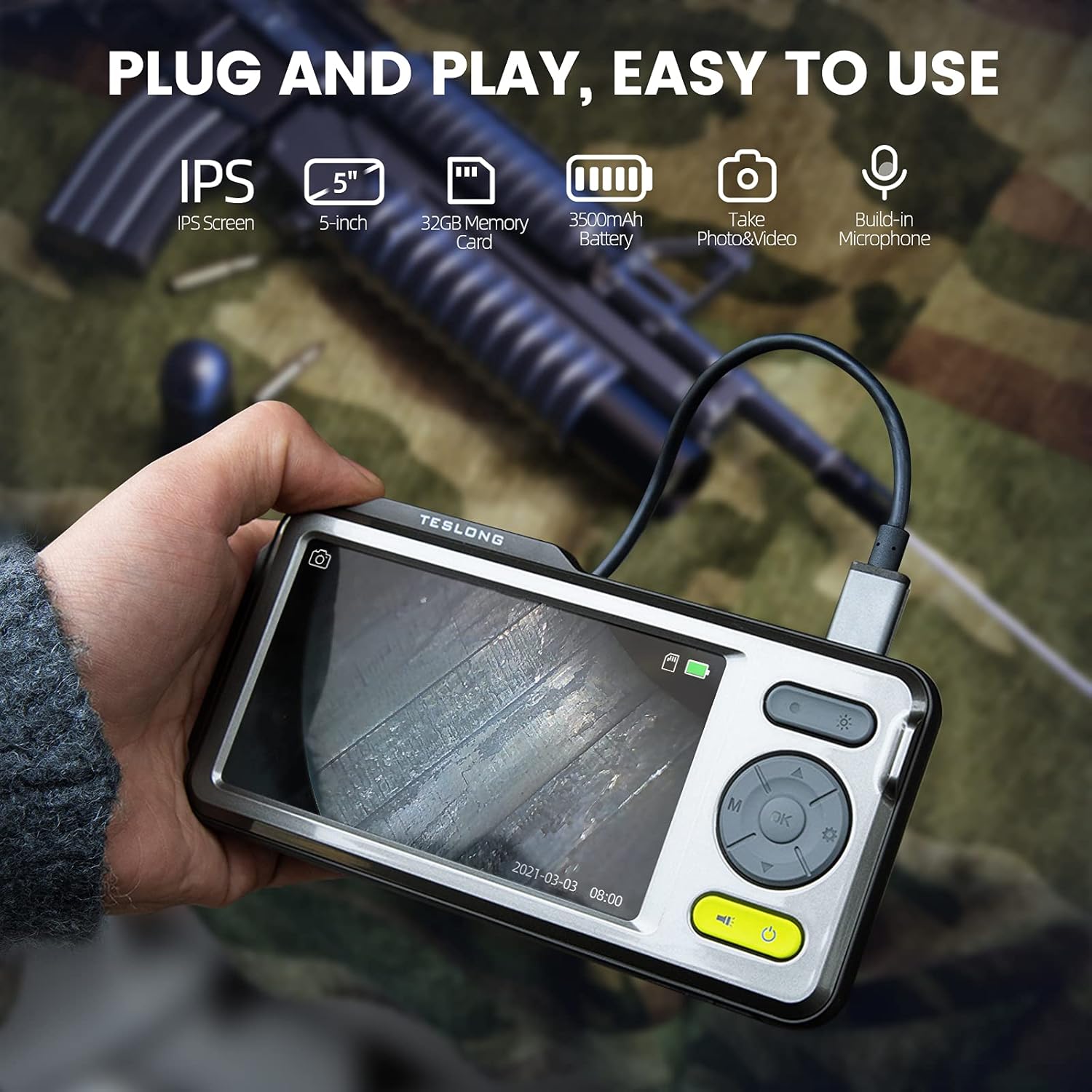
Image: The Teslong Rigid Rifle Borescope in use, showing the monitor displaying the bore's interior.
2. Contingut del paquet
Verifiqueu que tots els elements que s'enumeren a continuació siguin presents al vostre paquet:
- Teslong NTG500H Rifle Borescope with 5-inch IPS Screen
- Rigid Camera Probe (26-inch long, 0.2-inch diameter)
- Aviation to USB-C Cable
- Aviation to USB-A Cable
- Cable USB-A a USB-C (per a la càrrega i la transferència de dades)
- Suport de monitor
- Set of 5 Side-View Mirrors (5mm, 6mm, 7mm, 8.5mm, 10mm)
- Targeta Micro SD de 32 GB (preinstal·lada)
- Manual d'usuari (aquest document)
Imatge: Més deview of the Teslong Borescope components and accessories.
3. Producte acabatview
3.1. Funcions del monitor
The 5-inch HD color IPS LCD screen provides a clear view of the inspection area. It features intuitive controls for operation.
- Botó d'encesa: Encén/apaga el dispositiu.
- Botó de mode (M): Switches between Photo, Video, and Playback modes.
- Botó D'acord/Entrar: Confirma les seleccions.
- Botó de configuració (icona d'engranatge): Accedeix a la configuració del dispositiu.
- Lights Button (Sun Icon): Adjusts LED brightness (3 levels) or turns lights off.
- Fletxes amunt/avall: Navega pels menús i ajusta la configuració.
- Port USB-C: Per carregar i connectar a un ordinador.
- Ranura per a targetes Micro SD: For storing images and videos (32GB card included).
- Probe Lock: Secures the camera probe connection.
- Ponent: Per a la reproducció d'àudio.
- Muntatge de suport: For attaching the monitor stand.
- Botó de restabliment: Reinicia el dispositiu.

Image: The Teslong Borescope monitor highlighting its various buttons and ports.
3.2. Camera Probe Features
The rigid probe is specifically designed for rifle barrel inspection.
- Tub rígid: 26-inch long for stable insertion.
- Small Diameter: 0.2-inch diameter fits .20 caliber and larger barrels.
- Llum d'anell LED: Six adjustable LED lights illuminate dark inspection areas.
- LateralView Mirall: Detachable 90° mirror for inspecting barrel walls. Includes various sizes for different calibers.
- Inch Scale: Laser-marked scale on the probe for depth measurement.

Image: The rigid probe of the borescope, illustrating its length and diameter.
4. Configuració
- Carregueu el monitor: If the battery indicator is low, connect the monitor to a power source using the USB-A to USB-C cable.
- Inseriu la targeta Micro SD: Ensure the 32GB Micro SD card is properly inserted into the slot on the bottom of the monitor.
- Connectar la sonda:
- Thread the Aviation to USB-C cable onto the camera probe.
- Plug the other end of the cable into the probe port on top of the monitor.
- Secure the connection using the probe lock.
- Remove Protective Tip: Carefully remove the black protective tip from the end of the probe.
- Attach Side-View Mirror (Optional): If side-view inspection is required, select the appropriate caliber mirror and carefully screw it onto the threaded end of the probe. Use the lock ring to secure it in place once focus is achieved.
Video: A detailed instruction video on setting up and using the Teslong Rigid Rifle Borescope.
5. Instruccions de funcionament
5.1. Encendre/apagar
Manteniu premut el botó Botó d'engegada (green button) for a few seconds to turn the monitor on or off. The Teslong logo will appear, and the probe's ring light will illuminate.
5.2. Canvi de mode
Premeu el botó Botó de mode (M) per anar ciclant pels modes següents:
- Mode de fotografia: For capturing still images.
- Mode de vídeo: For recording video footage.
- Mode de reproducció: Per reviewing captured photos and videos.
5.3. Ajust de la llum
Premeu el botó Lights Button (Sun Icon) to adjust the brightness of the LED ring light on the probe. There are three brightness levels, and you can also turn the lights off.
5.4. Captura d'imatges i vídeo
- Ensure the probe is inserted into the barrel and positioned correctly.
- Canvia a Mode de fotografia or Mode de vídeo utilitzant el Botó de mode (M).
- Premeu el botó OK/Enter Button to capture a photo or start/stop video recording. A timecode will appear on the screen when recording video.

Image: The borescope monitor showing a detailed view of a rifle barrel's interior.
5.5. Mirror Installation and Adjustment
The borescope comes with various side-view mirrors to inspect barrel walls. The probe has a fixed focal distance of approximately 10mm for direct viewing. When using a mirror, the focus is adjusted by how far the mirror is threaded onto the probe.
- For smaller caliber barrels (e.g., .22 caliber), position the mirror farther away from the lens.
- For larger caliber barrels (e.g., .30 caliber), move the mirror closer to the lens to achieve sharp focus.
- Use the small lock ring on the threads to secure the mirror in place once the desired focus is achieved.

Image: A selection of removable side-view mirrors for various caliber rifles.
Video: A demonstration of how to attach and adjust the side-view mirrors for optimal focus.
6. Transferència de dades
There are two primary methods to transfer photos and videos from your borescope to a computer:
- Connexió directa:
- Connect the monitor to your computer using the provided USB-A to USB-C cable.
- Turn on the monitor. Your computer should recognize the device as a removable drive.
- Navigate to the "DCIM" folder to access your stored photos and videos. You can then drag and drop them to your computer.
- Lector de targetes Micro SD:
- Carefully remove the Micro SD card from the monitor's slot.
- Insert the Micro SD card into a compatible card reader connected to your computer.
- Access the "DCIM" folder on the card to transfer your files.
7. Manteniment
Proper maintenance ensures the longevity and optimal performance of your borescope:
- Neteja de la lent i els miralls: Always clean the camera lens and any attached mirrors before and after each use. Use a soft microfiber cloth and a cotton swab. For stubborn stains, warm water or rubbing alcohol can be used. Do not use stronger solvents as they may damage the lens or mirror coatings.
- Neteja del monitor: Wipe the monitor screen and case with a microfiber cloth and a few drops of warm water or rubbing alcohol to remove dust and fingerprints.
- Emmagatzematge: Store the borescope and its accessories in the provided protective case in a cool, dry place when not in use.
8. Solució De Problemes
- El dispositiu no s'encén: Ensure the monitor is fully charged. If the battery indicator is low, connect it to a power source.
- Sense imatge a la pantalla: Verify that the camera probe is securely connected to the monitor and the probe lock is engaged. Check if the LED lights are on.
- Imatge borrosa: If using a side-view mirror, adjust its position by threading it closer or farther from the lens until a clear image is achieved. Ensure the lens and mirror are clean.
- No es pot transferir Files a l'ordinador: Ensure the monitor is turned on when connected to the computer. If it's off, it will only charge. Try using a different USB port or a Micro SD card reader.
- El dispositiu no respon: Use a small pin to press the Botó de restabliment situat a la part posterior del monitor.
9. Especificacions
| Característica | Especificació |
|---|---|
| Model | TSNTG500H |
| Mida de la pantalla | Pantalla IPS de 5 polzades |
| Tipus de sonda | Rígida |
| Longitud de la sonda | 26 polzades |
| Diàmetre de la sonda | 0.2 inches (fits .20 caliber & larger) |
| Resolució de captura de vídeo | 1080p |
| Emmagatzematge | Targeta Micro SD de 32 GB (inclosa) |
| Bateria | Cal 1 pila A (inclosa) |
| Rang d'enfocament macro | 1-10 cm |
| Color | Negre |
| Pes de l'article | 2.29 lliures |
| Dimensions del paquet | 30.75 x 4.25 x 2 polzades |
10. Garantia i Suport
Teslong products are designed for reliability and performance. For warranty information, technical support, or service inquiries, please refer to the official Teslong weblloc web o contacteu directament amb el servei d'atenció al client. Conserveu el rebut de compra com a comprovant de compra per a reclamacions de garantia.
Per obtenir recursos addicionals i informació sobre el producte, visiteu Teslong Store on Amazon.