
1. Introducció
This manual provides detailed instructions for the Superbcco BTH001 Wireless Bluetooth Keyboard. This keyboard features a retro typewriter style with 100 keys and round keycaps, designed for universal compatibility across multiple Bluetooth-enabled devices. It supports connection to up to three devices simultaneously, allowing for easy switching between them. Please read this manual thoroughly to ensure proper setup and operation.

Image 1.1: The Superbcco BTH001 Wireless Bluetooth Keyboard, showcasing its retro design and round keycaps.
2. Contingut del paquet
Verifiqueu que tots els elements siguin presents al vostre paquet:
- 1 x Superbcco BTH001 Wireless Bluetooth Keyboard
- 1 x Manual d'usuari (aquest document)
- 2 x piles AAA
- 1 x Cleaning Brush (may vary by package)
3. Configuració
3.1. Instal·lació de la bateria
- Localitzeu el compartiment de la bateria a la part inferior del teclat.
- Obriu la tapa del compartiment de la bateria.
- Introduïu dues piles AAA, assegurant-vos de la polaritat correcta (+/-).
- Tanqueu bé la tapa del compartiment de la bateria.
Video 3.1: Demonstration of battery installation and general keyboard overview.
3.2. Gestió d'energia
The keyboard features an automatic power management system to conserve battery life. It will enter sleep mode after 10 minutes of inactivity. To wake the keyboard, press any key.

Image 3.2: The keyboard's auto-sleep mode for energy saving, indicating up to 3 months of battery life.
4. Instruccions de funcionament
4.1. Bluetooth Pairing and Multi-Device Switching
The Superbcco BTH001 keyboard can connect to up to three Bluetooth-enabled devices simultaneously and allows for easy switching between them.
- Seleccioneu un canal: Identify the desired Bluetooth channel (BT1, BT2, or BT3) on the keyboard.
- Introduïu el mode de vinculació: Manteniu premut el botó FN + BT1 (for Channel 1), FN + BT2 (for Channel 2), or FN + BT3 (for Channel 3) keys for 3-5 seconds. The corresponding indicator light on the keyboard will flash blue quickly, indicating it is in pairing mode.
- Activa el Bluetooth al teu dispositiu: A l'ordinador, la tauleta o el telèfon intel·ligent, navega fins a la configuració de Bluetooth.
- Cerca Dispositius: Seleccioneu "Afegeix Bluetooth o un altre dispositiu" i trieu "Bluetooth".
- Connectar: Locate and select "Superbcco Keyboard" (or similar name) from the list of available devices. Follow any on-screen prompts to complete the pairing process. The indicator light on the keyboard will stop flashing once connected.
- Dispositius de commutació: To switch between paired devices, simply press the BT1, BT2, o BT3 key for 1 second. The indicator light will flash blue slowly, confirming the channel switch.

Image 4.1: Instructions for pairing and switching between three Bluetooth devices.
4.2. Compatibilitat universal
The keyboard is compatible with a wide range of Bluetooth-enabled operating systems and devices, including:
- Windows 8.0 i superior
- Mac OS 10 i posterior
- Android 4.3 i superior
- Chrome OS
- iOS (iPhone, iPad)
- Televisors intel·ligents
- Laptops and computers with Bluetooth capability
If your PC lacks built-in Bluetooth, a USB Bluetooth adapter can be used (not included).
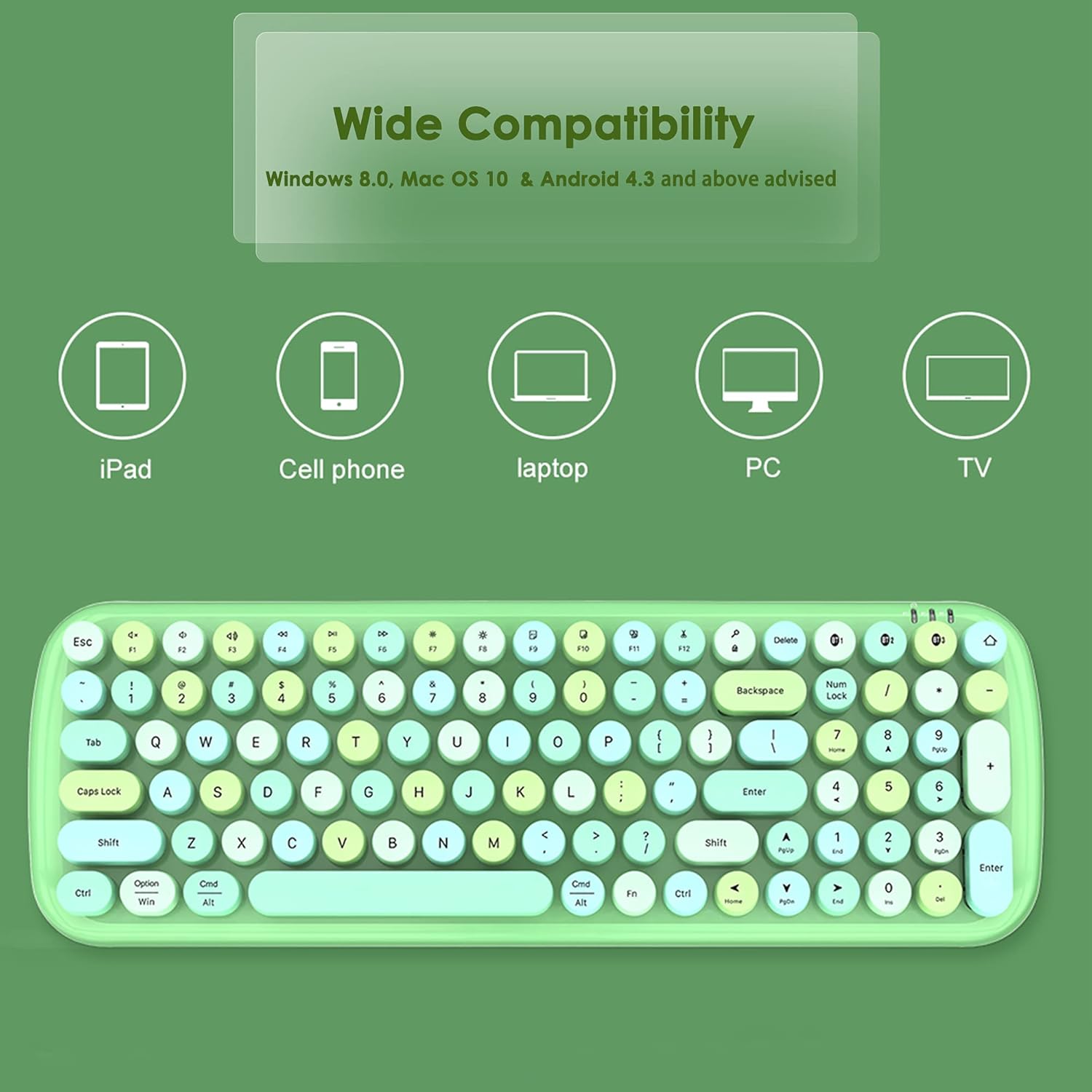
Image 4.2: Visual representation of the keyboard's wide compatibility with various devices.
4.3. Multimedia Hot Keys
The keyboard includes dedicated multimedia and function keys for enhanced productivity. These keys are typically accessed by pressing the FN key in combination with the corresponding function key.
| Combinació de tecles | Funció |
|---|---|
| FN + F1 | Pàgina d'inici |
| FN + F2 | Pista anterior |
| FN + F3 | Pista següent |
| FN + F4 | Reproduir/Pausa |
| FN + F5 | Silenciar |
| FN + F6 | Volum - |
| FN + F7 | Volum + |
| FN + F8 | Computer Brightness - |
| FN + F9 | Computer Brightness + |
| FN + F10 | Choose (e.g., select all) |
| FN + F11 | Tallar |
| FN + F12 | Enganxa |

Imatge 4.3: acabatview of the multimedia hot keys and their functions.
5. Manteniment
5.1. Neteja
To maintain optimal performance and appearance, regularly clean your keyboard. Use the provided cleaning brush (if included) or a soft, dry cloth to remove dust and debris from between the keys and on the surface. For stubborn dirt, a slightly damp es pot fer servir un drap, assegurant-se que no entri líquid al teclat.
5.2. Substitució de la bateria
The keyboard's battery LED indicators will alert you when battery replacement is needed. Replace the two AAA batteries as described in Section 3.1. Battery life is approximately 3 months under typical usage conditions.
6. Solució De Problemes
6.1. Keyboard Not Connecting or Pairing
- Ensure the keyboard has fresh batteries and is powered on (wake from sleep mode by pressing any key).
- Verifiqueu que el Bluetooth estigui habilitat al vostre dispositiu.
- Make sure the keyboard is within the 33ft (10m) connectivity range of your device.
- Repeat the pairing process as described in Section 4.1.
- If connecting to a PC without built-in Bluetooth, ensure a functional USB Bluetooth adapter is installed.
- Try restarting both the keyboard (by removing and reinserting batteries) and your device.
6.2. Keys Sticking or Unresponsive
- Clean around the affected keys using a cleaning brush or compressed air to remove any debris.
- Assegureu-vos que les tecles estiguin correctament col·locades.
- Si el problema persisteix, poseu-vos en contacte amb el servei d'atenció al client.
6.3. Function Keys (F1-F12) Not Working as Expected (e.g., on Mac)
- Some operating systems (like macOS) may have default function key behaviors that override the keyboard's intended multimedia functions. Check your device's system settings for keyboard or function key preferences and adjust them as needed.
- Assegureu-vos que esteu prement el botó FN key in combination with the desired function key for multimedia controls.
7. Especificacions
| Característica | Detall |
|---|---|
| Número de model | BTH001 |
| Marca | Superbcco |
| Tecnologia de connectivitat | Bluetooth 5.1 |
| Descripció del teclat | Membrane, 100-Key |
| Estil de tecla | Tecles rodones retro |
| Suport multidispositiu | Fins a 3 dispositius alhora |
| abast sense fils | Fins a 33 peus (10 metres) |
| Font d'alimentació | 2 x piles AAA |
| Durada de la bateria (aprox.) | 3 mesos |
| Dimensions del producte | 39.1 x 13.5 x 3.9 cm de llargada x 5.31 polzades d'amplada x 1.54 polzades d'alçada |
| Pes de l'article | 1.19 lliures (0.54 kg) |
| Material | Plàstic |
| Color | Rosa |
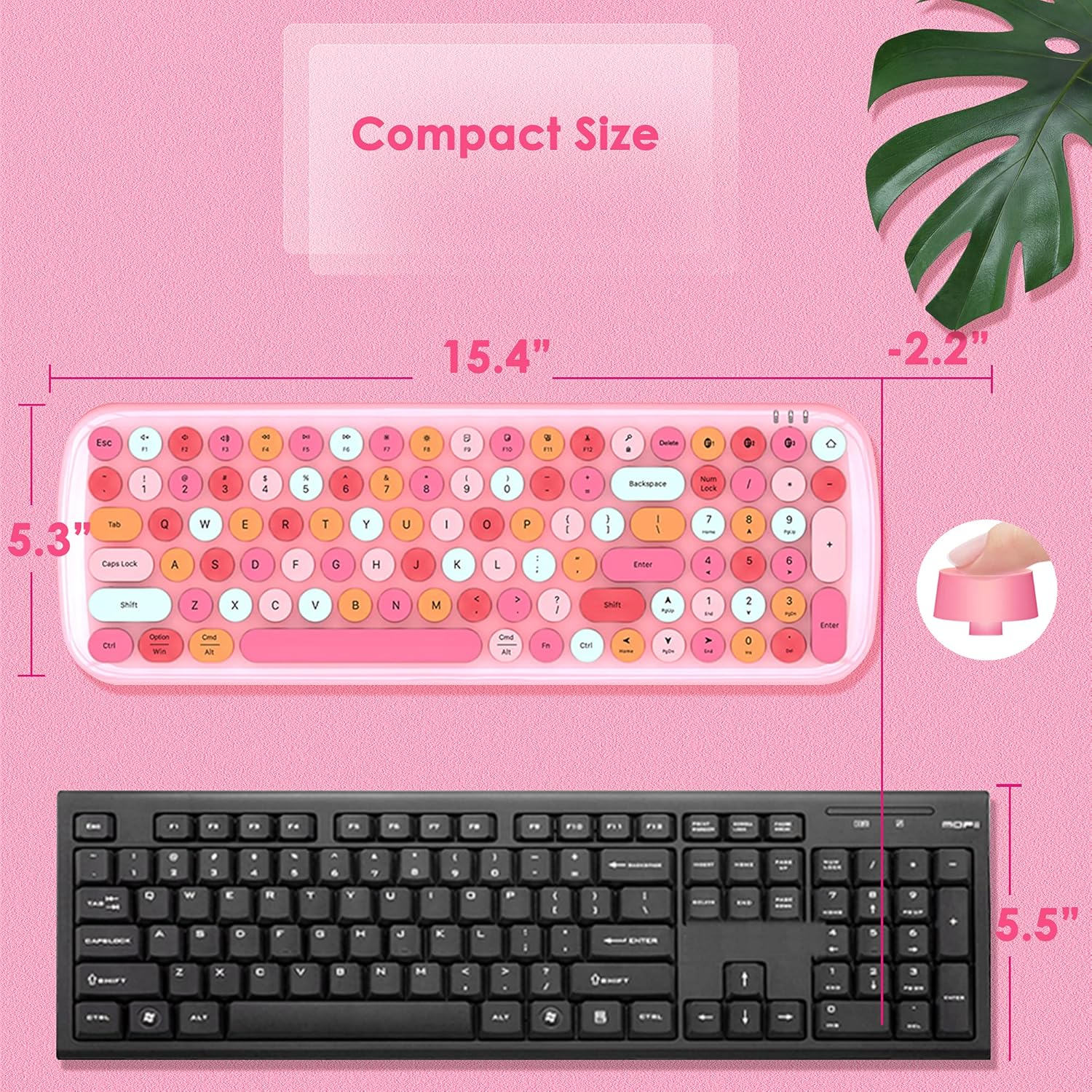
Image 7.1: Dimensions of the Superbcco BTH001 keyboard compared to a standard keyboard.
8. Garantia i atenció al client
The Superbcco BTH001 Wireless Bluetooth Keyboard comes with a 24 mesos de garantia des de la data de compra. Aquesta garantia cobreix els defectes de fabricació i garanteix que el producte estigui lliure de defectes de materials i de fabricació en condicions d'ús normal.
For any questions, issues, or warranty claims, please do not hesitate to contact our customer service team. We aim to provide a quick response within 12 hours.
Informació de contacte: Please refer to the contact details provided on the product packaging or the seller's information on the purchase platform.