
Introducció
Thank you for choosing the Cellularline CORE True Wireless Bluetooth Earphones. These earphones are designed to provide a seamless audio experience with advanced features such as a charging case with an LED display, touch controls, and automatic pairing. This manual will guide you through the setup, operation, and maintenance of your new earphones.
Què hi ha a la caixa
- Cellularline CORE True Wireless Bluetooth Earphones (Left and Right)
- Caixa de càrrega amb pantalla LED
- Cable de càrrega USB-C
- Manual d'usuari
Producte acabatview
The Cellularline CORE earphones feature a compact design and a charging case with an integrated LED display to show the remaining battery percentage. They offer up to 16 hours of total play time with the charging case.

Image: Cellularline CORE True Wireless Bluetooth Earphones and Charging Case. The earphones are white and sit in an open white charging case.

Image: A close-up of the Cellularline CORE charging case with an LED display showing '100', indicating full battery. The earphones are inside the case.
The LED display on the charging case provides real-time battery status, ensuring you are always aware of the remaining charge.
Configuració
1. Càrrega dels auriculars i l'estoig
- Col·loca els dos auriculars a l'estoig de càrrega. Assegura't que estiguin correctament col·locats a les seves ranures respectives.
- Connect the provided USB-C cable to the charging port on the case and plug the other end into a USB power adapter (not included) or a computer's USB port.
- La pantalla LED de la caixa de càrrega mostrarà el percentatge actual de la bateriatage during charging. A full charge typically takes approximately 4 hours for the case and earphones.
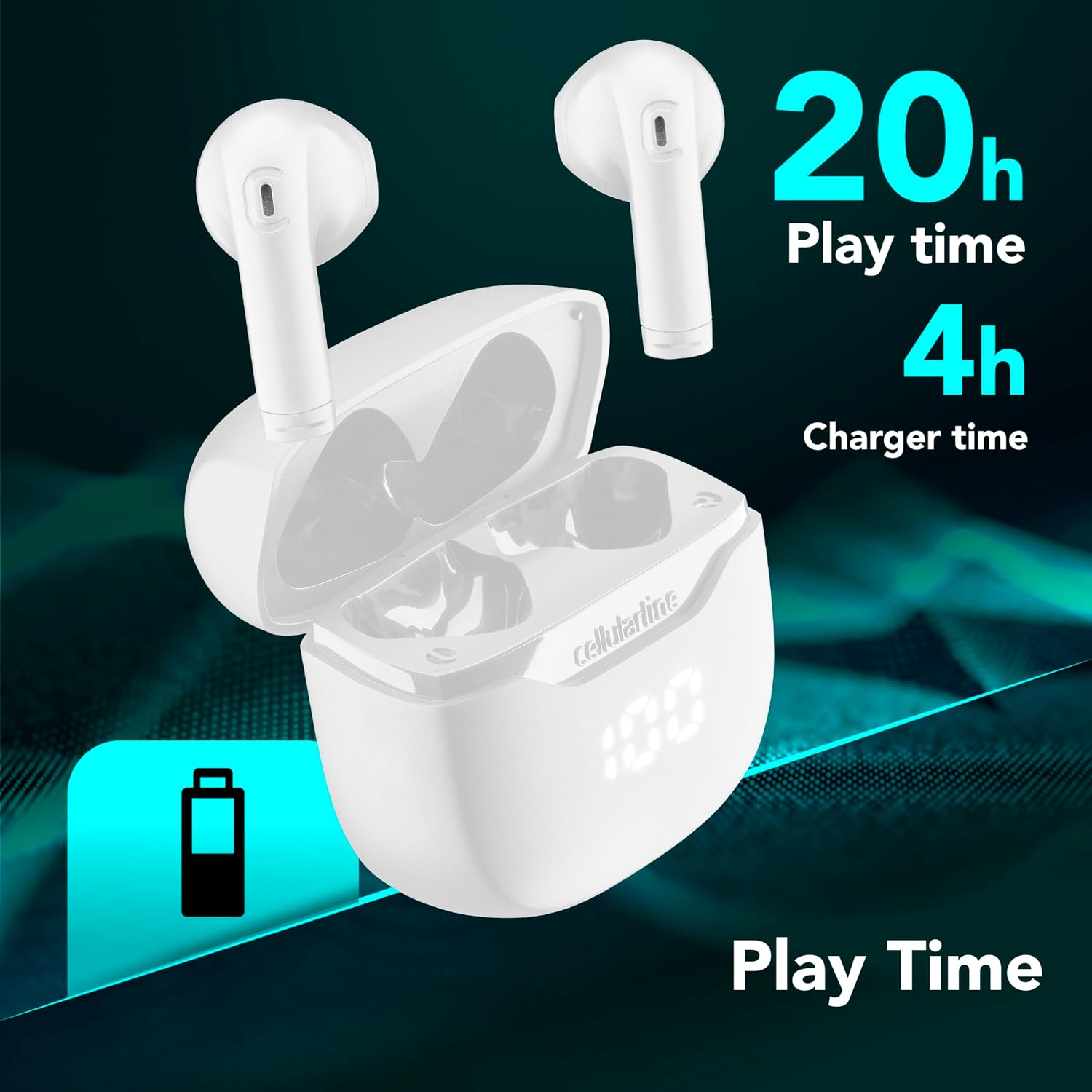
Image: The Cellularline CORE earphones and charging case, highlighting 20 hours of total play time and 4 hours of charging time for the case.
2. Initial Pairing (Autopairing)
- Assegureu-vos que els auriculars estiguin carregats.
- Obre l'estoig de càrrega. Els auriculars s'encendran automàticament i entraran en mode d'emparellament.
- Al telèfon intel·ligent o al dispositiu amb Bluetooth, aneu a la configuració de Bluetooth.
- Cerca available devices and select "Cellularline CORE" from the list.
- Once connected, you will hear an audible confirmation, and the earphones are ready for use.

Image: Cellularline CORE earphones and charging case next to a smartphone displaying a music application, with a Bluetooth icon indicating successful pairing.
The Autopairing function ensures that once paired, the earphones will automatically connect to your last paired device when removed from the case.
Instruccions de funcionament
Controls tàctils
The Cellularline CORE earphones feature intuitive touch controls on each earbud for managing calls, music, and voice assistant functions.
| Funció | Acció |
|---|---|
| Reproducció/pausa de música | Un sol toc a qualsevol dels auriculars |
| Pista següent | Toqueu dues vegades l'auricular dret |
| Pista anterior | Toqueu dues vegades l'auricular esquerre |
| Respondre/Finalitzar la trucada | Un sol toc a qualsevol dels auriculars |
| Rebutja la trucada | Manteniu premut qualsevol dels auriculars durant 2 segons |
| Activa l'Assistent de veu | Toqueu tres vegades a qualsevol dels auriculars |
| Puja el volum | Press and hold the right earbud |
| Baixa el volum | Press and hold the left earbud |
Double Master Function
The Double Master function allows you to use either the left or right earbud independently for calls. Simply remove one earbud from the case, and it will automatically connect. You can answer calls by tapping the active earbud.
Manteniment
Neteja
- Netegeu regularment els auriculars i l'estoig de càrrega amb un drap suau, sec i sense borrissol.
- No utilitzeu netejadors abrasius, dissolvents ni aerosols.
- Ensure charging contacts on both the earphones and the case are clean and free of debris to maintain proper charging.
Emmagatzematge
- Quan no els utilitzeu, guardeu els auriculars a la seva funda de càrrega per protegir-los i mantenir-los carregats.
- Guardeu el dispositiu en un lloc fresc i sec, allunyat de temperatures extremes i de la llum solar directa.

Image: A hand placing the compact Cellularline CORE charging case into the pocket of a pair of jeans, demonstrating its portable size.
Resolució de problemes
| Problema | Possible solució |
|---|---|
| Els auriculars no s'encenen. | Ensure the earphones and charging case are fully charged. Place earphones in the case and close it, then open it again. |
| Els auriculars no s'aparellen amb el dispositiu. | Make sure Bluetooth is enabled on your device. Forget the device in your Bluetooth settings and try pairing again. Ensure earphones are in pairing mode (LED indicator blinking). |
| Only one earphone is working. | Place both earphones back into the charging case, close the lid, wait a few seconds, then open it again. This should re-sync them. If the issue persists, try resetting the earphones (refer to manufacturer's weblloc web per obtenir instruccions específiques de restabliment si no estan al manual). |
| Volum baix o mala qualitat de so. | Adjust the volume on both your device and the earphones. Ensure the earphones are clean and properly seated in your ears. Check for any obstructions in the earbud speakers. |
| Charging case LED display is not working. | Ensure the charging cable is securely connected and the power source is active. If the issue persists, contact customer support. |
Especificacions
- Nom del model: BTCORETWSW
- Marca: línia cel·lular
- Color: Blanc
- Col·locació de les orelles: A l'orella
- Factor de forma: A l'orella
- Tecnologia de connectivitat: Sense fil
- Tecnologia sense fils: Bluetooth
- Versió Bluetooth: 5.0
- Impedància: 16 ohms
- Control de soroll: Aïllament acústic
- Resposta de freqüència: 20 Hz - 20,000 Hz
- Sensibilitat: 100 dB
- Tipus de control: Toca
- Tipus de controlador: Conductor dinàmic
- Material: Plàstic
- Durada mitjana de la bateria: 16 hores (amb estoig de càrrega)
- Nivell de resistència a l'aigua: Waterproof (Note: Refer to product packaging for specific IP rating if available)
- Característiques: True Wireless Technology, Automatic Pairing, Touch Controls, LED Display
- Dispositius compatibles: Dispositius compatibles amb Bluetooth
- País d'origen: Xina
Informació de la garantia
The Cellularline CORE True Wireless Bluetooth Earphones come with a Garantia del fabricant de 2 anys des de la data de compra. Aquesta garantia cobreix els defectes de materials i fabricació en condicions d'ús normal. No cobreix els danys causats per un mal ús, accidents, modificacions no autoritzades o desgast normal.
Please retain your proof of purchase for warranty claims. For detailed warranty terms and conditions, please visit the official Cellularline weblloc o contacteu amb el servei d'atenció al client.
Suport
For further assistance, technical support, or warranty inquiries, please contact Cellularline customer service through their official weblloc:
Weblloc: www.cellularline.com
You may also find FAQs and additional support resources on their weblloc.