
1. Introducció
The INKBIRDPLUS AK3 Indoor Air Quality Monitor is designed to provide real-time measurements of key indoor air pollutants and environmental factors. This device accurately detects Carbon Dioxide (CO2), Total Volatile Organic Compounds (TVOC), Formaldehyde (HCHO), as well as ambient temperature and relative humidity. This manual provides essential information for the proper setup, operation, and maintenance of your air quality monitor.
2. Característiques del producte

Image: The INKBIRDPLUS AK3 monitor showcasing its ability to measure multiple air quality parameters.
- Real-Time Measurement: Accurately detects CO2, TVOC, HCHO, temperature, and humidity, updating results per second on a colorful display.
- Resultats precisos: Utilizes a high-precision infrared sensor and a high-performance chip for precise carbon dioxide measurement.
- Sistema d'alarma intel·ligent: Features a three-level air quality indicator (GOOD, OK, POOR) with distinct visual and audible alerts for changes in air quality.
- Bateria de llarga durada: Equipped with a 1200mAh built-in lithium battery, providing 6 to 8 hours of operation on a 2.5-hour charge. Can operate while connected to power.
- Aplicació àmplia: Suitable for monitoring air quality in various environments such as cafeterias, restaurants, schools, offices, greenhouses, factories, hotels, and hospitals.
3. Contingut del paquet
- INKBIRDPLUS AK3 Air Quality Monitor
- Cable de càrrega USB
- Manual d'usuari
4. Producte acabatview

Image: The INKBIRDPLUS AK3 Air Quality Monitor, front view.
4.1 Pantalla i indicadors

Image: The monitor's 3.5-inch LCD screen provides a clear, color-coded display of all measurements.
The monitor features a 3.5-inch LCD screen that displays all measured parameters simultaneously. Readings include CO2 (in ppm), TVOC (in mg/m³), HCHO (in mg/m³), temperature (in °F or °C), and relative humidity (in %). Battery status and air quality level indicators are also visible.
4.2 Disseny físic

Image: The monitor features an anti-slip bottom for stable placement and a hook design for versatile mounting options.
The device is designed with ventilation grilles on the sides for optimal air circulation to the sensors. It includes an anti-slip bottom for stable placement on surfaces and a hook design for hanging, offering flexible placement options.
5. Configuració
5.1 Càrrega del dispositiu
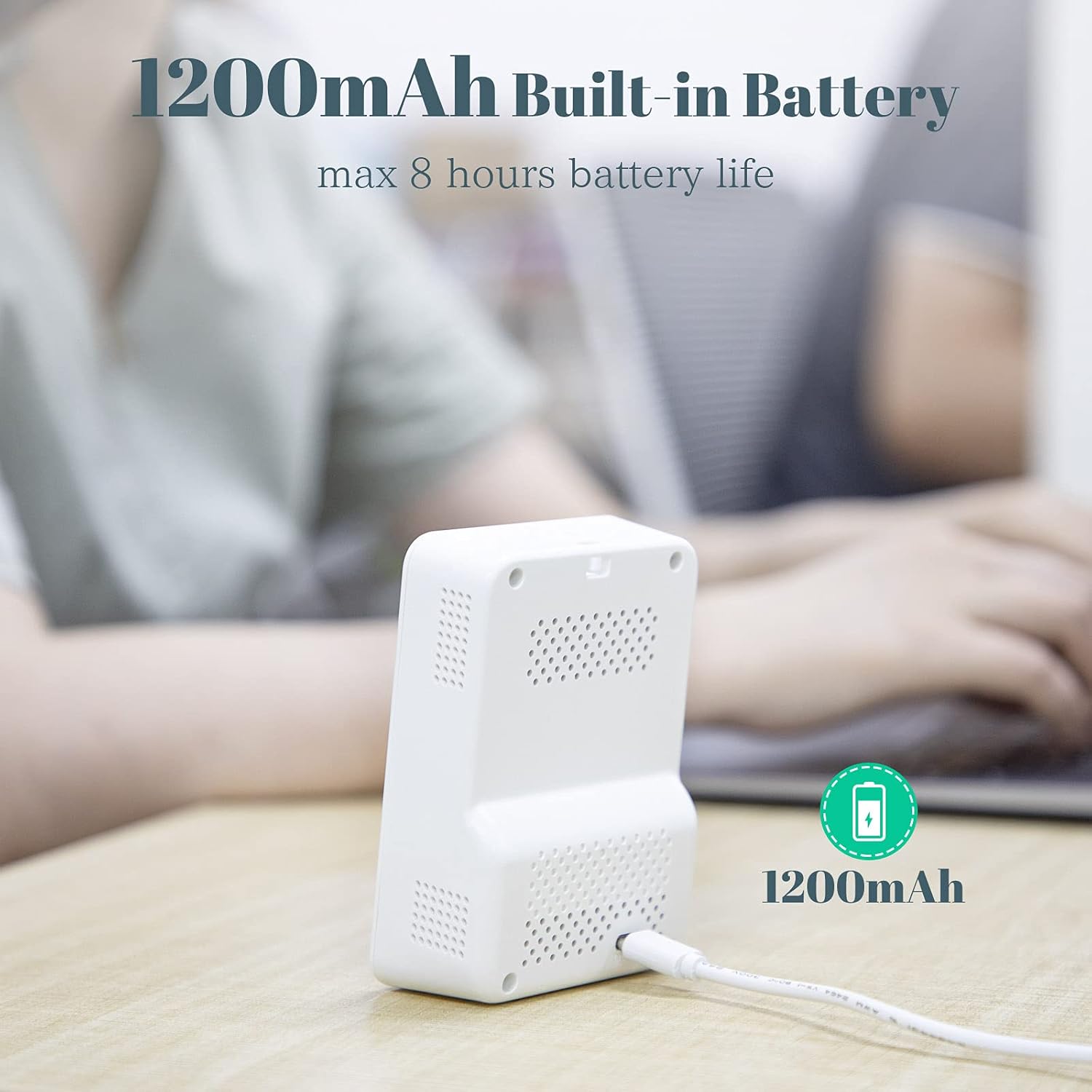
Image: The monitor being charged via its USB port.
Before initial use, fully charge the monitor. Connect the provided USB charging cable to the device's charging port and a standard USB power adapter (not included). A full charge takes approximately 2.5 hours and provides 6 to 8 hours of operation. The device can be used while charging.
5.2 Engegada/apagada
- Per encendre, manteniu premut el botó d'engegada fins que la pantalla s'il·lumini.
- Per apagar, manteniu premut el botó d'engegada fins que s'apagui la pantalla.
6. Funcionament
6.1 Comprensió de la pantalla
The monitor's colorful display provides real-time readings for:
- CO2 (Carbon Dioxide): Measured in parts per million (ppm).
- TVOC (compostos orgànics volàtils totals): Measured in milligrams per cubic meter (mg/m³).
- HCHO (formaldehid): Measured in milligrams per cubic meter (mg/m³).
- Temperatura: Measured in degrees Fahrenheit (°F) or Celsius (°C).
- Humitat: Measured in relative humidity (%).
The display also shows a battery indicator and a color-coded air quality level (GOOD, OK, POOR).
6.2 Smart Alarm Function
The device features a smart alarm system to alert you to changes in air quality:
- BO: Air quality is optimal. The indicator will typically be green.
- D'ACORD: Air quality is acceptable but warrants attention. The indicator will turn YELLOW, and the device will emit two "Bee--Bee" sounds.
- POBRE: Air quality is unhealthy. The indicator will turn RED, and the device will emit two "Bee--Bee--Bee" sounds.
6.3 Calibració
To trigger the calibration function, long press the switch button and release it after hearing two beeps. Refer to the on-screen prompts for further instructions during calibration.
7. Understanding Air Quality Parameters

Image: Common sources of indoor and outdoor air pollutants.
- Carbon Dioxide (CO2): A natural component of the atmosphere, but high indoor levels can indicate poor ventilation and lead to drowsiness or headaches.
- Total Volatile Organic Compounds (TVOC): A group of chemicals that can be emitted from paints, cleaning supplies, furniture, and other household products. High levels can cause irritation and other health issues.
- Formaldehyde (HCHO): A common VOC found in building materials, furniture, and some fabrics. It can cause respiratory and skin irritation.
Air quality can change constantly. For a comprehensive understanding of your environment's air quality, focus on measurements taken over longer periods (e.g., over 60 minutes).
8. Aplicacions

Image: The INKBIRDPLUS AK3 monitor is suitable for a wide range of indoor environments.
The INKBIRDPLUS AK3 Air Quality Monitor is versatile and can be used in numerous indoor settings to ensure a healthy environment:
- Homes and Bedrooms
- Offices and Workspaces
- Classrooms and Educational Institutions
- Hospitals i centres sanitaris
- Factories and Industrial Settings
- Restaurants and Cafeterias
- Hotels and Accommodation
- Vehicles (e.g., cars)
9. Manteniment
- Keep the device clean by wiping it with a soft, dry cloth. Do not use abrasive cleaners or solvents.
- Ensure the ventilation grilles are free from dust and obstructions to maintain accurate readings.
- Guardeu el dispositiu en un lloc fresc i sec quan no l'utilitzeu.
10. Solució De Problemes
| Problema | Causa possible | Solució |
|---|---|---|
| El dispositiu no s'encén | Bateria baixa o sense càrrega | Carregueu el dispositiu amb el cable USB proporcionat. |
| Lectures inexactes | Sensor obstruction, device not calibrated, or environmental factors | Ensure ventilation grilles are clear. Perform calibration as described in Section 6.3. Allow device to stabilize in the environment for at least 10 minutes. |
| Alarm sounds frequently | High levels of detected pollutants | Improve ventilation in the area. Identify and remove sources of pollution if possible. |
11. Especificacions
| Paràmetre | Valor |
|---|---|
| Model | AK3 (Manufacturer Reference: AQM-01) |
| Font d'alimentació | Alimentat per bateria (bateria de liti de 1200 mAh) |
| Temps de càrrega | Aprox. 2.5 hores |
| Temps de funcionament (càrrega completa) | 6-8 hores |
| Pes de l'article | 224 grams |
| Dimensions del paquet | 14.2 x 10.1 x 7.2 cm |
| Tipus d’alarma | Audible |
| Humitat de funcionament | Fins al 99% |
| Tipus de sensor | Electrochemical (for certain gases) |
12. Informació de seguretat
- No exposeu el dispositiu a temperatures extremes, llum solar directa ni humitat elevada.
- Eviteu deixar caure o sotmetre el dispositiu a forts impactes.
- No intenteu desmuntar o reparar el dispositiu vosaltres mateixos. Contacteu amb l'assistència al client per obtenir assistència.
- Mantenir fora de l'abast dels nens.
- This device is for informational purposes regarding air quality and should not be used as a substitute for professional medical advice or emergency equipment.
13. Garantia i Suport
INKBIRDPLUS products are designed for reliability and performance. For warranty information, technical support, or service inquiries, please refer to the contact details provided on the official INKBIRDPLUS weblloc web o la documentació de compra. Si us plau, conserveu el comprovant de compra per a reclamacions de garantia.


