
Introducció
This manual provides essential instructions for the safe and effective operation of your VJIANGER 4K 48MP Vlogging Camera, Model 4K-2. Please read this manual thoroughly before using the camera and retain it for future reference.
Què s'inclou
The VJIANGER 4K 48MP Vlogging Camera package includes the following items:
- VJIANGER 4K 48MP Vlogging Camera (Model: 4K-2)
- 52mm Wide Angle Lens
- Lent macro
- Targeta Micro SD de 32 GB
- Cable USB
- Carregador dual
- 2 bateries de ions de liti
- Adaptador d'alimentació
- Manual d'usuari

Figure 1: VJIANGER 4K 48MP Vlogging Camera and its primary accessories.

Figure 2: Breakdown of included accessories for the VJIANGER 4K 48MP Vlogging Camera.
Components de la càmera
Familiarize yourself with the main components of your camera:
- Lent: The primary lens for capturing images and videos. The camera supports 16X Digital Zoom.
- Flash: Flaix integrat per a condicions de poca llum.
- Sabata calenta: Allows attachment of external accessories like microphones or additional lights.
- Pantalla giratòria de 180°: Rotatable LCD screen for easy self-recording and viewing.
- Botons de control: Various buttons for navigation, menu access, zoom, and playback.
- Botó d'encesa: Encén/apaga la càmera.
- Botó de l'obturador: Captures photos and starts/stops video recording.
- Port USB-C: Per a càrrega i transferència de dades.
- Port HDMI: Per connectar a pantalles externes.
- Entrada de micròfon: Jack de 3.5 mm per a micròfon extern.
- Muntatge de trípode: 1/4 standard size thread for tripod attachment.
Figura 3: Frontal view of the VJIANGER 4K 48MP Vlogging Camera.

Figura 4: posterior view of the VJIANGER 4K 48MP Vlogging Camera with flip screen open.
Configuració
1. Instal·lació i càrrega de la bateria
- Obriu la tapa del compartiment de la bateria que es troba a la part inferior de la càmera.
- Insert a fully charged Lithium Ion battery into the compartment, ensuring correct polarity.
- Tanqueu bé la tapa del compartiment de la bateria.
- To charge batteries, use the provided dual charger and USB cable. Connect the charger to a power source using the power adapter.
- A fully charged battery provides approximately 1-1.5 hours of use. The camera supports recording while charging.
2. Instal·lació de la targeta de memòria
- Locate the Micro SD card slot, typically near the battery compartment.
- Insert the provided 32GB Micro SD card into the slot until it clicks into place.
- Assegureu-vos que la targeta estigui inserida correctament per evitar danys.
3. Fixació de la lent
- The camera comes with a pre-attached macro lens and a separate wide-angle lens.
- To attach the wide-angle lens, gently twist it onto the front of the macro lens until secure.
- Ensure lenses are clean and free of dust before attachment.

Figure 5: VJIANGER 4K 48MP Vlogging Camera with wide-angle lens attached.
Modes de funcionament
1. Encendre/apagar
Manteniu premut el botó Botó d'engegada (usually on top) to turn the camera on or off. The LCD screen will display a welcome message upon startup.
2. Mode de fotografia
- Select Photo Mode using the mode dial or menu.
- Frame your shot using the 180° flip screen.
- Premeu el botó Botó de l'obturador halfway to focus, then fully press to capture the photo.
- The camera captures images at 48MP resolution.
3. Mode de vídeo
- Select Video Mode using the mode dial or menu.
- Premeu el botó Botó de l'obturador to start recording. A red indicator will typically appear on the screen.
- Premeu el botó Botó de l'obturador de nou per aturar la gravació.
- The camera records 4K video at 30FPS, 1080p, or 720p for slow-motion effects.
- Funció de pausa: During video recording, you can pause and resume without creating a new file.

Figure 6: Video resolution options and flip screen functionality.
Funcions avançades
1. Manual Focus (MF)
This camera supports Manual Focus. In both video and photo modes, gently press the shutter button halfway. A focusing logo frame will appear on the display, allowing you to achieve precise focus before fully pressing the button to capture the moment.
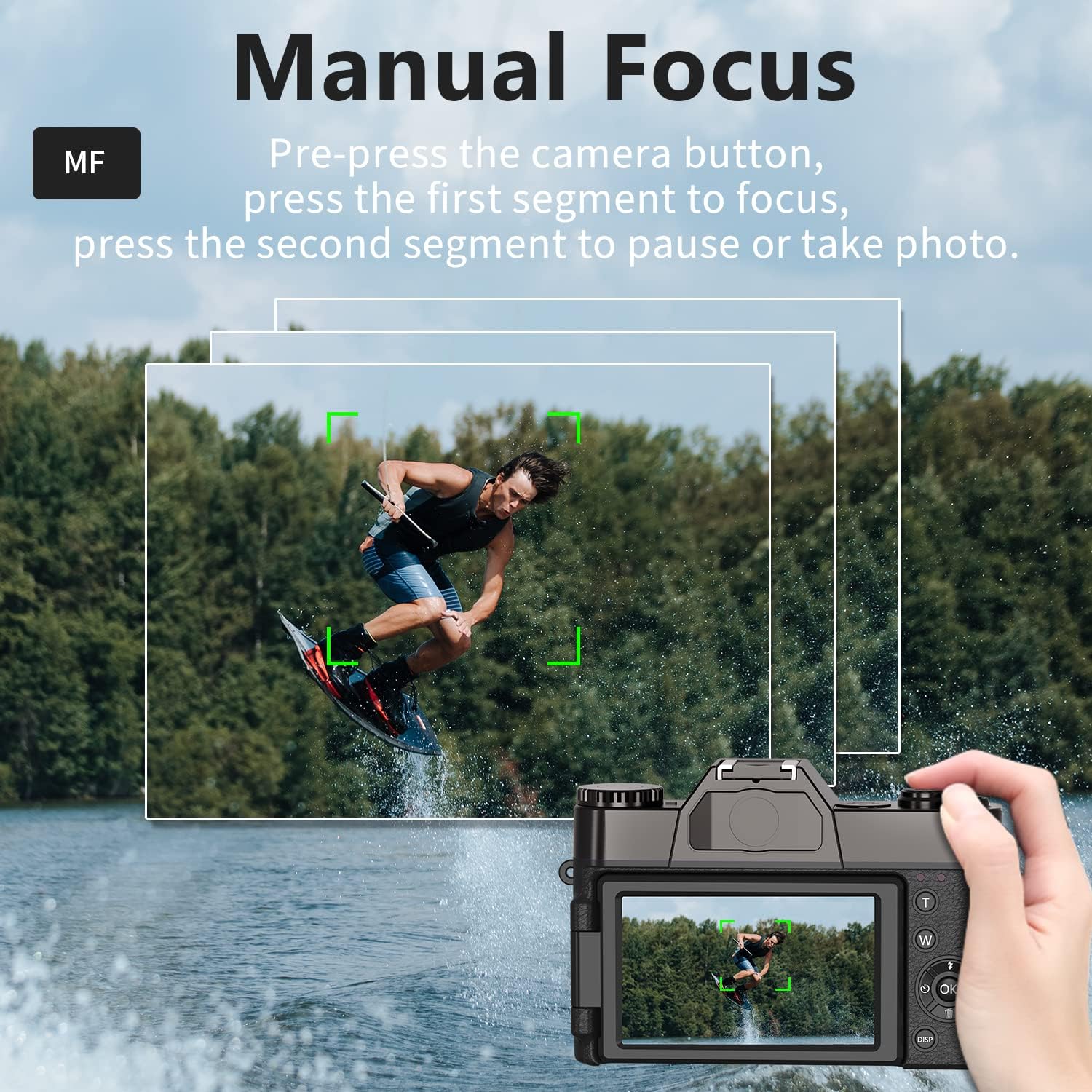
Figure 7: Manual Focus feature in action.
2. WebFuncionalitat de la càmera
The camera can be used as a PC camera for live streaming. Connect the camera to your PC using the USB cable and select "Camera Mode" on the device. No additional hardware or software is required.
3. Accessoris externs
The camera features a 3.5mm jack for an external microphone and a hot shoe for connecting external fill lights. It also supports a standard 1/4 inch tripod mount.
4. Connectivitat Wi-Fi
The camera supports Wi-Fi connectivity for transferring photos and videos to a mobile device. Refer to the camera's on-screen menu for Wi-Fi setup instructions and app download details.
Manteniment
- Keep the camera and lenses clean using the provided cleaning cloth.
- Store the camera in a dry, cool place away from direct sunlight and moisture.
- Assegureu-vos que els contactes de la bateria estiguin nets.
- Use the lens cap when the camera is not in use to protect the lens.
Resolució de problemes
Si teniu problemes, proveu el següent:
- La càmera no s'encén: Assegureu-vos que les piles estiguin completament carregades i inserides correctament.
- Blurry photos: Ensure proper focus (manual or autofocus) and hold the camera steady during capture.
- Error de la targeta de memòria: Reinsert the Micro SD card or try a different compatible card.
- Autonomia curta de la bateria: Ensure batteries are fully charged. Consider carrying spare charged batteries.
Especificacions
| Dimensions del producte | 4.33 x 2.95 x 1.18 polzades |
| Pes de l'article | 1.34 lliures |
| Número de model de l'article | 4K-2 |
| Bateries | Necessites 2 piles de ions de liti (incloses) |
| Fabricant | VJIANGER |
| Tecnologia del sensor fotogràfic | CMOS |
| Admet File Format | JPEG, RAW |
| Estabilització d'imatge | Digital |
| Zoom òptic | 16 x |
| Apertura màxima | 2 f |
Garantia i Suport
For warranty information, technical support, or service inquiries, please refer to the documentation included with your product or visit the official VJIANGER website. Contact information for customer service is typically provided in the product packaging.