
EVGA 08G-P5-3767-KL
EVGA GeForce RTX 3070 FTW3 Ultra Gaming
Manual d’instruccions de l’usuari
Model: 08G-P5-3767-KL
Introducció
This manual provides essential information for the installation, operation, maintenance, and troubleshooting of your EVGA GeForce RTX 3070 FTW3 Ultra Gaming graphics card. Please read this guide thoroughly before proceeding with installation or use to ensure optimal performance and longevity of your product.
The EVGA GeForce RTX 3070 FTW3 Ultra Gaming is a high-performance graphics card designed for advanced gaming and demanding graphical applications. It features 8GB GDDR6 memory, iCX3 Technology for advanced cooling, ARGB LED lighting, and a durable metal backplate.
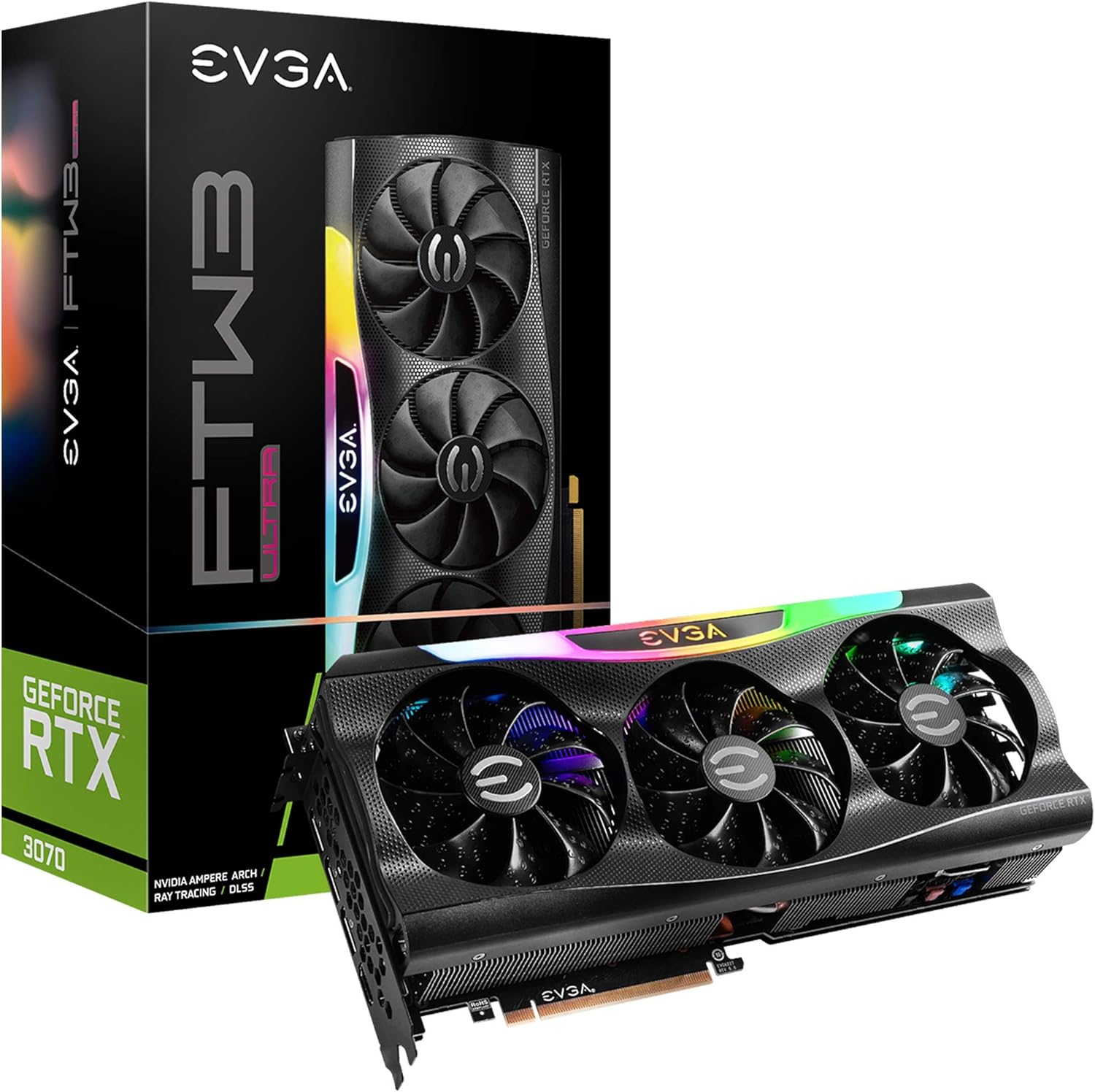
Figure 1: EVGA GeForce RTX 3070 FTW3 Ultra Gaming graphics card and packaging.
Configuració i instal·lació
Proper installation is crucial for the functionality and stability of your graphics card. Follow these steps carefully.
1. Llista de verificació prèvia a la instal·lació
- Font d'alimentació: Assegureu-vos que la vostra font d'alimentació (PSU) compleixi amb el consum mínim d'aiguatage requirements for the RTX 3070 (typically 650W or higher, consult your PSU manufacturer for specific compatibility).
- Ranures PCIe: Verify your motherboard has an available PCI Express x16 slot.
- Liquidació de casos: Confirm your computer case has sufficient physical space for the graphics card (Product Dimensions: 11.81 x 2.32 x 5.38 inches).
- Conductors: Baixeu els controladors NVIDIA més recents per a la RTX 3070 des del lloc web oficial de NVIDIA. weblloc abans de la instal·lació.
- Protecció estàtica: Use an anti-static wrist strap or periodically touch a grounded metal object to discharge static electricity.
2. Instal·lació física
- Apagar: Apagueu l'ordinador i desconnecteu el cable d'alimentació de la presa de corrent.
- Cas obert: Obriu la carcassa de l'ordinador per accedir a la placa base.
- Treure la targeta antiga (si escau): If replacing an existing graphics card, carefully remove it by unscrewing the retention bracket and releasing the PCIe slot latch.
- Inserir una targeta nova: Align the EVGA GeForce RTX 3070 FTW3 Ultra Gaming card with an available PCIe x16 slot. Press down firmly and evenly until the card is fully seated and the slot latch clicks into place.
- Targeta segura: Secure the graphics card to the case with screws using the retention bracket.
- Connectar l'alimentació: Connect the required PCIe power cables from your power supply to the graphics card. The EVGA RTX 3070 FTW3 Ultra Gaming typically requires two 8-pin PCIe power connectors. Ensure all connections are secure.

Figure 2: Power connector locations on the graphics card.
3. Instal·lació del controlador
- Torneu a connectar l'alimentació: Close your computer case, reconnect the power cable, and connect your monitor to one of the graphics card's display outputs (HDMI or DisplayPort).
- Sistema d'arrencada: Enceneu l'ordinador.
- Instal·leu els controladors: Once the operating system loads, run the NVIDIA driver installer downloaded earlier. Follow the on-screen prompts to complete the installation.
- Reinicia: Reinicieu l'ordinador després que s'hagi completat la instal·lació del controlador.

Figure 3: Reference for installation guidance.
Funcionament de la targeta gràfica
After successful installation, you can optimize your graphics card's performance and customize its features.
1. Programari i funcions
- EVGA Precision X1: This software allows for monitoring, overclocking, and customizing the ARGB LED lighting of your EVGA graphics card. It also provides control over fan speeds and other performance parameters.
- Experiència NVIDIA GeForce: This application optimizes game settings, updates drivers, and enables features like NVIDIA ShadowPlay for recording gameplay.
- Real-Time RAY TRACING: The RTX 3070 supports real-time ray tracing for enhanced visual fidelity in compatible games.
- NVIDIA DLSS: Deep Learning Super Sampling (DLSS) uses AI to boost frame rates while maintaining image quality.

Figure 4: Graphics card with adjustable ARGB LED lighting.
2. iCX3 Technology
The iCX3 Technology integrates sensors and micro-control processors to provide intelligent cooling. It uses asynchronous fans that spin at different rates to cool components only as needed, optimizing cooling accuracy and reducing noise.

Figure 5: Explanation of iCX3 Technology features.
Manteniment
Un manteniment regular ajuda a garantir la longevitat i el rendiment òptim de la targeta gràfica.
- Neteja: Periodically clean dust from the fans and heatsink using compressed air. Ensure the computer is powered off and unplugged before cleaning. Hold the fan blades gently to prevent them from spinning rapidly during cleaning.
- Actualitzacions de controladors: Keep your graphics drivers updated to the latest version from the official NVIDIA website. Driver updates often include performance improvements, bug fixes, and support for new games.
- Actualitzacions de programari: Keep EVGA Precision X1 and NVIDIA GeForce Experience software updated.
- Monitorització de la temperatura: Use EVGA Precision X1 or other monitoring tools to keep an eye on your GPU temperatures, especially during heavy loads. Ensure adequate airflow within your computer case.
Resolució de problemes
Si teniu problemes amb la targeta gràfica, consulteu els passos habituals següents per a la resolució de problemes.
- Sense sortida de pantalla:
- Ensure the monitor cable is securely connected to the graphics card's output and the monitor.
- Verify the graphics card is fully seated in the PCIe slot and all power cables are connected.
- Si és possible, prova amb un cable de pantalla o monitor diferent.
- Problemes/accidents del controlador:
- Perform a clean installation of the latest NVIDIA drivers. Use Display Driver Uninstaller (DDU) in Safe Mode to remove old drivers before installing new ones.
- Ensure you are using official software and drivers. Avoid using unofficial software as it can lead to instability or security risks.
- Sobreescalfament:
- Check for proper airflow in your computer case. Ensure case fans are functioning correctly.
- Netegeu la pols dels ventiladors i del dissipador de calor de la targeta gràfica.
- Monitor temperatures with EVGA Precision X1. If temperatures are consistently high, consider adjusting fan curves or improving case ventilation.
- Problemes de rendiment:
- Ensure your system meets the recommended specifications for the games or applications you are running.
- Verify that the graphics card is running at its expected clock speeds using monitoring software.
- Comproveu si hi ha aplicacions en segon pla que consumeixen recursos del sistema.
Especificacions
Detailed technical specifications for the EVGA GeForce RTX 3070 FTW3 Ultra Gaming graphics card.
| Característica | Especificació |
|---|---|
| Número de model | 08G-P5-3767-KL |
| Coprocessador gràfic | NVIDIA GeForce RTX 3070 |
| Detall de la memòria | 8192 MB GDDR6X |
| Velocitat de memòria | 14000 MHz |
| Augmenta el rellotge | 1815 MHz |
| Resolució de pantalla màxima | 4K (3840x2160) a 60 Hz |
| Interfície de sortida de vídeo | HDMI, DisplayPort |
| Dimensions del producte (LxWxH) | 11.81 x 2.32 x 5.38 polzades |
| Pes de l'article | 4.29 lliures |
| iCX3 Technology | Sí |
| LED ARGB | Yes, Adjustable |
| Placa posterior | Tot de metall |
| LHR (Lite Hash Rate) | Sí |
Garantia i Suport
EVGA products are typically covered by a manufacturer's warranty. For specific warranty terms, registration, and technical support, please visit the official EVGA weblloc o poseu-vos en contacte amb el seu servei d'atenció al client.
Es recomana registrar el producte en el moment de la compra per facilitar futures reclamacions de garantia o sol·licituds d'assistència.
Per obtenir els controladors, el programari i els recursos d'assistència més recents, visiteu: Suport d'EVGA Weblloc
Ask a question about this manual
Ask about setup, troubleshooting, compatibility, parts, safety, or missing instructions. Manuals+ will review the question and use this page’s manual context to help answer it.