
1. Introducció
This manual provides detailed instructions for the VBESTLIFE 2.4G Wireless Mouse Pen. This device combines the functionality of a wireless mouse with a capacitive stylus, offering versatile input for various devices. Please read this manual thoroughly before using the product to ensure proper operation and to maximize its lifespan.
2. Contingut del paquet
Verifiqueu que tots els elements que s'enumeren a continuació s'inclouen al vostre paquet:
- 1 x VBESTLIFE 2.4G Wireless Mouse Pen (Purple)
- 1 x Receptor USB de 2.4 G
- 1 x Base de càrrega
- 1 x Manual d'usuari
- 1 x cable de càrrega USB
- 1 x Type-C Adapter
- 1 x Micro USB Adapter
- 1 x bossa d'emmagatzematge

Image: All components included in the VBESTLIFE 2.4G Wireless Mouse Pen package.
3. Característiques del producte
- Connexió sense fil 2.4G: Ensures stable and reliable connectivity.
- Àmplia compatibilitat: Supports Windows XP, 7, 8, and 10 operating systems.
- Ús de diversos dispositius: Equipped with adapters for use with PCs, laptops, tablets, and mobile phones.
- Full Mouse Functionality: Includes left-click, right-click, scroll wheel, and middle mouse button.
- Disseny ambidextre: Features two right-click buttons on both sides for comfortable use by both left and right-handed users.
- Capacitive Stylus: Integrated writing head for precise handwriting and touch input on capacitive screens.
- Plug and Play: No cal instal·lar cap controlador per a la majoria de sistemes operatius.
4. Guia de configuració
4.1. Càrrega inicial
Before first use, ensure the mouse pen is fully charged. Connect the provided USB charging cable to the mouse pen and a power source (e.g., computer USB port, USB wall adapter). The indicator light will show charging status.
4.2. Connexió al vostre dispositiu
- Insert the 2.4G USB Receiver: Plug the small 2.4G USB receiver into an available USB port on your PC, laptop, or compatible device. If using with a tablet or mobile phone, use the appropriate Type-C or Micro USB adapter to connect the receiver.
- Power On the Mouse Pen: Locate the On/Off switch on the mouse pen and slide it to the 'On' position.
- Connexió automàtica: The mouse pen should automatically connect to the receiver. No additional drivers are typically required for Windows XP/7/8/10.
- Funcionalitat de prova: Move the pen to check cursor movement and test the mouse buttons.

Image: The wireless mouse pen connected to different devices using its adapters.
5. Instruccions de funcionament
5.1. Mouse Functionality
The mouse pen operates like a standard wireless mouse. Hold the pen comfortably and move it across a surface or in the air to control the cursor.
- Clic esquerre: Press the primary button on the top side of the pen.
- Clic dret: Press one of the two right-click buttons located on either side of the pen. This design accommodates both left and right-handed users.
- Roda de desplaçament: Feu servir la roda de desplaçament per desplaçar-vos verticalment en documents i web pàgines.
- Clic amb el botó central: Press down on the scroll wheel for middle-click functionality.

Image: The mouse pen showing its control buttons.
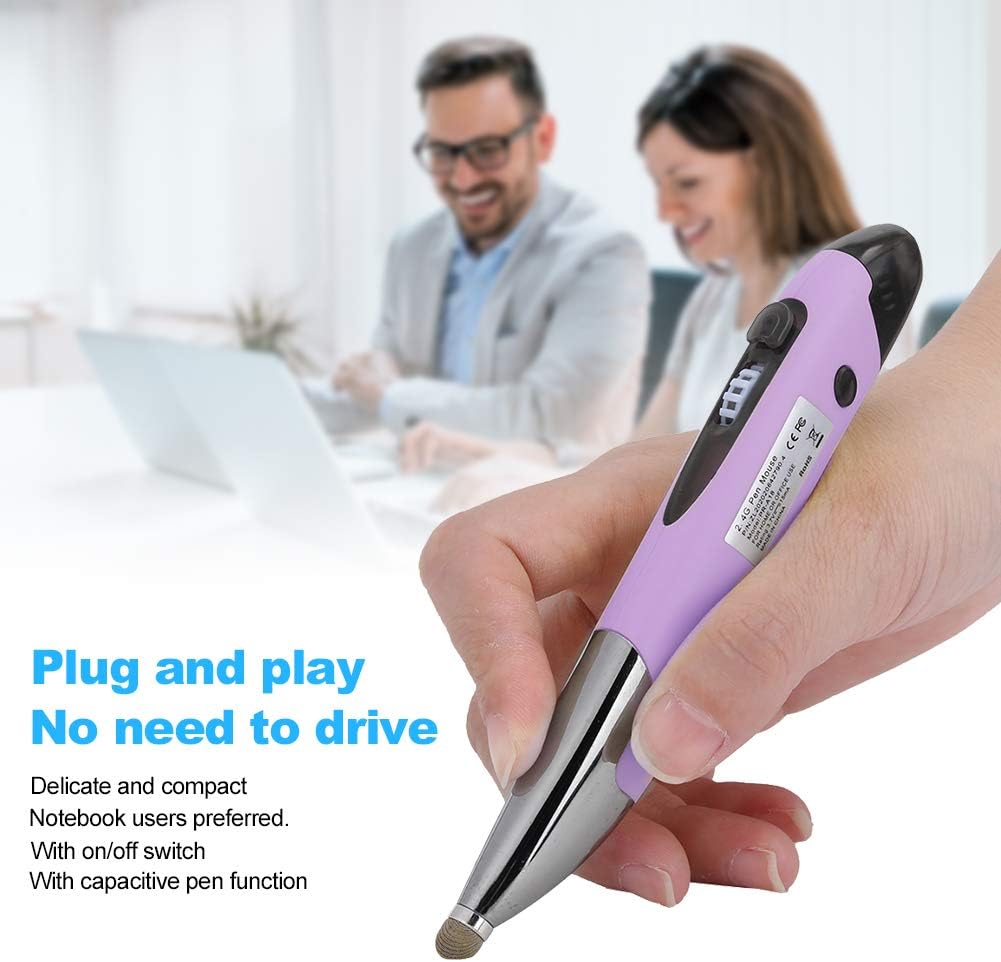
Image: User holding the mouse pen for operation.
5.2. Capacitive Stylus Function
The tip of the mouse pen features a capacitive writing head. This allows you to use the pen directly on touchscreens for handwriting, drawing, or precise navigation, similar to a standard stylus.
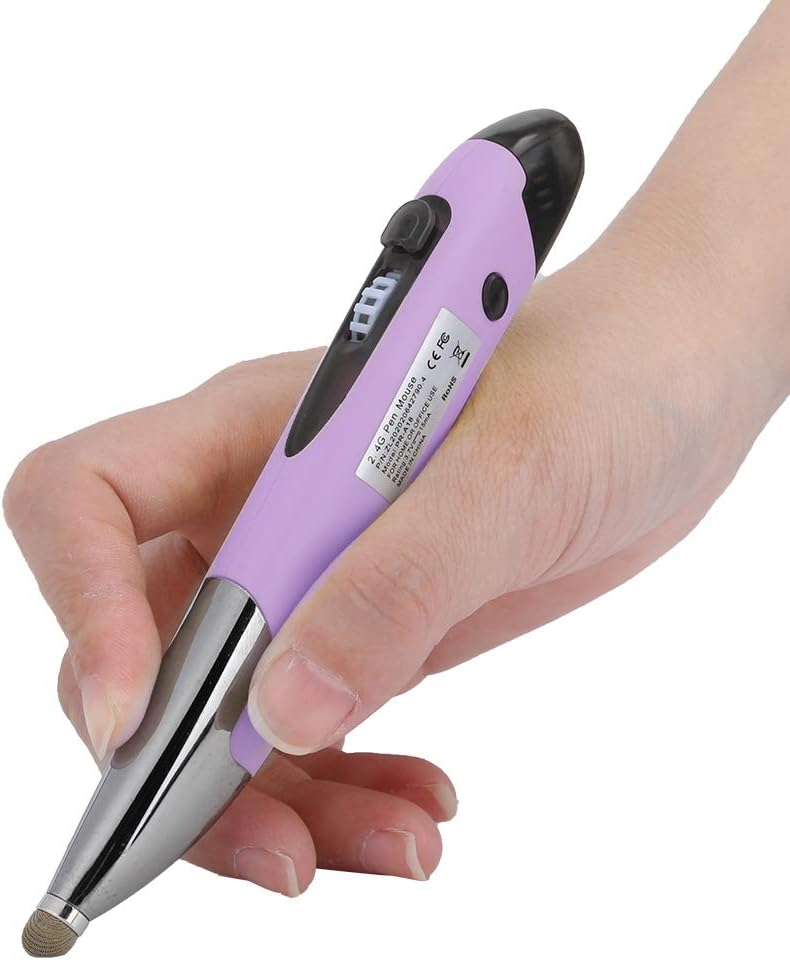
Image: Close-up of the mouse pen's capacitive tip.
6. Manteniment
6.1. Neteja
To clean the mouse pen, gently wipe it with a soft, dry cloth. Do not use harsh chemicals, abrasive cleaners, or allow moisture to enter the device.
6.2. Càrrega
When the battery is low, connect the mouse pen to the charging cable and a power source. The charging base can be used to conveniently hold the pen while charging or for storage.

Image: The mouse pen in its charging base.
6.3. Emmagatzematge
When not in use, store the mouse pen in the provided storage bag to protect it from dust and damage. Ensure the pen is switched off to conserve battery life.
7. Solució De Problemes
If you encounter issues with your VBESTLIFE 2.4G Wireless Mouse Pen, refer to the following common problems and solutions:
| Problema | Causa possible | Solució |
|---|---|---|
| Mouse pen not responding | Low battery; Pen is off; Receiver not properly connected; Driver issue. | Charge the pen; Ensure the pen is switched 'On'; Re-insert the USB receiver; Try a different USB port; Restart your device. |
| El moviment del cursor és erràtic o brusc | Interference; Dirty sensor; Unsuitable surface. | Move away from other wireless devices; Clean the optical sensor at the bottom of the pen; Use on a smooth, non-reflective surface. |
| No es pot connectar al dispositiu | Receiver not recognized; Pen out of range. | Ensure the receiver is fully inserted; Try connecting the receiver to another USB port; Ensure the pen is within 10 meters of the receiver. |
| Capacitive stylus not working | Screen protector interference; Dirty stylus tip. | Ensure your screen protector is compatible with styluses; Clean the stylus tip with a soft cloth. |
8. Especificacions
| Característica | Detall |
|---|---|
| Fabricant | VMEJOR VIDA |
| Número de model | VBESTLIFE58xy7bw9m2156-12 |
| Tipus d'element | Mouse Pen |
| Material | ABS |
| Freqüència | 2.4G sense fil |
| Capacitat de la bateria | 250 mAh |
| Color | Lila |
| Pes de l'article | 93 grams |
| Dimensions de l'article (L x A x A) | 10 x 10 x 10 mil·límetres |
| Dispositius compatibles | Desktop, Laptop, Tablet, Mobile Phone |
| Compatibilitat de sistemes operatius | Windows XP/7/8/10 |
| Piles incloses | Sí |
| Piles necessàries | No (rechargeable internal battery) |
| País d'origen | Xina |
9. Garantia i assistència
Specific warranty information for the VBESTLIFE 2.4G Wireless Mouse Pen is not provided in the product data. For details regarding warranty coverage, returns, or technical support, please refer to the documentation included with your purchase or contact the retailer/manufacturer directly.
You may also visit the official VBESTLIFE website for general support information or to find contact details.