
Elitech MTC-6000N-SG
Elitech MTC-6000N Microcomputer Controller User Manual
Digital Temperature Controller for Cold Rooms, Refrigerators, Cooling, Defrosting, and Fan Control
1. Introducció
This manual provides comprehensive instructions for the installation, operation, and maintenance of the Elitech MTC-6000N Microcomputer Controller. The MTC-6000N is a versatile digital temperature controller designed for precise temperature management in cold rooms, refrigerators, and other cooling systems. It features advanced functions including cooling, defrosting, fan control, auxiliary output, and RS-485 communication for remote monitoring. Additionally, it offers temperature calibration, high/low temperature alarms, over-range alarms, and sensor failure alarms to ensure reliable performance.
2. Producte acabatview
The Elitech MTC-6000N is engineered for ease of use and high accuracy, featuring a multi-functional button panel and a clear dual-screen display for intuitive operation and monitoring.
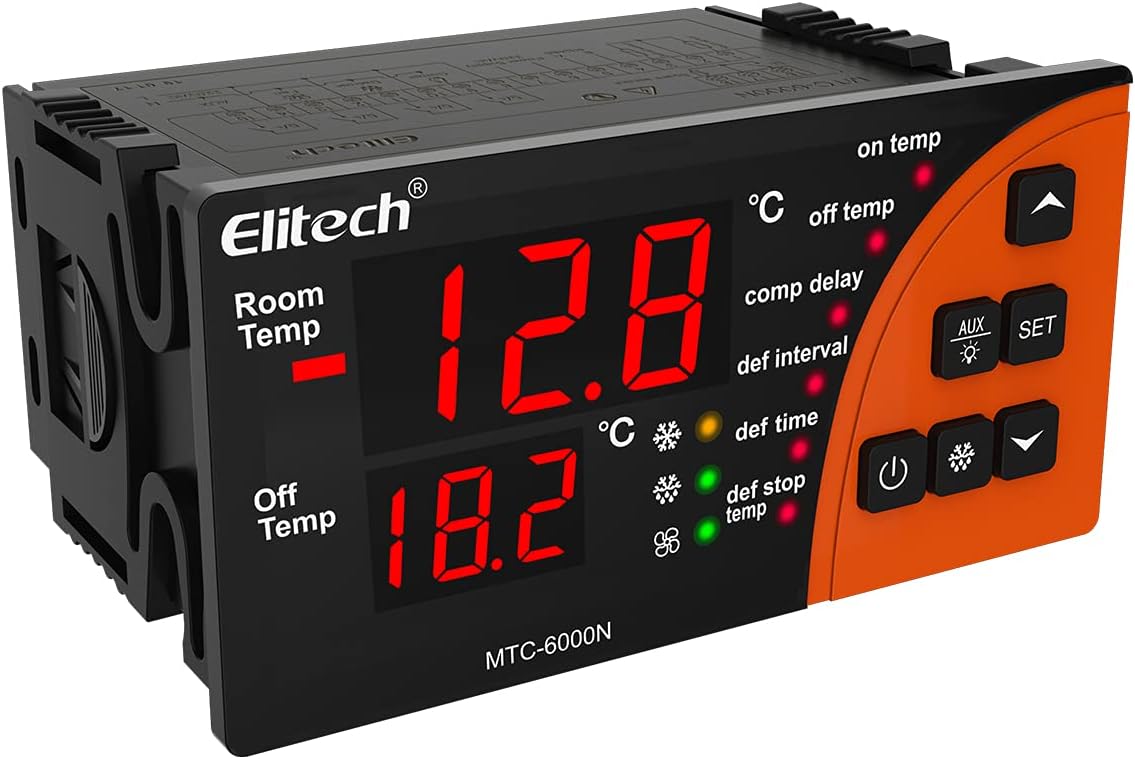
Figura 2.1: Frontal view of the Elitech MTC-6000N controller, showing the dual digital displays for room temperature and off temperature, along with control buttons and indicator lights.
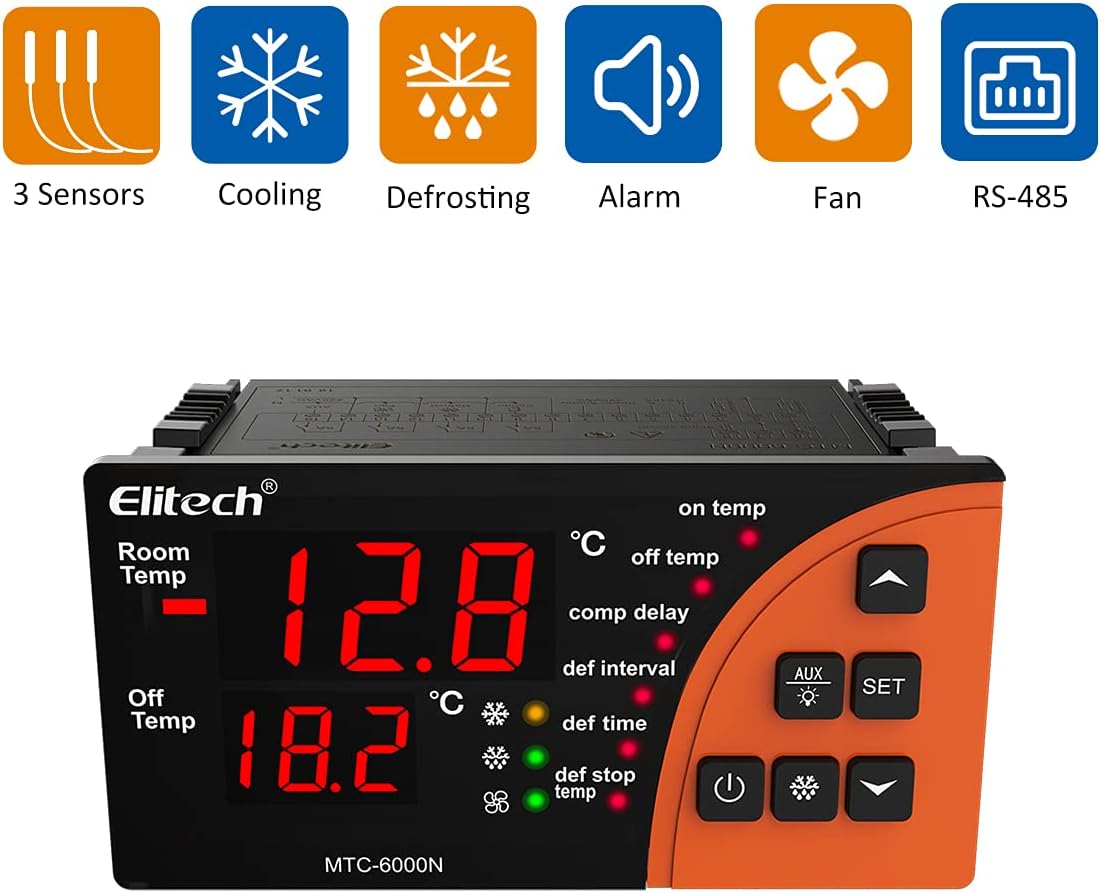
Figure 2.2: Elitech MTC-6000N controller with icons illustrating its key features: 3 Sensors, Cooling, Defrosting, Alarm, Fan, and RS-485 communication.
3. Característiques clau
- Monitorització remota: Equipped with RS485 communication function for real-time remote monitoring of cold storage conditions.
- Fàcil operació: Features a multi-functional button panel allowing common functions to be operated with a single button, simplifying setup without needing to navigate complex menus.
- Alta precisió: Utilizes high-precision sensors and chips designed to withstand 3000 times of high and low temperature shocks, ensuring minimal drift and stable performance.
- Esborra la pantalla: Large-sized panel with dual-screen temperature display, intuitively showing current temperature and set temperature simultaneously.
- Sortides múltiples: Provides refrigeration, dual defrosting, fan, and alternative four-way outputs for comprehensive control.
- Sensors duals: Includes dual sensors for storage temperature and defrosting temperature.

Figure 3.1: The Elitech MTC-6000N controller shown in a cold storage setting, highlighting its application.
4. Especificacions tècniques
| Paràmetre | Valor |
|---|---|
| Número de model | MTC-6000N-SG |
| Marca | Elitech |
| ASIN | B097D7GF6P |
| UPC | 781454242269 |
| Font d'alimentació | 110 V |
| Piles necessàries | No |
| Mida de muntatge | 92 * 44 mm / 3.6 * 1.7 polzades |
| Dimensions (aprox.) | 100mm (length) x 82.5mm (height) x 51mm (depth) |

Figure 4.1: Dimensional drawing of the Elitech MTC-6000N controller, showing approximate measurements for length, height, depth, and mounting hole size.
5. Instal·lació i configuració
5.1 Precaucions de seguretat
- Ensure power is disconnected before any installation or wiring.
- La instal·lació ha de ser realitzada per personal qualificat.
- Comproveu el vol correctetage (110V) before connecting power.
- Avoid installing in environments with excessive moisture, dust, or corrosive gases.
5.2 Muntatge
The MTC-6000N is designed for panel mounting. Ensure the cutout dimensions are 92mm x 44mm (3.6in x 1.7in). Secure the controller firmly in place using the provided clips or mounting hardware.
5.3 Esquema de cablejat
Refer to the following diagram for proper wiring connections. Pay close attention to power supply, sensor inputs, and output relays for cooling, defrosting, fan, and auxiliary functions. The RS485 communication ports (A and B) are for remote monitoring connections.

Figure 5.1: Detailed wiring diagram for the Elitech MTC-6000N controller, showing connections for power, sensors, and various outputs.
5.4 Instal·lació del sensor
The controller uses two temperature sensors: one for room temperature and one for defrosting temperature. Install the room temperature sensor in the area where temperature control is critical. Install the defrosting sensor near the evaporator coil to accurately monitor defrosting cycles.

Figure 5.2: Illustration of the three sensors included with the MTC-6000N: two temperature sensors for active use and one spare sensor.
6. Instruccions de funcionament
6.1 Pantalla i indicadors
The MTC-6000N features a dual-screen display. The upper display shows the current room temperature, and the lower display shows the set temperature or other parameter values during configuration. Various indicator lights illuminate to show the status of cooling, defrosting, fan, and alarm functions.
6.2 Funcions dels botons
- Botó SET: Used to enter parameter setting mode and confirm changes.
- Botons UP/DOWN: S'utilitza per navegar pels paràmetres i ajustar els valors.
- Botó d'encesa: Encén/apaga la unitat.
- Botó de descongelació: Initiates manual defrosting cycle.
- Botó AUX: Controls the auxiliary output.

Figure 6.1: A hand interacting with the control panel of the Elitech MTC-6000N, demonstrating its user-friendly interface.
6.3 Parameter Settings (Example)
Per configurar la temperatura desitjada:
- Premeu el botó SET button once. The lower display will flash, showing the current set temperature.
- Utilitza el UP or ABAIX buttons to adjust the temperature to your desired value.
- Premeu el botó SET button again to confirm and save the setting.
For advanced parameter settings (e.g., defrost interval, fan delay, alarm thresholds), refer to the detailed parameter table in the full product manual (if available) or contact Elitech support for specific codes and ranges.
7. Manteniment
7.1 Neteja
Regularly clean the surface of the controller with a soft, damp drap. No utilitzeu productes de neteja abrasius ni dissolvents, ja que poden danyar la pantalla o laasing. Ensure no liquid enters the unit.
7.2 Sensor Check
Periodically inspect the temperature sensors for any physical damage or corrosion. Ensure they are securely connected and positioned correctly for accurate readings.
7.3 Connexions elèctriques
Occasionally check all electrical connections to ensure they are tight and free from signs of overheating or loose wiring. Disconnect power before performing any checks.
8. Solució De Problemes
| Problema | Causa possible | Solució |
|---|---|---|
| El controlador no s'encén | Sense subministrament d'alimentació; Cablejat solt; Fusible fundit. | Check power source; Verify wiring connections; Inspect and replace fuse if necessary. |
| Lectura de temperatura incorrecta | Faulty sensor; Sensor not properly installed; Sensor cable damage. | Check sensor connection and placement; Replace sensor if faulty; Inspect sensor cable for damage. |
| Cooling/Defrosting not activating | Incorrect parameter settings; Relay failure; Wiring issue to load. | Review and adjust set parameters; Check relay functionality; Verify wiring to cooling/defrosting unit. |
| Alarma contínuament activa | Temperature out of set range; Sensor failure; Alarm parameter misconfiguration. | Check actual temperature vs. set limits; Verify sensor operation; Adjust alarm parameters. |
If the problem persists after attempting these solutions, please contact Elitech customer support for further assistance.
9. Garantia i Suport
9.1 Informació de la garantia
Elitech products are manufactured to high-quality standards. For specific warranty terms and conditions, please refer to the warranty card included with your product or visit the official Elitech weblloc web. Conserveu el rebut de compra com a comprovant de compra per a reclamacions de garantia.
9.2 Atenció al client
For technical assistance, troubleshooting, or inquiries regarding your Elitech MTC-6000N controller, please contact Elitech customer support. You can find contact information on the Elitech weblloc web o a través del venedor on vau comprar el producte.
Elitech Official Weblloc: www.elitechlog.com
Ask a question about this manual
Ask about setup, troubleshooting, compatibility, parts, safety, or missing instructions. Manuals+ will review the question and use this page’s manual context to help answer it.