
1. Introducció
Thank you for choosing the i-box MiniGlow Alarm Clock Radio. This device combines a large LED display with dimmable brightness, dual alarms, a night light function, a USB charging port, FM radio, and a modern textile finish. Its compact design makes it ideal for bedside tables. This manual provides detailed instructions for setup, operation, and maintenance to ensure optimal performance and longevity of your device.
Si us plau, llegiu atentament aquest manual abans d'utilitzar-lo i conservi'l per a futures consultes.
2. Contingut del paquet
- i-box MiniGlow Alarm Clock Radio
- Adaptador d'alimentació
- CR2025 Button Cell Battery (pre-installed for backup)
- Manual d'usuari
3. Dispositiu acabatview
Familiarize yourself with the main components and controls of your i-box MiniGlow.

Imatge: Davant view of the i-box MiniGlow Alarm Clock Radio, showing the large LED display and top controls. This image provides a general overview de l'aspecte del producte.
Controls i ports:
- Pantalla LED: Mostra l'hora, l'estat de l'alarma i la freqüència de ràdio.
- Botons superiors: For setting time, alarms, radio, night light, and sound modes.
- Volume/Tuning Knob: Adjusts volume and tunes FM radio frequencies.
- Port de càrrega USB: Located on the side/back for charging external devices.
- Entrada d'alimentació: Per connectar l'adaptador de corrent.
4. Configuració
4.1 Connexió d'alimentació
- Connect the provided power adapter to the DC input port on the back of the i-box MiniGlow.
- Plug the adapter into a standard wall outlet. The display will light up.
4.2 Bateria de seguretat
The device includes a pre-installed CR2025 button cell battery to maintain time and alarm settings during a power outage. No action is required for initial setup regarding this battery.
4.3 Configuració de l'hora
- Manteniu premut el botó Temps establert button (usually marked with a clock icon) until the hour digits flash.
- Utilitza el +/- buttons or the tuning knob to adjust the hour.
- Premeu el botó Temps establert de nou per confirmar l'hora i els dígits dels minuts parpellejaran.
- Utilitza el +/- buttons or the tuning knob to adjust the minutes.
- Premeu el botó Temps establert button one last time to save the time.
5. Instruccions de funcionament
5.1 Setting Alarms (Dual Alarm Feature)
The i-box MiniGlow supports two independent alarms.
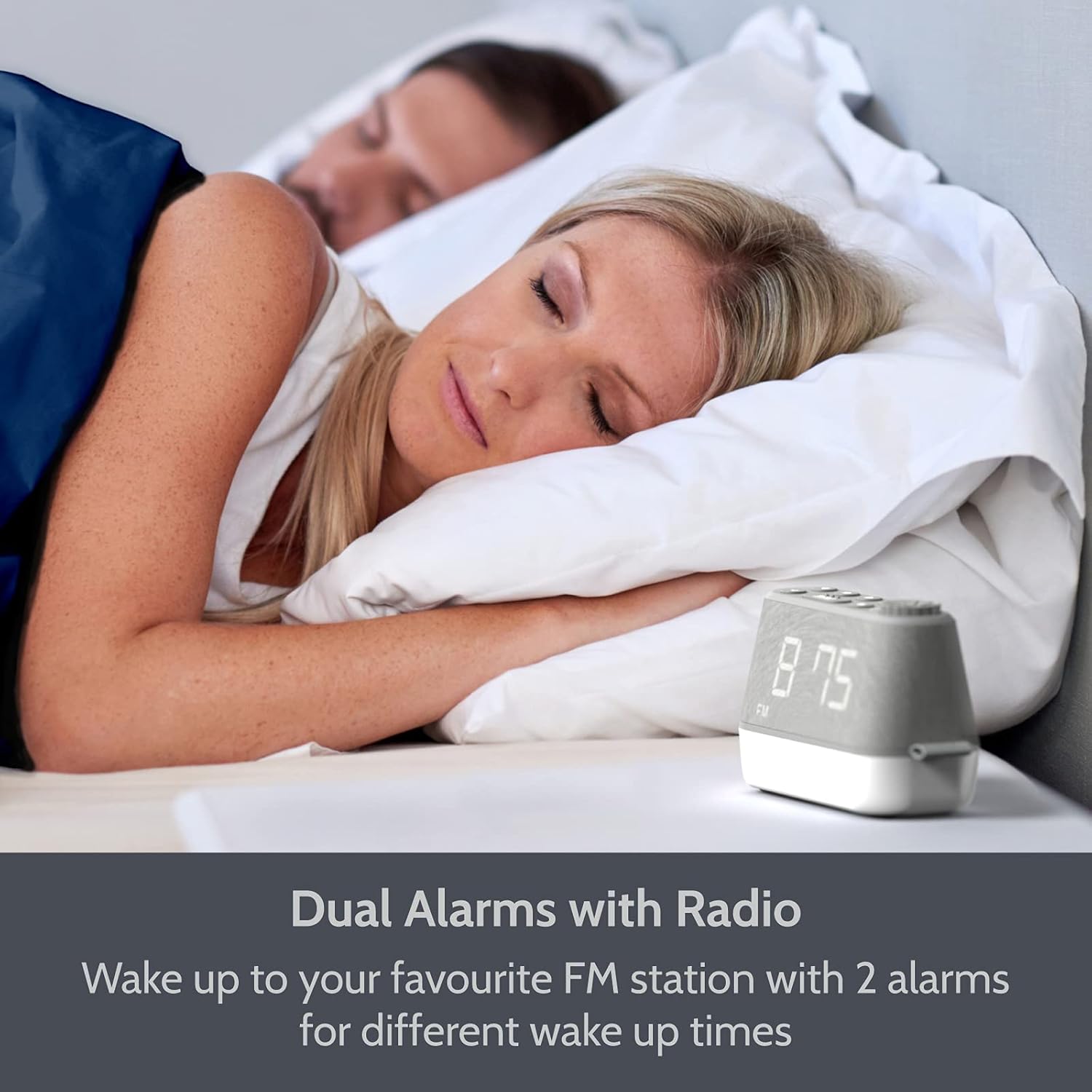
Imatge: The i-box MiniGlow on a bedside table, illustrating its dual alarm capability for different wake-up times. This image highlights the convenience of setting two separate alarms.
- Manteniu premut el botó Alarma 1 or Alarma 2 botó fins que l'hora de l'alarma parpellegi.
- Utilitza el +/- buttons or the tuning knob to set the desired hour. Press the alarm button again to confirm.
- Utilitza el +/- buttons or the tuning knob to set the desired minutes. Press the alarm button again to confirm.
- Select the alarm source (Buzzer, FM Radio, or White Noise/Nature Sound) using the +/- buttons. Press the alarm button again to confirm.
- To activate/deactivate an alarm, short press the corresponding Alarma 1 or Alarma 2 botó. Apareixerà/desapareixerà una icona d'alarma a la pantalla.
5.2 Funcionament de la ràdio FM
Enjoy your favorite FM radio stations with up to 10 presets.

Imatge: The i-box MiniGlow displaying an FM radio frequency, indicating its radio functionality. This image shows the device in a typical bedroom setting.
- Premeu el botó FM botó per encendre la ràdio.
- Escaneig automàtic: Manteniu premut el botó FM botó per escanejar i desar automàticament les emissores disponibles.
- Sintonització manual: Use the tuning knob to manually adjust the frequency.
- Desant els valors predefinits: While listening to a station, press and hold a Preestablert button (e.g., P1-P10) until the preset number flashes. Use the +/- buttons to select a preset number, then press the Preestablert botó de nou per desar.
- Recordant presets: Premeu breument Preestablert botó per anar ciclant per les estacions desades.
- Temporitzador de son: Mentre sona la ràdio, premeu el botó Dormir button repeatedly to set a sleep timer (e.g., 15, 30, 60, 90 minutes). The radio will turn off automatically after the set time.
5.3 Night Light and RGB Mood Lighting
The integrated night light offers adjustable brightness and multiple color options.

Imatge: Multiple i-box MiniGlow units displaying different RGB mood lighting colors. This image demonstrates the range of color options available for the night light.
- Premeu el botó Llum botó per encendre la llum nocturna.
- Premeu el botó Llum button repeatedly to cycle through 6 different RGB colors or a continuous color cycle.
- To select a static color during the color cycle, press the Llum button when the desired color is displayed.
- To adjust the brightness of the night light, use the Dimmer button (if available) or refer to the specific light control buttons.
- To turn off the night light, continue pressing the Llum botó fins que s'apaga.
5.4 White Noise and Natural Sounds
Choose from 6 relaxing white noise and natural sound tracks to aid sleep.

Imatge: The i-box MiniGlow on a bedside table with a purple night light, suggesting its white noise and natural sounds feature for peaceful sleep. This image shows the device in a nighttime setting.
- Premeu el botó So button (often marked with a musical note or wave icon) to activate the white noise/natural sound mode.
- Premeu el botó So button repeatedly to cycle through the 6 available sound tracks.
- Ajusteu el volum amb el botó Volum perilla.
- To turn off the sound, press the So button until it stops, or use the Poder botó.
5.5 port de càrrega USB
Charge your smartphone or smartwatch conveniently.

Imatge: The i-box MiniGlow on a bedside table with a smartphone connected to its built-in USB charging port. This image demonstrates the convenience of charging devices directly from the alarm clock.
Connect your device's USB charging cable to the USB output port on the i-box MiniGlow. The device will begin charging automatically. Ensure your i-box MiniGlow is connected to a power source for this function to work.
5.6 Regulador d'intensitat de la pantalla
Adjust the brightness of the LED time display for comfortable viewen qualsevol condició d'il·luminació.
- Premeu el botó Dimmer button (often marked with a sun icon) repeatedly to cycle through different brightness levels (e.g., High, Medium, Low, Off).
- Select the desired brightness level.
6. Manteniment
6.1 Neteja
- Desendolleu sempre el dispositiu de la presa de corrent abans de netejar-lo.
- Feu servir un drap suau i sec per netejar les superfícies exteriors.
- No utilitzeu netejadors líquids, abrasius ni esprais, ja que poden danyar l'acabat o els components interns.
6.2 Battery Replacement (Backup Battery)
The CR2025 backup battery typically lasts for several years. If you notice that time and alarm settings are lost after a power outage, the backup battery may need replacement.
- Unplug the device from the main power supply.
- Localitzeu el compartiment de la bateria a la part inferior de la unitat.
- Open the compartment and carefully remove the old CR2025 battery.
- Insert a new CR2025 battery with the correct polarity (+ side up).
- Close the battery compartment and reconnect the device to power.
7. Solució De Problemes
| Problema | Causa possible | Solució |
|---|---|---|
| El dispositiu no s'encén. | L'adaptador de corrent no està connectat o està defectuós. | Ensure the power adapter is securely connected to the device and a working wall outlet. Try a different outlet. |
| L'alarma no sona. | L'alarma no està activada o el volum és massa baix. | Check if the alarm icon is displayed. Increase alarm volume. Verify alarm time is set correctly. |
| Mala recepció de ràdio FM. | Senyal feble o antena no estesa. | Extend the FM antenna fully. Reposition the device for better reception. Perform an auto-scan again. |
| La càrrega USB no funciona. | Device not powered or cable faulty. | Ensure the i-box MiniGlow is connected to main power. Try a different USB cable or device. |
| Temps/configuració perduts després d'un apagadatage. | Bateria de còpia de seguretat esgotada. | Replace the CR2025 backup battery as described in Section 6.2. |
8. Especificacions
| Característica | Detall |
|---|---|
| Marca | i-box |
| Número de model | 79287PI/18 |
| Color | Gris |
| Tipus de visualització | LED digital |
| Característiques especials | Dual Alarm, Large Dimmable Display, FM Radio, Night Light, White Noise/Nature Sounds, USB Charging Port |
| Font d'alimentació | Elèctric amb cable |
| Bateria de seguretat | 1 x CR2025 (inclòs) |
| Tipus de muntatge | Taula |
| Material del marc | Acrilonitril butadiè estirè (ABS) |
| Fabricant | Philex Electronic Ltd |
9. Garantia i Suport
The i-box MiniGlow Alarm Clock Radio comes with a 12-month limited warranty. Please retain your proof of purchase for warranty claims.
For technical support, troubleshooting assistance, or warranty inquiries, please refer to the contact information provided in your product packaging or visit the official i-box weblloc.
Recursos en línia: For additional support and FAQs, please visit the i-box Brand Store.