
1. Introducció
Thank you for choosing the Pelonis 40-Inch Silent Tower Fan. This manual provides essential information for the safe and efficient operation of your new fan. Please read it thoroughly before use and retain it for future reference.

Image 1: Pelonis 40-Inch Silent Tower Fan, Model PE-FZ10-18TRB-DE.
2. Instruccions de seguretat importants
Quan utilitzeu aparells elèctrics, sempre s'han de seguir les precaucions bàsiques per reduir el risc d'incendi, descàrrega elèctrica i lesions a les persones, incloses les següents:
- Llegiu totes les instruccions abans d'utilitzar aquest ventilador.
- Always unplug the fan from the power outlet before cleaning or when not in use.
- Do not operate any fan with a damaged cord or plug. If the fan malfunctions or has been dropped or damaged in any manner, return it to an authorized service facility for examination, electrical or mechanical adjustment, or repair.
- No utilitzeu el ventilador a l’aire lliure.
- No passeu el cable sota la catifa. No cobriu el cable amb catifes, corredors o revestiments similars. Col·loqueu el cable lluny de la zona de trànsit i on no s'ensopegui.
- Do not insert or allow foreign objects to enter any ventilation or exhaust opening as this may cause an electric shock or fire, or damage the fan.
- Per evitar un possible incendi, no bloquegeu de cap manera les entrades d'aire o l'escapament. No l'utilitzeu en superfícies toves, com un llit, on les obertures es poden bloquejar.
- Aquest ventilador no està pensat per a ús humit o damp ubicacions. No ubiqui mai un ventilador on pugui caure a una banyera o un altre recipient d'aigua.
- Always place the fan on a stable, flat, level surface during operation to prevent it from tipping over.
- És necessària una supervisió estreta quan qualsevol aparell és utilitzat per o a prop dels nens.
3. Contingut del paquet
Si us plau, comproveu el contingut del paquet en obrir-lo. Si falta algun article o hi ha algun dany, poseu-vos en contacte amb el servei d'atenció al client.
- Pelonis Tower Fan Unit
- Fan Base (2 parts)
- Control remot
- Manual d'usuari
4. Muntatge i muntatge
Segueix aquests passos per muntar el teu ventilador de torre:
- Traieu amb cura tots els components de l'embalatge.
- Assemble the two parts of the fan base by aligning them and snapping them together.
- Place the tower fan unit onto the assembled base, ensuring the alignment pins fit into the corresponding holes.
- Secure the fan unit to the base by screwing the large plastic nut (located underneath the fan unit) clockwise until tight.
- Route the power cord through the designated channel in the base to ensure stability.
- Col·loqueu el ventilador sobre una superfície ferma i anivellada.

Image 2: Technical diagram illustrating tool-free assembly and design features like the fine grille and rear handle.
5. Instruccions de funcionament
Your Pelonis tower fan can be operated using the control panel on top of the unit or the included remote control.
Tauler de control i control remot

Image 3: Remote control and LED control panel for convenient operation.
The remote control requires 2x AAA batteries (not included). Ensure clear line of sight to the fan's sensor for optimal remote functionality.
Funcions:
- Encès/apagat: Premeu el botó d'engegada per encendre o apagar el ventilador.
- Configuració de velocitat: Cycle through 4 fan speeds (Low, Medium, High, Max) to adjust airflow intensity.
- Modes: Select from various modes for different comfort needs:
- Mode normal: Proporciona un flux d'aire constant a la velocitat seleccionada.
- Mode de natura: Simula una brisa natural variant la velocitat del ventilador.
- Mode de repòs: Operates at an ultra-quiet 36 dB, gradually decreasing fan speed for undisturbed rest.
- Mode ECO: Automatically adjusts fan speed to maintain a constant low indoor temperature, optimizing energy consumption.
- Oscil·lació: Activate the 90° wide-angle oscillation feature to distribute air across a larger area.
- Temporitzador: Set the fan to automatically turn off after a specified period, from 1 to 15 hours, in 1-hour increments.
Video 1: Demonstration of tower fan oscillation and remote control operation.

Image 4: The fan provides 90° wide oscillation for comprehensive room cooling.

Image 5: Automatic adjustment of settings for different scenarios, including Sleep, Nature, and Normal modes.

Image 6: Ultra-quiet operation in Sleep Mode, producing only 36 dB for a peaceful breeze.
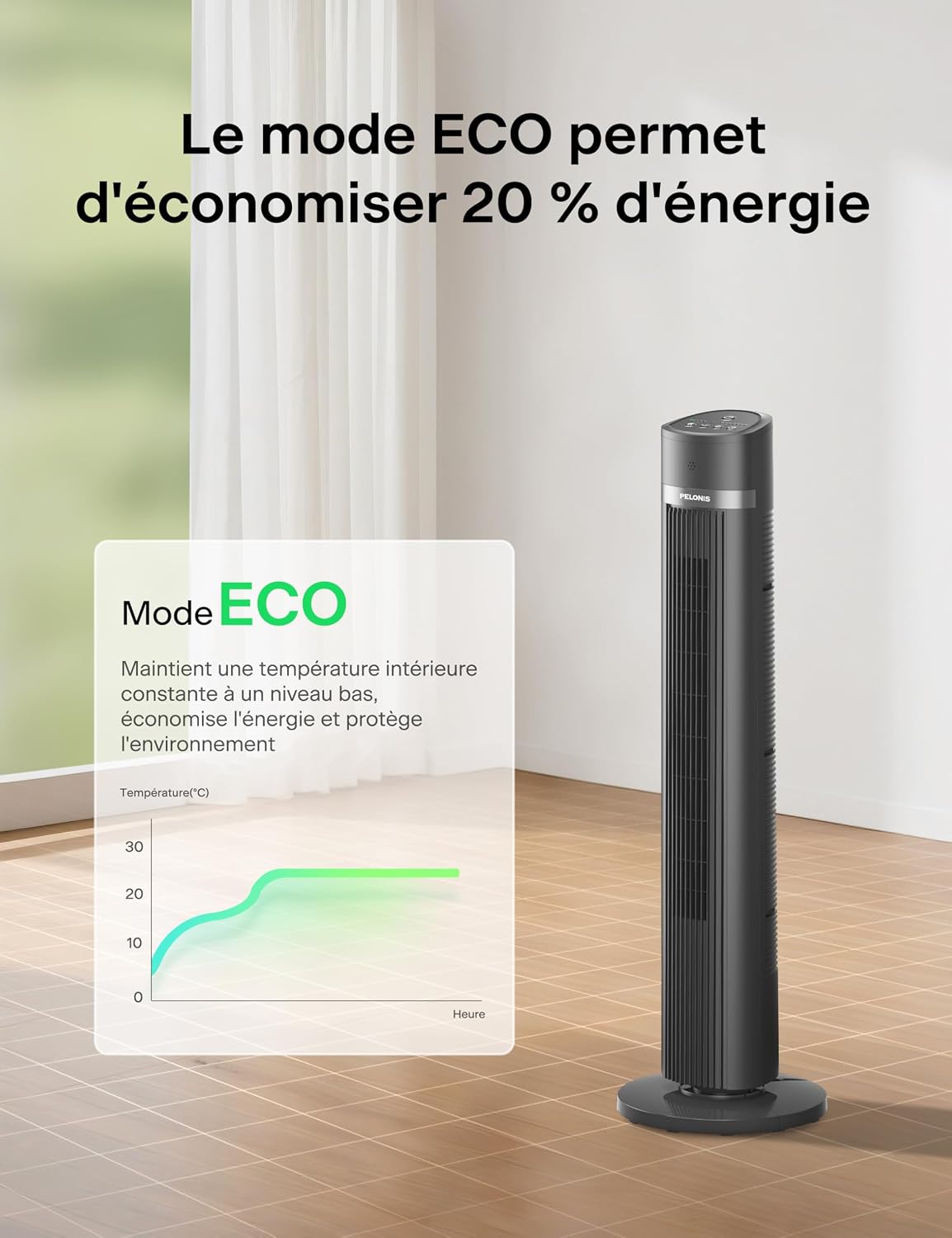
Image 7: ECO Mode helps save up to 20% energy by maintaining a constant low indoor temperature.
6. Manteniment i Neteja
Una neteja regular ajudarà a mantenir el rendiment del ventilador i a allargar-ne la vida útil.
- Desconnecteu sempre el ventilador abans de netejar-lo.
- Utilitzeu un suau, damp drap per netejar les superfícies exteriors del ventilador. No utilitzeu productes de neteja abrasius ni dissolvents.
- To clean the air inlet and outlet grilles, use a vacuum cleaner with a brush attachment or a soft brush to remove dust and debris.
- Assegureu-vos que totes les peces estiguin completament seques abans de tornar a connectar el ventilador.
- Guardeu el ventilador en un lloc fresc i sec quan no l'utilitzeu, preferiblement en el seu embalatge original.
7. Solució De Problemes
Si teniu algun problema amb el ventilador, consulteu els següents problemes i solucions habituals:
| Problema | Causa possible | Solució |
|---|---|---|
| El ventilador no s'encén. | Sense font d'alimentació. Les bateries del comandament a distància estan esgotades. | Ensure the fan is plugged into a working outlet. Replace remote control batteries (2x AAA). |
| Flux d'aire feble. | La velocitat del ventilador és massa baixa. Les entrades/sortides d'aire estan bloquejades. | Augmenta la configuració de la velocitat del ventilador. Clean any dust or obstructions from the grilles. |
| El ventilador no oscil·la. | La funció d'oscil·lació no està activada. Fan is on an uneven surface. | Premeu el botó d'oscil·lació del tauler de control o del comandament a distància. Col·loqueu el ventilador sobre una superfície plana i estable. |
| El comandament a distància no funciona. | Les piles estan gastades o incorrectament inserides. Obstruction between remote and fan sensor. | Canvieu les piles i assegureu-vos de la polaritat correcta. Ensure a clear line of sight to the fan's sensor. |
8. Especificacions
Detailed technical specifications for your Pelonis Tower Fan:
| Característica | Especificació |
|---|---|
| Marca | PELONIS |
| Número de model | PE-FZ10-18TRB-DE |
| Tipus | Ventilador de torre (ventilador de terra) |
| Color | Negre |
| Dimensions (P x A x A) | 30P x 30l x 101.3H cm (approx. 40 inches height) |
| Font d'alimentació | Cable elèctric |
| Poder | 1500 watts (Nota: Aixòtage is typically associated with heaters. Please refer to the product label for exact power consumption.) |
| Nombre de velocitats | 4 |
| Nivell de soroll | 36 dB (Sleep Mode), up to 65 dB (Max Speed) |
| Oscil·lació | Gran angular de 90° |
| Temporitzador | Fins a 15 hores (increments de 1 hores) |
| Tipus de control | Remote Control, On-unit LED Panel |
| Material | Estirol acrilonitril butadiè |
| Ús recomanat | Indoor (Home and Office) |
| Característiques especials | Oscillating, Remote Control, LED Display, ECO Mode, Child-safe narrow grilles, Anti-fall stop |
9. Garantia i atenció al client
For warranty information or customer support, please refer to the warranty card included with your product or contact Pelonis customer service directly. Keep your purchase receipt as proof of purchase.
For further assistance, please visit the official Pelonis website or contact their support team through the details provided in your product packaging.