
1. Introducció
This manual provides essential information for the safe and effective use of your Philips Lumea IPL 9000 Series BRI958/60 hair removal system. Please read all instructions carefully before first use and retain this manual for future reference.
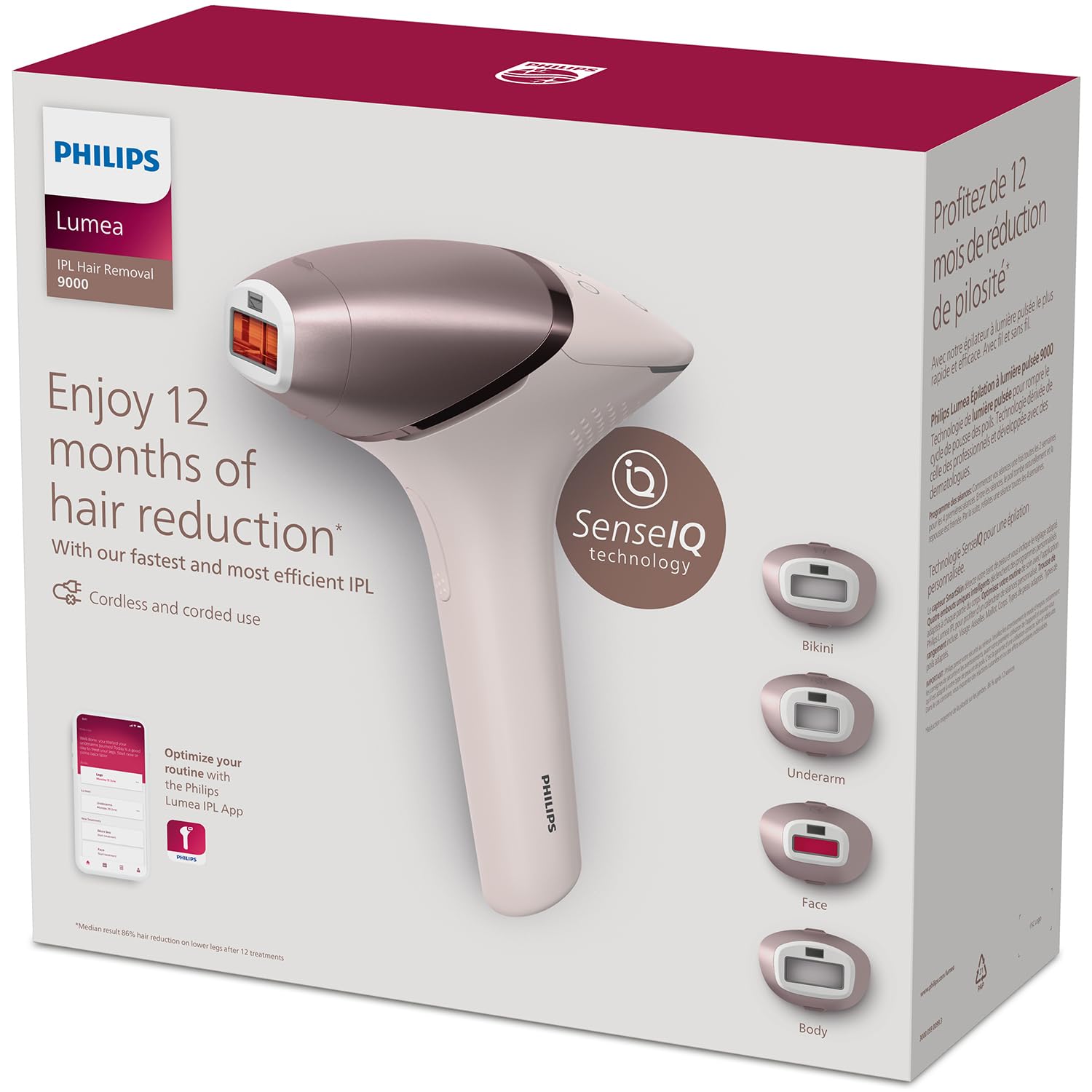
The Philips Lumea IPL 9000 Series BRI958/60 device, shown with its main unit, four specialized attachments for different body areas, and a soft storage pouch.
2. Informació important de seguretat
Before using the Philips Lumea IPL device, it is crucial to understand all safety precautions. Improper use can lead to skin irritation or injury.
- Compatibilitat amb el to de pell: The device is designed for specific skin tones and hair colors. Consult the skin tone chart in the full user manual to ensure suitability. Do not use on very dark skin tones or very light hair colors (white, grey, light blonde, or red hair).
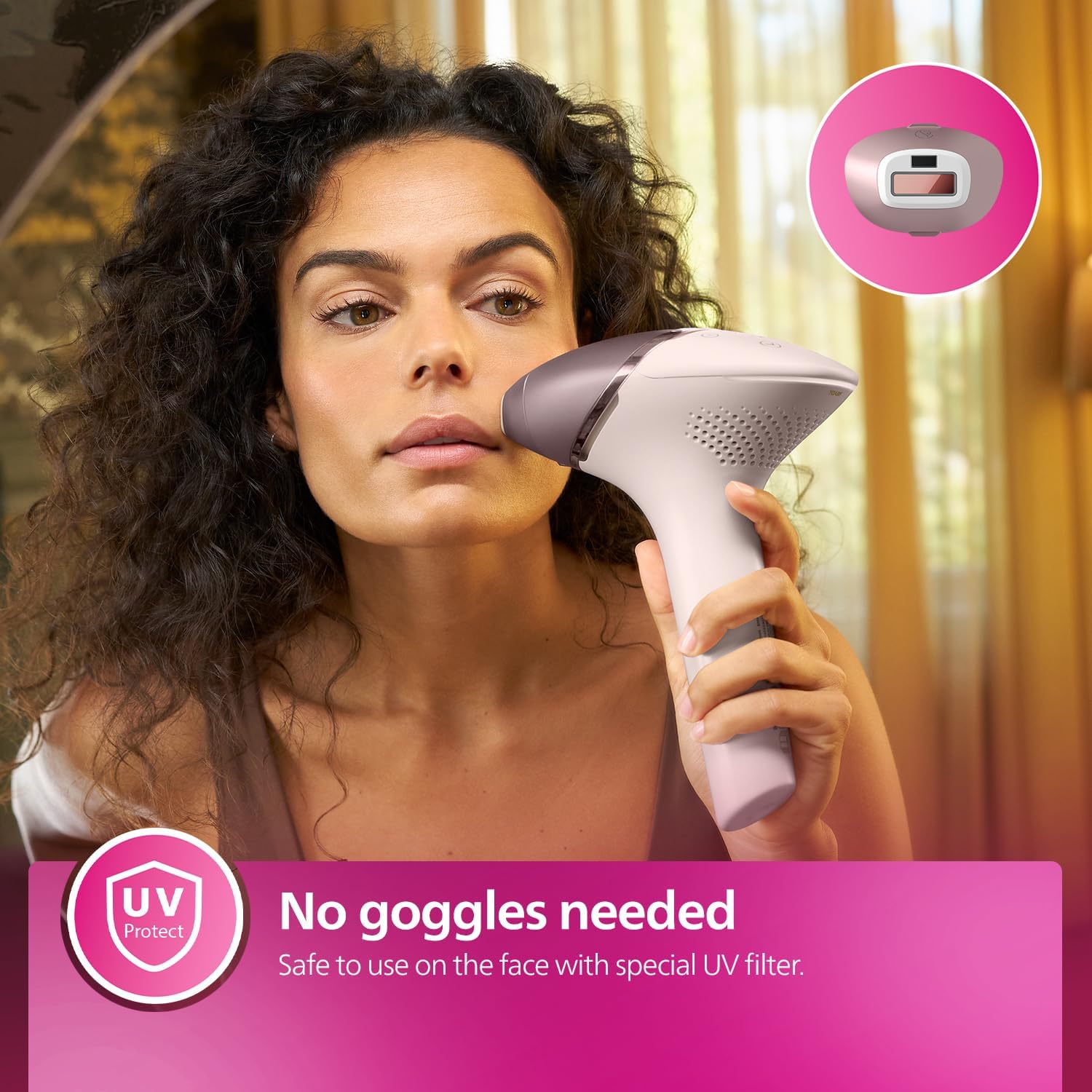
- Protecció ocular: The device features an integrated UV filter, making goggles unnecessary during use. However, avoid direct eye exposure to the light flash.
- Contraindicacions: Do not use the device on tattoos, permanent makeup, dark spots, moles, or if you have certain medical conditions. Refer to the comprehensive safety section in the full manual.
- Embaràs i lactància materna: No utilitzar si està embarassada o en període de lactància.
- Medicament: Consult a doctor if you are taking any medication that may increase skin sensitivity to light.
3. Producte acabatview
The Philips Lumea IPL 9000 Series BRI958/60 is an advanced Intense Pulsed Light (IPL) hair removal system designed for home use. It incorporates SenseIQ technology for personalized treatment.
Característiques principals:
- SenseIQ Technology: Features a SmartSkin Sensor that detects your skin tone and recommends the most suitable light intensity setting.
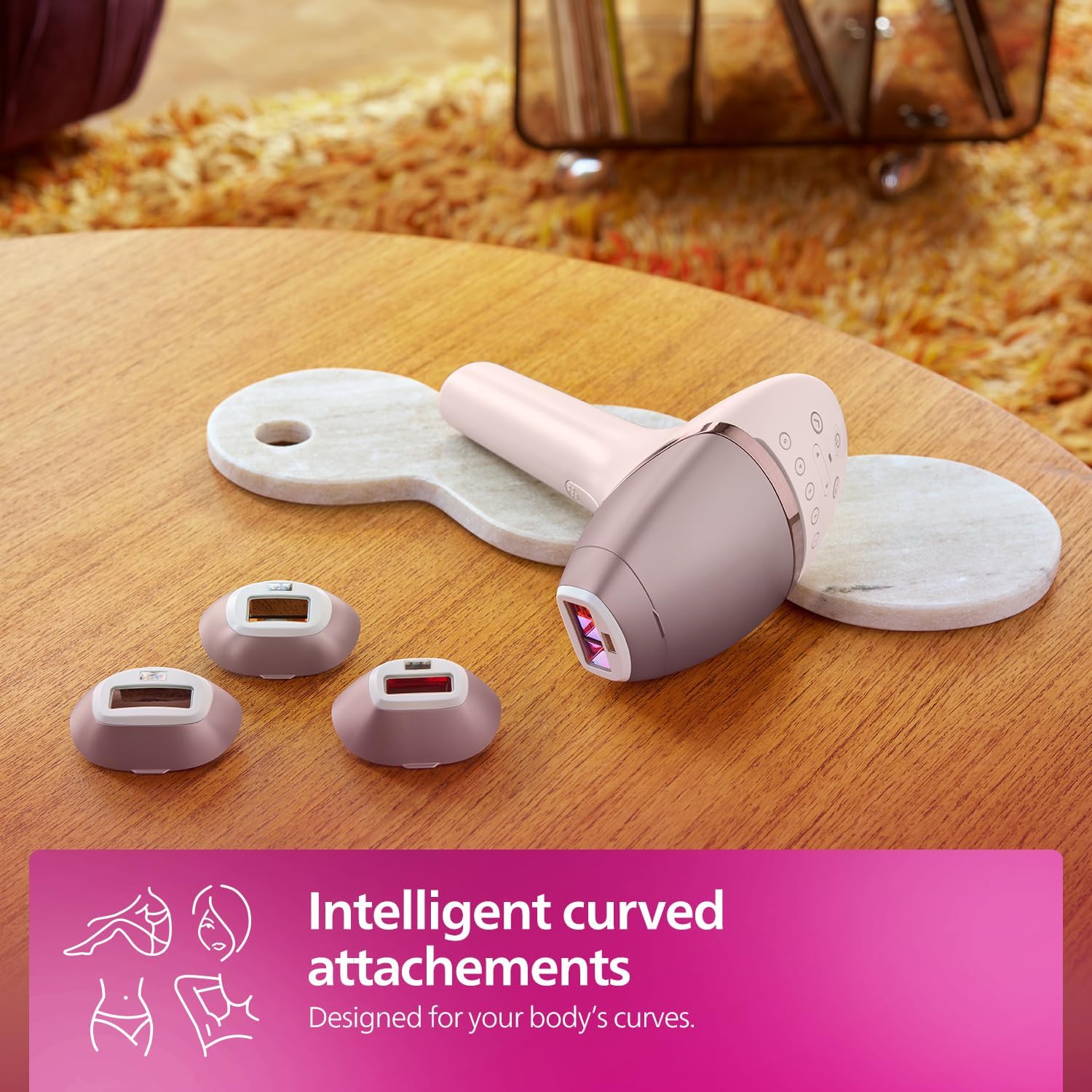
- Four Specialized Attachments: Includes distinct attachments for body, face, bikini area, and underarms, each designed with optimal window sizes and filters for effective treatment on specific curves and sensitive areas.
- Ús amb cable i sense cable: Offers flexibility for both corded operation for continuous power and cordless use for convenience and maneuverability.
- Lumea IPL App: A companion app provides personalized treatment schedules and guidance.

Acabatview of the Philips Lumea IPL device, detailing its SenseIQ technology, four smart attachments, corded and cordless functionality, and the supporting Lumea IPL app.

The Philips Lumea IPL device is shown alongside three of its intelligent curved attachments, designed to conform to various body contours for effective treatment.
4. Configuració
4.1 Càrrega del dispositiu
The Philips Lumea IPL 9000 Series BRI958/60 is battery-powered and can be used cordless. Ensure the device is fully charged before its first use or if the battery indicator shows low power. Connect the power adapter to the device and a wall outlet. The charging indicator will show the charging status.
4.2 Selecting an Attachment
Choose the appropriate attachment for the body area you intend to treat:
- Adhesió corporal: For larger areas like legs, arms, and stomach.
- Face Attachment: Specifically designed for facial hair removal (upper lip, chin, sideburns).
- Bikini Area Attachment: Optimized for the sensitive bikini region.
- Underarm Attachment: Contoured for the underarm area.
Gently click the desired attachment onto the treatment window of the main device.
5. Instruccions de funcionament
5.1 Preparació de la pell
Before each treatment, ensure the skin is clean, dry, and free of any lotions, oils, or deodorants. Shave the area to be treated. Do not wax or epilate, as the IPL treatment targets hair follicles below the skin surface.
5.2 Powering On and Skin Tone Assessment
- Premeu el botó d'engegada per encendre el dispositiu.
- The integrated SenseIQ SmartSkin Sensor will automatically assess your skin tone. Place the device flat against your skin. The recommended light intensity setting will be indicated by illuminated numbers on the control panel.
- You can manually adjust the intensity if desired, but it is recommended to start with the setting suggested by the device.
The SenseIQ Smart Skin Sensor automatically detects your skin tone to recommend the optimal light intensity for a comfortable and effective treatment.
Integrated sensors measure your skin tone to provide a personalized light setting, ensuring a comfortable and tailored treatment experience.
5.3 Aplicació del tractament
- Place the device's treatment window firmly against your skin, ensuring full contact. The 'ready to flash' indicator light will illuminate.
- Premeu el botó del flaix. S'emetrà un flaix de llum.
- Move the device to the next adjacent area of skin, ensuring slight overlap to avoid missing spots.
- For larger areas, use the 'Slide and Flash' mode by holding down the flash button and gliding the device over your skin. For smaller or curved areas, use 'Stamp and Flash' mode by flashing one spot at a time.

The Philips Lumea IPL device is safe for use on the face, featuring a special UV filter that eliminates the need for protective goggles.
The Philips Lumea IPL device offers both cordless operation for freedom of movement and corded use for precise, continuous treatment on larger areas.
6. Calendari de tractament
For optimal results, follow the recommended treatment schedule. Initial treatments are typically performed bi-weekly, followed by maintenance treatments as needed.
- Fase inicial: Use the device once every two weeks for the first 3-4 treatments.
- Fase de manteniment: After the initial phase, repeat treatments every 4-8 weeks, or as hair regrowth becomes visible.
Clinical studies show visible hair reduction in as few as 3 bi-weekly treatments, with up to 92% hair reduction after 3 treatments when following the recommended schedule on legs.

This image illustrates the significant visible hair reduction achieved on legs after completing 3 bi-weekly treatments with the Philips Lumea IPL device.
6.1 Philips Lumea IPL App
The Philips Lumea IPL app can help you optimize your treatment routine by providing personalized schedules and guidance. Download the app from your device's app store.

The Philips Lumea IPL app provides a personalized treatment schedule and guidance, helping users optimize their hair removal routine.
7. Manteniment i Neteja
Regular cleaning ensures the longevity and optimal performance of your Philips Lumea IPL device.
- Neteja de la finestra de tractament: After each use, wipe the treatment window and the outer surface of the attachments with a soft, dry, lint-free cloth.
- Neteja del cos del dispositiu: Wipe the main body of the device with a soft, dry cloth.
- No submergiu: The device is not water-resistant. Do not rinse it under water or immerse it in any liquid.
- Emmagatzematge: Store the device and its attachments in the provided luxury pouch in a cool, dry place.
8. Solució De Problemes
If you encounter issues with your Philips Lumea IPL device, refer to the following common troubleshooting tips. For more detailed solutions, consult the full user manual.
| Problema | Causa possible | Solució |
|---|---|---|
| El dispositiu no s’encén. | La bateria està baixa o esgotada. | Charge the device fully. Ensure the power adapter is correctly connected. |
| El dispositiu no parpelleja. | Treatment window not in full contact with skin; skin tone not compatible; attachment not correctly fitted. | Ensure the treatment window is pressed firmly against the skin. Check skin tone compatibility. Re-attach the chosen attachment securely. |
| Skin feels warm or slightly uncomfortable. | Light intensity setting may be too high for your skin. | Reduce the light intensity setting. Ensure skin is clean and dry. |
9. Especificacions
- Número de model: BRI958/60
- Nom del model: Sèrie 9000
- Fabricant: Philips
- Font d'alimentació: Funciona amb bateria
- Voltage: 19.5 Volts
- Temps de funcionament: 8.5 Minutes (cordless)
- Pes de l'article: 1.65 quilos
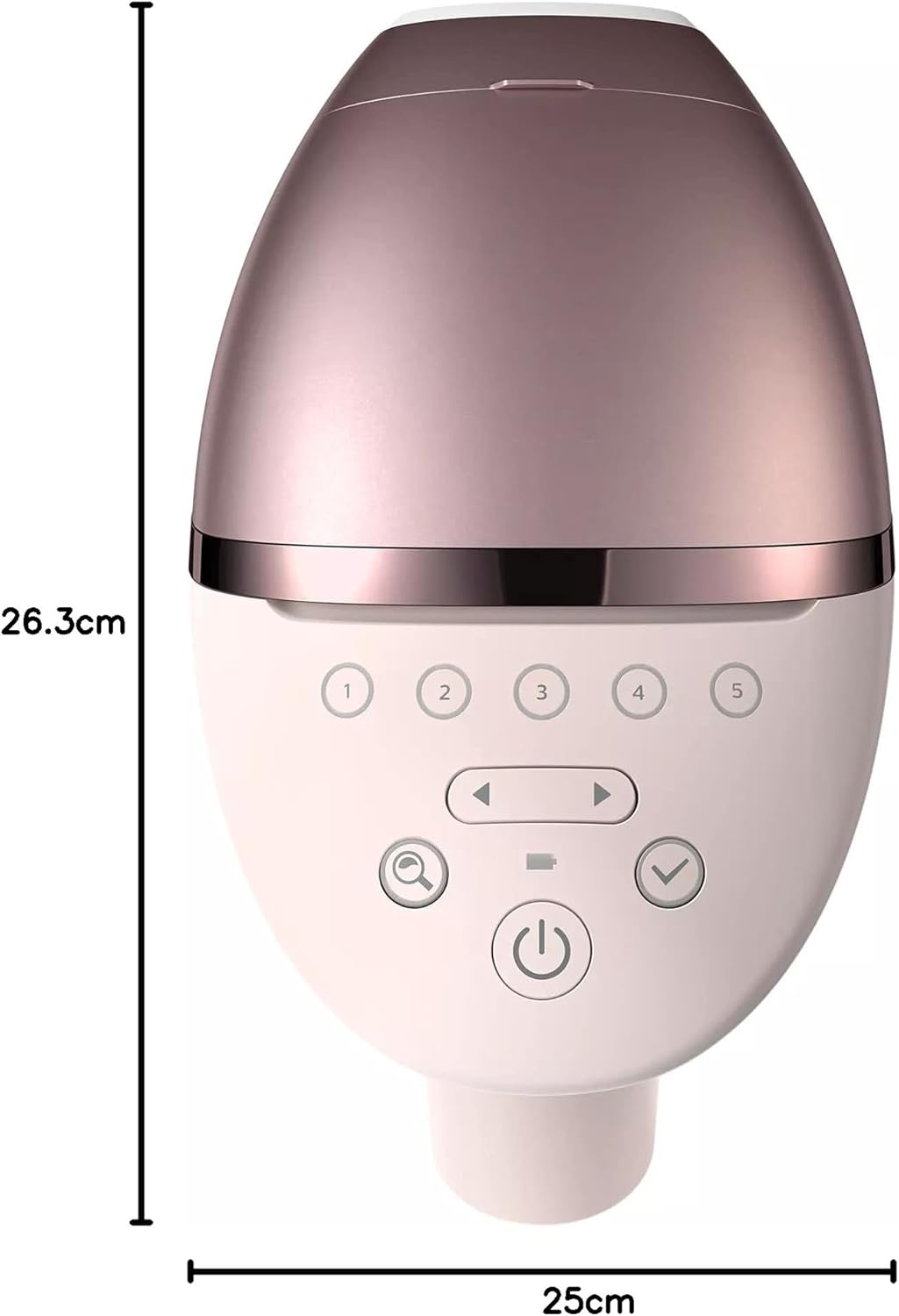
- Dimensions del producte: 26.3L x 25W centímetres
- Nivell de resistència a l'aigua: No resistent a l'aigua
- Components inclosos: 1 x Philips Lumea IPL 9000 series hair removal device, 4 x body, face, bikini and underarm accessories, 1 x luxury pouch.
- Usos recomanats del producte: Remove hair on face (upper lip, chin, and sideburns) and body parts including legs, underarm, bikini area, stomach, and arms.

A visual representation of the Philips Lumea IPL device, indicating its approximate dimensions of 26.3 cm in length and 25 cm in width.
10. Garantia i Suport
Your Philips Lumea IPL 9000 Series BRI958/60 comes with a 2 any de garantia des de la data de compra. Si us plau, conserveu el comprovant de compra per a reclamacions de garantia.
For product support, troubleshooting assistance beyond this manual, or to inquire about warranty services, please contact Philips customer support directly. Contact information can typically be found on the Philips official weblloc o en els materials d'embalatge.