
Introducció
Thank you for choosing the CORN HB001 Bluetooth Wireless Headphones. This manual provides essential information for setting up, operating, and maintaining your headphones. Please read it carefully before use to ensure optimal performance and longevity of your device. Keep this manual for future reference.
Producte acabatview
The CORN HB001 headphones offer a comfortable on-ear design with wireless Bluetooth connectivity, allowing you to enjoy high-quality audio without the constraints of cables. They also feature a 3.5mm audio jack for wired connection when wireless is not preferred or battery is low.
Components dels auriculars
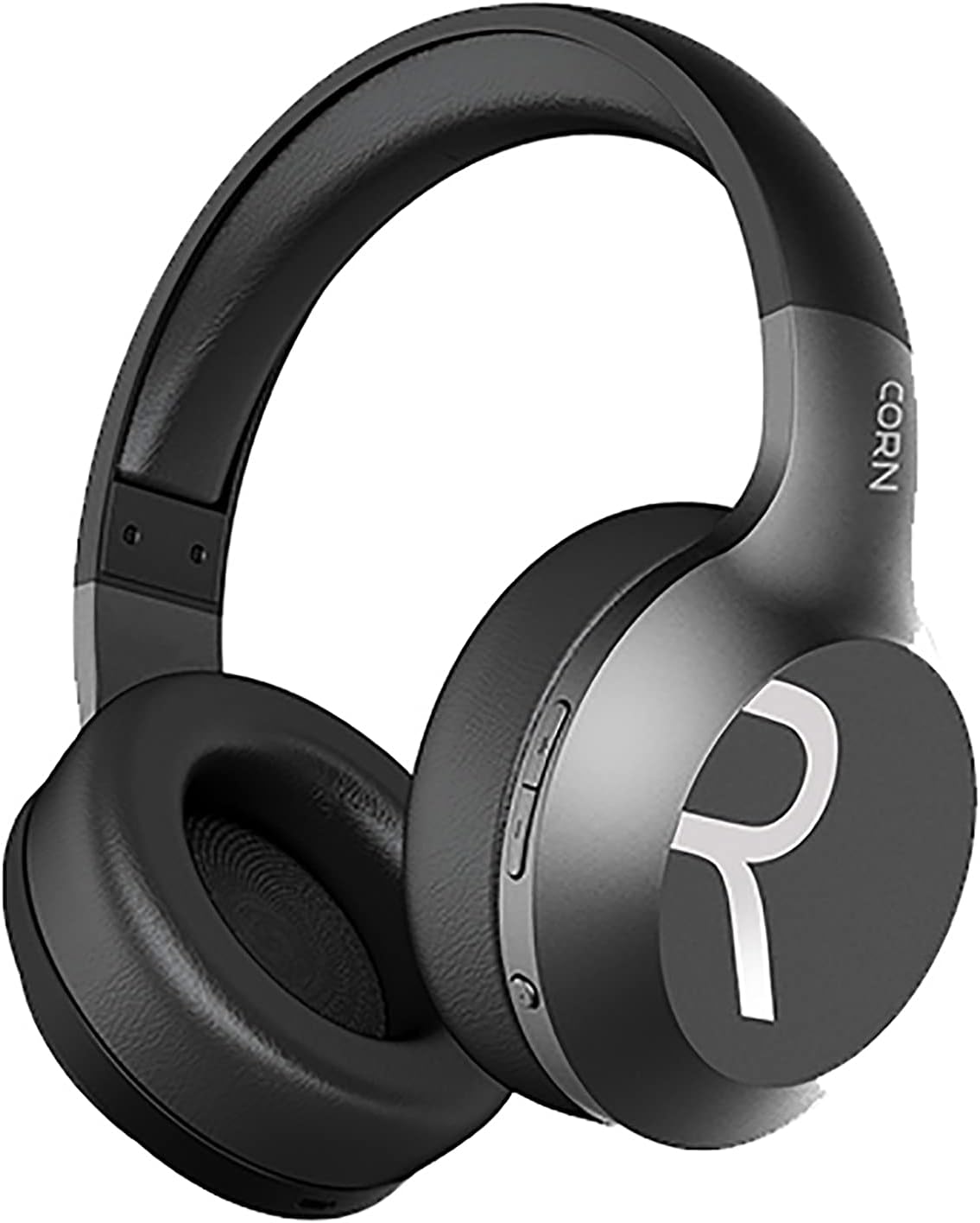
Imatge 1: En general view of the CORN HB001 Bluetooth Wireless Headphones. The image displays the black on-ear headphones with adjustable headband and earcups, featuring the 'CORN' brand logo on the side.
Disposició dels controls

Imatge 2: Close-up of the control buttons located on the right earcup. These typically include volume up/down and a multi-function button for power, play/pause, and call management.
Familiarize yourself with the buttons and ports on your headphones. Typically, you will find a power/multi-function button, volume controls, a charging port (e.g., USB-C), and a 3.5mm audio jack.
Configuració
1. Càrrega dels auriculars
Before first use, fully charge your headphones. Connect the charging cable (usually USB) to the charging port on the headphones and the other end to a USB power source (e.g., computer, wall adapter). The LED indicator will typically show red during charging and turn off or blue when fully charged.
- Temps de càrrega: Aproximadament 2 hores.
- Capacitat de la bateria: 300 mAh.
2. Emparellament Bluetooth
Per connectar els auriculars sense fil a un dispositiu:
- Assegureu-vos que els auriculars estiguin carregats i apagats.
- Press and hold the Power/Multi-function button for approximately 5-7 seconds until the LED indicator flashes blue and red alternately, indicating pairing mode.
- Al dispositiu (telèfon intel·ligent, tauleta, ordinador), activeu el Bluetooth i cerqueu dispositius nous.
- Select "CORN HB001" from the list of available devices.
- Once connected, the LED indicator will usually flash blue slowly or turn solid blue.
- Els auriculars intentaran tornar a connectar-se automàticament amb l'últim dispositiu emparellat quan s'engeguin.
Instruccions de funcionament
Encès/Apagat
- Encès: Press and hold the Power/Multi-function button for about 3 seconds until the LED indicator lights up blue.
- Apagar: Press and hold the Power/Multi-function button for about 3-5 seconds until the LED indicator turns red and then off.
Reproducció de música
- Reproduir/pausa: Premeu el botó d'engegada/multifunció una vegada.
- Pujar el volum: Premeu el botó '+'.
- Baixar el volum: Premeu el botó '-'.
- Pista següent: Premeu i manteniu premut el botó '+'.
- Pista anterior: Premeu i manteniu premut el botó '-'.
Gestió de trucades
- Respondre/Finalitzar la trucada: Premeu el botó d'engegada/multifunció una vegada.
- Rebutja la trucada: Press and hold the Power/Multi-function button for about 2 seconds.
- Torna a marcar l'últim número: Premeu dues vegades el botó d'engegada/multifunció.
Mode amb cable (connector d'àudio de 3.5 mm)
You can use the headphones in wired mode even if the battery is depleted. Simply connect one end of a 3.5mm audio cable (not always included) to the headphone's 3.5mm jack and the other end to your audio source. In wired mode, Bluetooth functions are disabled, and controls on the headphones may not function.
Manteniment
Proper maintenance ensures the longevity of your headphones.
- Neteja: Use a soft, dry cloth to wipe the headphones. Do not use abrasive cleaners or solvents. For ear cushions, gently wipe with a damp un drap i deixar assecar completament a l'aire.
- Emmagatzematge: Store the headphones in a cool, dry place away from direct sunlight and extreme temperatures. If your headphones are foldable, fold them carefully to prevent damage.
- Exposició a l'aigua: Aquests auriculars no són impermeables. Eviteu l'exposició a l'aigua, la humitat o la pluja.
Resolució de problemes
Si trobeu problemes, proveu les solucions següents:
| Problema | Solució |
|---|---|
| Els auriculars no s'encenen | Ensure the headphones are fully charged. Press and hold the Power button for a few seconds. |
| No es pot emparellar amb el dispositiu | Ensure headphones are in pairing mode (flashing blue/red). Turn off and on Bluetooth on your device. Forget previous pairings and try again. Ensure headphones are within 10m range. |
| Sense so | Check volume levels on both headphones and your device. Ensure headphones are properly paired. Try wired connection if available. |
| Mala qualitat del so | Move closer to your device to reduce interference. Ensure no physical obstructions between headphones and device. |
Especificacions
| Característica | Detall |
|---|---|
| Nom del model | HB001 |
| Nom de marca | BIT DE BORD |
| Tecnologia de connectivitat | Sense fil, Bluetooth |
| Versió sense fil | V5.0 |
| Distància d'operació | 10 metres |
| Mida del controlador de l'altaveu | Φ40 mm |
| Impedància de l'altaveu | 32Ω |
| Potència dels altaveus | 15 mW |
| Capacitat de la bateria | 300 mAh |
| Temps de càrrega | Aproximadament 2 hores |
| Temps de treball | Aproximadament 8 hores |
| Factor de forma dels auriculars | A l'orella |
| Conector d'auriculars | 3.5mm Jack (for wired use) |
| Components inclosos | Coixinets per a les orelles |
| Descripció del rang d'edat | Adult |
| Material | Plàstic |
| Color | Negre |
Garantia i Suport
For warranty information or technical support, please refer to the documentation included with your purchase or contact the manufacturer directly through their official weblloc web o canals d'atenció al client. Conserveu el comprovant de compra per a reclamacions de garantia.