
Introducció
This manual provides detailed instructions for the setup, operation, and maintenance of your DOBE TP4-889 Dual Controller Charging Dock for PlayStation 4. Please read this manual thoroughly before use to ensure proper functionality and to extend the lifespan of your device.
Informació de seguretat
- No exposeu el dispositiu a l'aigua ni a una humitat excessiva.
- Eviteu deixar caure o sotmetre el dispositiu a forts impactes.
- No intenteu desmuntar ni modificar el dispositiu. Això anul·larà la garantia i pot causar danys.
- Mantenir fora de l'abast dels nens.
- Use only with compatible PlayStation 4 controllers.
- Ensure proper ventilation around the charging dock during use.
Contingut del paquet
Verifiqueu que tots els elements siguin presents al vostre paquet:
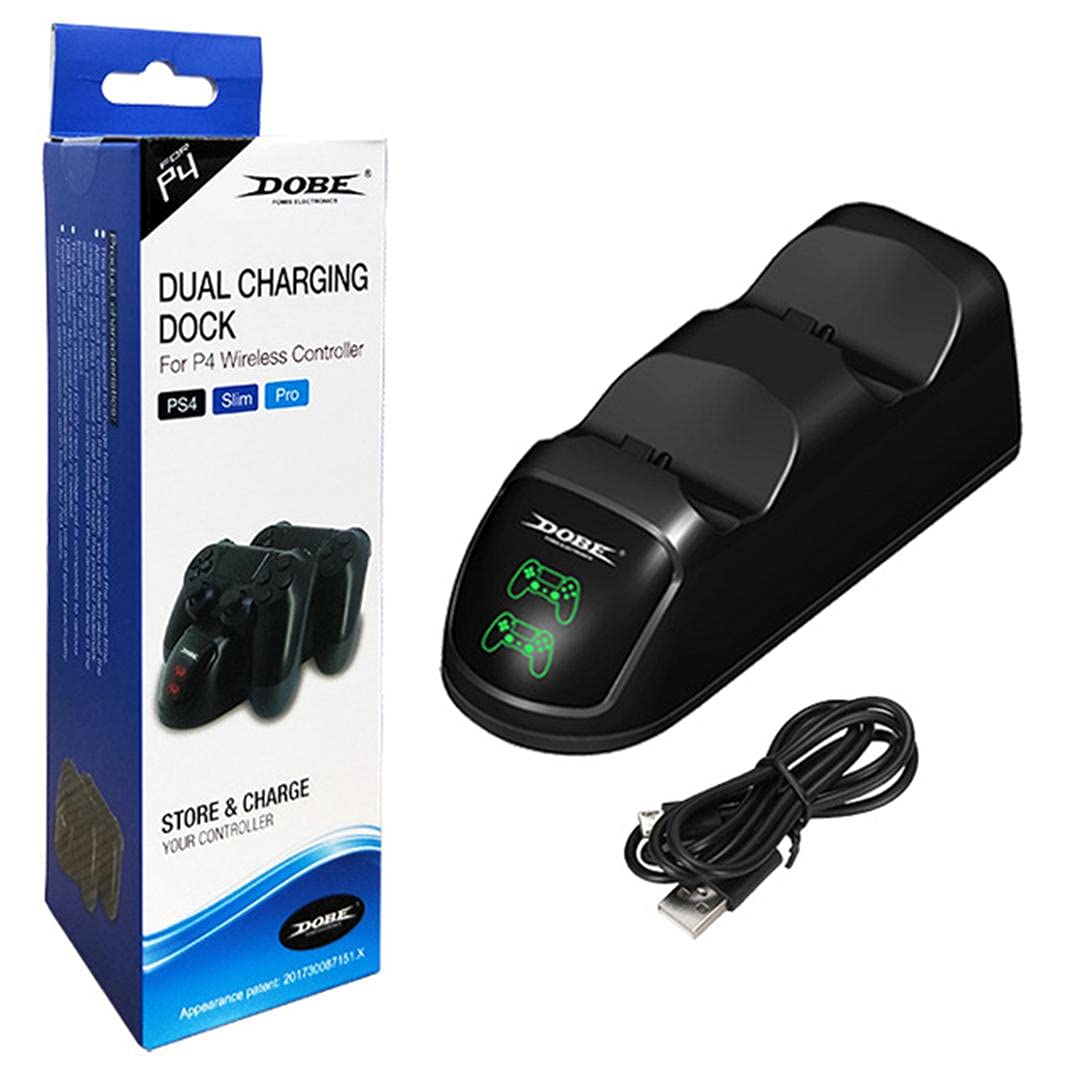
- 1 x DOBE TP4-889 Dual Controller Charging Dock
- 1 x cable de càrrega USB
Producte acabatview
Familiarize yourself with the components of your charging dock:
- Controller Charging Slots: Two dedicated slots for PlayStation 4 controllers.
- Indicadors LED: Individual indicators for each charging slot. These lights illuminate red when a controller is charging and turn green when charging is complete.
- Port micro USB: Located at the rear of the dock for power input.


Instruccions de configuració
- Connect the small end of the included USB charging cable to the Micro USB port on the rear of the DOBE TP4-889 charging dock.
- Connect the larger USB-A end of the cable to a compatible USB power source, such as a PlayStation 4 console, a USB wall adapter (not included), or a computer USB port.
- Ensure the power source is active. The dock is now ready for use.

Instruccions de funcionament
Controladors de càrrega
- With the charging dock powered on, gently align a PlayStation 4 controller with one of the charging slots.
- Carefully insert the controller into the slot, ensuring the charging port on the controller connects securely with the dock's connector.
- The corresponding LED indicator on the dock will illuminate vermell, indicating that the controller is charging.
- To charge a second controller, repeat steps 1-3 for the other charging slot.
- Once a controller is fully charged, its LED indicator will turn verd.
- Remove the controller from the dock once charging is complete.

Manteniment
- Neteja: Disconnect the power before cleaning. Use a soft, dry cloth to wipe the surface of the charging dock. Do not use liquid cleaners or abrasive materials.
- Emmagatzematge: Quan no l'utilitzeu durant períodes prolongats, guardeu la base de càrrega en un lloc fresc i sec, allunyat de la llum solar directa i de temperatures extremes.
Resolució de problemes
| Problema | Causa possible | Solució |
|---|---|---|
| Controller not charging / LED not lighting up. |
|
|
| La càrrega és lenta. |
|
|
Especificacions
- Model: TP4-889
- Compatibilitat: PlayStation 4 (PS4) DualShock 4 Controllers
- Entrada: Micro USB
- Dimensions (aprox.): 22.6 x 7.8 x 6.2 cm (8.9 x 3.1 x 2.4 polzades)
- Pes (aprox.): 216 grams (0.48 lliures)
- Indicadors LED: Vermell (carregant), Verd (completament carregat)
Garantia i Suport
For warranty information or technical support, please refer to the documentation provided with your purchase or contact the manufacturer directly through their official weblloc web o canals d'atenció al client. Conserveu el comprovant de compra per a reclamacions de garantia.