
Introducció
Thank you for choosing the iHome XT-60 True Wireless Earbuds. This manual provides essential information for setting up, operating, and maintaining your earbuds to ensure optimal performance and longevity. Please read these instructions carefully before use.
Contingut del paquet
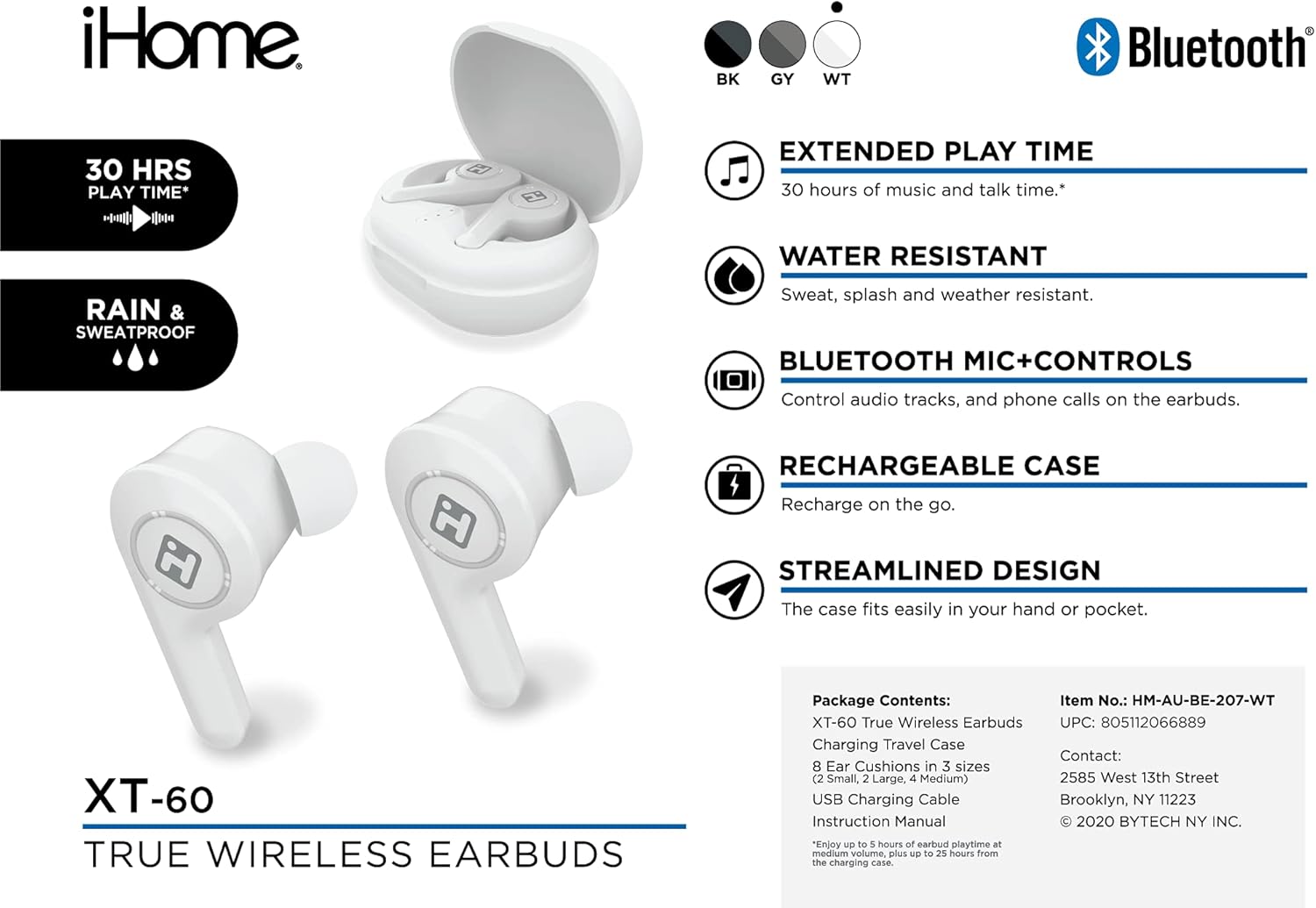
Image: The iHome XT-60 True Wireless Earbuds and their accessories, including the charging case, ear cushions, and USB charging cable, laid out on a white background.
- Auriculars XT-60 True Wireless
- Maletí de viatge de càrrega
- 8 Ear Cushions in 3 Sizes (2 Small, 2 Large, 4 Medium)
- Cable de càrrega USB
- Manual d'instruccions (aquest document)
Configuració
1. Càrrega dels auriculars i l'estoig
Before first use, fully charge the earbuds and the charging case. The charging case provides additional battery life for your earbuds, offering up to 30 hours of total play time.
- Col·loca els auriculars a l'estoig de càrrega. Assegura't que estiguin correctament col·locats.
- Connecteu el cable de càrrega USB al port de càrrega de la carcassa i a una font d'alimentació USB.
- The indicator lights on the case and earbuds will show charging status. Refer to the case for specific light indicators.
- Un cop estigui completament carregat, desconnecteu el cable de càrrega.

Image: The iHome XT-60 True Wireless Earbuds resting inside their open charging case, ready for charging or use.
2. Vinculació amb un dispositiu Bluetooth
The XT-60 earbuds use Bluetooth 5.0 for a stable wireless connection.
- Traieu els dos auriculars de l'estoig de càrrega. S'encendran automàticament i entraran en mode d'emparellament.
- Al dispositiu (telèfon intel·ligent, tauleta, etc.), aneu a la configuració de Bluetooth.
- Cerca available devices and select "iHome XT-60" from the list.
- Once connected, you will hear an audio confirmation, and the earbud indicator lights will change.
Nota: Els auriculars intentaran tornar a connectar-se automàticament a l'últim dispositiu emparellat quan es treguin de l'estoig.
3. Col·locació dels auriculars
Proper fit is crucial for sound quality and comfort. Experiment with the included ear cushion sizes to find the best fit for your ears.

Imatge: Un primer pla view of an iHome XT-60 earbud properly seated within the ear canal, demonstrating correct fit.
- Introduïu suaument l'auricular al canal auditiu.
- Twist slightly to secure it in place.
- Ensure a snug fit to maximize bass response and noise isolation.
Funcionament dels auriculars
Controls tàctils
The XT-60 earbuds feature intuitive touch controls on each earbud for managing audio playback and calls.
| Funció | Acció |
|---|---|
| Reproduir/Pausa | Un sol toc a qualsevol dels auriculars |
| Pista següent | Toqueu dues vegades l'auricular dret |
| Pista anterior | Toqueu dues vegades l'auricular esquerre |
| Respondre/Finalitzar la trucada | Un sol toc a qualsevol dels auriculars |
| Rebutja la trucada | Manteniu premut qualsevol dels auriculars durant 2 segons |
| Activa l'Assistent de veu | Toqueu tres vegades a qualsevol dels auriculars |
Encès/Apagat
- Encès: Traieu els auriculars de l'estoig de càrrega. S'encendran automàticament.
- Apagar: Torna a col·locar els auriculars a l'estoig de càrrega. S'apagaran automàticament i començaran a carregar-se.
Resistència a l'aigua (IPX5)
The iHome XT-60 earbuds are IPX5 water-resistant, meaning they are protected against sweat, splashes, and light rain. They are not designed for submersion in water. Ensure the earbuds are dry before placing them back in the charging case to prevent damage.
Manteniment
- Neteja: Feu servir un drap suau, sec i sense borrissol per netejar els auriculars i l'estoig de càrrega. No utilitzeu productes de neteja abrasius ni dissolvents.
- Coixinets per a les orelles: Remove ear cushions periodically and clean them with a damp drap. Assegureu-vos que estiguin completament secs abans de tornar-los a enganxar.
- Emmagatzematge: Quan no els utilitzeu, guardeu els auriculars a la seva funda de càrrega per protegir-los i mantenir-los carregats. Eviteu temperatures extremes.
Resolució de problemes
| Problema | Solució |
|---|---|
| Els auriculars no es combinen amb el dispositiu |
|
| Només funciona un auricular |
|
| Sense so ni volum baix |
|
| La funda de càrrega no es carrega |
|
Especificacions
| Característica | Detall |
|---|---|
| Model | XT-60 |
| Tecnologia de connectivitat | Bluetooth 5.0 |
| Factor de forma | A l'orella |
| Mètode de control | Control tàctil |
| Micròfon | Inclòs |
| Nivell de resistència a l'aigua | IPX5 (resistent a l'aigua) |
| Durada de la bateria (auriculars) | Up to 5 hours per charge (approx.) |
| Total Play Time (with case) | Fins a 30 hores |
| UPC | 805112066889 |
Garantia i Suport
For warranty information and technical support, please refer to the official iHome weblloc web o poseu-vos en contacte amb el servei d'atenció al client. Conserveu el comprovant de compra per a reclamacions de garantia.
Informació de contacte:
- Manufacturer: iHome
- Address: 2585 West 13th Street, Brooklyn, NY 11223