
VANKYO C751
VANKYO C751 Hybrid Active Noise Cancelling Headphones User Manual
Model: C751
1. Introducció
This manual provides essential instructions for the safe and effective use of your VANKYO C751 Hybrid Active Noise Cancelling Headphones. Please read this manual thoroughly before using the product and retain it for future reference.
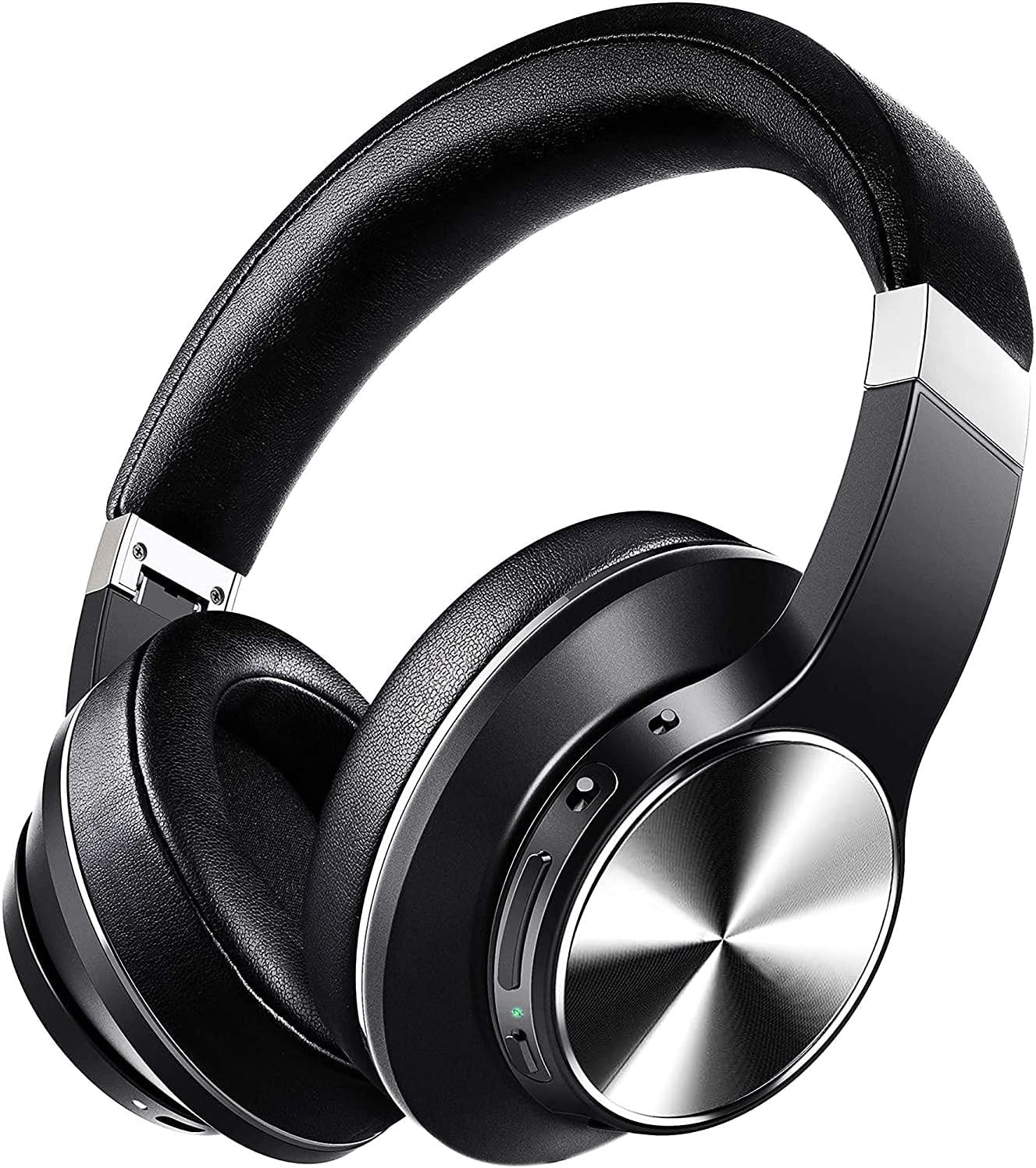
Image: The VANKYO C751 Hybrid Active Noise Cancelling Headphones, shown in black with silver accents, featuring over-ear cups and an adjustable headband.
2. Contingut del paquet
Verifiqueu que tots els elements que s'enumeren a continuació siguin presents al vostre paquet:
- VANKYO C751 Hybrid Active Noise Cancelling Headphones
- Cable de càrrega USB-C
- Cable d'àudio de 3.5 mm
- Maleta de transport
- Manual d'usuari (aquest document)

Image: The VANKYO C751 headphones, a hard carrying case, a USB-C charging cable, and a 3.5mm audio cable, laid out on a surface.
3. Producte acabatview
Familiaritzeu-vos amb els diversos components i controls dels vostres auriculars.
3.1 Controls i ports
- Botó d'encesa: Manteniu premut per encendre/apagar.
- Augment de volum / pista següent: Premeu curt per pujar el volum, premeu llargament per passar a la següent pista.
- Baixada de volum / pista anterior: Short press for volume down, long press for previous track. Double press to change EQ band.
- Botó multifunció (MFB): Play/pause, answer/end calls.
- Interruptor ANC: Toggle Active Noise Cancellation on/off.
- Port de càrrega USB-C: Per carregar els auriculars.
- Conector d'àudio de 3.5 mm: Per a connexió amb cable.
- Micròfon: Per a trucades i ordres de veu.

Image: A woman wearing the VANKYO C751 headphones, with an inset showing a close-up of the control buttons on the earcup.
3.2 Com posar-se els auriculars
Adjust the headband for a comfortable and secure fit. The earcups are designed with pressure-relieving memory-protein ear pads for extended wear.

Imatge: Un primer pla view of the soft, black protein leather earpad of the VANKYO C751 headphones, highlighting its comfortable design.
4. Configuració
4.1 Càrrega dels auriculars
- Connect the USB-C charging cable to the headphone's charging port.
- Connecteu l'altre extrem del cable a un adaptador de corrent USB (no inclòs) o al port USB d'un ordinador.
- The LED indicator will show charging status. A full charge provides approximately 30 hours of playtime. A 10-minute quick charge provides up to 2 hours of listening.

Image: The VANKYO C751 headphones connected to a charging cable, with text indicating "30 Hours Playing Time" and "10 Mins USB-C turbo charging for 2 Hours use."
4.2 Engegada/apagada
- Per encendre: Press and hold the Power button for 2-3 seconds until the LED indicator flashes.
- Per apagar: Press and hold the Power button for 3-4 seconds until the LED indicator turns off.
4.3 Vinculació Bluetooth
- Assegureu-vos que els auriculars estiguin apagats.
- Press and hold the Power button for approximately 5 seconds until the LED indicator flashes red and blue alternately, indicating pairing mode.
- Activeu el Bluetooth al dispositiu (telèfon intel·ligent, tauleta, ordinador).
- Cerca "VANKYO C751" in the list of available Bluetooth devices and select it to connect.
- Un cop connectat, l'indicador LED parpellejarà blau lentament.
4.4 Connexió per cable
To use the headphones in wired mode, connect one end of the 3.5mm audio cable to the headphone's audio jack and the other end to your audio source. Bluetooth functionality will be disabled automatically when the audio cable is connected.

Image: A split image showing the VANKYO C751 headphones connected via a 3.5mm audio cable (Wired Mode) and a separate image of the headphones indicating wireless connectivity (Wireless Mode).
5. Instruccions de funcionament
5.1 Cancel·lació activa del soroll (ANC)
Toggle the ANC switch to activate or deactivate the Hybrid Active Noise Cancellation feature. This function reduces ambient noises by up to 90%, ideal for travel or noisy environments.

Image: A woman wearing the VANKYO C751 headphones, looking out a window, with text indicating "Advanced Active Noise Cancellation" and its ability to block out up to 90% of low and mid-range frequency noises.

Image: A graphic representation of sound waves, with one side showing a complex waveform and the other side showing a simplified waveform, illustrating the effect of active noise cancellation.
Reproducció d'àudio 5.2
- Reproduir/pausa: Premeu el MFB una vegada.
- Pujar el volum: Premeu breument el botó de pujar el volum.
- Baixar el volum: Premeu breument el botó per baixar el volum.
- Pista següent: Premeu llargament el botó de pujar el volum.
- Pista anterior: Premeu llargament el botó per baixar el volum.
5.3 Configuració de l'equalitzador (EQ)
Double press the Volume Down button to cycle through different EQ bands for an amplified listening experience, such as Pop, Classic, Rock, Jazz, and Voice modes.

Image: A collage of five images representing different music genres or sound profiles: Pop, Classic, Rock, Jazz, and Voice, illustrating the EQ modes available on the VANKYO C751 headphones.
5.4 Trucades telefòniques
The integrated CVC 8.0 noise-cancelling microphone ensures clear hands-free calls.
- Respondre/Finalitzar la trucada: Premeu el MFB una vegada.
- Rebutja la trucada: Manteniu premut el MFB durant 2 segons.
- Torna a marcar l'últim número: Premeu dues vegades el MFB.

Image: A woman wearing the VANKYO C751 headphones while participating in a video conference call on a computer, illustrating the clear call quality provided by the CVC 8.0 microphone.
6. Manteniment
6.1 Neteja
- Netegeu els auriculars amb un drap suau i sec.
- No utilitzeu netejadors abrasius ni dissolvents.
- Eviteu que entri humitat a cap obertura.
6.2 Emmagatzematge
When not in use, store the headphones in the provided carrying case to protect them from dust and damage. The foldable design allows for compact storage.
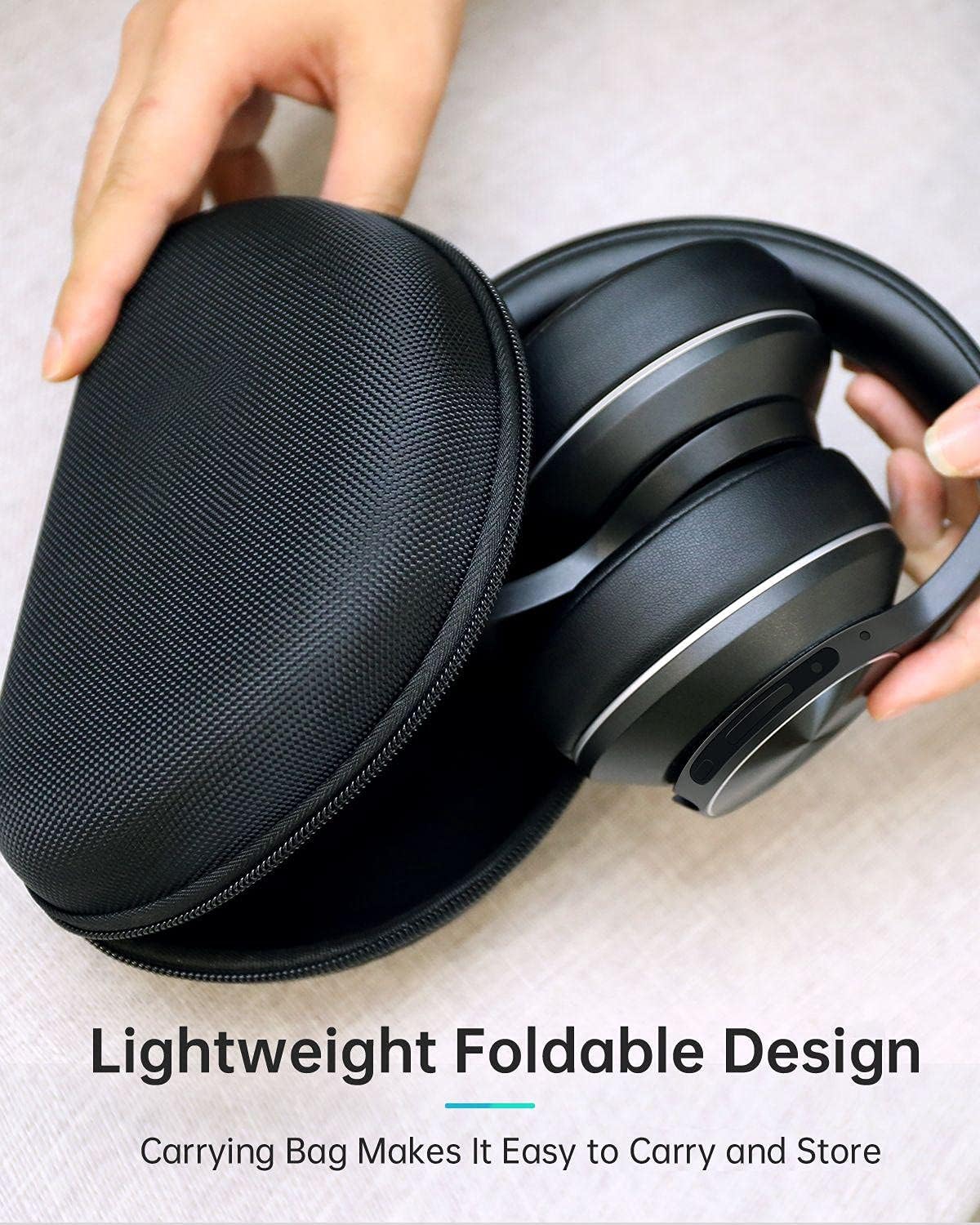
Image: The VANKYO C751 headphones, folded compactly, being placed into or removed from its black zippered carrying case, demonstrating its portable and protective design.
7. Solució De Problemes
- Sense energia: Assegureu-vos que els auriculars estiguin carregats. Connecteu-los a una font d'alimentació amb el cable USB-C.
- No es pot emparellar: Ensure the headphones are in pairing mode (LED flashing red and blue). Turn off and on your device's Bluetooth, then try pairing again. Ensure the headphones are not connected to another device.
- Sense so: Check the volume level on both the headphones and your connected device. Ensure the headphones are properly paired or the 3.5mm audio cable is securely connected.
- Qualitat de so baixa: Acosteu-vos al dispositiu Bluetooth per evitar interferències. Proveu una font d'àudio diferent o file.
- ANC no funciona eficaçment: Assegureu-vos que l'interruptor ANC estigui en la posició "On". L'ANC és més eficaç contra el soroll constant de baixa freqüència.
8. Especificacions
| Model | C751 |
| Connectivitat | Bluetooth 5.0, presa d'àudio de 3.5 mm |
| Control de soroll | Cancel·lació activa de soroll híbrida |
| Micròfon | CVC 8.0 Noise Cancelling Mic |
| Conductors | Dual 40mm Large-Aperture Drivers |
| Durada de la bateria | Fins a 30 hores de joc |
| Port de càrrega | USB-C |
| Col·locació de l'orella | Sobre l'orella |
| Dimensions del producte | 15 x 6 x 10 cm |
| Pes | 718 g |
9. Informació de seguretat
- No exposeu els auriculars a temperatures o humitat extremes.
- Eviteu deixar caure els auriculars ni sotmetre'ls a impactes forts.
- No desmunteu ni intenteu reparar els auriculars vosaltres mateixos.
- Escolteu a un volum moderat per evitar danys auditius.
- Do not use headphones while driving or in situations where you need to hear your surroundings.
10. Garantia i Suport
For warranty information or technical support, please refer to the contact details provided with your purchase documentation or visit the official VANKYO weblloc web. Conserveu el comprovant de compra per a reclamacions de garantia.
Ask a question about this manual
Ask about setup, troubleshooting, compatibility, parts, safety, or missing instructions. Manuals+ will review the question and use this page’s manual context to help answer it.