
FLEXISPOT EC5
FLEXISPOT EC5 Classic Electric Standing Desk User Manual
Model: EC5
Introducció
This manual provides essential instructions for the assembly, operation, maintenance, and troubleshooting of your FLEXISPOT EC5 Classic Electric Standing Desk. Please read this manual thoroughly before assembly and use to ensure safe and efficient operation.

Image: The FLEXISPOT EC5 Classic Electric Standing Desk, featuring a bamboo desktop and white frame, set up in a home office environment.
Informació de seguretat
Advertències importants de seguretat:
- This desk has a maximum weight limit of 287 pounds (130.18 kg). Do not exceed this limit.
- Assembly is required. Improper assembly may lead to stability issues and potential injury.
- Always ensure the desk is fully assembled and all screws are tightened before use.
- This product is not intended for use by children. Keep children away from the desk, especially during height adjustments.
- To prevent tipping, especially when the desk is at its maximum height, always secure the desk to a wall using appropriate anchoring hardware (not included).
- Si no es segueixen aquestes instruccions de seguretat, es poden produir lesions o danys al producte.
Muntatge i muntatge
The FLEXISPOT EC5 Classic desk requires assembly. Follow these general guidelines for a smooth setup process. Refer to the detailed assembly instructions provided in your product packaging for specific steps and diagrams.
Eines necessàries:
- Tornavís de cap Phillips
- Allen wrenches (usually included with hardware)
- Power drill with appropriate bits (optional, but recommended for efficiency)
Consells de muntatge:
- Desembalatge: Carefully unpack all components and verify against the parts list in your instruction manual. Keep packaging materials for potential returns or future transport.
- Àrea de treball: Assemble the desk on a soft, clean, and raised surface if possible to protect the desktop and ease the process.
- Alineació del marc: Ensure the desk frame is perfectly square during the initial assembly steps. Misalignment can cause issues with screw holes and overall stability.
- Cargols de tensió: Hand-tighten screws initially, then fully tighten all screws once the frame is aligned and components are in place. Avoid over-tightening.
- Gestió de cables: After assembly, route all power and control cables neatly and secure them to the underside of the table using the provided clips or ties. This prevents snagging and ensures a clean appearance.
- Initial Power Test: Before flipping the desk upright, plug in the unit and perform a quick test of the height adjustment mechanism to ensure all connections are secure and functional.

Image: The FLEXISPOT EC5 Classic desk integrated into a modern office setup, showcasing la seva funcionalitat.
Instruccions de funcionament
Your FLEXISPOT EC5 Classic Electric Standing Desk features a dual-motor system for smooth and quiet height adjustments, controlled by an intelligent keypad.
Ajust d'alçada:
- L'escriptori es pot ajustar des d'una alçada mínima de 62 cm fins a una alçada màxima de 127 cm.
- Utilitza el Up (▲) i Avall (▼) buttons on the intelligent keypad to manually adjust the desk height.
- The dual motors operate quietly, typically generating less than 45dB of sound, ensuring minimal disturbance.

Image: Illustration demonstrating the 3-stage height adjustable frame of the FLEXISPOT EC5 Classic desk.
Intelligent Keypad Functions:

Imatge: Una imatge detallada view of the intelligent keypad, showing the LED display and buttons for height adjustment and memory presets.
- Panell de pantalla LED: Mostra l'alçada actual de l'escriptori en polzades o centímetres.
- Preajustos de memòria (1, 2, 3, 4): The keypad features four memorizable height settings.
- Ajusteu l'escriptori a l'alçada desitjada amb els botons Amunt/Avall.
- Premeu el botó "M" button (if present, or a similar memory set button) followed by the desired number button (1, 2, 3, or 4) to save the current height.
- Per recuperar una alçada desada, només cal que premeu el botó numèric corresponent.
Sistema anticol·lisió:
The desk is equipped with an anti-collision system designed to detect obstacles during height adjustment. If an obstruction is detected, the desk will automatically stop and slightly reverse direction to prevent damage or injury.

Image: A visual representation of the anti-collision system, showing the desk stopping and reversing upon encountering an obstacle.
Manteniment
Proper maintenance ensures the longevity and optimal performance of your FLEXISPOT EC5 Classic Electric Standing Desk.
- Neteja: Wipe the desk surface and frame with a dry cloth. For stubborn marks, use a slightly damp cloth with a mild, non-abrasive cleaner, then dry immediately. Avoid harsh chemicals.
- Inspeccions: Reviseu periòdicament tots els cargols i connexions per assegurar-vos que romanen ajustats. Torneu a apretar-los si cal.
- Gestió de cables: Ensure cables remain securely fastened and are not pinched or damaged.
Resolució de problemes
If you encounter issues with your FLEXISPOT EC5 Classic Electric Standing Desk, refer to the following common problems and solutions. For more complex issues, please contact customer support.
| Problema | Causa possible | Solució |
|---|---|---|
| L'escriptori no es mou ni respon als controls. | Power cable disconnected, control box error, motor cable disconnected. |
|
| L'escriptori es mou de manera irregular o fa sorolls estranys. | Uneven load, loose connections, motor issue. |
|
| El sistema anticol·lisió s'activa amb freqüència. | Obstrucció, ajust de sensibilitat. |
|
Especificacions
| Característica | Detall |
|---|---|
| Model | EC5 Classic |
| Marca | FLEXISPOT |
| Disseny d'escriptori | Escriptori d'ordinador |
| Dimensions del producte | 120.7D x 59.9W x 59.9H Centimetres (48" x 24" desktop) |
| Interval d'ajust d'altura | De 24.4" a 50" (de 62 cm a 127 cm) |
| Tipus de motor | Dual Motor, 3-Stage Cames |
| Nivell de soroll | Menys de 45 dB |
| Capacitat de càrrega màxima | 287 lliures (130.18 kg) |
| Material d'escriptori | Bamboo (FSC Certified) |
| Material del marc | Acer |
| Color | White Frame + Rectangular Top (Bamboo) |
| Muntatge obligatori | Sí |
| Instruccions de cura | Netegeu amb un drap sec |
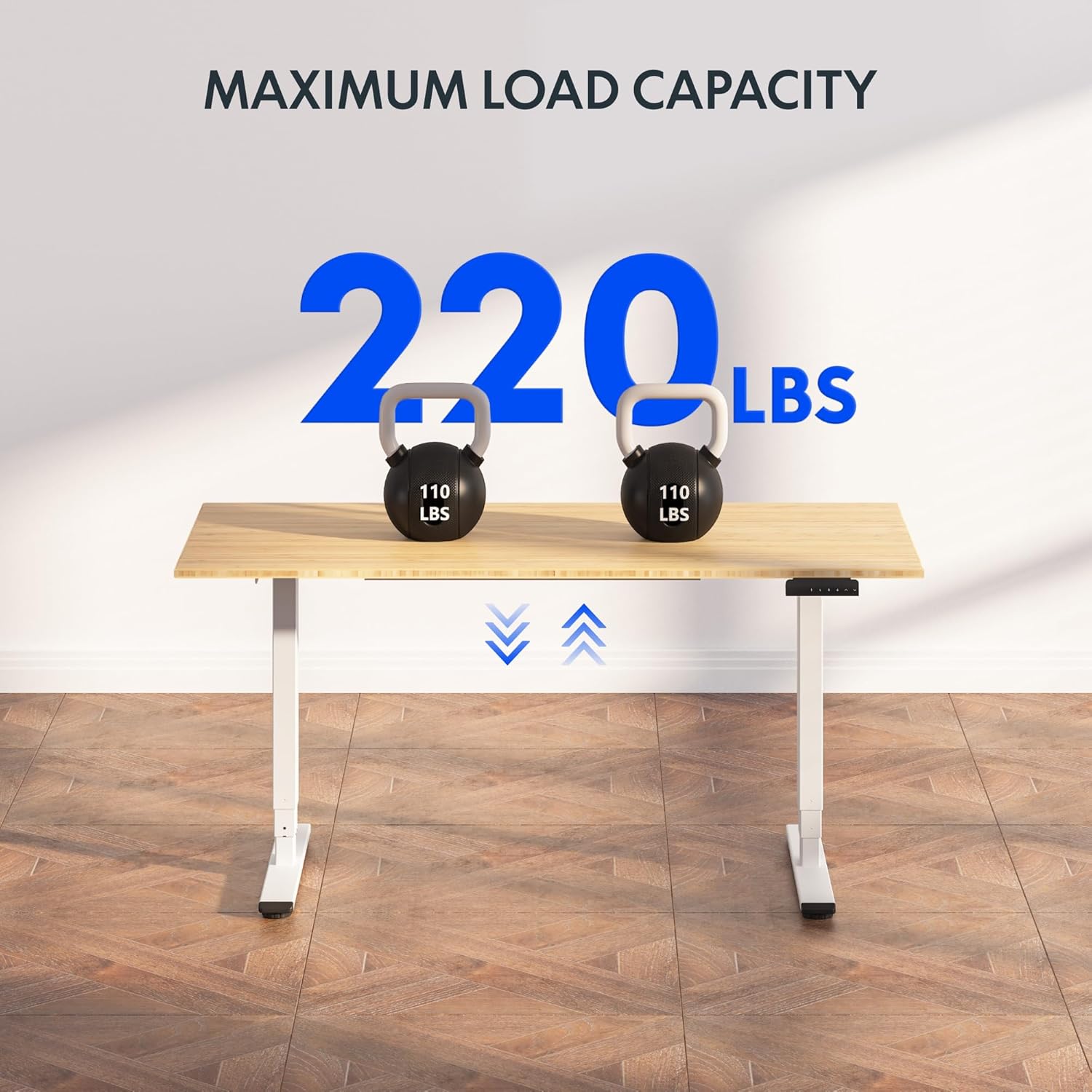
Image: The FLEXISPOT EC5 Classic desk demonstrating its maximum load capacity with two 110 lbs kettlebells.
Informació de la garantia
FLEXISPOT products are designed for durability and performance. While specific warranty details may vary, FLEXISPOT generally offers a comprehensive warranty on its standing desk frames and motors. Please refer to the warranty card included with your product or visit the official FLEXISPOT website for the most current and detailed warranty information applicable to your EC5 Classic model.
Conserveu el vostre comprovant de compra per a reclamacions de garantia.
Atenció al client
For further assistance, technical support, or to inquire about parts, please contact FLEXISPOT customer service.
- Assistència en línia: Visit the official FLEXISPOT weblloc web amb preguntes freqüents, articles de suport i formularis de contacte.
- Botiga de marca: També podeu visitar el FLEXISPOT Store on Amazon per a informació i assistència sobre el producte.
Ask a question about this manual
Ask about setup, troubleshooting, compatibility, parts, safety, or missing instructions. Manuals+ will review the question and use this page’s manual context to help answer it.